

Validating Structured Data at Scale
- January 20, 2025
- Schema and Structured Data, Technical SEO
AI Summary
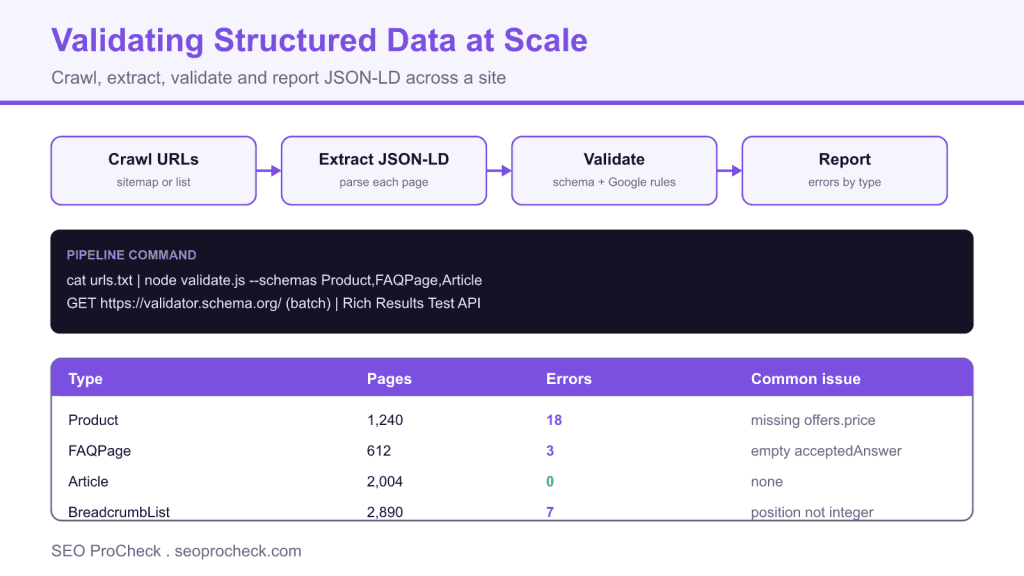
Validating structured data at scale means crawling every URL, extracting its JSON-LD, and checking each block against both the Schema.org vocabulary and Google's rich result requirements automatically, rather than pasting single pages into a testing tool. Run it as a scheduled pipeline or a CI check so schema errors are caught before they reach production across thousands of templates.
- Manual one URL at a time testing does not scale past a few dozen pages, so automate extraction and validation.
- Validate against two layers: Schema.org syntax and Google's stricter rich result eligibility rules.
- Screaming Frog, the Rich Results Test, and a small Node or Python script cover most site sizes.
- Report errors grouped by schema type and template so fixes are made once at the source.
Why scale changes the problem
Validating one page is trivial: paste the URL into the Schema Markup Validator or the Rich Results Test and read the result. That approach collapses the moment you have thousands of URLs generated from a handful of templates. A single bug in a Product template can invalidate ten thousand product pages at once, and you will never catch it by spot checking. Validation at scale means treating schema like code: extract it programmatically from every URL, run it through validators, and surface errors grouped by type and template so one fix repairs the whole class of pages.
The pipeline: crawl, extract, validate, report
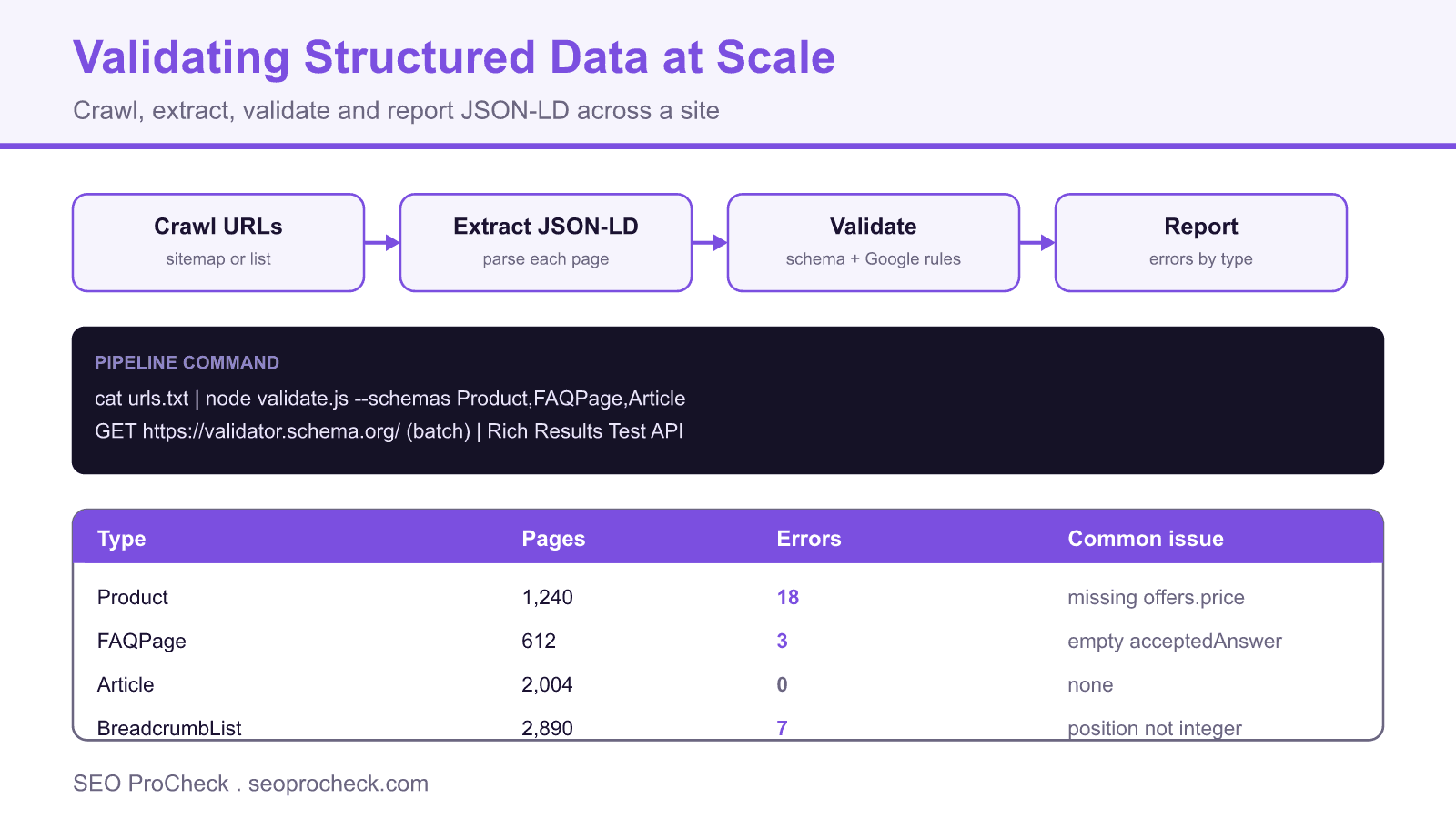
Every scalable approach follows the same four stages. Crawl the URL set, extract the JSON-LD from each page, validate each block against the vocabulary and Google's rules, then report the errors grouped so they are actionable.
| Stage | Tooling option | Output |
|---|---|---|
| Crawl | Screaming Frog, Sitebulb, or a sitemap fed script | List of URLs to test |
| Extract | Frog structured data tab, or parse the application/ld+json blocks | Raw JSON-LD per URL |
| Validate | Schema Markup Validator, Rich Results Test | Errors and warnings per block |
| Report | CSV or dashboard grouped by type and template | Prioritised fix list |
Screaming Frog for mid sized sites
For sites up to a few hundred thousand URLs, Screaming Frog does the crawl and validation in one pass. Enable structured data extraction under Config > Spider > Extraction, and turn on both Schema.org Validation and Google Rich Results Validation. After the crawl, the Structured Data tab lists every URL with error and warning counts, and the filters let you export just the pages with errors. The advanced workflow, including scheduled crawls and custom extraction, is covered in the Screaming Frog advanced usage guide.
A scripted validator for CI
To catch errors before deploy, run extraction and validation in your build pipeline. The pattern is to fetch each URL, pull the JSON-LD blocks, and check required properties for the types you care about. A minimal Node sketch:
// validate.js : node validate.js urls.txt
import fs from 'node:fs';
const urls = fs.readFileSync(process.argv[2],'utf8').split('\n').filter(Boolean);
const required = { Product:['name','offers'], FAQPage:['mainEntity'], Article:['headline'] };
for (const url of urls) {
  const page = await (await fetch(url)).text();
  const re = /<script[^>]*application\/ld\+json[^>]*>(.*?)<\/script>/gs;
  for (const b of page.matchAll(re)) {
    const data = JSON.parse(b[1]);
    const type = data['@type'];
    for (const prop of (required[type] || []))
      if (!data[prop]) console.log(url, type, 'missing', prop);
  }
}
For richer coverage without maintaining rule logic yourself, run each URL through the Rich Results Test, or lint the JSON-LD against the published Schema.org shapes. Run the script on a URL sample in every pull request and on the full set nightly.
Errors worth catching first
A few error classes account for most rich result losses. Missing offers or price on Product, empty acceptedAnswer text on FAQPage, non integer position values in BreadcrumbList, and date fields that are not valid ISO 8601 are the usual culprits. Because these come from templates, fix them once in the template and the whole cohort clears. When your schema is also meant to feed knowledge panels and AI systems, align it with your broader entity strategy described in entity HTML for a machine readable brand. Local businesses have their own frequent gaps, covered in missing local schema.
Make it continuous
Validation is not a one time cleanup. Templates change, plugins update, and a CMS migration can silently break markup across the site. Schedule the full crawl weekly, wire the scripted check into CI so a broken template fails the build, and keep a dashboard that trends error counts by type over time. The goal is that a schema regression is caught in a pull request or a nightly report, never by a drop in rich results weeks later.
Frequently asked questions
What is the best way to validate structured data on many pages?
Crawl the site with a tool such as Screaming Frog that has structured data validation enabled, or run a script that fetches each URL, extracts the JSON-LD, and checks it against Schema.org and Google's rules. Group the errors by schema type and template so one fix repairs every affected page.
What is the difference between the Schema Markup Validator and the Rich Results Test?
The Schema Markup Validator checks whether your markup is valid against the Schema.org vocabulary. The Rich Results Test checks the stricter subset of requirements Google needs for a specific rich result to appear. A page can pass the first and still fail the second, so validate against both.
Can I validate structured data automatically in a CI pipeline?
Yes. Fetch each URL in the build, parse the application/ld+json blocks, and assert that required properties are present for the types you use. Fail the build when a required property is missing so broken markup never reaches production.
Which structured data errors matter most?
Errors that make a page ineligible for a rich result matter most, such as a missing offers or price on Product, an empty acceptedAnswer on FAQPage, or a non integer position in BreadcrumbList. Warnings about recommended properties are lower priority but still worth clearing.
How often should I revalidate structured data?
Run a full validation crawl at least weekly, and add a check to your deployment pipeline so template changes are validated on every release. Migrations and plugin updates are common causes of silent breakage between scheduled runs.
Does invalid structured data hurt SEO?
Invalid markup does not usually cause a ranking penalty, but it makes pages ineligible for rich results, which can reduce click through rate. Broken or misleading markup can also lead to a manual action for spammy structured data in severe cases.
Claude Vincent is a technical SEO consultant focused on crawlability, rendering, and AI-search visibility. He writes the field guides and case studies at SEO ProCheck, with a bias toward the durable, unglamorous work that decides whether search engines and AI answer engines can actually read and cite a site.
About SEO ProCheck
Technical SEO consulting and GEO strategy with 20 years of enterprise experience. Case studies, resources, and tools for search and AI visibility.
Work With Me
Technical SEO audits, GEO strategy, site migrations, and international SEO. Hourly consulting for teams who need hands-on support, not just reports.
Subscribe to our newsletter!







Recent Posts
- Can AI Crawlers Actually Read Your Site? I Measured 400 of the Biggest September 5, 2026
- The Pre-Publish Quality Gate for AI-Assisted Content August 6, 2026
- AGENTS.md vs llms.txt vs llms-full.txt: Which Agent File Does What July 18, 2026