


AI Summary
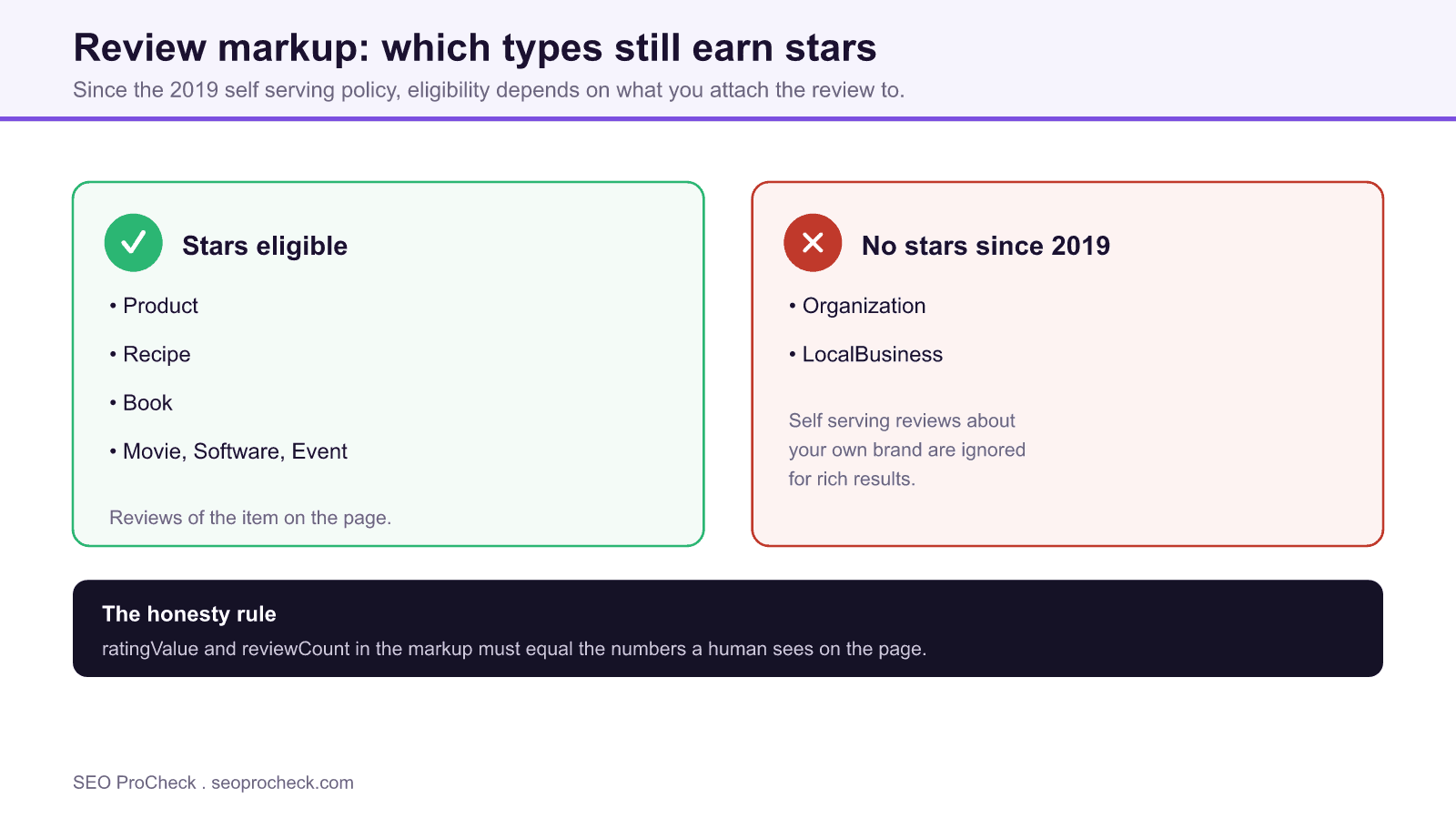
Review markup is structured data, schema.org Review and AggregateRating, that lets Google show star ratings in search results. Since the 2019 self serving policy, stars only appear when reviews are attached to eligible types like Product, and the counts in your markup must match what a human sees on the page.
- Product, Recipe, and Book review markup stays star eligible, Organization and LocalBusiness self serving reviews do not.
- ratingValue and reviewCount must equal the visible on page numbers, or you risk losing rich results.
- Use reviewCount for written reviews and ratingCount for star only ratings, so the number is honest.
- Valid markup makes you eligible, not guaranteed: Google still decides whether to display the stars.
What is review markup?
Review markup is structured data (schema.org Review and AggregateRating) you add to a page so Google can show star ratings in search results. Done right, those stars lift click-through rates; done wrong, or dishonestly, they get your rich results suppressed or earn a manual action.
The stakes are simple: a listing with a 4.7-star rating and 210 reviews pulls more clicks than the identical listing with no stars. But Google polices this markup hard, and the rules changed in a way that still trips people up years later.
The 2019 self-serving review policy (the one that broke everyone's stars)
In September 2019 Google stopped showing review rich results for "self-serving" reviews on a small set of schema types, specifically LocalBusiness and Organization. Translation: you can no longer mark up reviews about your own business or brand on your own site and expect stars. Reviews of specific products you sell are still fine; a blanket "our company is 5 stars" on your homepage is not.
So a product page reviewing a product? Eligible. A services page marking up "reviews of our agency"? Ignored. This is the single most common reason stars vanish after a redesign.
A valid Product + Review + AggregateRating example
<script type="application/ld+json">
{
  "@context": "https://schema.org/",
  "@type": "Product",
  "name": "Trailhead 30L Backpack",
  "image": "https://example.com/img/trailhead-30l.jpg",
  "sku": "TH-30L-BLK",
  "aggregateRating": {
    "@type": "AggregateRating",
    "ratingValue": "4.7",
    "reviewCount": "210",
    "bestRating": "5"
  },
  "review": [{
    "@type": "Review",
    "reviewRating": {
      "@type": "Rating",
      "ratingValue": "5",
      "bestRating": "5"
    },
    "author": { "@type": "Person", "name": "Dana R." },
    "reviewBody": "Carried it for a 4-day trek. Straps held up, zippers still smooth."
  }]
}
</script>
Note reviewCount is 210 because there are genuinely 210 reviews visible on the page. That number has to match reality, which is where most sites cheat and pay for it.
reviewCount vs. ratingCount, and the honesty rule
| Property | What it counts | When to use it | Must match on-page? |
|---|---|---|---|
ratingValue | The average score (e.g. 4.7) | Always, in AggregateRating | Yes, the visible average |
reviewCount | Number of written text reviews | When reviews have written content | Yes, the visible review count |
ratingCount | Number of scores/ratings (may include star-only, no text) | When people rate without writing | Yes, the visible rating count |
bestRating / worstRating | Scale bounds (defaults 5 / 1) | Only if your scale isn't 1 to 5 | Should reflect your actual scale |
Google's rule is blunt: the rating and counts in your markup must be the same ratings and counts a human sees on the page. Inflate reviewCount from 12 to 1,200 and you're one spam report or algorithmic check away from losing rich results entirely. If people can only rate with stars and never write text, use ratingCount, don't dress star-only ratings up as full written reviews.
How to check review markup on your own site
- Run the URL through Google's Rich Results Test. Paste the live URL at search.google.com/test/rich-results. It tells you if the Review snippet is valid and eligible, and flags missing required fields.
- Validate raw schema with the Schema.org validator (validator.schema.org) to catch syntax and type errors the Rich Results Test glosses over.
- Check Search Console's "Review snippets" enhancement report. It shows valid items, warnings, and errors across your whole site over time, the real-world view, not a single URL.
- Cross-check the numbers by eye. Open the page, count what a shopper sees (average, review count), and confirm the JSON-LD matches. Any mismatch is a liability.
- Confirm the type is eligible. Make sure reviews are attached to
Product,Recipe,Book, etc., notOrganizationorLocalBusiness, where self-serving reviews won't render stars.
Common mistakes and how to fix them
- Marking up reviews of your own business/brand. Post-2019 these are ignored on
Organization/LocalBusiness. Fix: only mark up reviews of the products, services, or items on the page, on an eligible type. - Inflating
reviewCountbeyond what's visible. Fix: make the markup count equal the on-page count exactly. If you have 12 reviews, say 12. - Aggregating site-wide ratings onto every page. Slapping one global 4.9 on all products is deceptive. Fix: each product's markup reflects that product's own reviews.
- Missing the
nameor thing being reviewed. A bareAggregateRatingwith no parentProductis invalid. Fix: nest it inside the entity being rated. - Reviews rendered by JavaScript Google can't see. If a widget injects reviews after load and the markup isn't in the initial HTML or rendered DOM, stars won't show. Fix: server-render the JSON-LD or confirm it's present in the rendered HTML.
FAQ
Why did my star ratings disappear from Google?
The most common cause is the 2019 self-serving review policy: reviews marked up on Organization or LocalBusiness no longer show stars. The other usual suspects are markup that doesn't match on-page content, reviews injected by JavaScript that Google can't render, or a mismatch between your declared canonical and the page carrying the markup.
What's the difference between reviewCount and ratingCount?
reviewCount is the number of written text reviews; ratingCount is the number of scores, including star-only ratings with no text. If most of your feedback is star-only, use ratingCount so the number is honest.
Can I mark up reviews of my own company?
Not for star rich results. Since 2019, self-serving reviews about your own business on Organization/LocalBusiness types are excluded. You can mark up reviews of individual products and services, which stay eligible.
Does review markup guarantee stars in search?
No. Valid markup makes you eligible; Google decides whether to display the rich result. Clean schema, honest counts, an eligible type, and reviews visible in the rendered HTML are the levers you actually control.
How do I add review markup, plugin or hand-coded?
Either works. Most platforms and review apps (Yotpo, Judge.me, WooCommerce review plugins) output valid JSON-LD automatically. Hand-coded gives you tighter control. Whichever you use, validate the live output, plugins routinely emit counts that don't match the page.
Related terms
Go deeper with Product Structured Data, the Schema Markup glossary, and the full Product Schema guide for prices, reviews, and rich results.
Claude Vincent is a technical SEO consultant focused on crawlability, rendering, and AI-search visibility. He writes the field guides and case studies at SEO ProCheck, with a bias toward the durable, unglamorous work that decides whether search engines and AI answer engines can actually read and cite a site.
About SEO ProCheck
Technical SEO consulting and GEO strategy with 20 years of enterprise experience. Case studies, resources, and tools for search and AI visibility.
Work With Me
Technical SEO audits, GEO strategy, site migrations, and international SEO. Hourly consulting for teams who need hands-on support, not just reports.
Subscribe to our newsletter!







Recent Posts
- Can AI Crawlers Actually Read Your Site? I Measured 400 of the Biggest September 5, 2026
- The Pre-Publish Quality Gate for AI-Assisted Content August 6, 2026
- AGENTS.md vs llms.txt vs llms-full.txt: Which Agent File Does What July 18, 2026