

Complete Guide to URL Parameters and SEO
- November 2, 2018
- Crawlability and Indexation, Technical SEO
AI Summary
URL parameters are the key value pairs after the question mark that power filtering, sorting, tracking, and sessions, but they can spawn thousands of duplicate URLs that waste crawl budget and split ranking signals. Because Google retired its URL Parameters tool, handling now lives on the page through canonical tags, robots rules, and consistent internal linking.
- Classify each parameter as filtering, sorting, pagination, tracking, or session, then handle it accordingly.
- Canonical tags consolidate duplicates; robots.txt blocks crawling; noindex removes pages while keeping links crawlable.
- Keep parameter order consistent and strip tracking parameters from canonical tags.
- For faceted navigation, index only the filter combinations that have real search demand.
Understanding URL Parameters
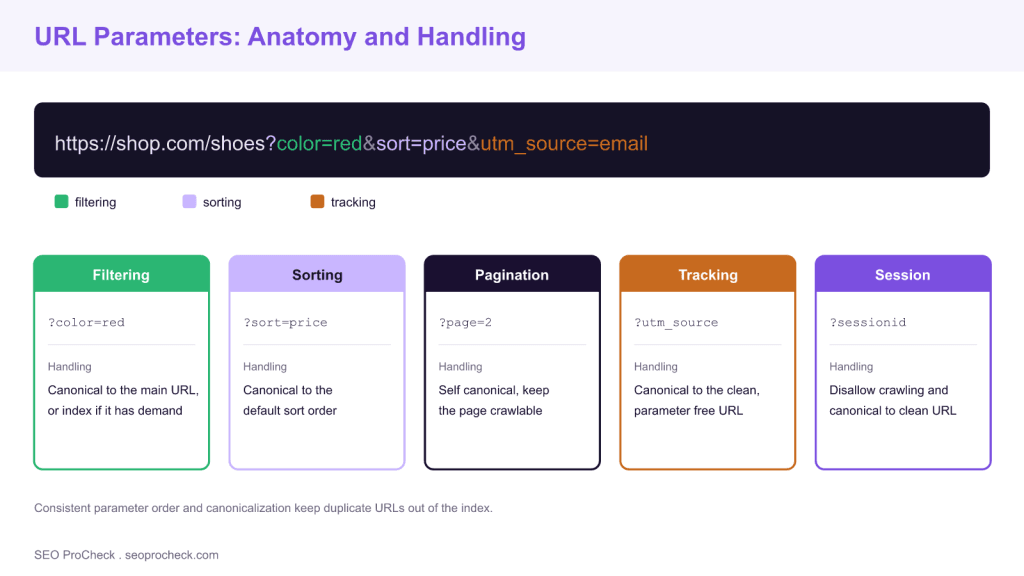
URL parameters (also called query strings) are the key-value pairs that appear after the question mark in URLs, like ?sort=price&color=blue. While parameters serve essential functions for filtering, sorting, tracking, and session management, they create significant SEO challenges. Each parameter combination can generate a unique URL, potentially creating thousands of duplicate or near-duplicate pages that waste crawl budget, dilute link equity, and confuse search engines about which URL to index.
Types of Parameters and Their Impact
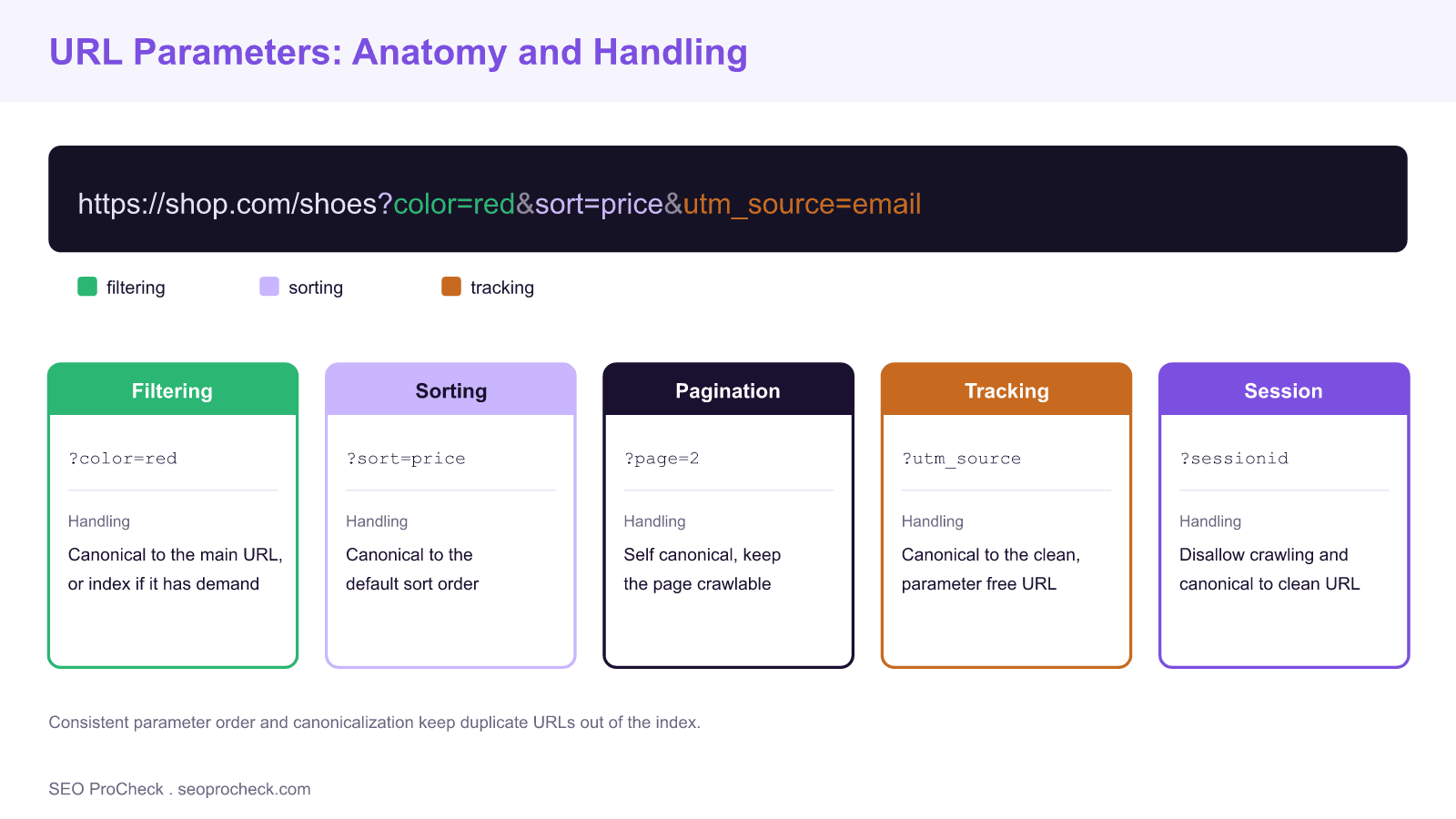
Parameters fall into several categories with different SEO implications. Filtering parameters (color, size, price range) create subset pages that may or may not warrant indexing. Sorting parameters (sort=price, order=desc) typically show the same content in different orders. Pagination parameters (page=2, offset=20) navigate through content sets. Tracking parameters (utm_source, gclid) add analytics data without changing content. Session IDs and user-specific parameters create duplicate URLs for identical content. Understanding each parameter type helps determine the appropriate handling strategy.
| Parameter Type | Example | Impact on Content | Recommended Handling |
|---|---|---|---|
| Filtering | ?color=red | Shows subset of products | Canonical to main OR index if valuable |
| Sorting | ?sort=price | Same content, different order | Canonical to default sort |
| Pagination | ?page=2 | Different content segment | Self-referencing canonical, use rel=prev/next |
| Tracking | ?utm_source=email | No content change | Canonical to non-parameter URL |
| Session | ?sessionid=abc123 | No content change | Exclude from crawling, canonical |
Parameter Handling Strategies
Several techniques manage parameter URLs effectively. Canonical tags point parameter variations to the preferred URL version. Robots.txt can block crawling of specific parameter patterns using the Disallow directive with wildcards. Meta robots noindex prevents indexing while allowing crawling (useful if you want Google to discover links on the page). The most robust approach combines canonicalization with consistent internal linking that favors non-parameter URLs. Google's URL Parameters tool in Search Console has been deprecated, making on-page solutions essential.
Faceted Navigation Considerations
E-commerce faceted navigation presents complex parameter challenges. Each filter combination creates unique URLs, potentially generating millions of low-value pages. Implement a strategic approach: identify which filter combinations create genuinely valuable, search-worthy pages (like /shoes?color=red for "red shoes" searches) versus combinations that don't warrant indexing. Use canonical tags, noindex, or AJAX-based filtering that doesn't change URLs for non-valuable combinations. Consider creating dedicated landing pages for high-value filter combinations rather than relying on parameter URLs.
Technical Implementation Best Practices
Consistent parameter ordering prevents unnecessary URL variations (always use ?a=1&b=2 rather than sometimes ?b=2&a=1). Implement URL normalization at the server level to enforce consistent formatting. Use POST requests instead of GET for session and user-specific data when possible. Strip tracking parameters from canonical tags. Monitor crawl behavior through log file analysis to identify parameter URLs consuming crawl budget. For new sites, design URL architecture to minimize reliance on parameters for critical content. Consider static URL alternatives for high-value filtered content.
Choosing the Right Control
Since the Search Console URL Parameters tool was deprecated, every control is now something you implement on the site. The three levers do different jobs and should not be confused. A canonical tag consolidates signals but is a hint, not a directive, so Google may still crawl the variant. A robots.txt disallow stops crawling entirely, which saves crawl budget but also blocks Google from seeing a canonical or noindex on that URL. A meta robots noindex removes a page from the index while still letting Google crawl it and follow its links. Pick the lever that matches your goal rather than stacking all three blindly.
| Control | What It Does | Use When | Watch Out For |
|---|---|---|---|
| Canonical tag | Consolidates signals to a preferred URL | Duplicate or near duplicate variants | It is a hint; crawling still happens |
| robots.txt disallow | Blocks crawling of a pattern | Infinite or worthless parameter space | Blocked URLs cannot show a canonical or noindex |
| meta robots noindex | Removes page from index, keeps crawl | Crawlable but non indexable variants | Page must be crawlable for it to be read |
| Consistent linking | Points internal links at clean URLs | Always, as a baseline | Rogue links reintroduce parameter URLs |
Faceted Navigation and Crawl Budget
Faceted navigation is where parameter problems become severe, because combining a few filters can generate millions of low value URLs. Start by separating the small set of combinations that have genuine search demand, such as a color plus category that people actually search, from the long tail that does not. Give the valuable combinations clean, indexable URLs and internal links, and suppress the rest with canonical tags, noindex, or filtering that does not change the URL at all. Confirm the plan against real crawl behaviour using log file analysis, which shows exactly which parameter URLs are consuming crawl budget. For deeper patterns, see our guide to faceted navigation SEO strategy. Blocking rules belong in your robots.txt reference, and clean discovery paths depend on a well built XML sitemap. Because parameter handling and language targeting both hinge on canonicalization, align it with your hreflang setup so the two do not conflict.
Frequently Asked Questions
Are URL parameters bad for SEO?
Parameters are not inherently bad; they power essential functions like filtering and tracking. The SEO risk comes from parameter combinations creating many duplicate or thin URLs that waste crawl budget and split ranking signals. Managed with canonical tags and consistent linking, parameters are perfectly safe.
Should I use canonical tags or robots.txt for parameters?
Use a canonical tag when you want to consolidate duplicate content signals to a preferred URL while letting Google crawl the variant. Use robots.txt disallow only to stop crawling of worthless or infinite parameter space, remembering that a blocked URL cannot show a canonical or noindex to Google.
Does the Google URL Parameters tool still exist?
No. Google deprecated the URL Parameters tool in Search Console, so parameter handling now relies entirely on on page and site level solutions such as canonical tags, meta robots, robots.txt, and consistent internal linking rather than a settings panel.
How should I handle tracking parameters like utm_source?
Tracking parameters do not change page content, so set the canonical tag to the clean, parameter free URL and avoid linking internally with tracking parameters. This keeps analytics data intact while preventing tracked URLs from being indexed as duplicates of the original page.
How do I handle pagination parameters?
Give paginated URLs like page=2 a self referencing canonical, since each page shows a distinct segment of content rather than a duplicate. Keep them crawlable so Google can discover the linked items, and ensure each paginated page is reachable through clear internal links.
What is the best way to keep parameter URLs out of the index?
Combine consistent internal linking to clean URLs with canonical tags on variants, and reserve noindex or robots.txt for cases that truly warrant them. Consistent parameter ordering and URL normalization at the server level also prevent unnecessary variations from being created in the first place.
Take this with you
The assistant links open with a question about this page already written. Nothing is sent until you press enter.
Claude Vincent is a technical SEO consultant focused on crawlability, rendering, and AI-search visibility. He writes the field guides and case studies at SEO ProCheck, with a bias toward the durable, unglamorous work that decides whether search engines and AI answer engines can actually read and cite a site.
About SEO ProCheck
Technical SEO consulting and GEO strategy with 20 years of enterprise experience. Case studies, resources, and tools for search and AI visibility.
Work With Me
Technical SEO audits, GEO strategy, site migrations, and international SEO. Hourly consulting for teams who need hands-on support, not just reports.
Subscribe to our newsletter!







Recent Posts
- Finding a Competitor's Sitemap, and Turning It Into a Change Log September 15, 2026
- AI Crawler User Agents: The Current Names, and Which Ones Sites Actually Block September 9, 2026
- Can AI Crawlers Actually Read Your Site? I Measured 400 of the Biggest September 5, 2026