

AI Summary
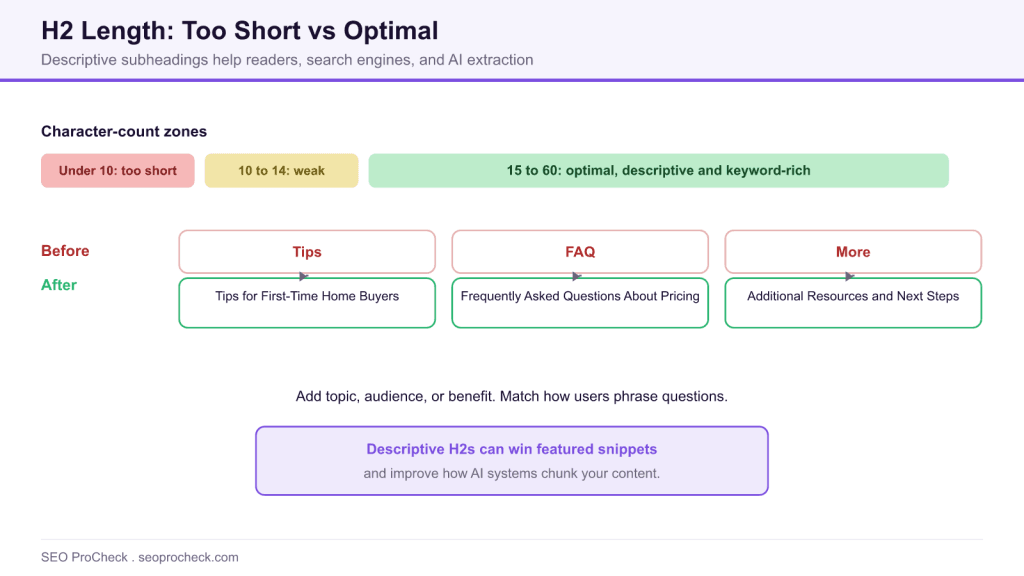
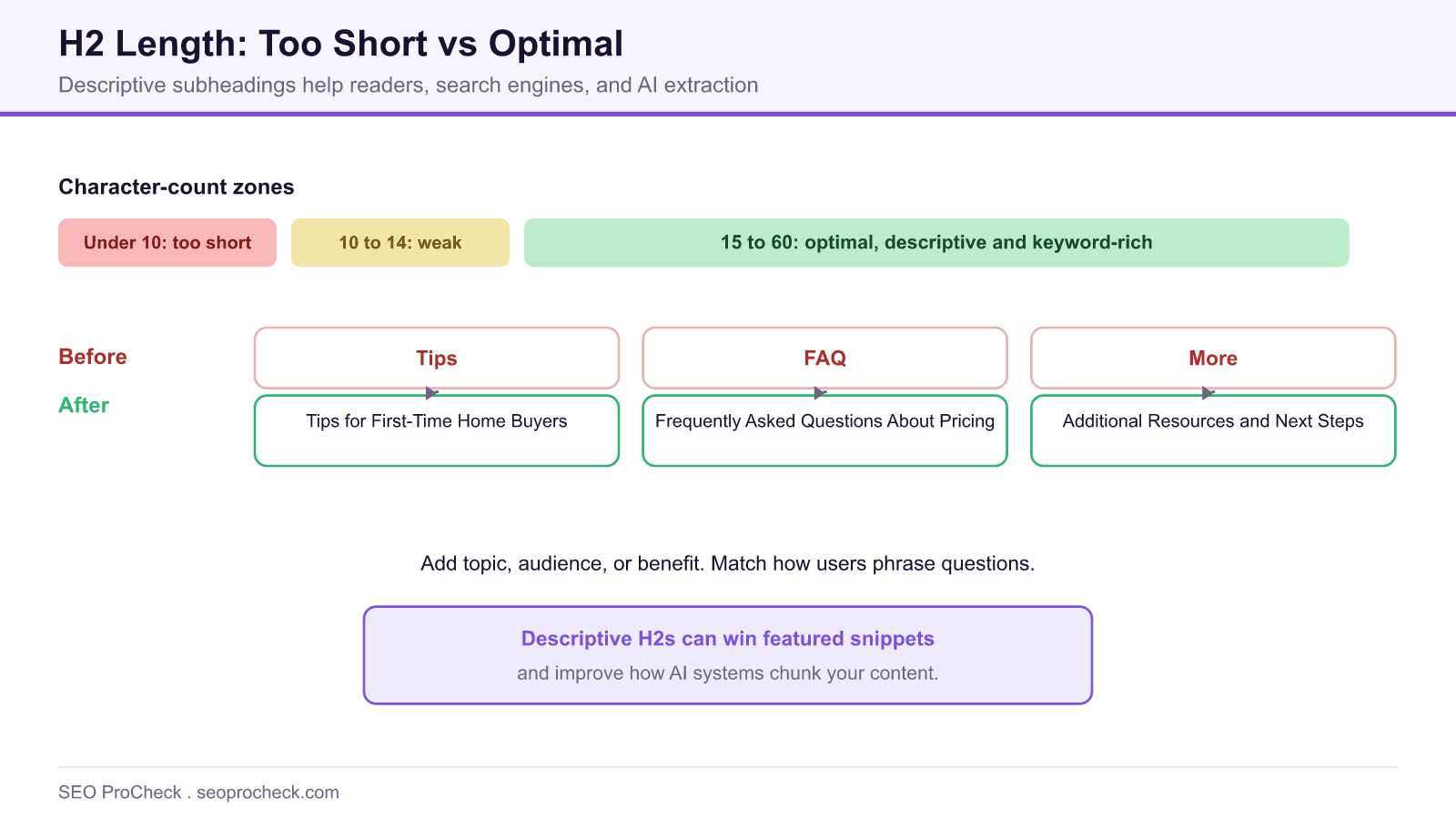
An H2 under about 10 characters is usually too short to describe its section, which weakens navigation, wastes a keyword opportunity, and makes content harder for AI systems to chunk. Expand vague headings like Tips or FAQ into descriptive phrases in the 15 to 60 character range that state the section topic.
- One word H2s like Tips, Guide, or More force readers into the body to learn the topic.
- Descriptive H2s in the 15 to 60 character range add context and secondary keyword signals.
- Headings that match common questions can win featured snippets.
- Clear H2s help AI systems chunk and retrieve the right section of your page.
Quick Reference
Element Code: ON-006
Issue: H2 subheading has fewer than 10 characters, providing insufficient context
Impact: Vague section descriptions, missed keyword opportunities, poor navigation
Fix: Expand H2 tags to be more descriptive (15-60 characters recommended)
Detection: Screaming Frog, Sitebulb, manual review
What Is This Issue?
An H2 tag that is too short fails to provide meaningful context about the section it introduces. Single-word headings like "Tips," "Guide," "FAQ," or "More" force users to read the section content to understand what it covers, defeating the purpose of having headings as navigation aids.
While brevity is generally positive for headings, there's a minimum threshold where headings become so vague they lose their value. H2s under 10-15 characters often fall into this category.
Why This Matters for Your Website
Search Engine Impact
Short, generic H2s miss opportunities to include secondary keywords that help search engines understand your content's depth and relevance. A section headed "Tips" provides no topical signal, while "SEO Tips for Beginners" clearly indicates the content's focus.
User Experience Impact
Users scan headings to find relevant information. Vague H2s like "Overview" or "Details" don't tell users whether the section contains what they're looking for, leading to more time spent reading irrelevant content.
Technical Specifications
| Length | Status |
|---|---|
| Under 10 characters | Too Short |
| 15-60 characters | Optimal |
Best Practices
- Add Context: Include what type of tips, what kind of guide, what FAQ topics
- Include Keywords: Use H2s to reinforce page topic with related terms
- Be Specific: "Pricing Plans" is better than "Pricing"; "How It Works" is better than "Process"
- Match User Questions: H2s that match common queries can win featured snippets
Before and After Examples
| Before | After |
|---|---|
| "Tips" | "Tips for First-Time Home Buyers" |
| "FAQ" | "Frequently Asked Questions About Our Services" |
| "More" | "Additional Resources and Next Steps" |
How to Fix This Issue
- Review Section Content: Understand what the section actually covers
- Identify Key Topic: What's the main subject of this section?
- Add Descriptive Words: Expand to include topic, audience, or benefit
- Test Comprehension: Would a new reader understand the section from the H2 alone?
AI Search and GEO Considerations
AI systems rely on headings to understand content structure. Vague H2s make it harder for AI to accurately chunk and retrieve relevant information. Descriptive H2s that match common question patterns are more likely to be selected for AI-generated answers.
TL;DR (The Simple Version)
Your H2 subheadings are too vague. Single words like "Tips" or "FAQ" don't tell readers what the section is actually about. Add context: "SEO Tips for Beginners" or "Pricing FAQ" gives both users and Google much better information.
A Quick Diagnostic Workflow
Fixing short headings is faster when you triage them first. Work through your pages in this order so effort lands where it matters most.
- Crawl for short headings: use a crawler such as Screaming Frog or Sitebulb and sort H2s by character count to surface everything under 15 characters.
- Read the section, not just the heading: confirm what the block actually covers before rewriting, so the new heading is accurate.
- Name the topic plus a qualifier: add the audience, benefit, or scope, for example Pricing becomes Pricing Plans for Small Teams.
- Check for the question form: if users phrase the topic as a question, mirror that phrasing to compete for snippets.
Balancing Too Short Against Too Long
The goal is a descriptive middle, not maximum length. Headings that run past roughly 60 characters get truncated in some interfaces and read as sentences rather than signposts, which is the opposite failure. The table shows the practical zones.
| H2 length | Effect | Action |
|---|---|---|
| Under 10 characters | Too vague to describe the section | Add topic and a qualifier |
| 10 to 14 characters | Often still weak | Confirm it names a specific topic |
| 15 to 60 characters | Optimal: descriptive and scannable | Keep, and include a relevant term |
| Over 60 characters | Risks truncation and reads long | Tighten to the core phrase |
If your audit also flags headings at the opposite extreme, our guide to an H2 tag that is too long covers trimming them. For structure across the whole page, see how to structure headings for SEO and our heading structure reference. There is even evidence that phrasing helps: this case study on rephrasing H2s into questions is worth a read.
Frequently Asked Questions
How short is too short for an H2?
Headings under about 10 characters are usually too short to convey what a section covers, and those in the 10 to 14 range are often still weak. Aim for descriptive H2s in the 15 to 60 character range.
Why do vague H2s like Tips or FAQ hurt SEO?
Single word headings give search engines no topical signal and force readers to dig into the body to understand the section. Descriptive headings add secondary keyword context and improve scanning.
What is the ideal H2 length?
A practical target is 15 to 60 characters: long enough to describe the section and include a relevant term, short enough to stay scannable and avoid truncation in interfaces that clip long headings.
Can better H2s help me win featured snippets?
Yes. Headings that match how people phrase a question are more likely to be selected for featured snippets and AI answers, because they map cleanly to a query and the answer that follows.
How do I find short H2s across my site?
Run a crawl with a tool like Screaming Frog or Sitebulb, then sort headings by character count to surface every H2 under your threshold. Review each section before rewriting so the new heading stays accurate.
Do descriptive headings help AI search?
Yes. AI systems rely on headings to chunk and retrieve content, so descriptive H2s that name the topic make it easier for those systems to pull the right section into a generated answer.
Claude Vincent is a technical SEO consultant focused on crawlability, rendering, and AI-search visibility. He writes the field guides and case studies at SEO ProCheck, with a bias toward the durable, unglamorous work that decides whether search engines and AI answer engines can actually read and cite a site.
About SEO ProCheck
Technical SEO consulting and GEO strategy with 20 years of enterprise experience. Case studies, resources, and tools for search and AI visibility.
Work With Me
Technical SEO audits, GEO strategy, site migrations, and international SEO. Hourly consulting for teams who need hands-on support, not just reports.
Subscribe to our newsletter!






