

JavaScript SEO FAQ: Complete Guide to JS Rendering and Crawling
- October 19, 2024
- Technical SEO FAQ
AI Summary
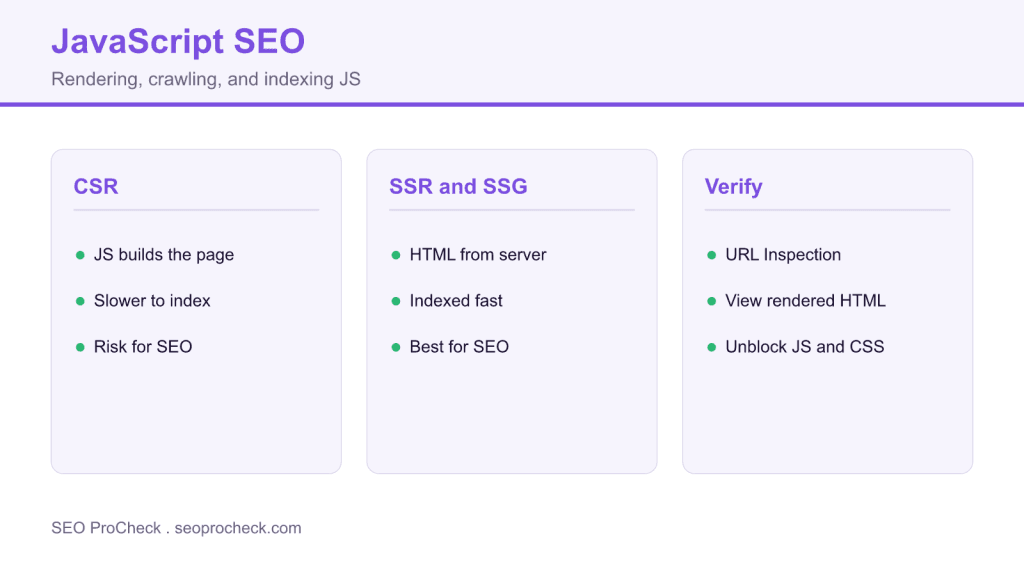
JavaScript SEO is the work of making sure search engines can crawl, render, and index content that JavaScript builds. Google renders JavaScript in a second pass, so server rendering or static generation keeps important content fast to index and safe from rendering failures.
- Googlebot renders JavaScript but on a delayed queue, so critical content should not depend on it.
- Server side rendering and static generation are the safest choices for SEO content.
- Use real anchor tags with href, not click handlers, so links stay crawlable.
- Confirm what Google sees with the URL Inspection tool.
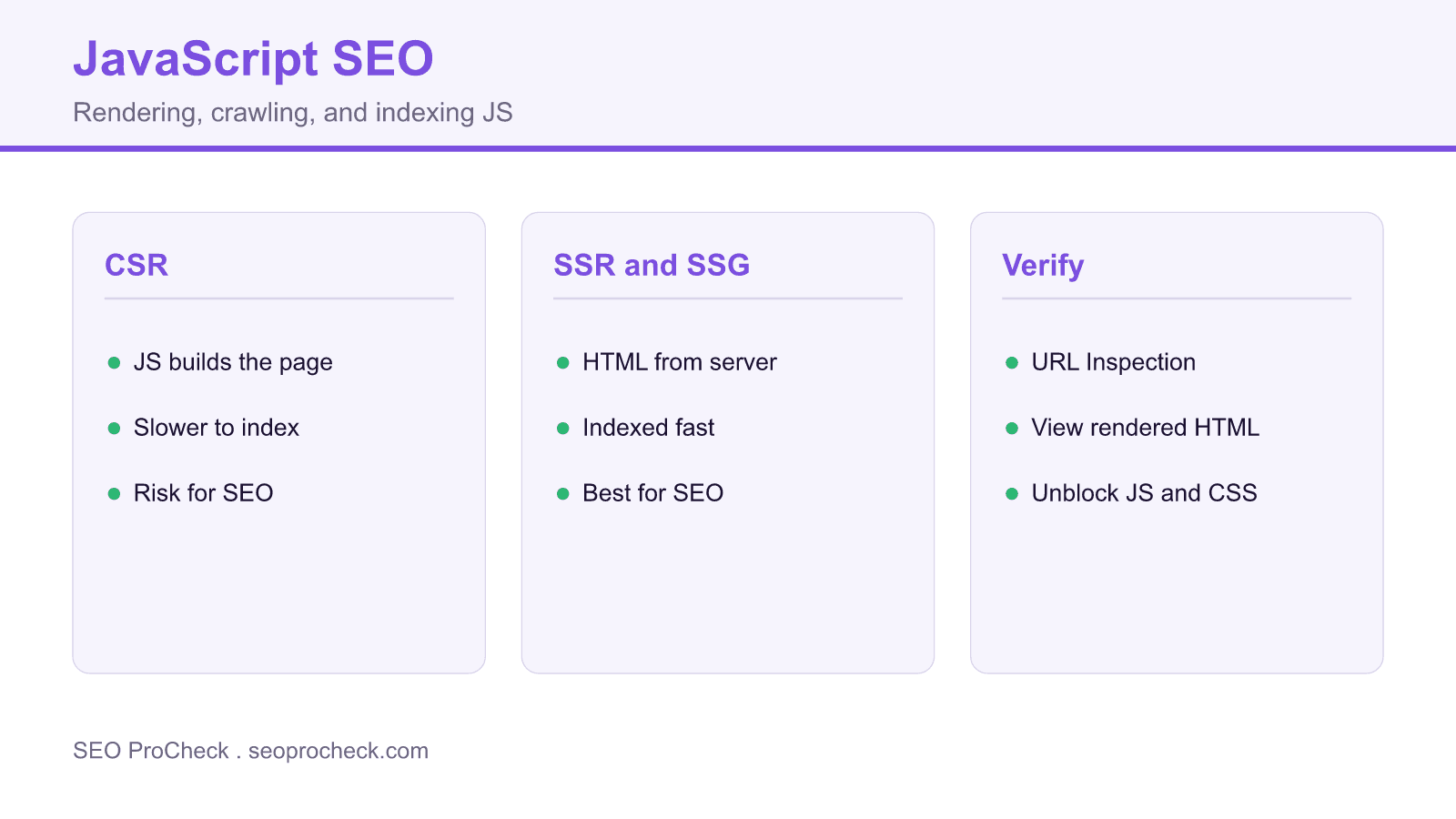
Everything you need to know about JavaScript SEO. Covers rendering, crawling, hydration, common frameworks, and troubleshooting JS-related SEO issues.
Table of Contents
- JavaScript SEO Basics
- Rendering Methods
- Frameworks and SPAs
- Googlebot and JavaScript
- Optimization Techniques
- Troubleshooting
JavaScript SEO Basics
What is JavaScript SEO?
Ensuring search engines can crawl, render, and index JavaScript-dependent content. Modern websites use JS for content, navigation, and interactivity. Without proper implementation, search engines may miss critical content.
Why is JavaScript a problem for SEO?
Search engines must render JavaScript to see content. Rendering requires additional resources and time. Not all bots render JS. Content hidden behind JS interactions may never be indexed. Delays and failures hurt visibility.
Can Google crawl JavaScript?
Yes. Googlebot renders JavaScript using a modern Chrome-based renderer. It can execute most modern JavaScript including frameworks like React, Vue, Angular. However, rendering happens in a separate queue and may be delayed.
Do other search engines render JavaScript?
Bing: Yes, with Bingbot's rendering capabilities. Yandex: Limited. AI crawlers: Varies. Social crawlers (Facebook, Twitter): Generally no. LinkedIn: No. Always test your critical bots' capabilities with your specific implementation.
How long does Google take to render JavaScript?
Google's two-phase indexing: initial HTML indexed immediately, rendered content indexed later. Rendering delay can be hours to weeks depending on crawl budget. Critical content should not depend on delayed rendering.
Does JavaScript content rank equally?
Properly rendered JS content ranks the same as HTML content. However, rendering delays mean slower indexing. Server-rendered content gets indexed faster. For time-sensitive content, avoid JS-only rendering.
Rendering Methods
What is Client-Side Rendering (CSR)?
JavaScript runs in browser to generate HTML. Server sends minimal HTML shell plus JS bundle. Browser downloads, parses, executes JS to build page. Common in SPAs. SEO risk: search engines may not render fully.
What is Server-Side Rendering (SSR)?
Server executes JavaScript and sends fully rendered HTML. Browser receives complete content immediately. Best for SEO: content visible without client JS execution. React, Vue, Next.js, Nuxt support SSR.
What is Static Site Generation (SSG)?
HTML generated at build time, not request time. Pages pre-rendered and served as static files. Fastest for users and crawlers. Ideal for content that doesn't change frequently. Next.js, Gatsby, Nuxt support SSG.
What is Incremental Static Regeneration (ISR)?
Hybrid approach: static pages regenerated on schedule or demand. Combines SSG speed with dynamic content updates. Next.js feature. Good balance of performance and freshness for large sites.
What is hydration?
Process of attaching JavaScript functionality to server-rendered HTML. Server sends static HTML, then JS makes it interactive. Hydration issues can cause content flashes or interactivity delays. Test hydration behavior.
Which rendering method is best for SEO?
SSR or SSG preferred for SEO-critical pages. Content visible immediately to crawlers. CSR acceptable for user-specific or low-SEO-priority pages. Hybrid approaches (SSR for critical, CSR for interactive) often optimal.
Rendering Methods Comparison
| Method | SEO Impact | Performance | Use Case |
|---|---|---|---|
| SSR | Excellent | Good | Dynamic content, personalization |
| SSG | Excellent | Best | Static content, blogs, docs |
| ISR | Excellent | Very good | Large catalogs, frequently updated |
| CSR | Risky | Variable | Authenticated dashboards, apps |
Frameworks and SPAs
Is React SEO-friendly?
React itself is CSR-only and problematic for SEO. With Next.js or Gatsby (SSR/SSG frameworks), React is fully SEO-friendly. Choose the right meta-framework. Test rendered output, don't assume it works.
Is Vue SEO-friendly?
Similar to React: Vue alone is CSR. With Nuxt.js, Vue becomes SEO-friendly via SSR/SSG. Nuxt handles routing, meta tags, and rendering automatically. Always use Nuxt or similar for SEO-critical Vue projects.
Is Angular SEO-friendly?
Angular Universal provides SSR for Angular apps. Without it, Angular is CSR-only. Implementation is more complex than Next/Nuxt. Requires careful configuration. Google can render Angular but SSR is still recommended.
Why is Next.js popular for SEO?
Next.js provides SSR, SSG, and ISR out of the box. Automatic code splitting, image optimization, built-in routing. Strong SEO features: head management, dynamic meta tags, sitemap generation. Industry standard for React SEO.
Are Single Page Applications bad for SEO?
Pure CSR SPAs have SEO challenges. With proper SSR/SSG implementation, SPAs work fine. The app architecture matters less than the rendering strategy. Many high-traffic sites use SPAs successfully with SSR.
What is prerendering for SEO?
Generating static HTML snapshots of JavaScript pages for crawlers. Services like Prerender.io intercept bot requests and serve pre-rendered HTML. Workaround for CSR sites. Native SSR/SSG is better long-term solution.
Googlebot and JavaScript
Which Chrome version does Googlebot use?
Googlebot uses the latest stable Chrome version, updated regularly. Supports modern JavaScript including ES6+, async/await, modules. Check Google's documentation for current version. Generally matches current Chrome capabilities.
What is Google's Web Rendering Service?
Google's infrastructure for executing JavaScript. Runs separately from crawling. Processes pages in a render queue. Stateless: no localStorage, sessionStorage between renders. Resources may be blocked or time out.
Does Googlebot have a render timeout?
Yes. Exact timeout not officially disclosed but estimated at 5-20 seconds total. Long-running JS may not complete. Critical content should render quickly. Defer non-essential JS to avoid blocking critical content.
What if Googlebot can't execute my JavaScript?
Content won't be indexed. Check robots.txt isn't blocking JS files. Verify external resources are accessible. Test with URL Inspection. Errors, timeouts, or blocked resources cause rendering failures.
Does Googlebot trigger lazy loading?
Googlebot doesn't scroll or interact. Scroll-triggered lazy loading won't fire. Use Intersection Observer API properly. Consider loading critical content immediately. Test what Googlebot sees via URL Inspection.
Does Googlebot trigger click events?
No. Googlebot doesn't click, hover, or interact. Content behind click interactions (tabs, accordions, expandable sections) may not be rendered. Critical content must be visible without user interaction.
Optimization Techniques
What is critical JavaScript?
JS required for above-fold content rendering. Should load and execute first. Non-critical JS (analytics, ads, interactivity) should be deferred. Prioritizing critical JS improves LCP and perceived performance.
What's the difference between defer and async?
Async: downloads in parallel, executes immediately when ready (blocks parsing). Defer: downloads in parallel, executes after HTML parsing complete. Defer preserves execution order. Use defer for most scripts.
What is code splitting?
Breaking JS bundle into smaller chunks loaded on demand. Reduces initial bundle size. Faster first load and Time to Interactive. Next.js, Webpack handle automatically. Route-based splitting common.
What are dynamic imports?
Loading JS modules on demand: import('./module.js'). Enables code splitting at component level. Load non-critical features only when needed. Reduces main bundle size. Improves initial page performance.
How do I manage meta tags with JavaScript?
Use framework tools: Next.js Head component, Vue Meta, React Helmet. Set titles, descriptions, canonicals dynamically. Ensure SSR includes meta tags in initial HTML. Test rendered output includes proper meta tags.
How do I handle internal links with JavaScript?
Do JavaScript sites need special sitemaps?
No special format, but ensure sitemap includes all JS-rendered URLs. Generate sitemap from your routes/pages. Update when content changes. Sitemap helps Google discover pages regardless of rendering method.
Troubleshooting
How do I check if Google renders my JS correctly?
URL Inspection tool in Search Console. Click "Test Live URL" then view rendered HTML. Compare to expected content. Screenshot shows visual output. Check for missing content, errors, blocked resources.
How do JavaScript errors affect SEO?
Errors may halt rendering, leaving content invisible to Googlebot. Critical errors worse than minor ones. Check browser console for errors. Fix errors affecting content rendering. Test in mobile view too.
What if resources are blocked by robots.txt?
If JS, CSS, or API resources are blocked, rendering fails or produces wrong output. Never block resources needed for rendering. Check Coverage report for blocked resources. Allow all render-critical files.
How do I fix timeout issues?
Reduce JavaScript execution time. Defer non-critical scripts. Optimize critical rendering path. Use SSR for guaranteed fast content delivery. Move heavy computation to web workers. Profile and optimize slow code.
Why is my JavaScript content not indexed?
Possible causes: render timeout, JS errors, blocked resources, content requires interaction, lazy loading issues, robots.txt blocking. Use URL Inspection to diagnose. Compare rendered HTML to expected content.
Does mobile rendering differ?
Googlebot primarily uses mobile user agent (smartphone Googlebot). Test mobile rendering specifically. Responsive JS should work. Different mobile/desktop content can cause issues. Test with mobile viewport.
Is AJAX content indexed?
Yes, if rendered to DOM before render timeout. Googlebot waits for content to load. Very slow AJAX may not complete. Critical content should load quickly. Test timing with URL Inspection tool.
Why isn't Google crawling all my SPA pages?
Check that pages have real URLs (not just hash routes). Ensure internal links use href attributes. Submit sitemap with all page URLs. JavaScript routing must produce crawlable link structure. Check crawl stats.
JavaScript SEO Checklist
JavaScript SEO mistakes and fixes
| Common JavaScript SEO mistake | Practical fix |
|---|---|
| Content only appears after a click or scroll | Render critical content without interaction |
| Links use onClick instead of href | Use real anchor tags with a crawlable href |
| JS or CSS blocked in robots.txt | Allow every render critical resource |
| Heavy scripts exceed the render budget | Defer non critical JS and use SSR or SSG |
| Assuming Google renders instantly | Test with URL Inspection and view rendered HTML |
Related SEO references
Frequently Asked Questions
Yes. Googlebot renders JavaScript with a current Chrome based renderer and can execute frameworks like React, Vue, and Angular. The catch is that rendering happens in a separate, delayed queue, so JavaScript dependent content is indexed more slowly than server rendered HTML.
Server side rendering or static generation, because the content arrives in the initial HTML where crawlers see it immediately. Pure client side rendering is riskier and is better reserved for authenticated dashboards and other low SEO priority pages.
Common causes are a render timeout, a JavaScript error that halts rendering, resources blocked in robots.txt, or content that only appears after a click or scroll. Use the URL Inspection tool to compare the rendered HTML against what you expect.
No. Googlebot does not click, hover, or scroll, so content hidden behind tabs, accordions, or scroll triggered lazy loading may never render. Anything important should be present without user interaction.
React on its own is client side only and can be problematic, but paired with a framework like Next.js for server rendering or static generation it is fully SEO friendly. The rendering strategy matters far more than the library itself.
Use the URL Inspection tool in Search Console, run Test Live URL, then view the rendered HTML and screenshot. Compare that output to your expected content and look for missing sections, errors, or blocked resources.
Claude Vincent is a technical SEO consultant focused on crawlability, rendering, and AI-search visibility. He writes the field guides and case studies at SEO ProCheck, with a bias toward the durable, unglamorous work that decides whether search engines and AI answer engines can actually read and cite a site.
About SEO ProCheck
Technical SEO consulting and GEO strategy with 20 years of enterprise experience. Case studies, resources, and tools for search and AI visibility.
Work With Me
Technical SEO audits, GEO strategy, site migrations, and international SEO. Hourly consulting for teams who need hands-on support, not just reports.
Subscribe to our newsletter!






