

AI Summary
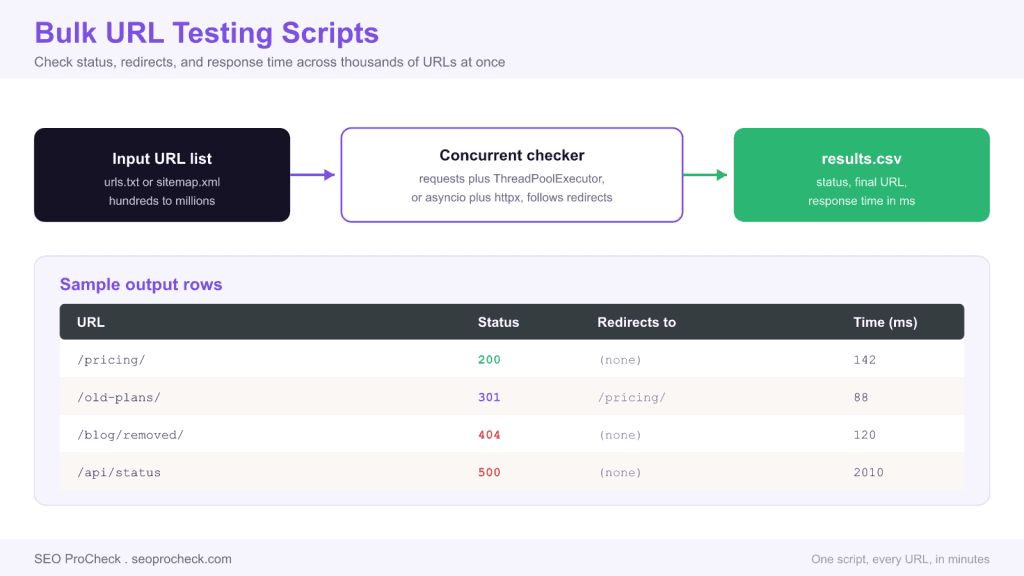
A bulk URL testing script sends HTTP requests to a large list of URLs and records the status code, redirect chain, and response time for each one, so you can audit an entire site in minutes instead of clicking through pages. Concurrency is what makes it fast: checking thousands of URLs one at a time is slow, so scripts run many requests in parallel.
- Use requests with ThreadPoolExecutor for a simple approach, or asyncio with httpx for the highest throughput.
- Record the final URL after redirects, not just the first status, to catch redirect chains and loops.
- Send a HEAD request when you only need the status, since it skips the response body and runs faster.
- Throttle concurrency and set timeouts so you do not overload the server you are testing.
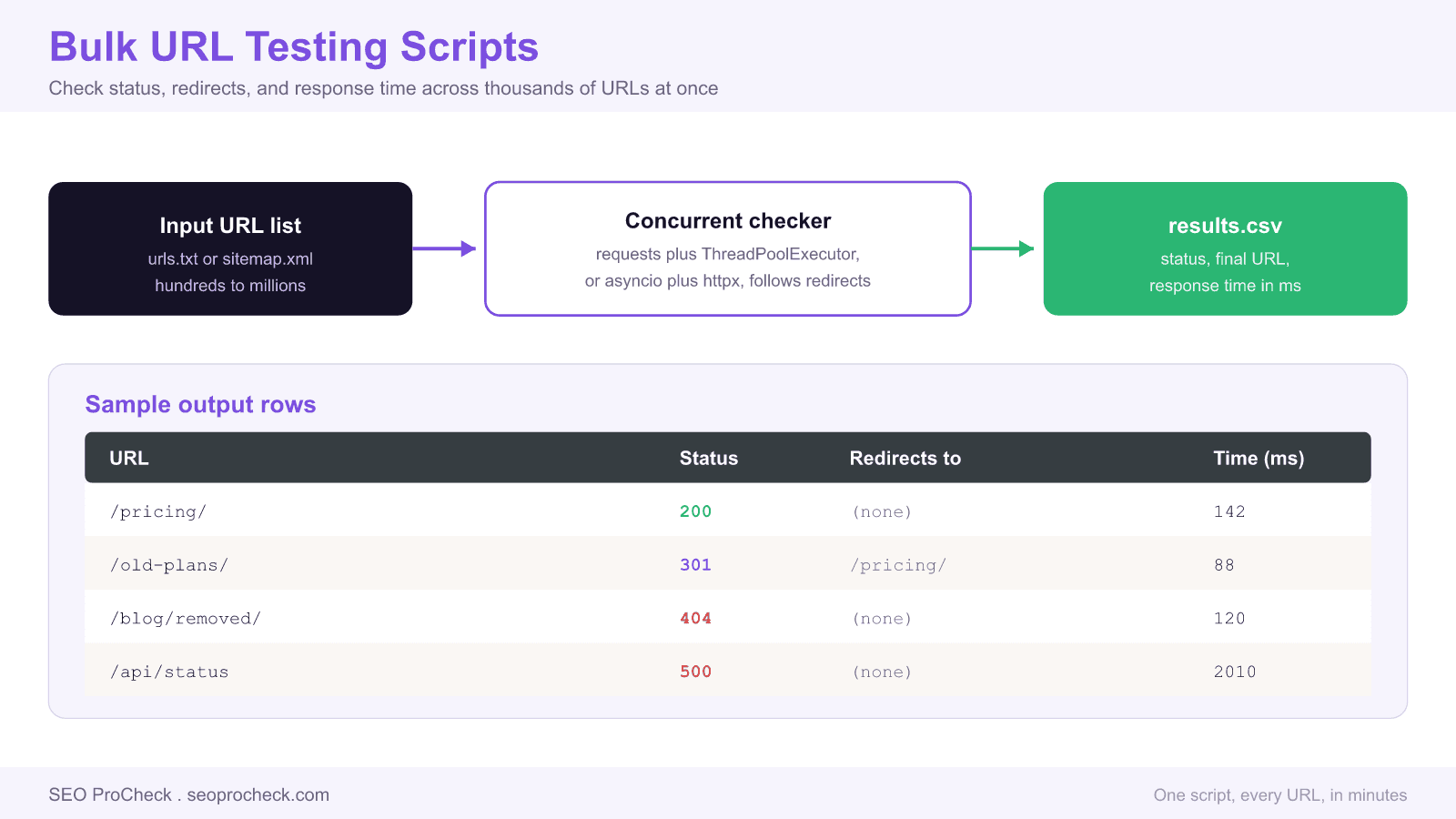
Checking one URL by hand is easy. Checking the fifty thousand URLs in a large site is not, and that gap is where a bulk URL testing script earns its keep. Feed it a list from a sitemap, a crawl, or a spreadsheet, and it returns the HTTP status, the final URL after any redirects, and the response time for every entry. This is the backbone of migration QA, redirect audits, broken link sweeps, and uptime spot checks. This guide covers the two concurrency models, the traps that produce wrong data, and copy ready patterns.
The simplest working version
Start with the standard requests library and a thread pool. Threads suit this job because URL testing is input and output bound: each request spends most of its time waiting on the network, so many can run at once without saturating the CPU.
import csv
import requests
from concurrent.futures import ThreadPoolExecutor

def check(u):
    try:
        r = requests.get(u, timeout=10, allow_redirects=True)
        return (u, r.status_code, r.url, round(r.elapsed.total_seconds()*1000))
    except requests.RequestException as e:
        return (u, "ERROR", str(e), 0)

urls = [line.strip() for line in open("urls.txt") if line.strip()]
with ThreadPoolExecutor(max_workers=20) as pool:
    rows = list(pool.map(check, urls))

with open("results.csv", "w", newline="") as fh:
    w = csv.writer(fh)
    w.writerow(["url", "status", "final_url", "ms"])
    w.writerows(rows)
Two details matter. allow_redirects=True makes r.url the final destination, so you capture where a 301 actually lands. r.elapsed gives you the round trip time for free. Twenty workers is a safe default; raise it for third party sites, keep it low for a server you own so you do not stress it.
The faster version with asyncio
For very large lists, asyncio with httpx scales further than threads because it multiplexes thousands of pending requests on a single event loop. A semaphore caps how many run at once so you stay polite.
import asyncio, httpx

async def check(client, sem, u):
    async with sem:
        try:
            r = await client.get(u, timeout=10, follow_redirects=True)
            return (u, r.status_code, str(r.url))
        except httpx.HTTPError as e:
            return (u, "ERROR", str(e))

async def main(urls):
    sem = asyncio.Semaphore(50)
    async with httpx.AsyncClient() as client:
        tasks = [check(client, sem, u) for u in urls]
        return await asyncio.gather(*tasks)

urls = [l.strip() for l in open("urls.txt") if l.strip()]
rows = asyncio.run(main(urls))
HEAD vs GET: pick the right method
If you only need the status code and final URL, a HEAD request is faster because the server skips sending the response body. Use GET when you also need to inspect content, such as checking for a noindex tag or a canonical. Be aware that some servers handle HEAD poorly and return a different status than GET, so when a HEAD result looks wrong, re-test that URL with GET before trusting it.
| Use case | Method | Why |
|---|---|---|
| Status and redirect audit | HEAD | No body transfer, fastest, lowest bandwidth |
| Check for noindex or canonical | GET | Needs the HTML body to parse tags |
| Measure full page weight | GET | HEAD does not download assets or full content |
| Server that mishandles HEAD | GET | Some stacks return wrong status to HEAD |
How to read the output
| Status | Meaning | Action |
|---|---|---|
| 200 | OK, page served directly | None, this is the goal state |
| 301 or 308 | Permanent redirect | Confirm the final URL is correct and only one hop |
| 302 or 307 | Temporary redirect | Verify it should not be a permanent 301 |
| 404 or 410 | Not found or gone | Redirect if the URL has value, otherwise leave 410 |
| 5xx | Server error | Urgent, re-test to rule out a transient blip |
Traps that produce wrong data
- Not following redirects. If you disable redirects you see the 301 but never learn where it goes. Follow them, and separately record the hop count so you can flag chains.
- No timeout. A single hung URL without a timeout can stall the whole run. Always set one, ten seconds is a sane default.
- No user agent. Some servers block the default Python user agent. Set a descriptive one so you are not testing a blocked response instead of the real page.
- Too much concurrency on your own server. Five hundred parallel requests can look like an attack and trigger rate limiting, which returns 429 or 503 and poisons your data. Ramp up gradually.
- Ignoring transient 5xx. Re-test error rows once before reporting them; a momentary blip is not a broken page.
Bulk URL testing pairs naturally with other technical work. Feed it the URL list from your server logs to confirm which crawled pages now 404, using Python log file parsers to build that list. It also validates redirect maps during a migration, a core part of technical SEO. For large ecommerce sites, run it against filtered category URLs to see how many resolve to thin or duplicate pages, a symptom the faceted navigation SEO strategy guide addresses.
FAQ
Use concurrency. A ThreadPoolExecutor with the requests library is the simplest fast option because URL checking waits on the network, which threads handle well. For very large lists, asyncio with httpx scales further by multiplexing thousands of pending requests on one event loop. Either way, cap the number of simultaneous requests with a worker count or semaphore.
Use HEAD when you only need the status code and final URL, because the server skips the response body and answers faster. Use GET when you need the HTML, for example to check for a noindex tag or canonical. If a HEAD result looks wrong, re-test with GET, since some servers handle HEAD inconsistently.
Enable redirect following, then inspect the response history. In requests, r.history is a list of every intermediate response, so len(r.history) is the hop count and r.url is the final destination. Flag any URL with more than one hop, because chains waste crawl budget and slow users down.
It depends on whose server you are testing. For a site you own, keep concurrency low, around ten to twenty, so you do not trigger rate limiting or look like an attack. For third party sites you can go higher, but watch for 429 and 503 responses, which mean you are being throttled and your data is no longer reliable.
The usual causes are a missing or blocked user agent, no cookies or session, or a server that serves bots differently. Set a descriptive user agent, and if a page needs authentication or JavaScript to render, a simple HTTP request will not match the browser. For those, note the difference and verify manually.
Yes, this is one of its best uses. Before launch, test the old URL list to record the expected redirect targets. After launch, test the same list and confirm every old URL now returns a single 301 to the correct new page, with no 404s or redirect loops. That comparison catches the most common migration mistakes.
Migrating a site or auditing redirects at scale?
Broken redirects and stray 404s after a migration quietly bleed rankings. A structured audit tests every URL and hands you the fix list.
Claude Vincent is a technical SEO consultant focused on crawlability, rendering, and AI-search visibility. He writes the field guides and case studies at SEO ProCheck, with a bias toward the durable, unglamorous work that decides whether search engines and AI answer engines can actually read and cite a site.
About SEO ProCheck
Technical SEO consulting and GEO strategy with 20 years of enterprise experience. Case studies, resources, and tools for search and AI visibility.
Work With Me
Technical SEO audits, GEO strategy, site migrations, and international SEO. Hourly consulting for teams who need hands-on support, not just reports.
Subscribe to our newsletter!







Recent Posts
- Can AI Crawlers Actually Read Your Site? I Measured 400 of the Biggest September 5, 2026
- The Pre-Publish Quality Gate for AI-Assisted Content August 6, 2026
- AGENTS.md vs llms.txt vs llms-full.txt: Which Agent File Does What July 18, 2026