

AI Summary
Robots.txt is a plain text file at the domain root that tells crawlers which paths they may or may not fetch, and small syntax mistakes can silently remove a site from search. The most damaging errors are blocking CSS or JavaScript, shipping a staging Disallow rule to production and treating robots.txt as a security control.
- The file must live at https://yourdomain/robots.txt and its paths are case sensitive.
- Disallow controls crawling, not indexing; use a meta robots noindex to keep pages out of the index.
- Google stopped supporting noindex inside robots.txt on 1 September 2019.
- The Robots Exclusion Protocol became a formal standard, RFC 9309, in 2022.
How robots.txt works
Robots.txt is a plain text file served from the root of a domain, for example https://example.com/robots.txt. It uses the Robots Exclusion Protocol to tell crawlers which URL paths they may request. Each group starts with a User-agent line, followed by Disallow and Allow rules. A Sitemap line points crawlers to your XML sitemaps. Paths are case sensitive and are matched from the start of the URL path. The wildcard * matches any sequence of characters and $ anchors the end of a URL.
| Directive | Example | Effect |
|---|---|---|
| User-agent | User-agent: * | Starts a rule group for the named crawler, star means all |
| Disallow | Disallow: /cart/ | Asks crawlers not to fetch paths starting with /cart/ |
| Allow | Allow: /cart/help/ | Carves an exception out of a broader Disallow |
| Wildcard | Disallow: /*?sort= | Blocks any URL that contains the sort parameter |
| End anchor | Disallow: /*.pdf$ | Blocks URLs that end in .pdf |
| Sitemap | Sitemap: https://example.com/sitemap.xml | Points crawlers to your sitemap index |
The mistakes that cause real damage
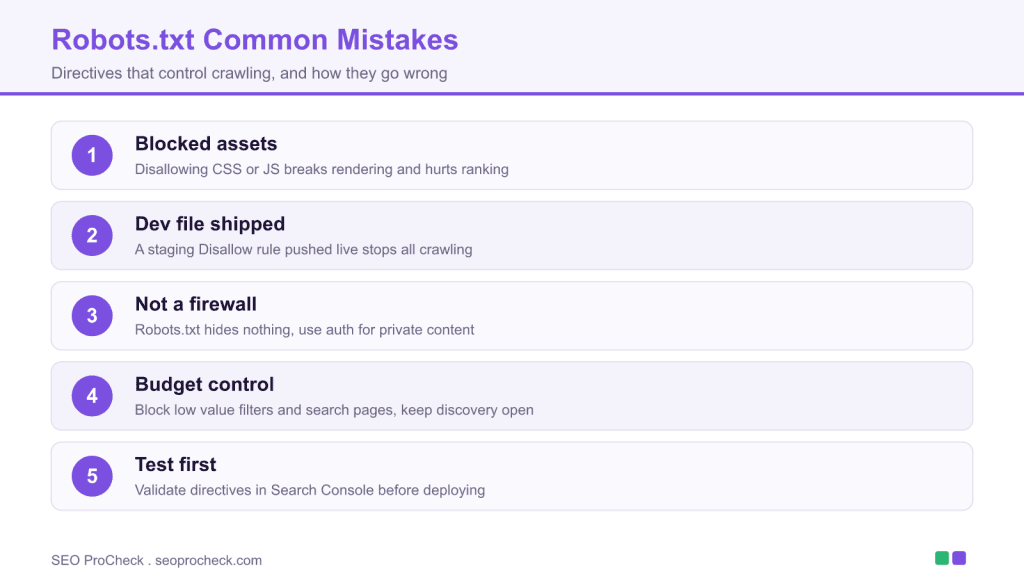
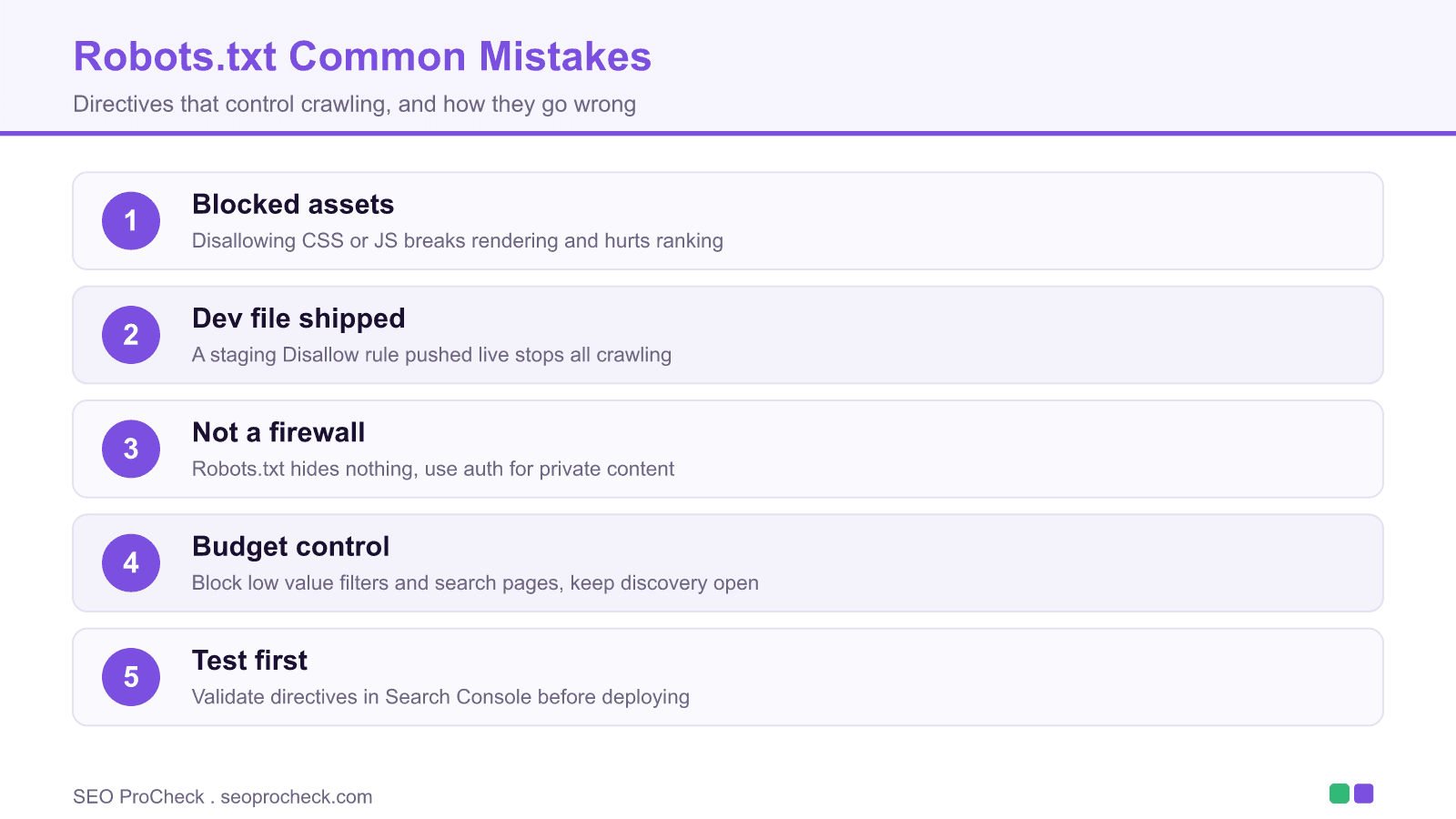
The source research catalogues the errors that recur across audits. Blocking CSS, JavaScript or image directories stops Google rendering the page as a user sees it, which degrades both understanding and ranking. Shipping a staging file, where a blanket Disallow: / is normal, straight to production halts all crawling at once and is one of the fastest ways to disappear from search. Overly broad rules, such as disallowing an entire section to hide a handful of URLs, block legitimate discovery paths as collateral damage.
Disallow is not noindex, and not security
A crucial distinction: Disallow stops crawling, not indexing. A URL that is disallowed can still appear in results if Google discovers it through links, shown without a snippet. To keep a page out of the index you must let Google crawl it and return a noindex meta robots tag or header. Combining Disallow with a page level noindex is self defeating, because Google cannot see the noindex if it is forbidden from crawling the page. Robots.txt is also not a security measure; it is a public file that lists paths you would rather keep quiet, so use real authentication for anything sensitive.
Testing and validation
Before deploying, test rules in the Search Console robots.txt report, which shows the fetched file and lets you check whether a given URL is allowed for Googlebot. Keep the file in version control so an accidental change is caught in review, and audit it whenever site structure changes. On large stores this file also does real work managing crawl on faceted URLs, as covered in our large ecommerce guide, and it directly shapes the crawl efficacy discussed in our crawl efficacy research.
What has changed since this study
Two updates matter. First, since 1 September 2019 Google no longer obeys an unofficial noindex directive placed inside robots.txt, so any site relying on that trick needs a real meta robots noindex instead. Second, in 2022 the Robots Exclusion Protocol was published as RFC 9309, giving the format a formal specification after 25 years as a convention. The practical rules did not change, but the standard removed ambiguity about how compliant crawlers should parse the file.
Background reference and source
Research into robots.txt implementation analyzed common mistakes and best practices for crawl control. Improper robots.txt configuration can significantly harm SEO through unintended blocking.
Common Blocking Errors
Accidental blocking of CSS, JavaScript, or images impaired rendering and rankings. Development robots.txt files pushed to production caused immediate crawl cessation. Overly broad disallow rules unintentionally blocked important content sections.
Directive Effectiveness
Not all crawlers respect robots.txt identically. While Googlebot follows directives reliably, some crawlers ignore robots.txt entirely. Robots.txt is not a security measure and shouldn't be used to hide sensitive content that requires actual access control.
Crawl Budget Management
Strategic robots.txt use helped manage crawl budget for large sites. Blocking low-value pages (search results, filters, old archives) focused crawl resources on important content. Balance was required between budget management and not blocking legitimate discovery paths.
Testing and Validation
GSC's robots.txt tester verified directive behavior before production deployment. Regular audits ensured robots.txt remained appropriate as site structure evolved. Version control for robots.txt prevented accidental changes from causing crawl problems.
Source: Robots.txt research compiled
Frequently asked questions
Where should robots.txt be located?
At the root of the domain, for example https://example.com/robots.txt. A robots file in a subfolder is ignored. Each subdomain and protocol needs its own file.
Does Disallow remove a page from Google?
No. Disallow stops crawling, but a disallowed URL can still be indexed without a snippet if Google finds it through links. To remove a page from the index, allow crawling and add a noindex meta robots tag or header.
Can I use noindex in robots.txt?
Not anymore. Google stopped supporting the unofficial noindex directive in robots.txt on 1 September 2019. Use a meta robots noindex on the page, an X Robots Tag header, or password protection instead.
Is it bad to block CSS and JavaScript?
Yes. Blocking CSS or JavaScript prevents Google from rendering the page as users see it, which can hurt understanding and ranking. Allow crawlers to fetch the resources needed to render your pages.
How do I test robots.txt?
Use the robots.txt report in Search Console to see the file Google fetched and to check whether a specific URL is allowed for Googlebot. Keep the file in version control so changes are reviewed before they ship.
Is robots.txt a security feature?
No. It is a public file that anyone can read, and it only requests that compliant crawlers avoid certain paths. Sensitive content needs real authentication, not a Disallow line.
Take this with you
The assistant links open with a question about this page already written.
Claude Vincent is a technical SEO consultant focused on crawlability, rendering, and AI-search visibility. He writes the field guides and case studies at SEO ProCheck, with a bias toward the durable, unglamorous work that decides whether search engines and AI answer engines can actually read and cite a site.
About SEO ProCheck
Technical SEO consulting and GEO strategy with 20 years of enterprise experience. Case studies, resources, and tools for search and AI visibility.
Work With Me
Technical SEO audits, GEO strategy, site migrations, and international SEO. Hourly consulting for teams who need hands-on support, not just reports.
Subscribe to our newsletter!








Recent Posts
- Google Algorithm Updates: The Dated List Since 2003, and What to Do After Each October 31, 2026
- AI Readiness: The Checklist, the Research and the Free Tools October 28, 2026
- AI Readiness Checklist (2026): 51 Checks, Each With Its Source October 28, 2026