

![Pagination vs. Infinite scroll vs. Load more [key differences]](https://seoprocheck.com/wp-content/uploads/pagination-vs-infinite-scroll-vs-load-more-1024x576.png "Pagination vs. Infinite scroll vs. Load more [key differences] 3")
AI Summary
Pagination, infinite scroll, and load more all split a long list across a page, but they behave very differently for search crawlers. Pagination exposes real, linkable URLs that Google can reach and index, while infinite scroll and load more hide deeper items behind JavaScript unless you add crawlable links.
- Pagination uses distinct URLs such as /page/2/ or ?page=2, which stay crawlable and shareable.
- Infinite scroll needs a paginated fallback with real links, or Google may never see items past the first screen.
- Load more sits in between: fast for users, but the extra items load on click and still need crawlable URLs.
- Google dropped rel=next and rel=prev as an indexing signal in 2019, so treat each paginated page as a standalone URL.
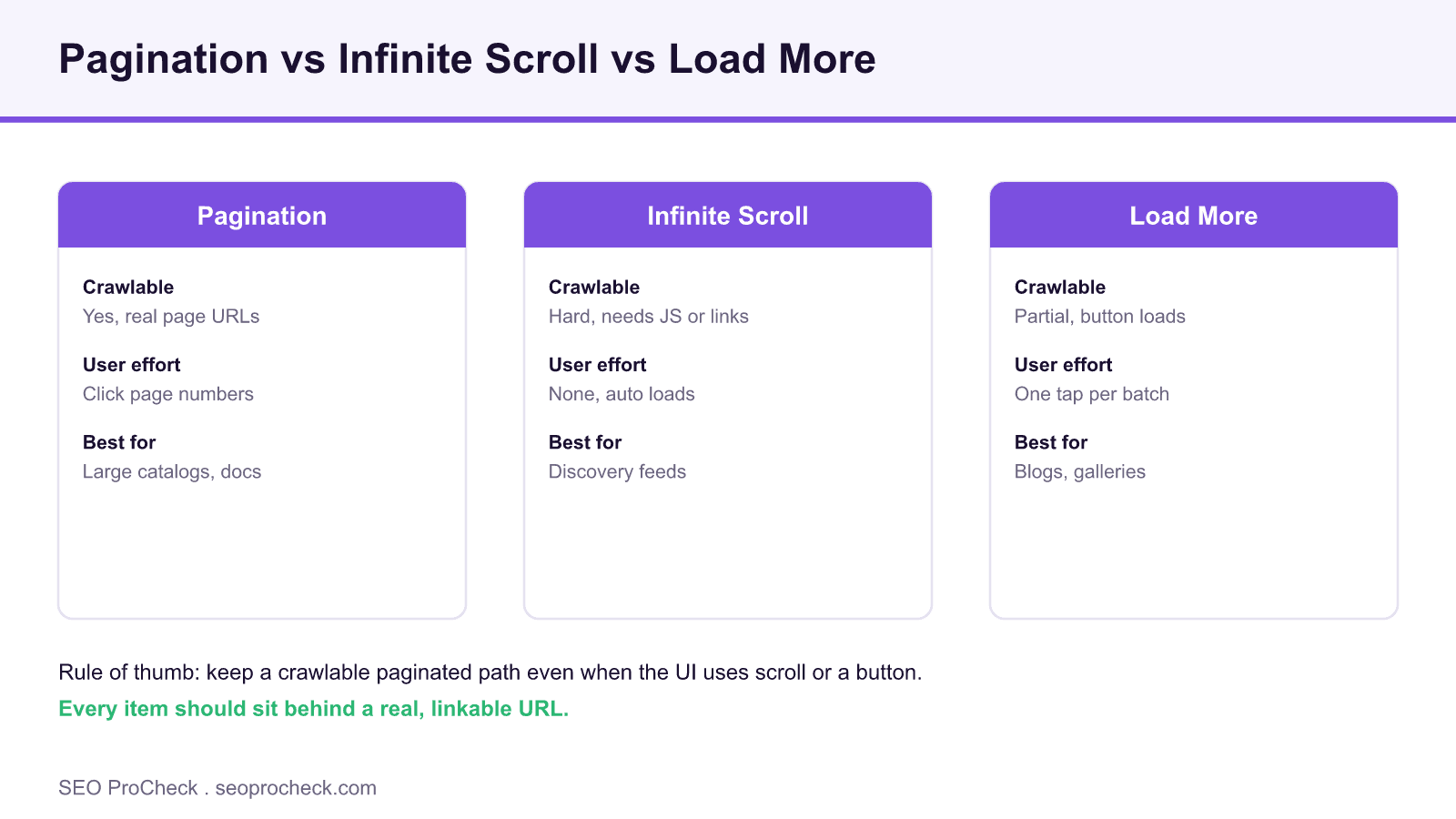
Pagination vs. Infinite Scroll vs. Load More [Key Differences] provides valuable insights for SEO practitioners. This resource examines approaches and considerations that can improve organic search performance.
What each pattern actually does
Pagination breaks a long collection into numbered pages, each with its own URL. A visitor clicks page 2, page 3, and so on, and every page can be bookmarked, linked, and crawled independently.
Infinite scroll appends the next batch automatically as the visitor nears the bottom, usually through an IntersectionObserver or a scroll listener that fetches more items. The experience feels seamless, but by default nothing in the initial HTML points a crawler to the deeper items.
Load more is the middle ground: the first batch renders, and a button fetches the next batch on click. It gives the user control and avoids runaway scrolling, but like infinite scroll the extra items arrive through JavaScript rather than a plain link.
The crawlability problem in plain terms
Googlebot renders JavaScript, but it does not scroll a page or reliably click a load more button the way a person does. If the only way to reach item 200 is to scroll or tap, that item may never be discovered. This is exactly how paginated products, articles, and gallery images end up in the discovered, currently not indexed bucket.
The fix is simple to state: back every scroll or button interface with a crawlable series of paginated URLs that use real anchor tags. Google can then walk page 1 to page N through ordinary links, even while human visitors enjoy the smoother interface. Deep pagination also consumes crawl budget, so keep the series tight and the sort order stable.
Which pattern to choose
There is no single winner. Match the pattern to the content type and to how important deep items are for search. The table below summarises the trade offs that matter most in practice.
| Pattern | Crawlable by default | User strength | Main risk | Best for |
|---|---|---|---|---|
| Pagination | Yes, real URLs | Predictable, shareable | Extra clicks for users | Large catalogs, docs, archives |
| Infinite scroll | No, needs link fallback | Seamless, high engagement | Deep items go undiscovered | Social and discovery feeds |
| Load more | Partial, button loads | Control plus low friction | Batch items need real URLs | Blogs, galleries, search results |
Implementation checklist
Give every list item a unique, self canonical URL rather than pointing pages 2 and beyond back at page 1.
Render pagination as real anchor links in the HTML, not only as an onclick handler, so crawlers can follow them.
Keep a consistent, deterministic sort order so the same item does not appear on two pages and dilute crawling.
You can still add rel=next and rel=prev for browsers and assistive technology, just do not rely on them for indexing.
Lazy load images with loading=lazy for speed, but keep the surrounding links discoverable in the markup.
What has changed since
- In 2019 Google confirmed it no longer uses rel=next and rel=prev for indexing, so a paginated series is judged page by page.
- Google now recommends that infinite scroll be paired with a paginated set of crawlable URLs rather than replacing it.
- Since Interaction to Next Paint became a Core Web Vital, heavy scroll listeners that fire on every pixel can hurt responsiveness, so debounce them.
Key Concepts
Understanding the fundamental principles behind this topic helps inform strategic decisions. Whether optimizing for traditional search or emerging AI platforms, foundational concepts remain relevant. This resource covers the essential knowledge practitioners need.
Implementation Considerations
Moving from concept to execution requires understanding practical constraints and opportunities. Different situations call for different approaches. This resource provides guidance for applying concepts in real-world contexts.
Measuring Impact
SEO efforts require measurement to demonstrate value and guide optimization. Identifying appropriate metrics, establishing baselines, and tracking progress enables data-driven improvement. This resource addresses how to evaluate success.
This resource contributes to the knowledge base SEO practitioners need for effective optimization in an evolving search landscape.
Source: https://theplusaddons.com/blog/pagination-vs-infinite-scroll-vs-load-more/
Frequently asked questions
Is infinite scroll bad for SEO?
Not on its own. Infinite scroll becomes a problem only when the deeper items have no crawlable URL. Pair it with a paginated series of real links and Google can index everything while users still get the smooth feed.
Should I canonical paginated pages back to page one?
No. That is a common mistake that tells Google to ignore pages 2 and beyond, so the products or articles on them may drop out of the index. Each paginated page should canonical to itself.
Does Google still use rel=next and rel=prev?
Not for indexing. Google announced in 2019 that it stopped using those tags as an indexing signal. They remain useful for browser prefetching and accessibility, so there is no harm in keeping them.
Load more or infinite scroll for an ecommerce category?
Load more usually wins for ecommerce because it gives shoppers control, keeps the footer reachable, and is easy to back with crawlable page URLs. Whichever you pick, expose the paginated links in the HTML.
How does pagination affect crawl budget?
Very deep pagination can waste crawl budget on low value pages. Keep the series shallow where you can, use a logical sort, and avoid duplicate or near duplicate paginated URLs. See our guide to crawl budget.
Will infinite scroll hurt my Core Web Vitals?
It can if the scroll handler does too much work on every frame or if new content shifts the layout. Debounce the listener, reserve space for incoming items, and lazy load images to protect INP and CLS.
Claude Vincent is a technical SEO consultant focused on crawlability, rendering, and AI-search visibility. He writes the field guides and case studies at SEO ProCheck, with a bias toward the durable, unglamorous work that decides whether search engines and AI answer engines can actually read and cite a site.
About SEO ProCheck
Technical SEO consulting and GEO strategy with 20 years of enterprise experience. Case studies, resources, and tools for search and AI visibility.
Work With Me
Technical SEO audits, GEO strategy, site migrations, and international SEO. Hourly consulting for teams who need hands-on support, not just reports.
Subscribe to our newsletter!






