

Night of the Living 302s: How SEO Crawlers and GSC’s Index Coverage Reporting Helped Me Surface A Sinister 302 Redirect Problem [Case Study]
- October 31, 2018
- Crawling and Indexing
![Night of the living 302s: how seo crawlers and gsc’s index coverage reporting helped me surface a sinister 302 redirect problem [case study]](https://seoprocheck.com/wp-content/uploads/surfacing-hidden-302-redirects-gsc-diagram-1024x576.png "Night of the living 302s: how seo crawlers and gsc’s index coverage reporting helped me surface a sinister 302 redirect problem [case study] 3")
AI Summary
Stray 302 temporary redirects can quietly keep the wrong URL indexed and split ranking signals, and they are easy to miss. Pairing an SEO crawler with the Search Console index coverage report surfaces them so you can fix each one to a 301 and recrawl.
- A 302 is temporary and keeps the source URL indexed; a 301 is permanent and consolidates signals.
- The Search Console Page with redirect status plus a crawler reveal unexpected 302s at scale.
- This mirrors Glenn Gabe's Night of the Living 302s case study; see the source below.
- Fix stray 302s to 301s, collapse chains, then validate and request indexing.
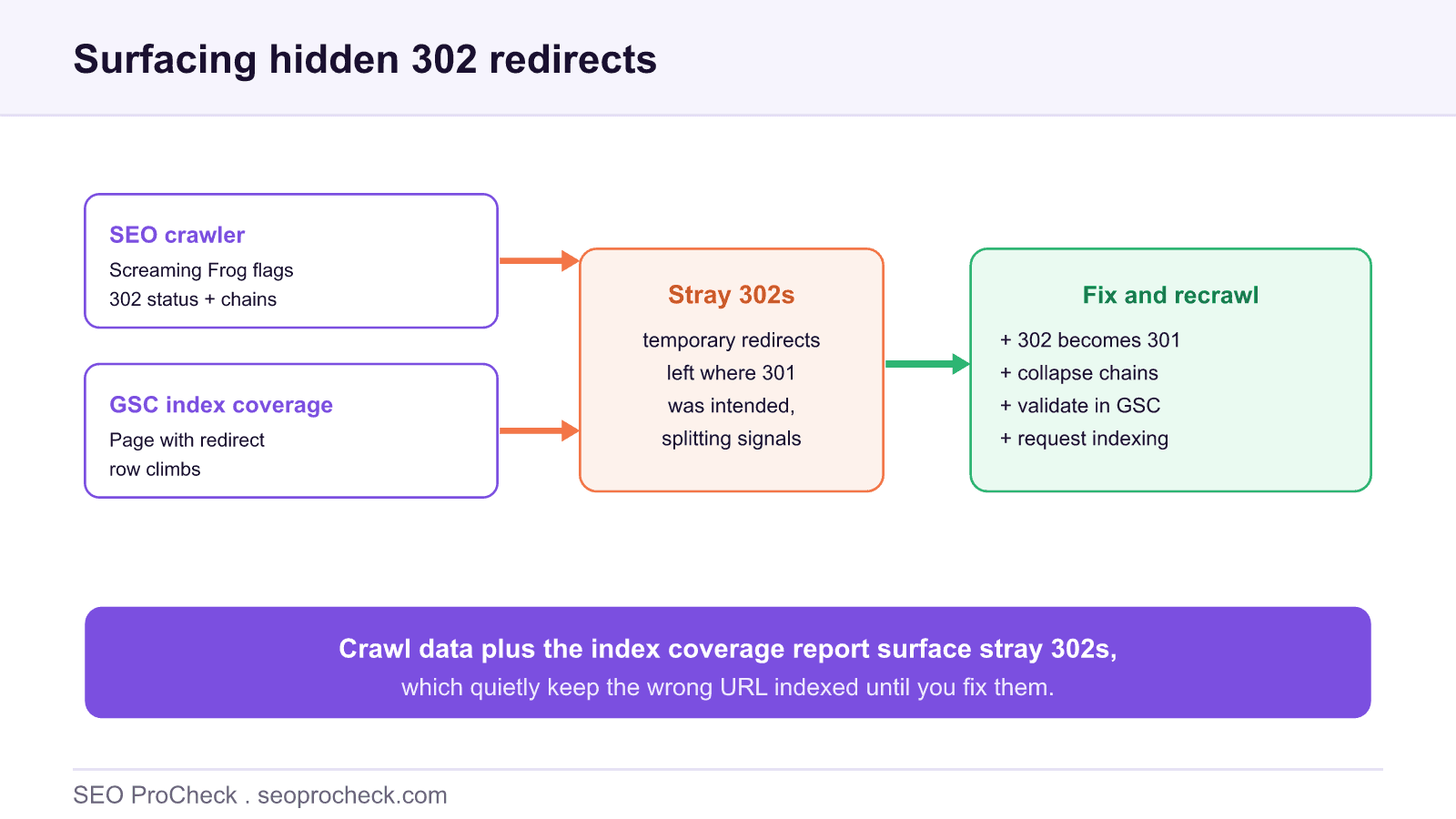
Some technical SEO problems announce themselves with errors. Stray 302 redirects do the opposite: everything returns a valid response, nothing looks broken, and yet the pages you expected to rank are not indexed. The case study linked at the foot of this page tells exactly that story, and the method it uses, crawler plus Search Console index coverage, is worth adopting as a standing diagnostic.
The case in brief
The source below, Glenn Gabe's Night of the Living 302s, documents how a widespread, easy-to-miss 302 problem was surfaced by combining SEO crawl data with the Google Search Console index coverage reporting. Gabe is well known for methodical technical audits, and the write-up is a clear worked example of using two data sources together rather than trusting either alone. We summarise the approach and the underlying mechanics here, and link to the full case study for the detail; the guidance below is our own.
Why stray 302s are dangerous
The danger is precisely that a 302 is not an error. It returns a valid redirect, so uptime checks and casual QA pass. But the meaning is wrong. A 302 redirect signals temporary: the original URL is expected back, so Google tends to keep the source URL as the indexed one and hesitates to consolidate onto the destination. When you actually meant a permanent move, that is the opposite of what you want.
At scale the effect compounds. A platform default, a trailing-slash rule, an HTTP-to-HTTPS handler, or a CMS setting can emit 302s across an entire section. Multiply one quiet mismatch by thousands of URLs and you have a section that will not consolidate, will not fully index, and shows no red errors anywhere. For the underlying distinction, our reference on 301 vs 302 redirects lays out when each is correct.
How to surface them
The reliable method uses two lenses that confirm each other.
1. Crawl for status codes and chains. Run an SEO crawler such as Screaming Frog and read the Directives and Response Codes reports. You are looking for URLs returning 302 where 301 is correct, and for redirect chains where one hop should suffice. Export the 302 list as your candidate set.
2. Read the index coverage report. In Search Console, open Indexing then Pages and watch the Page with redirect status. A few are normal; a climbing count, or URLs you expected to be indexed sitting under it, is the tell. Our guide to the Search Console page indexing report explains how to filter and read these statuses.
3. Confirm with logs. Server log-file analysis shows the exact status Googlebot received, which settles any doubt about whether users and crawlers are served the same redirect.
| Symptom you observe | Likely 302 cause | Fix |
|---|---|---|
| Page with redirect count rising in GSC | Template or platform emitting 302 site-wide | Switch the rule to 301 |
| Expected URL not indexed, redirects elsewhere | 302 pointing at the wrong destination | Correct target, make it a 301 |
| Crawler shows 302 chains | Multiple temporary hops stacked | Collapse to a single 301 |
| HTTP version 302s to HTTPS | Redirect handler defaulting to temporary | Use a permanent 301 for the protocol move |
| Old URLs lingering in the index | 302 keeping the source indexed | 301 to consolidate onto the new URL |
Fixing and verifying
Resolution is straightforward once the URLs are identified. Change each permanent move from a 302 to a 301. Where a URL should simply resolve, remove the redirect so it returns a 200. Collapse any redirect chains so there is a single hop from old to final URL, which preserves signals and speeds crawling. Then close the loop: use the Validate fix action on the affected status in Search Console, and request indexing on priority URLs so Googlebot returns sooner rather than waiting for its next natural crawl. Re-crawl with your tool after a few days to confirm the 302s are gone and the destinations now return 200.
The lasting lesson from the case study is procedural: because stray 302s throw no errors, you only catch them by cross-referencing crawl data against Google's own index coverage. Build that cross-check into your routine audits and a whole class of silent indexing loss stops hiding from you.
FAQ
A 301 is a permanent redirect: it tells search engines the URL has moved for good and signals should consolidate on the target. A 302 is temporary: it says the original URL will return, so engines tend to keep the original indexed. Using a 302 where a 301 was intended can leave the wrong URL in the index and split signals.
Because a stray 302 quietly keeps the source URL as the indexed version and delays or prevents consolidation onto the intended destination. At scale, a template or platform default that emits 302s instead of 301s can hold a whole site section in a confused state without any obvious error.
Crawl the site with a tool that reports status codes and redirect chains, such as Screaming Frog, and cross-check the Google Search Console index coverage report for a rising Page with redirect count. Server log analysis confirms what Googlebot actually received.
It means Google tried to index a URL but was redirected, so the URL itself is not indexed. A few are normal, but a climbing count, especially on URLs you expected to be indexed, is a signal to investigate whether the redirects are the intended type and destination.
Change the redirect to a 301 if the move is permanent, remove the redirect if the URL should resolve with a 200, and collapse any redirect chains to a single hop. Then validate the fix in Search Console and request indexing so Google recrawls sooner.
Google has said it can treat a long-lived 302 like a 301 for signal purposes, but that is not guaranteed and can be slow. Relying on that behaviour is risky; if a redirect is permanent, use a 301 so the intent is explicit and consolidation is prompt.
Pages that should be indexed but quietly are not?
An audit cross-references crawl data with Search Console to surface stray 302s, redirect chains and other silent indexing losses, then hands you the fixes in priority order.
Source: https://www.gsqi.com/marketing-blog/night-of-the-living-302s/
Take this with you
The assistant links open with a question about this page already written. Nothing is sent until you press enter.
Claude Vincent is a technical SEO consultant focused on crawlability, rendering, and AI-search visibility. He writes the field guides and case studies at SEO ProCheck, with a bias toward the durable, unglamorous work that decides whether search engines and AI answer engines can actually read and cite a site.
About SEO ProCheck
Technical SEO consulting and GEO strategy with 20 years of enterprise experience. Case studies, resources, and tools for search and AI visibility.
Work With Me
Technical SEO audits, GEO strategy, site migrations, and international SEO. Hourly consulting for teams who need hands-on support, not just reports.
Subscribe to our newsletter!








Recent Posts
- Most Top Sites Never Say Who They Are in Structured Data October 14, 2026
- Homepage Titles Are Mostly Too Short, Not Too Long October 8, 2026
- Who Actually Serves an llms.txt? 184 Top Sites Measured September 29, 2026