

AI Summary
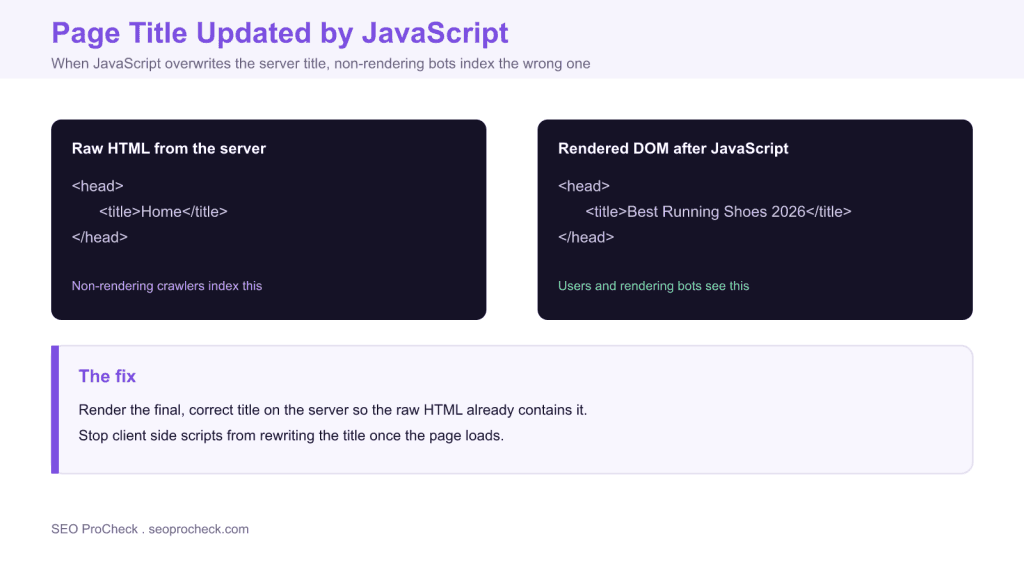
A title updated by JavaScript means the server sends one title and a script rewrites it after the page loads, so bots that do not render index the original while users see the new one. The fix is to render the final, correct title on the server so the raw HTML already contains it, and stop client side code from overwriting it.
- Issue: JavaScript overwrites the server title after load.
- Impact: non-rendering bots index the original, users see another, a mismatch.
- Fix: make the server rendered title match the final intended title.
- Detect: compare View Source or curl against the DevTools Elements title.
What this issue means
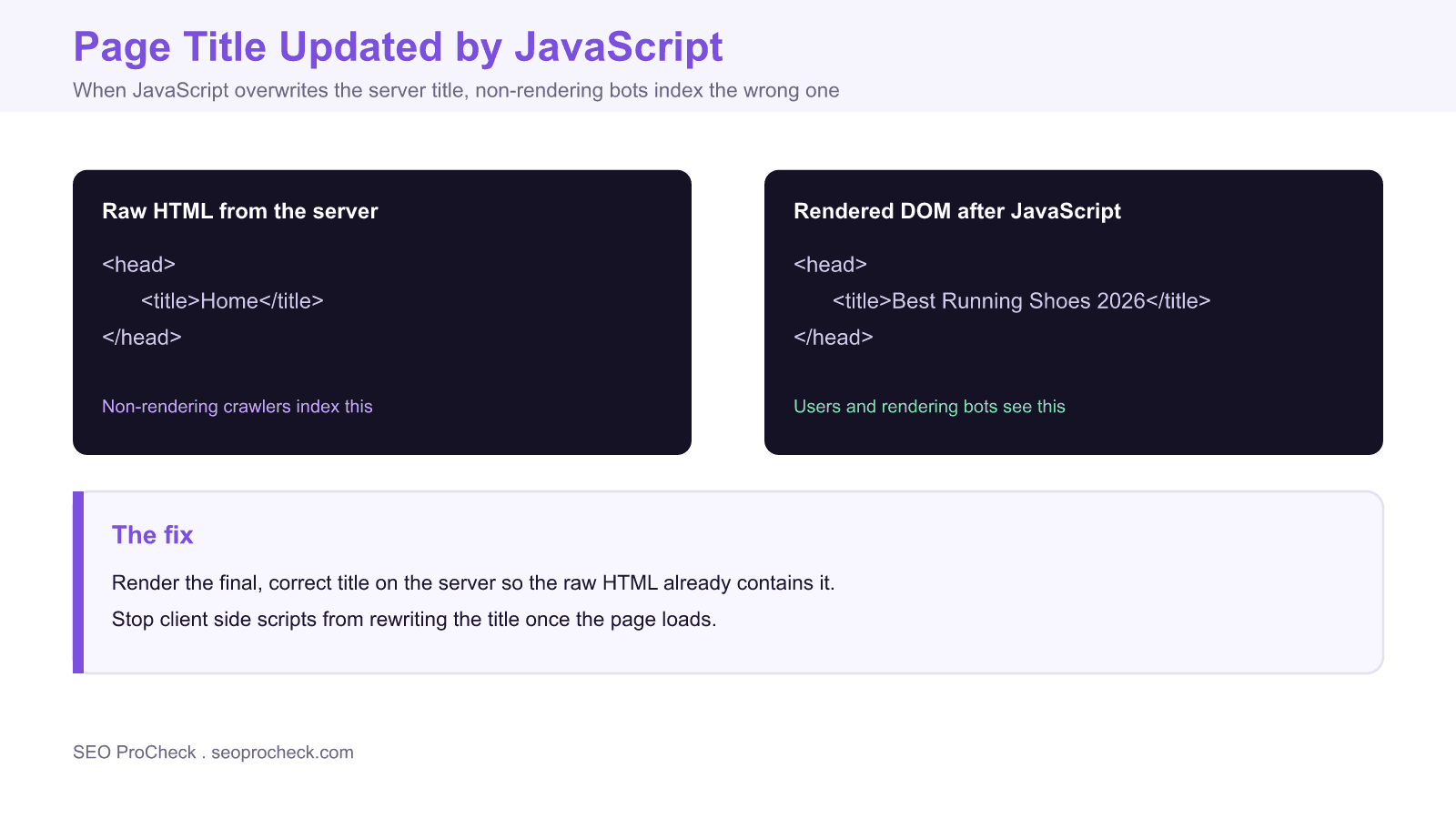
Unlike a title that is simply missing from the raw HTML, here a title is present in the server response, but JavaScript rewrites it after the page loads. Non-rendering crawlers index the original, while users and Googlebot, which renders, see the rewritten one.
Why it matters
This creates a split: AI crawlers and the first pass of indexing get one title, while the visible title is different. At best it is confusing, at worst the indexed title is a generic placeholder while your good title never reaches the bots that do not render. It also undermines trust if the SERP title and the on page title disagree.
How to fix it
- Render the final, correct title on the server so the raw HTML already contains it (SSR or SSG).
- Stop client side title rewriting unless it merely mirrors the server value.
- Verify that the View Source title equals the rendered title.
How to detect the mismatch
Detection is fast once you know that two different titles can exist for the same URL: the one in the raw server HTML and the one in the live DOM after scripts run. Check both and compare.
| Method | What it shows | Use it for |
|---|---|---|
| View Source in the browser | The raw server title before JavaScript | The title non-rendering bots use |
| DevTools Elements panel | The live DOM title after JavaScript | The title users and rendering bots see |
| curl the URL from a terminal | Server response with no JavaScript run | A quick scriptable raw title check |
| URL Inspection live test | Googlebot rendered HTML | Confirming what Google finally indexes |
| SEO crawler, raw versus JavaScript mode | Both titles side by side at scale | Finding every affected URL on the site |
Why AI crawlers are hit hardest
Googlebot renders JavaScript, so it usually recovers the rewritten title eventually. Many other consumers do not. A large share of AI crawlers and the first indexing pass fetch the raw HTML and never execute your scripts, so a placeholder like Home or an app shell title is the only title they ever store. As answer engines and AI assistants pull more content directly from the raw response, a server title that does not match your intended one quietly misrepresents the page everywhere except in a fully rendered browser. Our deeper look at what AI crawlers really see and the JavaScript rendering diagnosis guide cover this failure mode in detail.
Fixing it in common frameworks
The durable fix is to emit the correct title in the server response for every URL, then let client side updates only mirror it. How you do that depends on your stack:
- Next.js: set the title through the Metadata API or
generateMetadataso it is rendered on the server for each route. - React without a framework: move title logic into a server rendered layer or a prerender step rather than setting
document.titleonly on the client. - Vue and Nuxt: use the head management built into server side rendering so each route ships its title in the initial HTML.
- Tag managers and plugins: audit anything that writes
document.titleafter load and make it match, or remove it if the server title is already correct.
If you cannot render on the server yet, a prerendering stopgap can serve fully formed HTML to bots while you plan a proper SSR migration. For the underlying rules on writing strong titles once they reach the server, see the title tags and meta descriptions guide.
Related
Page Title Only in Rendered HTML · What AI crawlers really see
Frequently asked questions
Why does my page title change after the page loads?
A script sets document.title in the browser after load, overwriting the title the server sent. This is common with front end frameworks, tag managers, and some plugins that manage the title client side rather than on the server.
Which title does Google use when they differ?
Google renders pages, so it generally sees the rewritten title, but the raw server title still feeds the first indexing pass and any non-rendering system. A mismatch risks the placeholder being indexed, especially before render completes, so the two should agree.
Do AI crawlers see the JavaScript title?
Often not. Many AI crawlers and the initial indexing pass do not execute JavaScript, so they only ever see the server title. If that title is a generic placeholder, the placeholder is all they get, no matter how good the rewritten one is.
How do I check the title in the raw HTML?
Use View Source or run curl against the URL to see the exact HTML the server returns before any JavaScript runs. Compare that title with the one in the DevTools Elements panel, which shows the live DOM after scripts have executed.
How do I fix a title that JavaScript overwrites?
Render the final, correct title on the server with server side rendering or static generation, and stop client side code from rewriting it. If a script must set the title, make sure the value it sets matches the server title so there is no mismatch.
Is it a problem when a single page app updates the title on route changes?
Not by itself. A single page app must update the title as the route changes. The rule is that the server response for each URL should already carry the correct title, so a non-rendering bot that lands directly on that URL still receives the right one.
Take this with you
The assistant links open with a question about this page already written. Nothing is sent until you press enter.
Claude Vincent is a technical SEO consultant focused on crawlability, rendering, and AI-search visibility. He writes the field guides and case studies at SEO ProCheck, with a bias toward the durable, unglamorous work that decides whether search engines and AI answer engines can actually read and cite a site.
About SEO ProCheck
Technical SEO consulting and GEO strategy with 20 years of enterprise experience. Case studies, resources, and tools for search and AI visibility.
Work With Me
Technical SEO audits, GEO strategy, site migrations, and international SEO. Hourly consulting for teams who need hands-on support, not just reports.
Subscribe to our newsletter!








Recent Posts
- Most Top Sites Never Say Who They Are in Structured Data October 14, 2026
- Homepage Titles Are Mostly Too Short, Not Too Long October 8, 2026
- Who Actually Serves an llms.txt? 184 Top Sites Measured September 29, 2026