

How Extra HTML Attributes in Canonical Tags Impact Search Engines | Merj
- August 15, 2024
- General

AI Summary
Search engines read only the rel and href of a canonical link element to decide the canonical hint; extra HTML attributes such as class, id, data attributes or tracking parameters on the tag are parsed but ignored for canonicalization. The real risk is not an extra attribute but a malformed, relative or wrong href, which can send your canonical signal to the wrong URL.
- Only rel="canonical" and a valid absolute href are used to consolidate signals.
- Unknown attributes on the link element are ignored, not treated as errors.
- A broken, relative or cross domain href is the failure mode that actually hurts you.
- Keep canonical markup lean and validate the final rendered URL, not just the source.
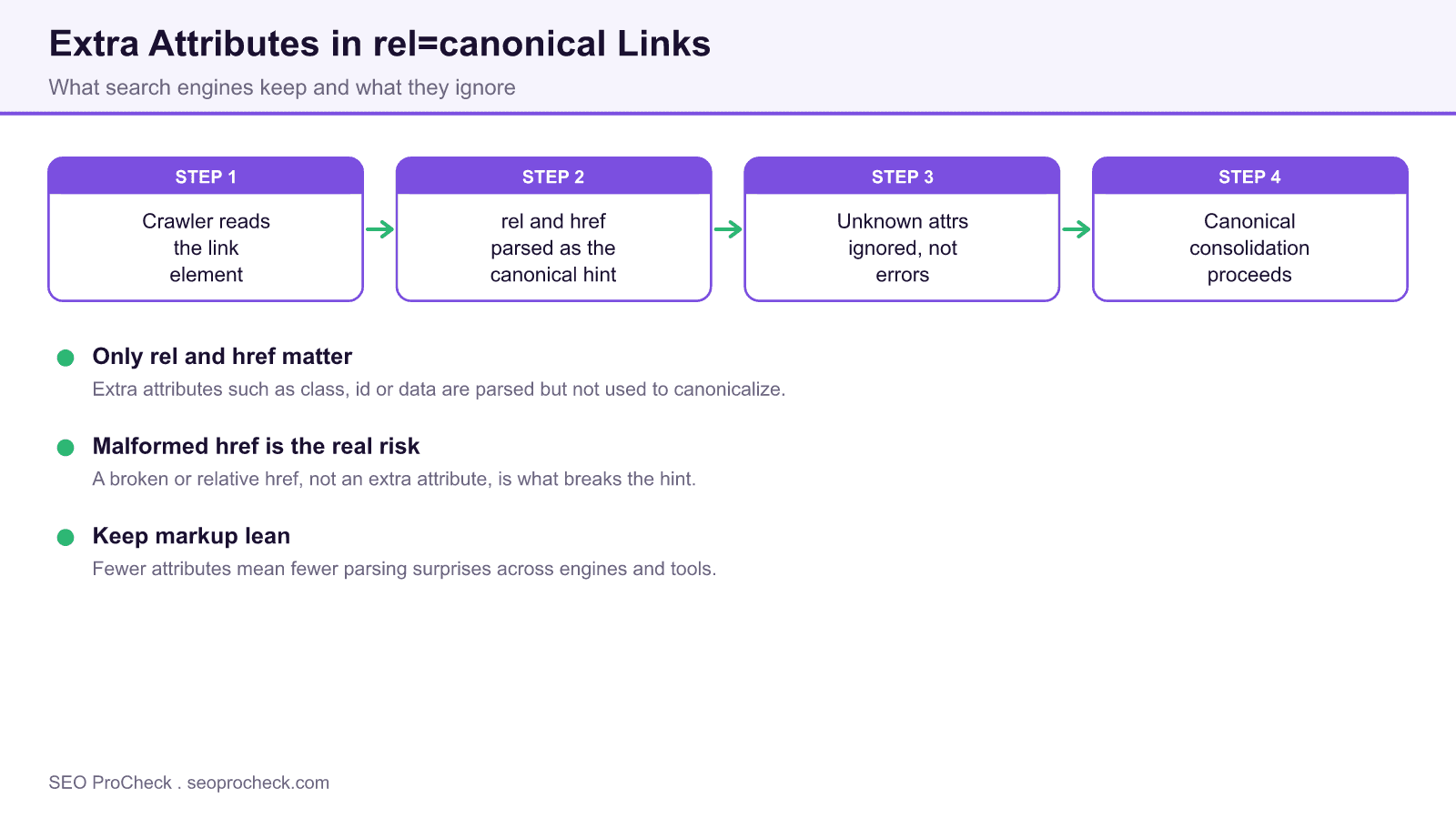
How engines parse a canonical link
A canonical annotation is a single link element in the head, for example a link with rel set to canonical and an href pointing at the preferred URL. When a crawler encounters it, it extracts two things: the rel value, which tells it the link is a canonical hint, and the href value, which tells it the target. Everything else on the element is parsed as generic HTML and then disregarded for the purpose of canonicalization.
That means adding class names for styling, an id for scripting, data attributes for analytics, or even stray parameters is not a syntax error and does not stop consolidation. Engines are built to be lenient with extra attributes across all elements, and the canonical link is no exception. Testing by technical SEO teams has repeatedly shown that Google keeps honoring the hint as long as rel and href are correct.
Where canonicalization really breaks
If extra attributes are harmless, what causes canonical problems? Almost always the href itself. Common failures include a relative href that resolves differently than intended, an absolute href with the wrong protocol or host, a href pointing to a redirecting or non indexable URL, multiple conflicting canonical elements on one page, or a canonical placed in the body instead of the head where it is ignored. A canonical that points every paginated or filtered page back to the root can also collapse pages you wanted indexed.
Conflicting signals are the subtle version of this. If your canonical says one thing while your sitemap, internal links, hreflang and redirects say another, Google treats the canonical as a hint and may pick a different URL. Consistency across every signal is what makes the canonical stick. When self references and internal links disagree, you can end up in a canonical loop that wastes crawl budget.
A clean canonical checklist
Keep the element simple and correct. Use one canonical per page, place it in the head, use an absolute URL with the correct protocol and host, and make sure the target returns a 200 status and is itself indexable. Confirm the rendered DOM, since JavaScript can inject or overwrite the tag after the initial HTML. For the full rule set, see our canonical tags complete reference and the concise canonical tag definition.
Why lean markup still pays off
Even though extras are ignored by Google, keeping the link element minimal reduces the surface for mistakes. Some third party crawlers, cache layers and CMS plugins are less forgiving than Googlebot, and cluttered attributes make debugging harder when something does break. Lean markup also makes it obvious at a glance whether the href is right, which is the thing that actually matters.
| Canonical element part | Used by engines? | Notes |
|---|---|---|
| rel="canonical" | Yes | Identifies the link as a canonical hint; required |
| href (absolute URL) | Yes | The preferred URL; must be 200, indexable and correct |
| class, id, style | No | Parsed as generic HTML and ignored for canonicalization |
| data attributes, tracking params on the tag | No | Ignored for the canonical signal; harmless but add clutter |
| Multiple canonical tags | Problematic | Conflicting tags force Google to guess; keep exactly one |
Frequently asked questions
Do extra attributes on a canonical tag hurt SEO?
No. Search engines use only rel and href to interpret a canonical link. Extra attributes such as class, id or data attributes are ignored for canonicalization and do not harm your signal, though lean markup is easier to maintain.
What actually breaks a canonical tag?
A malformed href is the usual culprit: relative paths that resolve wrong, wrong protocol or host, targets that redirect or return errors, canonicals placed outside the head, or multiple conflicting canonical tags on one page.
Should the canonical URL be absolute or relative?
Use an absolute URL with the correct protocol and host. Relative canonicals can resolve to an unintended URL depending on the page context, which is a common and avoidable mistake.
Can JavaScript change my canonical tag?
Yes. Scripts can inject or overwrite the canonical after the initial HTML loads. Always verify the canonical in both the raw source and the rendered DOM, because Google canonicalizes before and after rendering, so a JavaScript canonical should match the HTML one.
How many canonical tags should a page have?
Exactly one. Multiple canonical elements with different targets create conflicting hints, and Google may ignore all of them and choose its own canonical.
Source: https://merj.com/blog/how-extra-html-attributes-in-canonical-tags-impact-search-engines
Take this with you
The assistant links open with a question about this page already written. Nothing is sent until you press enter.
Claude Vincent is a technical SEO consultant focused on crawlability, rendering, and AI-search visibility. He writes the field guides and case studies at SEO ProCheck, with a bias toward the durable, unglamorous work that decides whether search engines and AI answer engines can actually read and cite a site.
About SEO ProCheck
Technical SEO consulting and GEO strategy with 20 years of enterprise experience. Case studies, resources, and tools for search and AI visibility.
Work With Me
Technical SEO audits, GEO strategy, site migrations, and international SEO. Hourly consulting for teams who need hands-on support, not just reports.
Subscribe to our newsletter!








Recent Posts
- Most Top Sites Never Say Who They Are in Structured Data October 14, 2026
- Homepage Titles Are Mostly Too Short, Not Too Long October 8, 2026
- Who Actually Serves an llms.txt? 184 Top Sites Measured September 29, 2026