

Rendering Queue: Google Needs 9X More Time To Crawl JS Than HTML
- May 13, 2023
- JavaScript SEO
AI Summary
Google indexes server delivered HTML almost straight away, but content that only appears after JavaScript runs has to wait in a render queue, and Onely measured that as roughly 9 times more time. The practical fix is to deliver your important content in the initial HTML through server side rendering or prerendering so it does not depend on the second wave.
- Indexing happens in two waves: crawl and index the HTML first, then render JavaScript later when resources allow.
- Content that exists only after client side rendering is delayed, and on fast moving pages it can be indexed stale or late.
- Server side rendering and static generation put content in the first wave, so Google never has to wait to see it.
- Verify by comparing the raw page source against the rendered HTML in the URL Inspection tool.
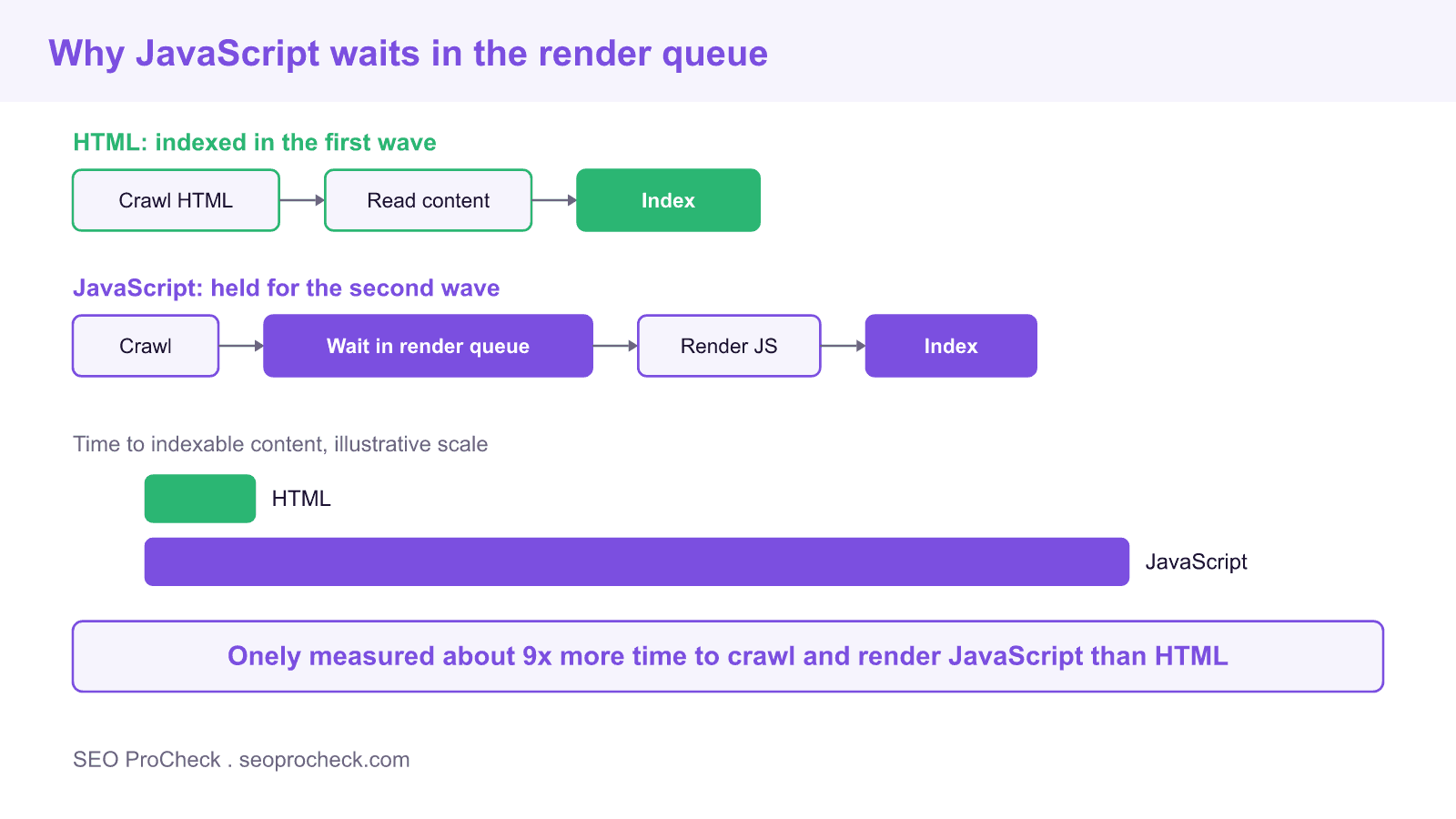
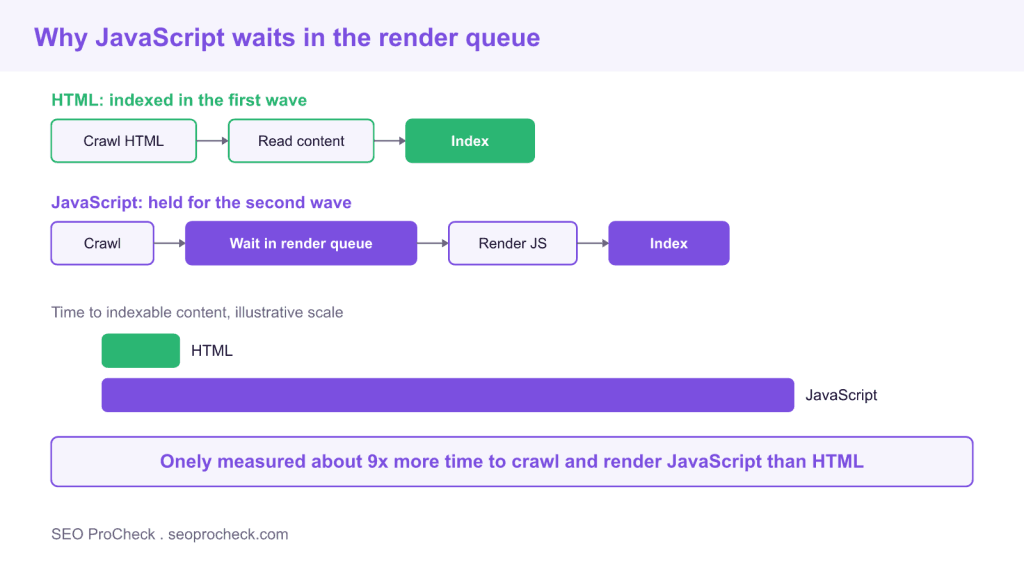
If your pages rely on JavaScript to build their main content, Google does not see that content when it first crawls the URL. It sees it later, after the page has passed through a rendering step that runs on Google own schedule. The study behind this note, from Onely, put the gap at about 9 times more time to crawl and render JavaScript than to process plain HTML. That delay is the single most important thing to understand about JavaScript SEO, because it decides whether your content is available to rank now or only after an unpredictable wait.
The two wave indexing model
Google processes a modern page in two passes. In the first wave it fetches the raw HTML returned by the server, reads whatever content and links are present, and indexes them quickly. If the important content is already in that HTML, the job is essentially done. If the content only appears after JavaScript executes, the page is set aside in a render queue. In the second wave, when rendering resources are free, Googlebot runs the JavaScript with a headless browser, sees the fully built page, and indexes the rest. The render queue is why JavaScript dependent content is slower to appear, and on a large site the wait can stretch well beyond what a publisher expects.
Why the delay matters
A rendering delay creates several concrete problems. New pages take longer to enter the index, which hurts anything time sensitive such as news, product launches, or stock and price updates. Content that changes often can be indexed in a stale state, because Google may still be holding an older render. Links that only exist in the rendered version are discovered late, which slows the crawl of everything they point to. And in the worst case, if rendering fails or times out, the JavaScript content is never indexed at all, so the page ranks only on whatever thin HTML shipped in the first wave.
Rendering strategies compared
The fix is to control when your content becomes visible to the crawler. These are the main options and their effect on indexing.
| Strategy | When content is ready | Indexing effect |
|---|---|---|
| Static generation | Prebuilt HTML served on request | Best, content is in the first wave |
| Server side rendering | HTML built per request on the server | Strong, content is in the first wave |
| Prerendering for bots | Cached rendered HTML served to crawlers | Works, but adds a system to maintain |
| Client side rendering | Built in the browser after JavaScript runs | Weakest, content waits in the render queue |
Note that Google deprecated its recommendation for separate dynamic rendering as a long term fix, steering sites toward server side rendering or static generation instead. Prerendering can still bridge a legacy stack, but building content into the initial HTML is the durable answer.
How to tell if your content depends on JavaScript
You do not need to guess. Load a key page and view the raw page source, which is the HTML the server sent, then compare it to the rendered DOM in your browser inspector. If your headings, body copy, and links appear only in the rendered DOM and not in the raw source, that content depends on JavaScript and is subject to the render queue. Confirm from Google side with the URL Inspection tool in Search Console, which shows both the fetched HTML and the rendered HTML, and with a plain fetch that has JavaScript disabled. If the page looks empty without scripts, so does the first wave of indexing.
Fixes that shrink the render gap
Close the gap by moving content earlier and making rendering cheaper. Render the main content and internal links on the server so they ship in the first wave. Keep critical links as real anchor tags with href attributes rather than click handlers, so they are crawlable without execution. Avoid hiding primary content behind user actions such as clicks or scrolls that a crawler will not perform. Reduce heavy client side work and third party scripts that slow rendering, and make sure you never block the JavaScript and CSS files Googlebot needs in robots.txt. Each of these pulls your content out of the slow lane and into the fast one.
FAQ
It is the two step way Google processes pages. In the first wave it crawls and indexes the raw HTML returned by the server. In the second wave, later and when resources allow, it renders the JavaScript to see content that was not in that HTML. Anything that depends on JavaScript waits for the second wave.
Because JavaScript content is not visible until Googlebot runs the scripts in a headless browser, which is expensive, so those pages sit in a render queue until rendering resources are free. Onely measured this at roughly 9 times more time than processing plain HTML that is ready in the first wave.
Yes, Google renders and indexes JavaScript, but with a delay and with more room for failure. If rendering times out or a script breaks, the JavaScript content may be missed, and the page is left ranking on whatever HTML shipped first. Server rendering removes that risk.
Static generation and server side rendering are best because they deliver the content in the initial HTML, so Google indexes it in the first wave. Client side rendering is the weakest for SEO because the content waits in the render queue. Build important content into the server response wherever you can.
View the raw page source and compare it to the rendered page in your browser inspector. If the main content and links appear only after scripts run, the page depends on JavaScript. The URL Inspection tool in Search Console confirms it by showing both the fetched and the rendered HTML.
No. If you block the JavaScript or CSS that Googlebot needs, it cannot render the page correctly and may index a broken or empty version. Keep those resources crawlable so rendering can complete, and only disallow files that are genuinely irrelevant to how the page appears.
Tools and further reading
- See which URLs Googlebot crawls and how often with the log file analyzer.
- Inspect the raw server response for a page using the HTTP header checker.
- Measure the client side cost that slows rendering with the Core Web Vitals checker.
- Read more JavaScript SEO case studies.
Reference: original case note
This SEO case study documents a successful optimization initiative, providing actionable insights for practitioners. The documented approach demonstrates how strategic SEO implementation drives measurable results.
Initial Situation
Understanding the starting point is essential context for evaluating any case study. This documentation covers the initial challenges, competitive position, and business objectives that shaped the SEO strategy.
Strategy and Approach
The strategic approach combined multiple SEO disciplines to address identified opportunities. Key decisions around prioritization and resource allocation provide a template for similar initiatives.
Implementation
Moving from strategy to execution required specific technical implementations, content development, and process changes. This case study documents the practical steps that translated strategy into action.
Results and Learnings
The outcomes demonstrate effectiveness through measurable improvements in rankings, traffic, and business metrics. Analysis of successes and challenges provides learning value for practitioners.
Case studies like this contribute to the SEO knowledge base, helping practitioners learn from documented real-world experiences.
Source: https://www.onely.com/blog/google-needs-9x-more-time-to-crawl-js-than-html/
Take this with you
The assistant links open with a question about this page already written. Nothing is sent until you press enter.
Claude Vincent is a technical SEO consultant focused on crawlability, rendering, and AI-search visibility. He writes the field guides and case studies at SEO ProCheck, with a bias toward the durable, unglamorous work that decides whether search engines and AI answer engines can actually read and cite a site.
About SEO ProCheck
Technical SEO consulting and GEO strategy with 20 years of enterprise experience. Case studies, resources, and tools for search and AI visibility.
Work With Me
Technical SEO audits, GEO strategy, site migrations, and international SEO. Hourly consulting for teams who need hands-on support, not just reports.
Subscribe to our newsletter!








Recent Posts
- Most Top Sites Never Say Who They Are in Structured Data October 14, 2026
- Homepage Titles Are Mostly Too Short, Not Too Long October 8, 2026
- Who Actually Serves an llms.txt? 184 Top Sites Measured September 29, 2026