

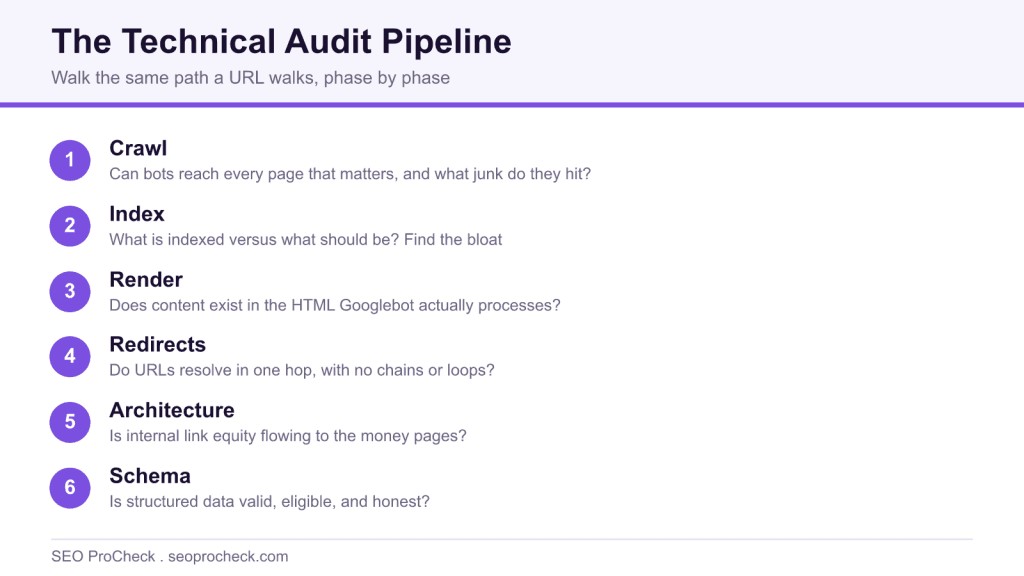
AI Summary
A technical SEO audit is a structured inspection of whether search engines can crawl, render, index, and correctly interpret a site. It walks the same pipeline a URL walks and ends in a prioritized list of findings, each with evidence, business impact, and a specific fix, not a raw tool export.
- Cover crawlability, indexation, rendering, redirects, architecture, duplication, performance, and schema.
- Crawl the site twice, with and without JavaScript, and diff the two passes.
- Audit the mobile rendering and verify every finding against production, not staging.
- Rank fixes by impact and effort, not by a tool severity color.
A technical SEO audit is a structured inspection of whether search engines can crawl, render, index, and correctly interpret a website, the plumbing, not the prose. Skip it and you can spend a year producing good content that never ranks because a stray noindex, a robots.txt line, or a rendering dependency is silently throwing it away.
The word "audit" gets abused. A PDF of 400 auto-generated tool warnings is not an audit; it's an export. An audit ends with a prioritized list of findings, each with evidence, business impact, and a specific fix someone can ship.
What a real audit covers, phase by phase
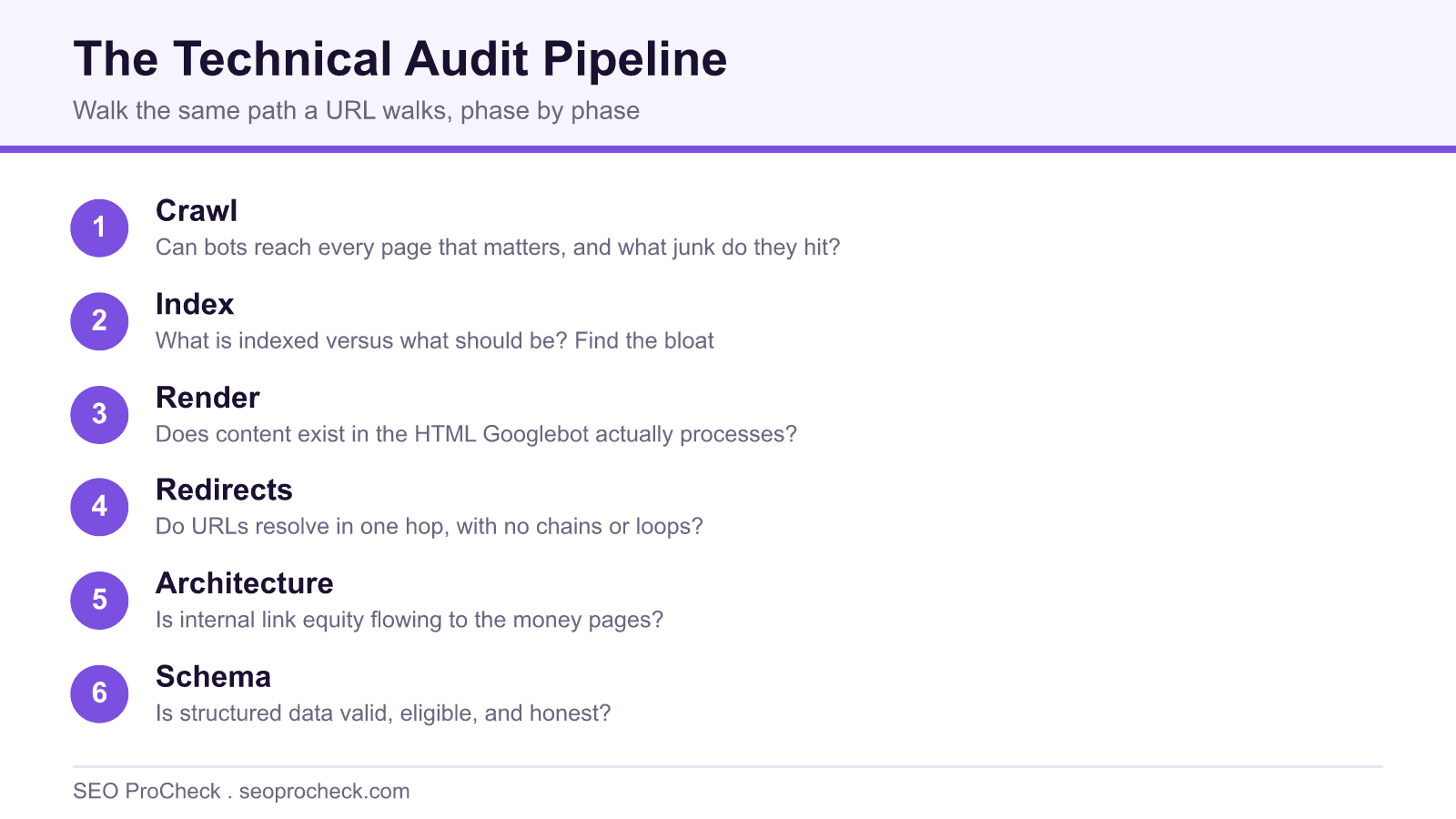
Every serious audit walks the same pipeline a URL walks: can it be discovered, fetched, rendered, indexed, and chosen as the canonical answer. Here's the working structure, with the tools that actually earn their spot and what each phase should hand you:
| Phase | Core questions | Primary tools | Concrete output |
|---|---|---|---|
| 1. Crawlability | Can bots reach every page that matters? What junk are they reaching instead? | Screaming Frog / Sitebulb crawl, robots.txt review, server log sample | Orphan page list, blocked-resource list, crawl waste estimate |
| 2. Indexation | What's indexed vs. what should be? Where's the bloat? | GSC Page indexing report, sitemap-vs-crawl diff, noindex inventory | Indexable-but-excluded list, index bloat list with removal plan |
| 3. Rendering | Does content exist in HTML Googlebot actually processes? | GSC URL Inspection (rendered HTML), crawl with JS rendering on/off, diff the two | List of content/links that only exist post-JavaScript |
| 4. Status codes & redirects | Do URLs resolve in one hop? Any chains, loops, soft 404s? | Crawler redirect report, curl -IL spot checks | Redirect map corrections, chain flattening list |
| 5. Architecture & internal linking | Is link equity flowing to money pages? Click depth sane? | Crawl depth report, internal link counts per URL | Linking fixes: hub pages, depth reductions, anchor cleanup |
| 6. Duplication & canonicals | Does every piece of content have exactly one indexable URL? | Canonical audit, parameter inventory, hreflang validation | Canonical corrections, parameter handling rules |
| 7. Performance | Are Core Web Vitals passing on real-user data? | CrUX / PageSpeed Insights, lab traces for diagnosis | Top 3 performance fixes ranked by affected traffic |
| 8. Structured data | Is schema valid, eligible, and honest? | Rich Results Test, GSC enhancement reports | Schema error fixes, eligible-but-missing opportunities |
A checklist fragment that shows the difference
Here's what the crawlability section of a working checklist looks like, commands, not vibes:
# Is robots.txt sane, and does it answer 200?
curl -sI https://example.com/robots.txt          # expect 200, not 5xx (5xx = Google stops crawling the site)
curl -s https://example.com/robots.txt | head -40

# Does the sitemap agree with reality?
curl -s https://example.com/sitemap.xml | grep -c "<loc>"   # URL count vs. what the crawl found

# Sample what Googlebot actually requests (last 100k log lines)
grep "Googlebot" access.log | awk '{print $7}' | sort | uniq -c | sort -rn | head -25
That last command is the single highest-value line in most audits of large sites. If the top 25 URLs Googlebot hits are parameter permutations and paginated archives instead of your revenue pages, you've found your problem before opening a single tool dashboard. Whether that's worth chasing depends on site size, crawl budget only matters past a certain scale, and for a 300-page site it doesn't.
How to run one on your own site
- Pull Google's opinion first. Open GSC → Indexing → Pages. Every exclusion bucket ("Crawled, currently not indexed," "Duplicate without user-selected canonical," "Excluded by noindex") is a pre-sorted finding. Export them.
- Crawl the site twice with Screaming Frog: once as plain HTML, once with JavaScript rendering. Diff titles, canonicals, and internal link counts between runs, anything that only exists in the rendered pass is a rendering dependency to flag.
- Diff three URL sets: sitemap URLs, crawled indexable URLs, and GSC-indexed URLs. URLs in the sitemap but not the crawl are orphans; crawled-but-not-indexed clusters point at quality or duplication issues.
- Read your robots.txt line by line against the robots.txt reference, precedence and wildcard rules trip up even experienced people, and one wrong
Disallowoutranks a hundred good decisions. - Spot-check ten money pages by hand: URL Inspection for the rendered HTML,
curl -ILfor redirect behavior, view-source for canonical and meta robots. Tools miss things; ten manual checks catch a surprising share of them. - Write up findings ranked by impact × effort, not by tool severity color. A "critical" warning on a parameter URL nobody visits loses to a "minor" noindex on a category page earning 10k visits a month.
For the full item-by-item version, the site's technical SEO audit checklist expands each phase into individual checks.
Common audit mistakes
- Shipping the tool export as the deliverable. 400 undifferentiated warnings guarantees zero of them get fixed. Triage is the job.
- Auditing the desktop site. Google indexes the mobile rendering. If your mobile template hides content or drops internal links, your desktop-based audit certified a site Google never sees.
- Never touching server logs. Crawlers simulate a crawl; logs show the real one. On any site over ~50k URLs, skipping logs means guessing.
- Testing staging and assuming production matches. Staging environments carry their own robots rules, auth walls, and noindex headers. Verify every finding against production before writing it down.
- One-and-done audits. A deploy can reintroduce any of this in an afternoon. Put the five checks that have burned you before into a weekly automated crawl and alert on deltas, not absolutes.
FAQ
How often should a site get a technical audit?
A deep one annually or after any migration, replatform, or redesign. Between those, continuous monitoring of a short list, indexation counts, robots.txt changes, 5xx rates, CWV field data, catches regressions faster than any scheduled audit.
How long does a proper audit take?
For a site under 10k URLs, a competent auditor needs roughly 15 to 25 working hours including the write-up. Enterprise sites with logs, multiple templates, and international sets run into weeks. Anyone quoting two hours is selling you a tool export.
What's the difference between a technical audit and a content audit?
The technical audit asks whether pages can rank (crawl, render, index); a content audit asks whether they deserve to (quality, intent match, cannibalization). Do the technical one first, content recommendations are worthless on pages Google can't index.
Which single tool is enough?
None. The workable minimum is one crawler (Screaming Frog or Sitebulb), Google Search Console, and PageSpeed Insights, all of which cost nothing at small scale. Each sees things the others structurally cannot.
What's the most commonly missed finding?
Rendering gaps. The raw HTML looks fine, the crawl looks fine, and meanwhile half the internal links only exist after a JavaScript framework hydrates, which is why the two-crawl diff in step 2 is non-negotiable.
Take this with you
The assistant links open with a question about this page already written. Nothing is sent until you press enter.
Claude Vincent is a technical SEO consultant focused on crawlability, rendering, and AI-search visibility. He writes the field guides and case studies at SEO ProCheck, with a bias toward the durable, unglamorous work that decides whether search engines and AI answer engines can actually read and cite a site.
About SEO ProCheck
Technical SEO consulting and GEO strategy with 20 years of enterprise experience. Case studies, resources, and tools for search and AI visibility.
Work With Me
Technical SEO audits, GEO strategy, site migrations, and international SEO. Hourly consulting for teams who need hands-on support, not just reports.
Subscribe to our newsletter!








Recent Posts
- Most Top Sites Never Say Who They Are in Structured Data October 14, 2026
- Homepage Titles Are Mostly Too Short, Not Too Long October 8, 2026
- Who Actually Serves an llms.txt? 184 Top Sites Measured September 29, 2026