

Understanding X-Robots-Tag HTTP Headers
- December 18, 2018
- Crawlability and Indexation, Technical SEO
AI Summary
The X-Robots-Tag is an HTTP response header that carries the same indexing directives as the meta robots tag, but because it lives in the header it can control non-HTML files such as PDFs, images, and video that have no place for a meta tag. Set it at the server level with Apache, Nginx, or your application, keep the URL crawlable so the directive is seen, and verify it with a live header fetch.
- Works on any file type because it sits in the response header, not the document body.
- Supports noindex, nofollow, none, noarchive, nosnippet, and unavailable_after.
- The URL must stay crawlable: a robots.txt block hides the header and defeats a noindex.
- Target specific bots with a user agent token, for example googlebot: noindex.
What the X-Robots-Tag header actually does
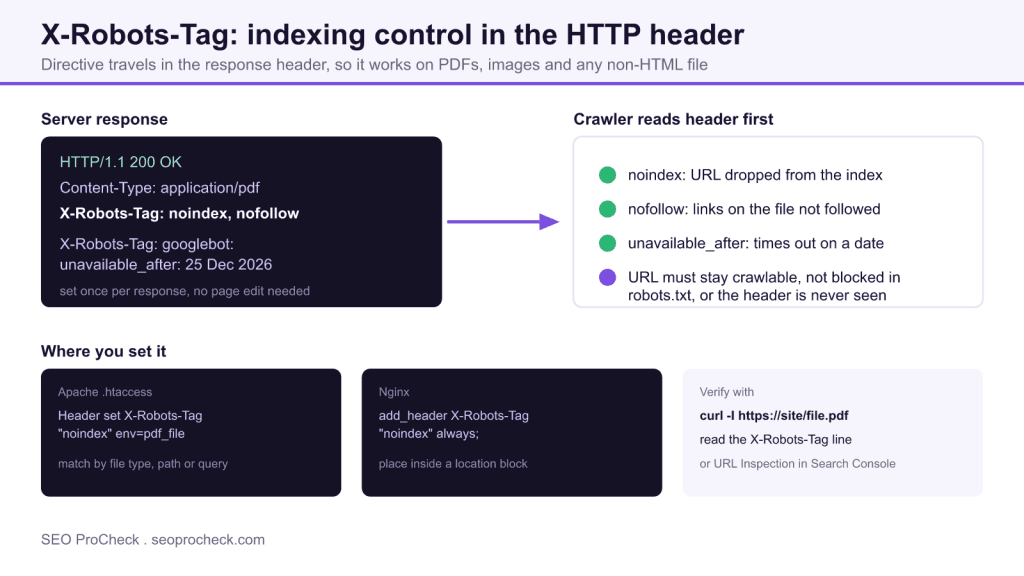
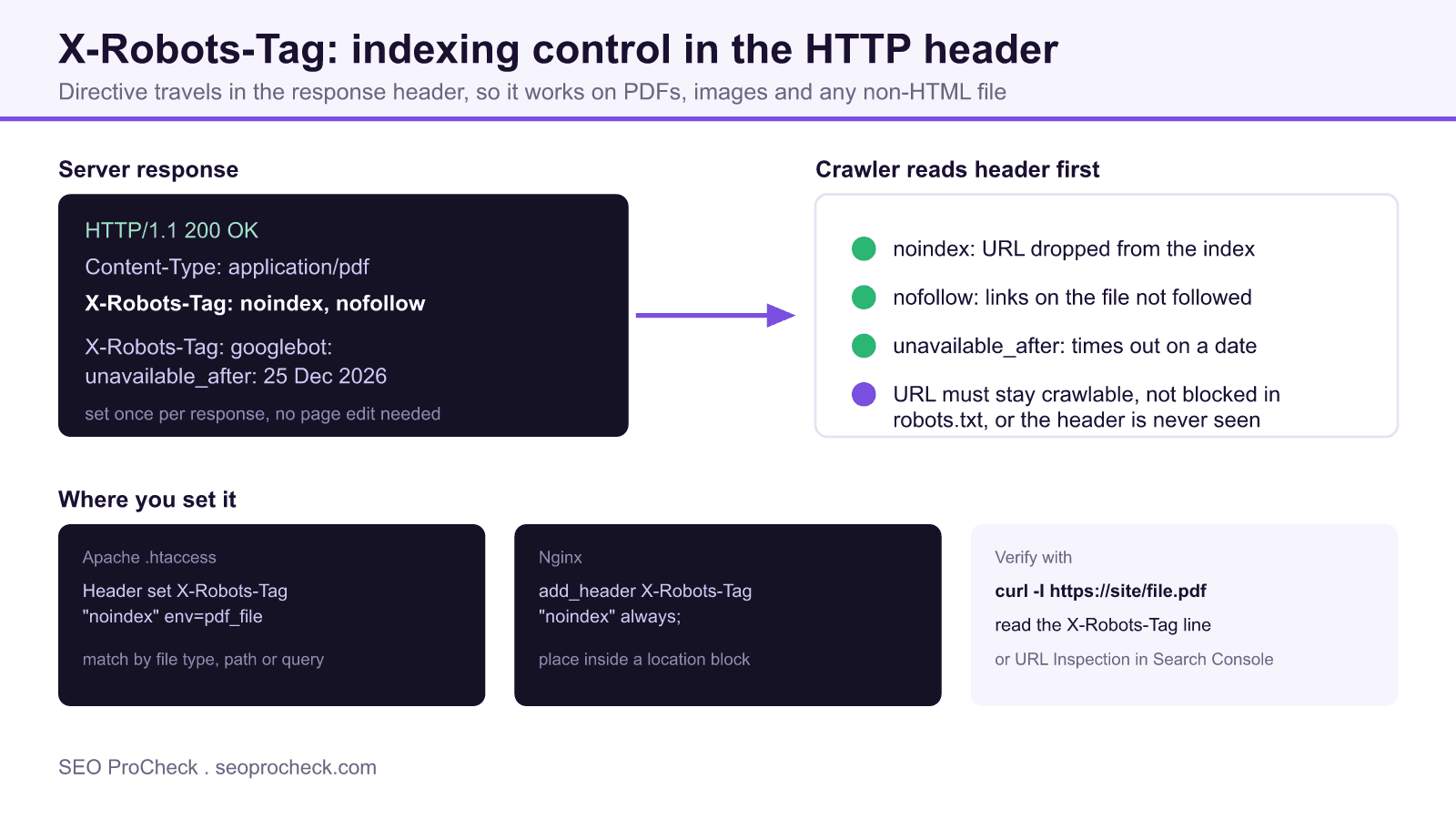
The X-Robots-Tag is a directive returned in the HTTP response header of a URL. It accepts the same instruction vocabulary as the familiar meta robots tag, but it applies at the transport layer rather than inside the HTML body. That single difference is the whole reason the header exists: a PDF, a JPEG, an XML sitemap, or a video file has no head element where a meta tag could live, so the header becomes the only reliable way to tell search engines how to treat that resource.
A typical response for a document you want kept out of search looks like this:
HTTP/1.1 200 OK
Content-Type: application/pdf
X-Robots-Tag: noindex, nofollow
You can also scope a directive to one crawler by adding a user agent token, and you can stack several lines in the same response so different bots get different rules:
X-Robots-Tag: googlebot: noindex
X-Robots-Tag: bingbot: noindex, nofollow
X-Robots-Tag: unavailable_after: 25 Dec 2026 15:00:00 GMT
Supported directives and what each one controls
The header understands the full set of indexing rules. Knowing exactly which one to reach for keeps you from over blocking a resource you actually want crawled.
| Directive | Effect | Typical use |
|---|---|---|
| noindex | Keeps the URL out of the index while still allowing a crawl | Gated PDFs, thank you pages, internal documents |
| nofollow | Stops link signals passing from that resource | User generated files, untrusted uploads |
| none | Shorthand for noindex plus nofollow | Fully suppress a file in one token |
| noarchive | Prevents a cached copy in results | Price lists and time sensitive documents |
| nosnippet | Blocks text and rich snippets | Paywalled or licensed content |
| unavailable_after | Drops the URL after a set date and time | Event pages, expiring promotions |
Setting the header on Apache
On Apache you emit the header with mod_headers, usually scoped by file type through a FilesMatch block so you only touch the documents you mean to. Placing this in the .htaccess file at the site root applies it site wide:
<FilesMatch "\.(pdf|docx|xlsx)$">
  Header set X-Robots-Tag "noindex, nofollow"
</FilesMatch>
To restrict the rule to a single bot, add the user agent token inside the quoted value exactly as it appears in the header itself.
Setting the header on Nginx
On Nginx you add the directive inside a location block. The always keyword makes sure the header is sent even on responses that are not a plain 200, which matters for redirects and error pages you also want to suppress:
location ~* \.(pdf|docx|xlsx)$ {
    add_header X-Robots-Tag "noindex, nofollow" always;
}
Application frameworks can set the same header per response. In most stacks that is a single line, for example a response header assignment in PHP, Node, or your CDN edge worker.
The crawlability trap that breaks noindex
The single most common failure with X-Robots-Tag has nothing to do with syntax. If the URL is disallowed in robots.txt, the crawler never fetches the resource, so it never receives the header and never learns about the noindex. The page can then linger in the index with a stub listing. The rule is simple: to remove a URL with a header directive, leave it crawlable and let the bot read the response. Block it in robots.txt only after it has already been dropped, or if you never wanted it crawled in the first place.
Verifying the header in production
Never assume the rule shipped. Fetch the live URL and read the response headers directly:
curl -I https://example.com/whitepaper.pdf
Look for the X-Robots-Tag line in the output. In Google Search Console, the URL Inspection tool reports the same directive under the crawl section, and it tells you whether Google currently treats the URL as indexable. Test the production hostname, because staging servers frequently carry blanket noindex headers that must never leak to the live site. For the reverse case, a page that should be indexed but is not, confirm the header is absent and cross check the meta robots tag and canonical target as well.
Frequently asked questions
Do I need X-Robots-Tag if I already use the meta robots tag?
Not for standard HTML pages, where a meta robots tag in the head is enough. You need X-Robots-Tag when the resource has no HTML head to hold a meta tag, such as a PDF, an image, a video, or a plain text file. The header also lets you apply directives to thousands of URLs from one server rule instead of editing each document.
Why is my noindex header being ignored?
The most common cause is that the URL is blocked in robots.txt. A crawler that is disallowed never requests the file, so it never sees the X-Robots-Tag line and cannot honour the noindex. Keep the URL crawlable, confirm the header with a live fetch, and only then expect the page to drop out of the index.
Can I target a single crawler with X-Robots-Tag?
Yes. Prefix the directive with a user agent token, for example X-Robots-Tag: googlebot: noindex. A bare X-Robots-Tag with no token applies to every crawler that supports the standard. You can send more than one X-Robots-Tag line in the same response to give different bots different rules.
What is the difference between noindex and nofollow in the header?
noindex tells search engines to keep the URL out of their index while still allowing them to read it. nofollow tells them not to pass ranking signals through links found on that resource. They are independent, so you can combine them or use either one on its own depending on the goal.
How do I check that the header is actually being sent?
Run a fetch that prints response headers, such as curl -I on the exact URL, and look for the X-Robots-Tag line. In Google Search Console the URL Inspection tool shows the same information under the crawl details. Test the production URL, not a staging copy, because header rules often differ between environments.
Does unavailable_after remove content immediately?
No. unavailable_after schedules the URL to drop from search results after the date and time you specify, which is useful for expiring promotions or event pages. Before that moment the URL stays indexable. After it passes, the effect is the same as a noindex on the next crawl.
Related reading
Claude Vincent is a technical SEO consultant focused on crawlability, rendering, and AI-search visibility. He writes the field guides and case studies at SEO ProCheck, with a bias toward the durable, unglamorous work that decides whether search engines and AI answer engines can actually read and cite a site.
About SEO ProCheck
Technical SEO consulting and GEO strategy with 20 years of enterprise experience. Case studies, resources, and tools for search and AI visibility.
Work With Me
Technical SEO audits, GEO strategy, site migrations, and international SEO. Hourly consulting for teams who need hands-on support, not just reports.
Subscribe to our newsletter!






