

HTTP/2 and HTTP/3 SEO Benefits
- January 20, 2025
- Core Web Vitals and Performance, Technical SEO
AI Summary
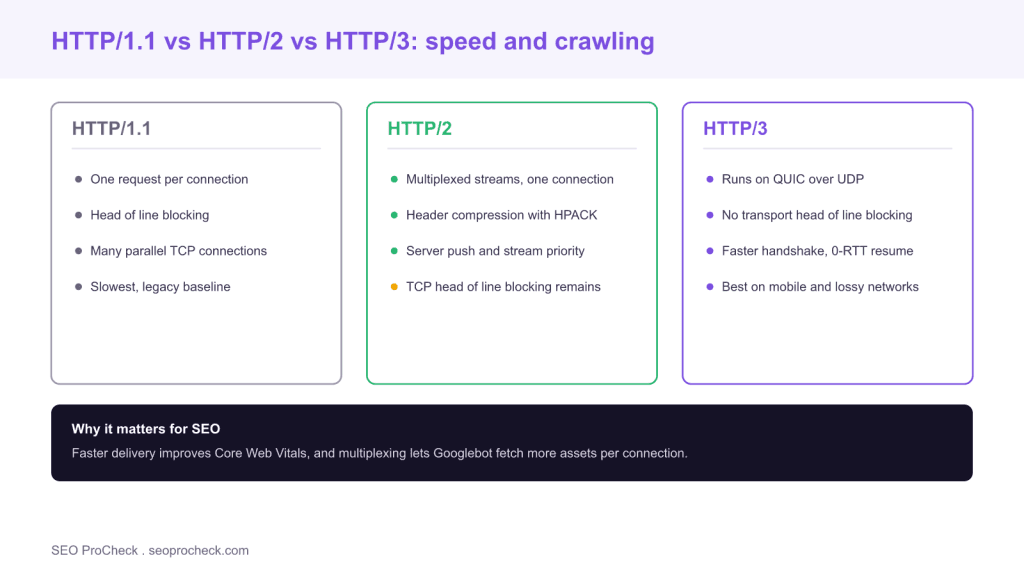
HTTP/2 and HTTP/3 are newer versions of the protocol that delivers your pages, and both make delivery faster through multiplexing, header compression and, in HTTP/3, a move to QUIC over UDP. They benefit SEO indirectly by improving Core Web Vitals and by letting Googlebot fetch more resources per connection, which supports faster, more efficient crawling.
- HTTP/2 sends many requests over one connection at once, removing the per request queueing of HTTP/1.1.
- HTTP/3 runs on QUIC over UDP, eliminating transport level head of line blocking and speeding up the handshake.
- Faster delivery improves loading metrics like Largest Contentful Paint, which feed into Core Web Vitals.
- Google crawls over HTTP/2 where a site supports it, so multiplexing can make crawling more efficient.
HTTP is the protocol that carries every request and response between a browser and your server. Its version matters for SEO because a newer version can deliver the same page noticeably faster, and speed is one of the few technical factors that connects directly to a ranking system through Core Web Vitals. HTTP/2 and HTTP/3 are the two modern versions, and enabling them is one of the highest leverage, lowest risk performance wins available. This guide explains what each version changes, how those changes help SEO, and how to confirm your site is actually serving them.
Why the protocol version affects SEO at all
Search engines do not reward you for using HTTP/2 or HTTP/3 as a checkbox. They reward the outcomes those protocols produce: pages that load faster and crawlers that can fetch resources more efficiently. A typical page pulls dozens of files, HTML, CSS, JavaScript, fonts and images. How the protocol handles all those requests decides how quickly the page becomes usable, and that speed shows up in field metrics that Google measures. So the protocol is upstream of the metrics that matter, which is why it belongs in a technical SEO audit.
What HTTP/2 changed
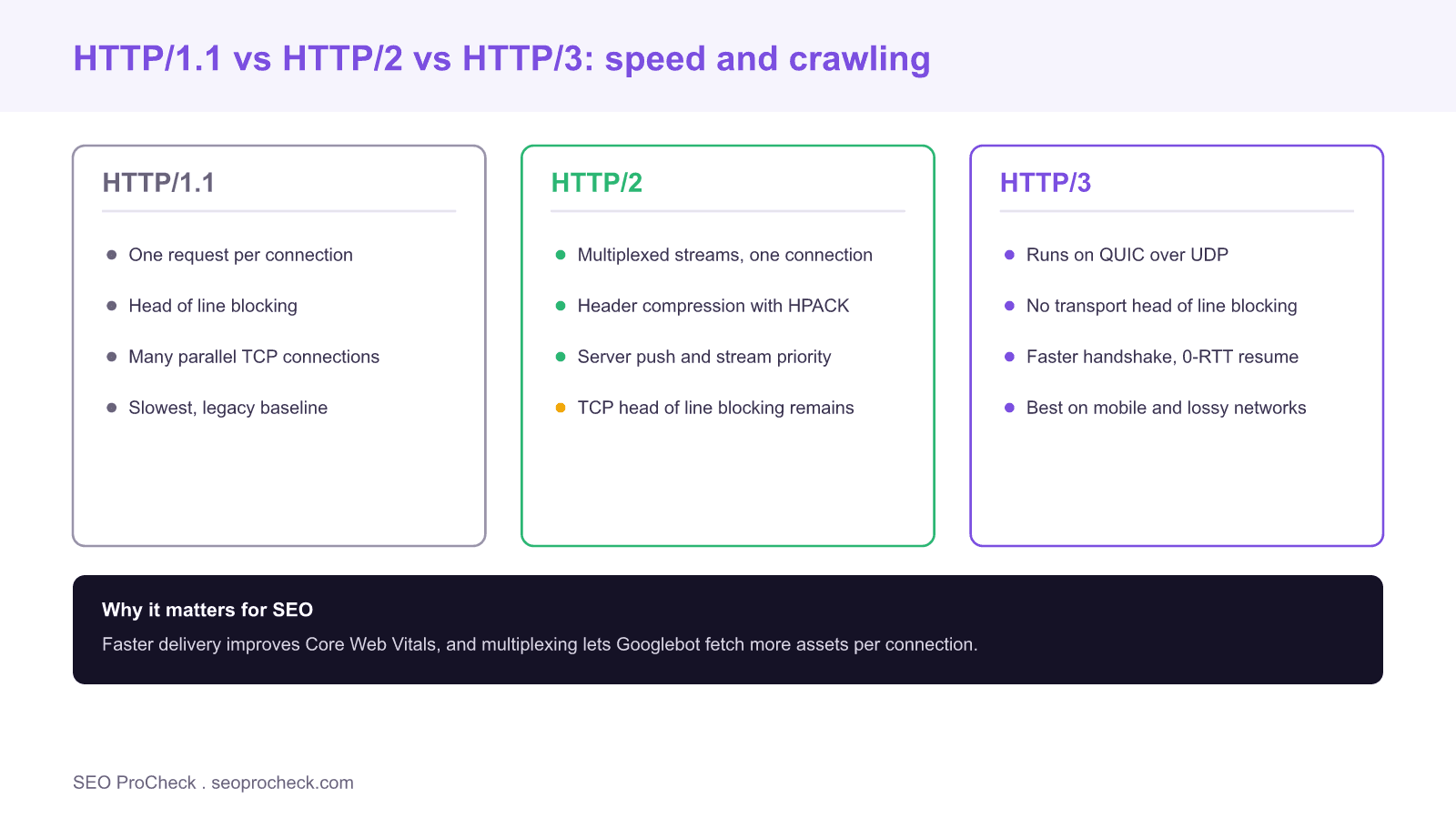
HTTP/1.1 could send only one request at a time per connection and had to wait for each response before starting the next, a problem called head of line blocking. Browsers worked around it by opening many parallel connections, which is wasteful. HTTP/2 introduced multiplexing: many requests and responses share a single connection and travel as interleaved streams, so a slow file no longer blocks the rest. It also added HPACK header compression, which shrinks the repeated headers sent on every request, and stream prioritization so critical resources can be fetched first. In practice HTTP/2 removes most of the artificial delay in loading a resource heavy page, and it does so with no change to your HTML. Because the largest visible element usually sits among those resources, HTTP/2 often improves your Largest Contentful Paint directly.
What HTTP/3 changed
HTTP/2 solved blocking at the application layer but still ran on TCP, which has its own head of line blocking: if one packet is lost, TCP holds back everything behind it until the packet is retransmitted. HTTP/3 fixes this by running on QUIC, a transport built on UDP. QUIC handles streams independently, so a lost packet on one stream does not stall the others. It also merges the transport and encryption handshakes, which cuts round trips when a connection is established, and it supports 0-RTT resumption so returning visitors can start sending data almost immediately. The gains are largest on mobile and on lossy or high latency networks, exactly the conditions where field Core Web Vitals data is often collected.
The SEO benefits, concretely
There are two mechanisms. The first is user facing performance. Faster resource delivery lowers the time to render the main content and the time to interactivity, which improves the field data behind Largest Contentful Paint and Interaction to Next Paint. Since Google uses real user data, not lab tests, for the Core Web Vitals assessment, protocol level speed shows up where it counts. The distinction between field and lab measurement matters here, and we cover it in our guide to field versus lab data. The second mechanism is crawl efficiency. Google announced that Googlebot crawls over HTTP/2 where the server supports it, and multiplexing lets it fetch more resources per connection with less overhead. For very large sites, more efficient crawling can mean fresher, more complete indexing.
How to check and enable the modern protocols
First, find out what you serve. Open your browser DevTools, go to the Network tab, right click the column header, enable the Protocol column, and reload; you will see h2 for HTTP/2 and h3 for HTTP/3. You can also test from the command line with a modern curl using its version flags, or use an online HTTP/3 tester. Most managed hosts and every major CDN, including Cloudflare, Fastly and the large cloud providers, support HTTP/2 by default and HTTP/3 with a toggle. If you run your own server, Nginx and Apache support HTTP/2, and recent Nginx builds support HTTP/3; enabling it is a configuration change plus opening UDP port 443. On WordPress specifically, the protocol is set at the host or CDN level rather than in the application, and it pairs well with the other wins in our guide to speeding up WordPress.
What to watch out for
A few caveats keep expectations realistic. HTTP/2 requires HTTPS in every browser, so TLS is a prerequisite, which you should have anyway. HTTP/2 server push, once promoted as a speed feature, has been deprecated and removed by browsers, so do not rely on it; use preload hints instead. And the protocol is a multiplier on an already reasonable setup, not a rescue for a bloated page. If you ship megabytes of unoptimized JavaScript, HTTP/3 will deliver that payload faster but will not make the page fast. Optimize the payload and the protocol together.
What has changed recently
HTTP/3 has moved from experimental to mainstream. It is supported across current versions of Chrome, Edge, Firefox and Safari, and enabled by default on the major CDNs, so a large share of real traffic now negotiates HTTP/3 automatically. The practical takeaway for SEO has settled: serve over HTTPS, enable HTTP/2 as a baseline, turn on HTTP/3 through your CDN or server, and then keep optimizing the actual page weight. The protocol removes the transport bottleneck; your content and assets decide the rest.
| Feature | HTTP/1.1 | HTTP/2 | HTTP/3 |
|---|---|---|---|
| Transport | TCP | TCP | QUIC over UDP |
| Requests per connection | One at a time | Multiplexed | Multiplexed |
| Head of line blocking | Yes | At TCP layer only | None at transport |
| Header compression | None | HPACK | QPACK |
| Handshake speed | Slowest | Faster | Fastest, 0-RTT resume |
| Googlebot crawls over it | Yes | Yes, where supported | Served to users, TCP fallback for bots |
Frequently asked questions
Is HTTP/2 a Google ranking factor?
Not on its own. Google does not rank you for the protocol version, but HTTP/2 speeds up page delivery, which improves Core Web Vitals, and those field metrics do feed into ranking. The benefit is real but indirect, through performance.
Does HTTP/3 improve SEO?
It can, by making delivery faster on mobile and lossy networks where real user Core Web Vitals data is often collected. HTTP/3 removes transport head of line blocking and speeds up the handshake, which lowers load times and supports better field metrics.
Does Googlebot crawl over HTTP/2?
Yes. Google confirmed that Googlebot crawls over HTTP/2 when a site supports it. Multiplexing lets it fetch more resources per connection with less overhead, which can make crawling more efficient for large sites.
How do I check if my site uses HTTP/2 or HTTP/3?
Open DevTools, show the Protocol column in the Network tab and reload; h2 means HTTP/2 and h3 means HTTP/3. You can also test with a modern curl or an online HTTP/3 checker.
How do I enable HTTP/3?
On most sites you enable it at the CDN or host level. Cloudflare, Fastly and the major clouds offer an HTTP/3 toggle. On a self managed server you need a recent Nginx or equivalent, HTTPS, and UDP port 443 open.
Will HTTP/3 fix a slow website?
No. It removes the transport bottleneck and delivers your files faster, but it cannot compensate for heavy unoptimized assets. Optimize page weight and images alongside enabling the modern protocol for the full benefit.
Take this with you
The assistant links open with a question about this page already written. Nothing is sent until you press enter.
Claude Vincent is a technical SEO consultant focused on crawlability, rendering, and AI-search visibility. He writes the field guides and case studies at SEO ProCheck, with a bias toward the durable, unglamorous work that decides whether search engines and AI answer engines can actually read and cite a site.
About SEO ProCheck
Technical SEO consulting and GEO strategy with 20 years of enterprise experience. Case studies, resources, and tools for search and AI visibility.
Work With Me
Technical SEO audits, GEO strategy, site migrations, and international SEO. Hourly consulting for teams who need hands-on support, not just reports.
Subscribe to our newsletter!








Recent Posts
- Most Top Sites Never Say Who They Are in Structured Data October 14, 2026
- Homepage Titles Are Mostly Too Short, Not Too Long October 8, 2026
- Who Actually Serves an llms.txt? 184 Top Sites Measured September 29, 2026