

AI Summary
Every data table needs th cells with real, descriptive text and a scope attribute so screen readers can announce the correct column or row for each cell. Empty or icon only headers leave assistive technology users without context and trigger the axe empty table header rule.
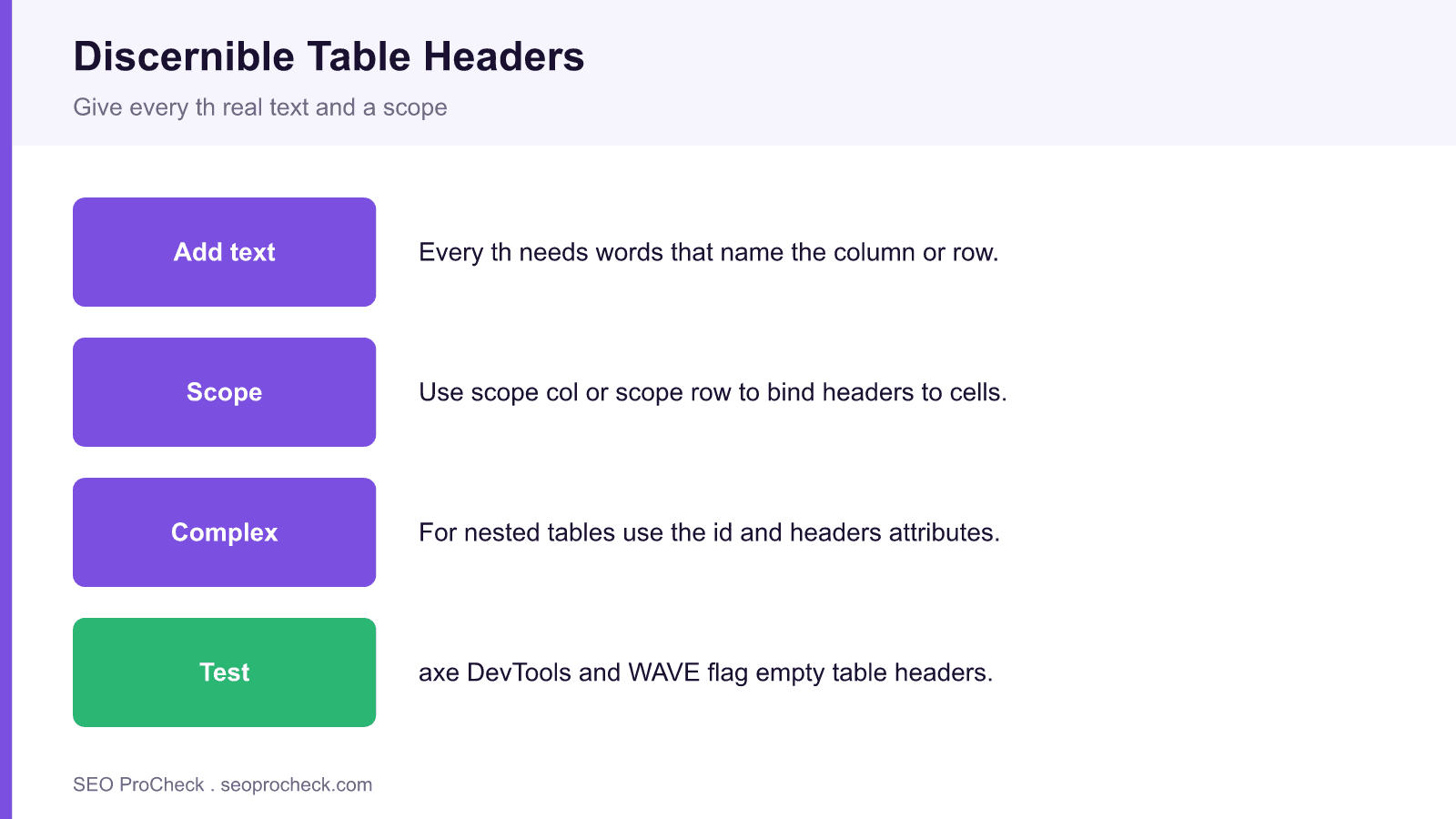
- Give every th visible text that names the column or the row.
- Add scope col or scope row so header associations are explicit.
- For complex tables, use the id and headers attributes for exact mapping.
- Do not fake headers with bold styled cells; use real th elements.
Quick Reference
Element Code: AC-024
Issue: Table header cells (th) are empty or lack text
Impact: Screen readers cannot announce column or row context for data cells
Fix: Add descriptive text to all th elements
Detection: axe DevTools, WAVE, table accessibility audits
What Is This Issue?
Table headers define the meaning of columns and rows. Without header text, screen readers cannot provide context when users navigate data cells, making tables unusable.
Why This Matters for Your Website
Data tables are critical for presenting structured information. Inaccessible tables exclude users from understanding your data.
How to Fix This Issue
- Add text to headers: Describe what each column contains
- Use scope attribute: scope="col" or scope="row"
- For complex tables: Use id/headers for explicit associations
Tools for Detection
- axe DevTools: Reports empty table headers
- WAVE: Shows table structure issues
TL;DR (The Simple Version)
Your table headers are empty. Add text to each th cell that describes what the column or row contains.
Why empty headers break screen readers
A sighted reader infers structure from position and styling: the top row is clearly labels, the left column clearly names each row. A screen reader has none of that visual context. It relies on the th element and its text to announce, for each data cell, which column and row it belongs to. When a header cell is empty, contains only an icon, or is faked with a bold styled td, the assistive technology has nothing to say, and the user hears a wall of numbers with no meaning. This is a real barrier, and it maps directly to WCAG success criterion 1.3.1, Info and Relationships. Accessible tables also help every visitor, which is why we treat them alongside checks like links must have discernible text and sufficient text contrast.
Correct markup patterns
For a simple table, use th for every header and set scope so the association is explicit.
<table>
  <tr>
    <th scope="col">Plan</th>
    <th scope="col">Monthly price</th>
  </tr>
  <tr>
    <th scope="row">Starter</th>
    <td>19</td>
  </tr>
</table>
For a complex table with grouped or multi level headers, connect cells explicitly with id on the header and headers on the data cell, so the relationship survives even when scope alone is ambiguous.
Header techniques and when to use them
| Technique | When to use | Example |
|---|---|---|
| th with text | Every data table | Name the column or row clearly |
| scope col or row | Simple grids | scope on each header cell |
| id and headers | Complex, grouped headers | Map each cell to its headers |
| caption | Any table needing a title | Describe the table's purpose |
This very table uses th with scope for both its column and row headers, so a screen reader announces each cell in context.
What's changed since
The requirement itself is stable, because WCAG 1.3.1 has anchored it for years and WCAG 2.2 did not change the table rules. What has improved is tooling and enforcement. Automated checkers like axe DevTools and WAVE reliably flag the empty table header condition, and axe core now ships inside many CI pipelines, so this defect can be caught before release rather than in an audit. The old habit of building layout with tables has also faded, which means most remaining tables are genuine data tables that truly need proper headers. When you fix these, also confirm related structure with checks such as a correct heading structure.
Frequently asked questions
What does discernible text mean for a table header?
It means each th cell contains real, readable text that names what the column or row holds, not an empty cell, a spacer, or an icon with no label. Screen readers read that text to give context to every data cell.
How do I fix an empty table header?
Add descriptive text to each th element and set scope col or scope row so the association is explicit. For grouped or multi level headers, connect cells with the id and headers attributes.
What is the difference between th and td?
A th is a header cell that labels a column or row, and assistive technology treats its text as context for the related data cells. A td is a regular data cell. Using a styled td instead of a th removes that context.
Do I need the scope attribute on every header?
For simple tables, scope col and scope row make the header to cell relationship unambiguous and are strongly recommended. For complex tables with grouped headers, use id and headers instead, which give exact control.
Which tools detect missing table header text?
axe DevTools and WAVE both flag empty or missing table headers, and axe core can run inside automated test pipelines. They report the empty table header condition so you can fix it before shipping.
Is this an SEO problem or only accessibility?
It is primarily an accessibility requirement under WCAG 1.3.1, but accessible, well structured tables are also easier for search engines to parse. Fixing it improves usability for assistive technology users and supports clean semantic markup.
Take this with you
The assistant links open with a question about this page already written. Nothing is sent until you press enter.
Claude Vincent is a technical SEO consultant focused on crawlability, rendering, and AI-search visibility. He writes the field guides and case studies at SEO ProCheck, with a bias toward the durable, unglamorous work that decides whether search engines and AI answer engines can actually read and cite a site.
About SEO ProCheck
Technical SEO consulting and GEO strategy with 20 years of enterprise experience. Case studies, resources, and tools for search and AI visibility.
Work With Me
Technical SEO audits, GEO strategy, site migrations, and international SEO. Hourly consulting for teams who need hands-on support, not just reports.
Subscribe to our newsletter!








Recent Posts
- Most Top Sites Never Say Who They Are in Structured Data October 14, 2026
- Homepage Titles Are Mostly Too Short, Not Too Long October 8, 2026
- Who Actually Serves an llms.txt? 184 Top Sites Measured September 29, 2026