

AI Summary
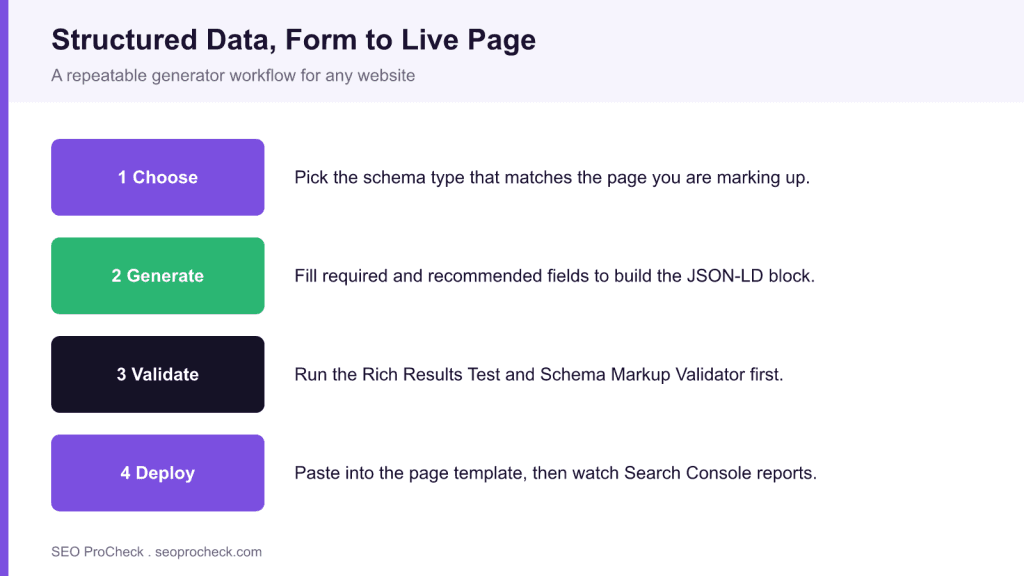
A structured data generator turns a short form into valid JSON-LD you can paste into almost any page, which is the fastest way to add schema without hand coding. Treat the output as a starting point: map every field to content that is actually visible on the page, then validate before you ship.
- JSON-LD in a script tag is Google's preferred format and the easiest to generate and maintain.
- Only mark up content that appears on the page; invisible or mismatched markup risks a manual action.
- Validate with the Rich Results Test and the Schema Markup Validator before and after deployment.
- Keep generated blocks in templates, not one off pastes, so they stay in sync when content changes.
Structured data helps search engines understand content context and enables rich results in search listings. This resource covers schema implementation strategies and best practices for maximizing structured data benefits.
Schema Types and Applications
Different schema types serve different purposes. Article, Product, LocalBusiness, FAQ, HowTo, and other schemas each provide specific functionality, though Google no longer shows HowTo or FAQ rich results. Selecting appropriate schema types for your content enables relevant rich results and improves search engine understanding.
Implementation Best Practices
JSON-LD provides the recommended format for schema implementation. Proper nesting, complete required fields, and accurate data all contribute to schema effectiveness. Testing with Google's Rich Results Test ensures proper implementation before deployment.
Rich Results Impact
While schema isn't a direct ranking factor, rich results improve click-through rates. Review stars, recipe cards, and other rich results make listings more prominent and informative, while FAQ accordions stopped appearing in Google for every site on May 7, 2026. This visibility advantage can significantly impact traffic from search.
This resource provides practical guidance for implementing structured data that improves search presence.
Source: https://lxrmarketplace.com/structured-data-generator.html
How a structured data generator actually helps
A generator removes the two things that stop most teams from adding schema: remembering the exact property names and getting the JSON syntax right. You choose a type, fill in a form, and the tool returns a ready <script type="application/ld+json"> block. That is genuinely useful for one off pages, for testing a new type, or for showing a stakeholder what a Product or FAQ block looks like before you commit engineering time. If you are new to the vocabulary, start with our introduction to structured data markup and then come back to generate your first block.
The catch is that a form cannot know what is on your page. It will happily produce a rating, a price, or an author that does not appear in the visible content. Google's guidelines are explicit that structured data must describe content the user can see, so the generator output is a draft you reconcile against the page, not a finished artifact.
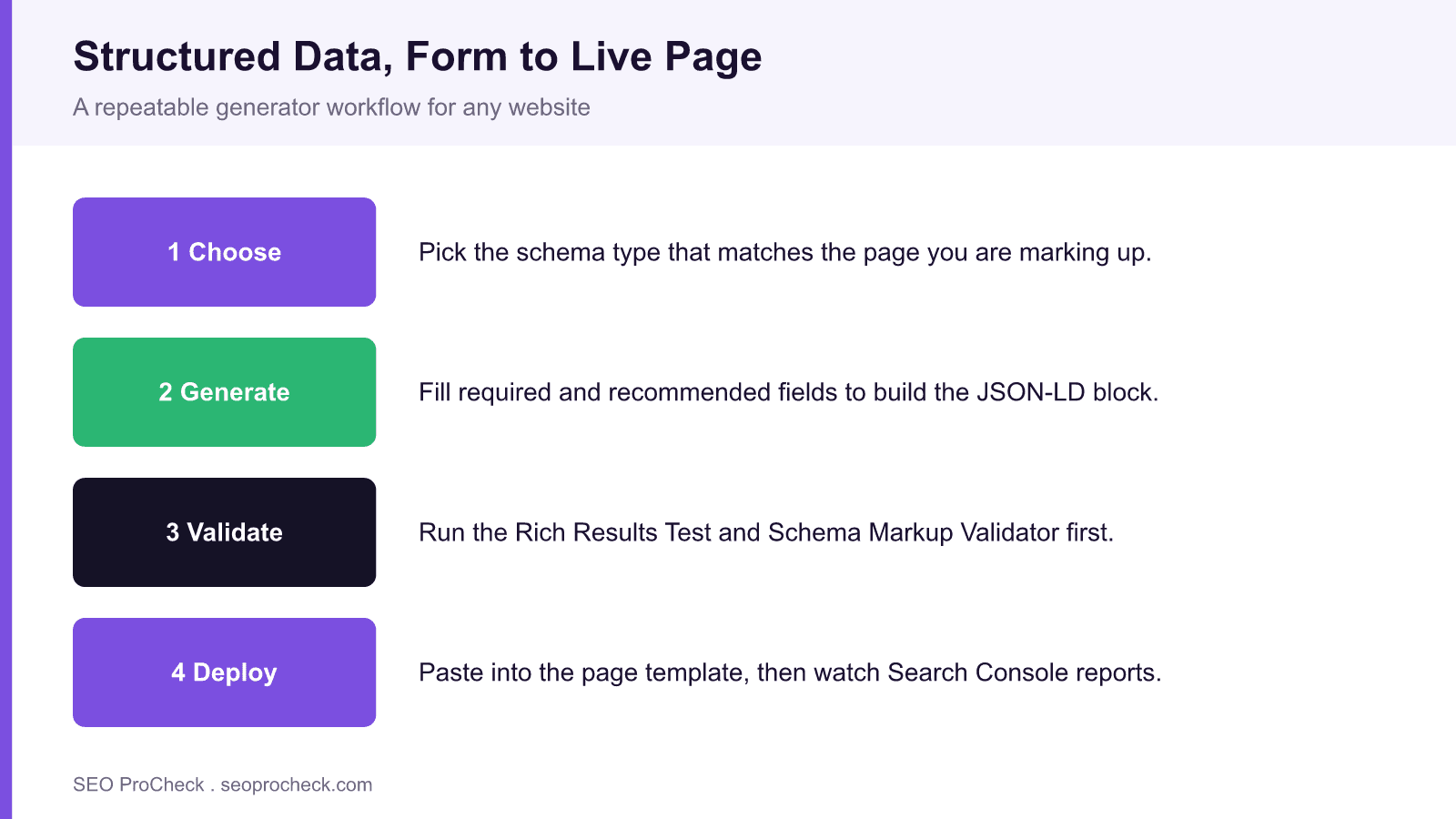
A repeatable workflow for any page
- Pick the type that matches the page intent: Article for editorial, Product for a shop page, LocalBusiness for a location, FAQPage for a genuine question list.
- Gather visible data first: the exact headline, the price shown, the real review count. If a field is not on the page, either add it to the page or leave the property out.
- Generate the JSON-LD and read it once. Confirm the
@type, the required properties, and that URLs are absolute. - Validate in the Rich Results Test for eligibility and the Schema Markup Validator for syntax. Fix every error and review every warning.
- Deploy in a template, not as a hand paste, so the block regenerates when the underlying data changes.
- Monitor the Search Console rich result reports for new errors after release.
Common schema types and what they can earn
| Type | Best for | Possible rich result | Key required fields |
|---|---|---|---|
| Product | Shop and listing pages | Price, availability, merchant listing | name, image, offers |
| Article | News and editorial | Headline and image in results | headline, image, datePublished |
| LocalBusiness | Store and service pages | Knowledge panel signals | name, address, telephone |
| FAQPage | Genuine question lists | None in Google since May 7, 2026 | question, acceptedAnswer |
| BreadcrumbList | Deep site hierarchies | Breadcrumb trail in results | itemListElement, position |
What's changed since this tool roundup
Two shifts matter. First, most modern CMS setups already emit schema: SEO plugins like Rank Math and Yoast output Article, Breadcrumb, and Organization by default, so pasting generator output on top can create duplicate, conflicting nodes. Before you add a block, view source and check what your platform already ships. Second, Google narrowed some rich results. Google removed HowTo rich results in 2023 and stopped showing FAQ rich results for every site on May 7, 2026, so generating an FAQPage block no longer brings the old expandable treatment. Product, Breadcrumb, Review, and Video remain reliable earners. For ecommerce specifically, see our roundup of underused ecommerce schema types to prioritize the blocks still worth adding.
Frequently asked questions
Do I need to know how to code to add structured data?
No. A generator produces the JSON-LD for you, and you paste it into the page or a template. You do need to check that the values match what is visible on the page, but you do not need to write the markup by hand.
Where do I paste the generated JSON-LD?
Put the script block anywhere in the page HTML; the head or just before the closing body tag are both fine. In WordPress, add it through your SEO plugin or a template so it regenerates when content changes rather than as a one time paste.
Will structured data improve my rankings?
Schema is not a direct ranking factor. It makes pages eligible for rich results, and those richer listings often lift click through rate, which is where the real traffic gain comes from.
How do I check my markup is valid?
Use Google's Rich Results Test to confirm eligibility and the Schema Markup Validator for general syntax. Fix every error and review the warnings before you deploy.
What happens if my plugin already adds schema?
You can end up with duplicate or conflicting nodes. View the page source first; if Rank Math or Yoast already outputs the type you want, configure it there instead of pasting a second block.
Should I use JSON-LD or microdata?
Use JSON-LD. Google recommends it, it lives in a single script block separate from your markup, and it is far easier to generate, read, and maintain than inline microdata.
Take this with you
The assistant links open with a question about this page already written. Nothing is sent until you press enter.
Claude Vincent is a technical SEO consultant focused on crawlability, rendering, and AI-search visibility. He writes the field guides and case studies at SEO ProCheck, with a bias toward the durable, unglamorous work that decides whether search engines and AI answer engines can actually read and cite a site.
About SEO ProCheck
Technical SEO consulting and GEO strategy with 20 years of enterprise experience. Case studies, resources, and tools for search and AI visibility.
Work With Me
Technical SEO audits, GEO strategy, site migrations, and international SEO. Hourly consulting for teams who need hands-on support, not just reports.
Subscribe to our newsletter!








Recent Posts
- Most Top Sites Never Say Who They Are in Structured Data October 14, 2026
- Homepage Titles Are Mostly Too Short, Not Too Long October 8, 2026
- Who Actually Serves an llms.txt? 184 Top Sites Measured September 29, 2026