

Mike Ciffone on LinkedIn: #seo #technicalseo #google #richsnippets #schema | 17 comments
- July 29, 2024
- General
AI Summary
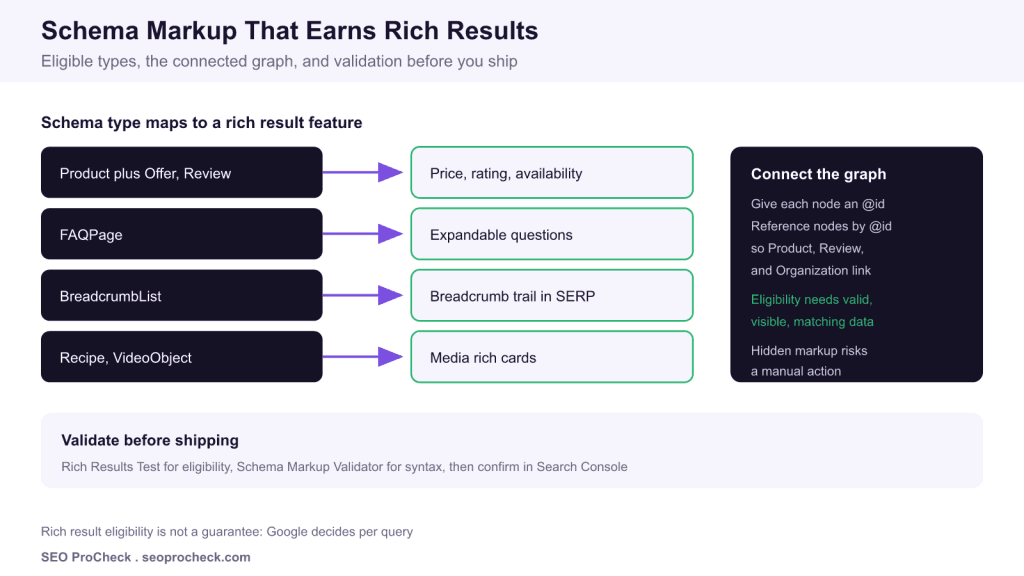
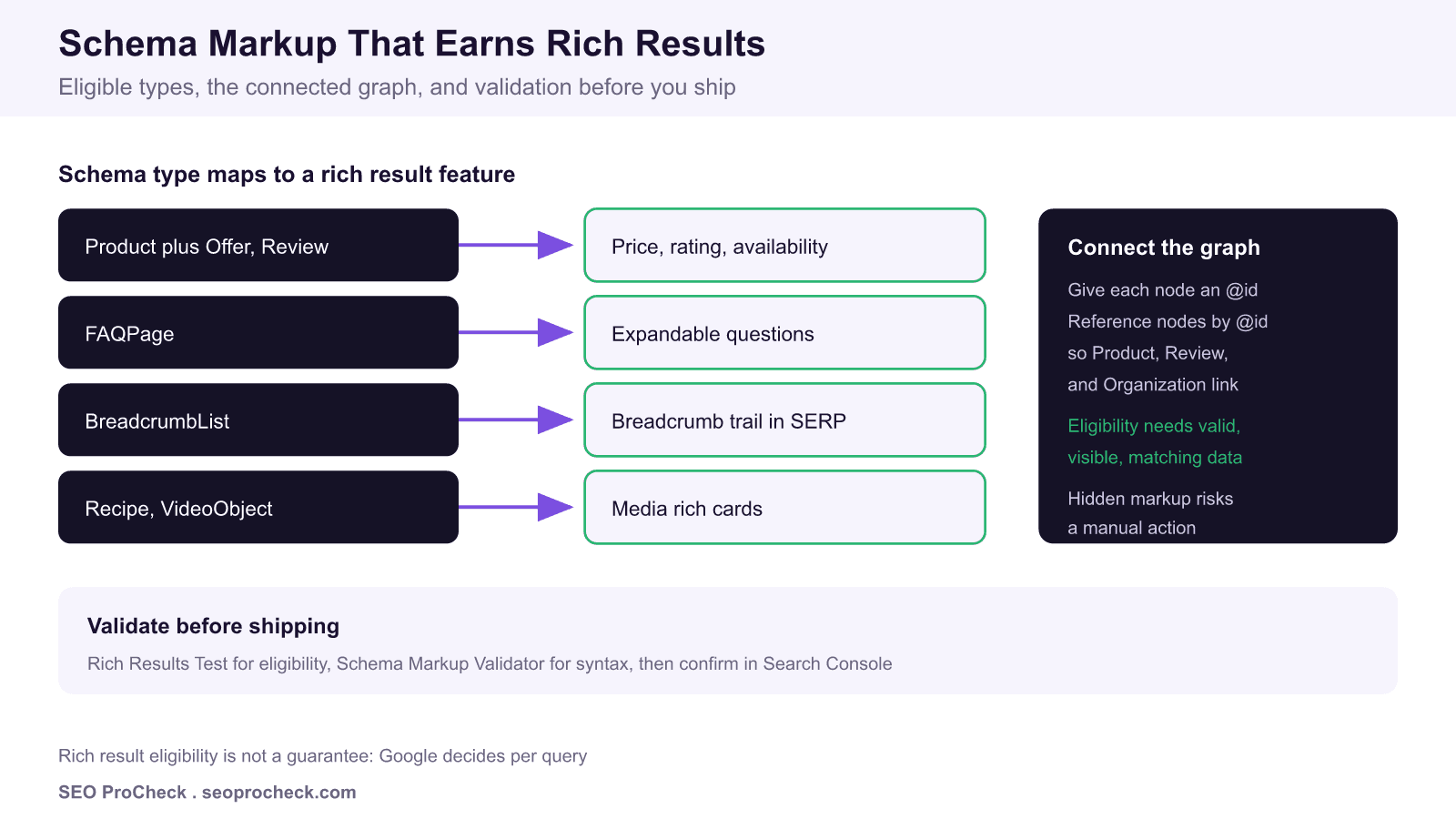
Rich results come only from schema types Google supports as a search feature, and valid markup earns eligibility rather than a guaranteed display. Connect your entities with @id, keep every value matching the visible page, and validate with the Rich Results Test before you ship.
- Product, Review, BreadcrumbList, Recipe, and VideoObject map to specific SERP features.
- Eligibility is not a guarantee: Google decides per query.
- Connect nodes by @id so Product, Review, and Organization describe the same entities.
- Never mark up data that is not visible on the page.
Mike Ciffone sparked a lively LinkedIn thread on technical SEO, structured data, and rich snippets. This page keeps the source reference and turns the discussion into a practical reference on which schema earns rich results, how to structure the markup, and how to validate it before it goes live.
Eligibility versus display
The most common misunderstanding in structured data is treating valid markup as a switch that turns a rich result on. It does not. Valid, supported markup makes a page eligible. Whether the feature appears is Google's decision, made per query and per page, and it depends on content quality, policy compliance, and whether your structured values match what a user actually sees on the page.
Map the type to the feature
| Schema type | Rich result feature | Key required properties |
|---|---|---|
| Product with Offer and Review | Price, rating stars, availability | name, offers.price, priceCurrency, aggregateRating |
| BreadcrumbList | Breadcrumb trail in the result | itemListElement, position, name, item |
| Recipe | Recipe card with image and time | name, image, recipeIngredient, recipeInstructions |
| VideoObject | Video thumbnail and key moments | name, thumbnailUrl, uploadDate, contentUrl |
| Event | Event listing with date and venue | name, startDate, location |
Connect the graph with @id
Rather than stacking disconnected blocks, give each node a stable @id and reference nodes by that identifier. A Product can reference its brand Organization by @id, and a Review can reference the Product it rates. This connected graph removes ambiguity about which entity is which, keeps the markup lean, and mirrors how Google models entities internally.
Keep it visible and honest
Structured data must reflect content visible on the page. Marking up a rating, a price, or an FAQ answer that a user cannot see breaks Google's guidelines and can earn a manual action for spammy structured markup. If you want the rich result, surface the underlying content first, then describe it.
What has changed since this discussion
Google narrowed FAQ and HowTo rich results in 2023. Since May 7, 2026, Google no longer shows FAQ rich results for any site, government and health included, and HowTo results were retired in 2023. FAQPage markup can still help machines parse a page, but you should not expect the expandable SERP feature in Google. Always check the current Google Search Central documentation for the feature you are targeting, because supported types change.
Validate before you ship
- Run the Rich Results Test on a staged URL or pasted code to confirm feature eligibility and see warnings.
- Use the Schema Markup Validator for general syntax coverage beyond Google features.
- After deployment, watch the Enhancements and Rich results reports in Search Console for valid, warning, and error counts.
Go deeper with our guide to validating and debugging structured data, the Product schema guide, and how to implement AggregateRating schema correctly.
Frequently asked questions
Which schema types actually produce rich results?
Only types Google supports as a search feature, such as Product, Review, BreadcrumbList, Recipe, VideoObject, and Event. Marking up a type Google does not render as a feature adds no visual result even when the syntax is valid.
Why is my valid schema not showing a rich result?
Valid markup only makes a page eligible. Google decides per query and per page whether to display the feature, and factors like content quality, policy compliance, and data matching the visible page all influence the outcome.
What does connecting the graph with @id do?
Assigning each node an @id and referencing nodes by that @id lets Google understand that your Product, Review, and Organization describe the same entities. A connected graph is cleaner than repeating disconnected blocks and reduces ambiguity.
Can I put schema data that is not visible on the page?
Google requires structured data to reflect content visible to users. Marking up information that does not appear on the page violates the guidelines and can trigger a manual action for spammy structured markup.
How should I validate schema before publishing?
Run the Rich Results Test to check feature eligibility, use the Schema Markup Validator for general syntax, then monitor the Enhancements and Rich results reports in Search Console after deployment.
Are FAQ rich results still shown for every site?
No. Google narrowed FAQ rich results in 2023 to well known, authoritative government and health sites, and since May 7, 2026 it no longer shows them for any site. FAQPage markup can still aid understanding, but do not expect the expandable SERP feature in Google.
Take this with you
The assistant links open with a question about this page already written. Nothing is sent until you press enter.
Claude Vincent is a technical SEO consultant focused on crawlability, rendering, and AI-search visibility. He writes the field guides and case studies at SEO ProCheck, with a bias toward the durable, unglamorous work that decides whether search engines and AI answer engines can actually read and cite a site.
About SEO ProCheck
Technical SEO consulting and GEO strategy with 20 years of enterprise experience. Case studies, resources, and tools for search and AI visibility.
Work With Me
Technical SEO audits, GEO strategy, site migrations, and international SEO. Hourly consulting for teams who need hands-on support, not just reports.
Subscribe to our newsletter!








Recent Posts
- Most Top Sites Never Say Who They Are in Structured Data October 14, 2026
- Homepage Titles Are Mostly Too Short, Not Too Long October 8, 2026
- Who Actually Serves an llms.txt? 184 Top Sites Measured September 29, 2026