

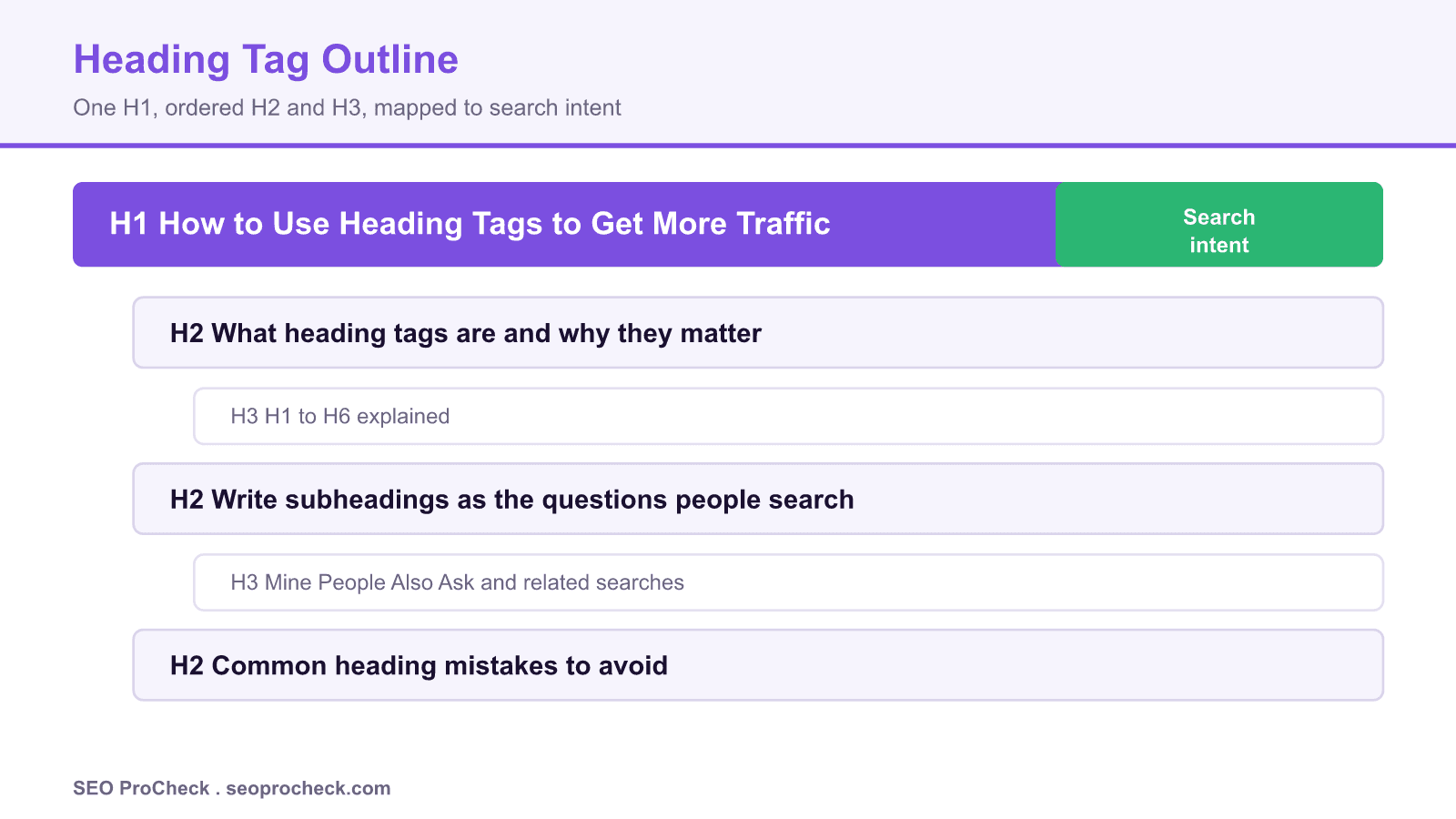
AI Summary
Heading tags (H1 through H6) give a page a logical outline that both readers and search engines use to understand structure and intent. Used well, they lift traffic by matching subheadings to the questions people actually search, not by stuffing keywords.
- Use exactly one H1 per page that states the primary topic in plain language.
- Nest H2 and H3 in order, never skip levels, and phrase them as the sub-questions searchers ask.
- Headings are a relevance and accessibility signal, not a direct ranking dial, so write them for humans first.
- Match H2 wording to related searches and People Also Ask to earn featured snippets and AI Overviews.
Heading tags are the HTML elements <h1> through <h6> that carve a page into a labelled outline. They are one of the oldest and most misunderstood levers in on-page SEO. Many practitioners still treat them as keyword slots, when their real value is structural: a well-built heading tree tells a reader what a page covers at a glance and tells a search engine which passage answers which query. This guide covers how to use headings to earn more organic traffic without resorting to stuffing or gimmicks.
What heading tags are and how the hierarchy works
The six heading levels describe importance, not font size. <h1> is the page title in the body content, the single most important label. <h2> marks the major sections, <h3> the sub-points inside those sections, and so on down to <h6>. In practice, most pages never need anything below H3. The rule that matters is order: never jump from an H2 straight to an H4, because a skipped level breaks the outline that assistive technology and parsers rely on. Think of the page as a nested list, where each heading opens a container that its child headings sit inside.
Screen readers expose a heading map so a blind user can jump between sections the way a sighted reader skims. That accessibility contract is the same contract search engines read: a clean outline is machine-parseable, and a machine-parseable page is easier to rank for the specific sub-questions each section answers. For a deeper look at whether these tags move rankings directly, see our breakdown of HTML heading tags as a Google ranking factor.
One H1, and why it still matters
Use exactly one <h1> per page. Modern HTML5 technically permits multiple H1s inside sectioning elements, and Google has said it can cope with more than one, but a single H1 remains the safest and clearest choice. It should state the primary topic in the words your audience uses. The H1 and the SEO title tag are separate elements: the title tag shows in the browser tab and the search result, while the H1 shows on the page. They can differ, and often should, so you can target the exact query in the title and write a friendlier on-page headline. Our title tags and meta descriptions guide covers that split in detail.
Write subheadings as the questions people actually search
This is where traffic is won. Instead of vague labels like Overview or Details, phrase each H2 as a real query. Pull candidates from three free sources: the People Also Ask box on the results page, the related searches at the bottom, and the autocomplete suggestions in the search bar. If people search how many heading tags should a page have, make that an H2 and answer it in the first two sentences underneath. Search engines lift concise passages sitting directly under a matching heading into featured snippets and AI Overviews, so a question-shaped H2 plus a tight answer is the most reliable snippet play there is.
Keep headings descriptive and self-contained. A reader scanning only your H2 list should understand the whole argument. That skim test doubles as an SEO test, because it forces each section to earn its place and to cover a distinct sub-intent rather than repeating the same phrase with minor variations.
A practical workflow
Start from intent, not from a keyword list. Draft the outline as questions, group them from broad to narrow, then assign heading levels. Only after the structure is right do you check that important terms appear naturally in the headings. Run the page through the browser accessibility tree or a free outliner extension and confirm the hierarchy reads as a clean nested list with no skipped levels. Finally, make sure the H1 matches the promise of the title tag so a searcher who clicks does not feel misled. Headings are one input among the broader set covered in our list of on-page SEO factors to optimize.
| Heading | Job on the page | Good example | Avoid |
|---|---|---|---|
| H1 | Name the whole topic once | How to Use Heading Tags to Get More Traffic | Stuffing three keywords |
| H2 | Open a major section as a query | What heading tags are and why they matter | Vague labels like Overview |
| H3 | Detail a point inside a section | H1 to H6 explained | Skipping from H2 to H4 |
| H4 to H6 | Rarely needed, fine structure only | A step inside a numbered process | Using them for smaller text |
Common mistakes that quietly cost traffic
The frequent failures are predictable: multiple H1s from a page-builder template, headings used purely to change text size, the same keyword repeated across every H2, and skipped levels that break the outline. Each one blurs the signal you are trying to send. Fixing them is usually a one-hour audit that pays back in cleaner snippets and better accessibility.
Source: https://www.quicksprout.com/how-to-use-heading-tags-to-get-more-search-engine-traffic/
Frequently asked questions
How many H1 tags should a page have?
Use one H1 per page. HTML5 allows more, and Google tolerates it, but a single clear H1 gives readers and search engines the cleanest signal about the primary topic.
Do heading tags directly improve rankings?
Not as a direct dial. Headings help indirectly by clarifying structure, improving accessibility, and matching sections to specific queries, which supports relevance and can win featured snippets.
Should the H1 match the title tag?
They can differ. The title tag targets the exact search query and appears in the browser tab and result, while the H1 is the on-page headline. Keeping them aligned in meaning, but not identical, is a common and effective approach.
Can I skip from an H2 to an H4?
Avoid it. Skipping levels breaks the logical outline that screen readers and parsers depend on. Always nest headings in order so the page reads as a tidy nested list.
How do I choose subheadings that bring traffic?
Phrase H2 and H3 headings as the questions people search. Mine People Also Ask, related searches, and autocomplete, then answer each question concisely right under its heading to earn snippets.
How many headings should a long article have?
As many as the content needs to stay scannable, usually one H2 every 200 to 300 words. The test is whether the H2 list alone summarises the article.
Take this with you
The assistant links open with a question about this page already written. Nothing is sent until you press enter.
Claude Vincent is a technical SEO consultant focused on crawlability, rendering, and AI-search visibility. He writes the field guides and case studies at SEO ProCheck, with a bias toward the durable, unglamorous work that decides whether search engines and AI answer engines can actually read and cite a site.
About SEO ProCheck
Technical SEO consulting and GEO strategy with 20 years of enterprise experience. Case studies, resources, and tools for search and AI visibility.
Work With Me
Technical SEO audits, GEO strategy, site migrations, and international SEO. Hourly consulting for teams who need hands-on support, not just reports.
Subscribe to our newsletter!








Recent Posts
- Most Top Sites Never Say Who They Are in Structured Data October 14, 2026
- Homepage Titles Are Mostly Too Short, Not Too Long October 8, 2026
- Who Actually Serves an llms.txt? 184 Top Sites Measured September 29, 2026