

AI Summary
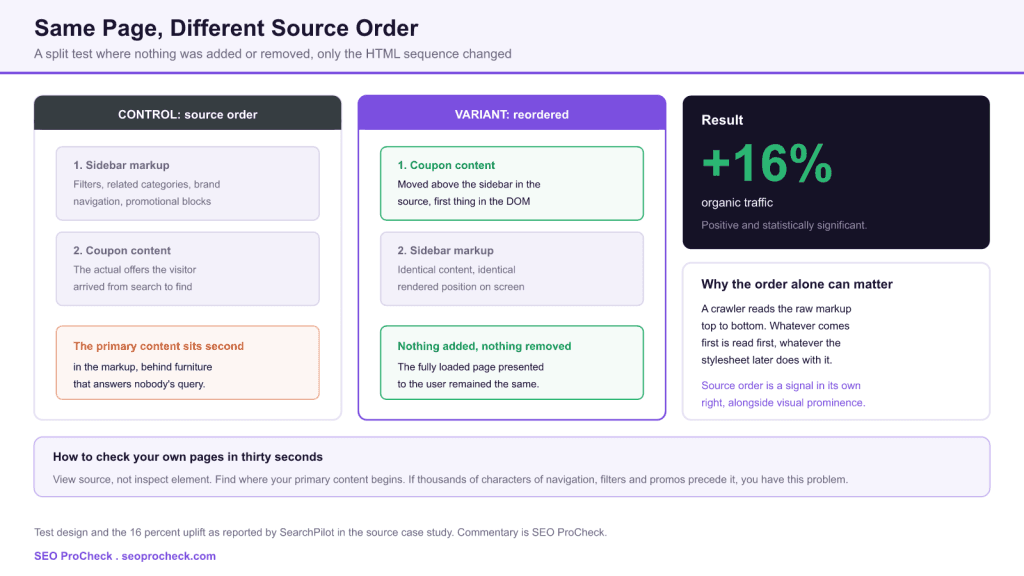
SearchPilot ran a controlled split test on a coupon aggregator's product pages, moving the coupon content above the sidebar content in the HTML source, and measured a positive, statistically significant 16 percent increase in organic traffic. As the case study puts it, nothing was added or removed, and the fully loaded page presented to the user remained the same, which makes this one of the cleanest available demonstrations that document structure carries weight independently of the words on the page.
- The change was a reordering of existing markup, not an addition, removal or rewrite of content.
- Reported result: a 16 percent organic traffic uplift, positive and statistically significant. No confidence interval figure was published in the article.
- SearchPilot's own reading is that the variant layout reinforced to the user that the content matched their intent, and that Google also took note.
- The practical test is view source, not inspect element, because the raw document is what a crawler receives first.
Most SEO recommendations ask someone to write something, buy something or remove something. This one asks a developer to move a div. That asymmetry between effort and reported return is why source order is worth checking on every template you own, and why it is so frequently missed: nothing about the page looks wrong, so nobody looks.
There is a particular kind of technical SEO finding that is hard to act on because it is invisible to everyone except the person reading raw markup. Nobody in a design review has ever said the sidebar appears too early in the DOM. The page looks correct, functions correctly, passes accessibility automation, and quietly presents a crawler with several thousand characters of navigational furniture before it reaches anything that answers the query.
What was changed
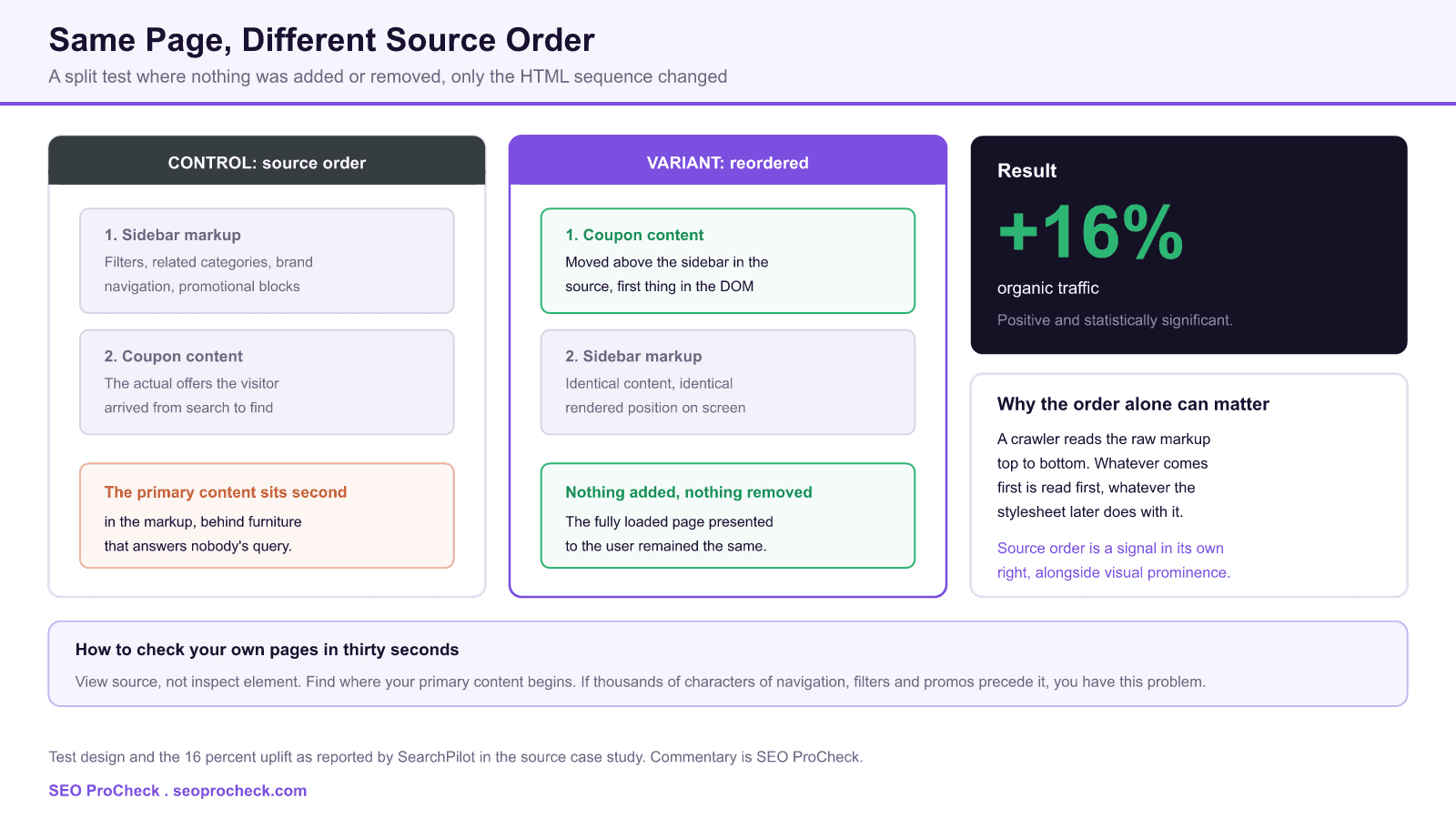
The test ran on a coupon aggregator's product pages. In the control, the sidebar markup preceded the coupon content in the document. In the variant, the primary coupon content was moved above the sidebar information.
The case study is explicit about the scope of the change, and this is the sentence that gives the test its value: nothing was added or removed, and the fully loaded page presented to the user remained the same. Only the rendering order changed. That constraint removes the usual confounds. This is not a content quality test dressed up as a structural one, because the content is byte for byte identical between the two groups.
Structurally, the difference looks like this. The control:
<body>
  <header>...</header>
  <div class="wrap">
    <aside class="sidebar">
      <!-- filters, related stores, promos: thousands of characters -->
    </aside>
    <main>
      <!-- the coupons the visitor actually searched for -->
    </main>
  </div>
</body>
And the variant simply swaps those two siblings, with a CSS grid rule restoring the visual arrangement:
.wrap { display: grid; grid-template-columns: 280px 1fr; }
main    { grid-column: 2; }   /* first in source, second on screen */
.sidebar { grid-column: 1; }   /* second in source, first on screen */
That is the whole technique. Grid and flexbox decouple visual placement from document order, which means since roughly 2017 there has been no layout reason to keep primary content buried in the markup. Most templates that do were built before that, and nobody has revisited the assumption.
The result
The test returned a positive, statistically significant 16 percent increase in organic traffic to the variant pages. The article does not publish a confidence interval figure, so quote the uplift and the significance and leave it there.
SearchPilot's own interpretation is worth reproducing accurately, because it is more nuanced than the way this study usually gets repeated. Their conclusion was that the layout of the variant page reinforced to the user that the content presented would match their intent for visiting the page, and that Google also took note. In other words, they read this as a user signal effect as much as a parsing effect.
That reading sits in slight tension with the statement that the fully loaded page remained the same, and the article does not fully resolve it. The most likely explanation is that while the final rendered state matched, the perceived loading experience differed, since content earlier in the document paints earlier. We are flagging the ambiguity rather than papering over it: two mechanisms are plausible here and the study does not distinguish between them.
The two mechanisms, and why it matters which one you believe
| Mechanism | What it claims | What follows if true | How you would test it |
|---|---|---|---|
| Parsing and prominence | Content earlier in the document is weighted more heavily, or at least reached before any truncation | Reorder every template. The win is available site-wide and independent of user behaviour | Run the same reorder on templates where the visual result is provably identical, and see if the effect persists |
| Perceived load and user signals | Content earlier in the source paints sooner, users engage faster, and engagement feeds back into rankings | The win is really a speed win, so measure Largest Contentful Paint rather than assuming source order alone | Compare field data between the two groups. If LCP moved, the speed explanation is doing the work |
| Both, partially | Earlier content is both parsed sooner and painted sooner, and the two effects compound | Reorder anyway, since both mechanisms point the same direction | Difficult to separate cleanly, which is why the study does not |
Mechanism analysis is SEO ProCheck commentary. The source case study reports the result and offers the user intent reading, not a controlled mechanism test.
The reassuring conclusion is that the action is the same under every hypothesis. Whether the benefit comes from parsing, painting or both, moving primary content earlier in the document is the intervention, and it costs a CSS rule. Where the distinction matters is in forecasting: if the effect is really a paint speed effect, then a site already achieving good Largest Contentful Paint has much less to gain, and you should temper expectations accordingly. Our Core Web Vitals overview covers where to read that field data.
Auditing your own templates
This takes minutes per template and requires no tooling beyond curl. The critical detail is to look at the raw response rather than the rendered DOM, because the browser inspector shows you the document after JavaScript has rearranged it, which is not what arrives first.
# how many bytes precede the main content on this template?
curl -s https://example.com/category/shoes/ \
  | grep -b -o -m1 '<main'

# and how large is the document in total?
curl -s https://example.com/category/shoes/ | wc -c
Divide the first number by the second. That ratio is the share of your document a crawler traverses before reaching anything that answers the query. Below ten percent is healthy. Above thirty percent is worth a ticket. Above fifty percent, on a template that also carries a large navigation tree repeated on every page, you have found something.
| Pattern in the source | Typical cause | Fix | Effort |
|---|---|---|---|
| Sidebar or filter panel before main | Float-era template where source order set visual order | Swap the siblings, restore placement with CSS grid | Low |
| Full mega menu inlined before main | Navigation rendered server side into every page | Keep it, but move it after main and position with CSS, or lazy-render the deeper levels | Medium |
| Large inline JSON blob before main | Framework hydration payload emitted at the top of body | Move the script to the end of body, or use a script type the parser skips | Low to medium |
| Main content absent from the raw HTML entirely | Client side rendering with no server side pass | This is a different and larger problem than source order | High |
Diagnostic patterns compiled by SEO ProCheck from common template audits.
That last row deserves emphasis. If your primary content is not in the raw HTML at all, source order is not your issue and reordering nothing will not help. Our guide to diagnosing JavaScript rendering problems covers that case, and our research piece on what the raw HTML still does covers why the initial document matters more now than it did five years ago.
What has changed since this test
Two shifts since this case study was published make source order more consequential rather than less.
The first is the arrival of AI crawlers and retrieval systems that feed generated answers. Several of these fetch and parse the raw HTML with limited or no JavaScript execution, and they operate under tighter content budgets than a traditional search crawler. A document that spends its first thirty thousand characters on navigation is at a real disadvantage in that context, and unlike Googlebot these systems have far less history of working around badly ordered markup.
The second is Interaction to Next Paint, which replaced First Input Delay as a Core Web Vitals metric in March 2024, alongside continued weight on Largest Contentful Paint. Both reward getting meaningful content into the document early. If the user signal explanation above is the correct one, then the same reorder that produced this result now also improves a metric Google measures directly, which makes the case for doing it stronger than it was at the time of the test.
What has not changed is the underlying advice, and that consistency is itself informative. Put the content people came for first in the document. Everything else is furniture.
How to run this on your own site
- Pick the template with the worst ratio, not the most traffic. The effect size depends on how much junk currently precedes the main content, so the ugliest template has the most to gain.
- Verify the rendered output is genuinely unchanged. Screenshot both versions at three viewport widths and diff them. If the visual result differs, you are no longer testing source order, you are testing a layout change.
- Check tab order and screen reader flow. Source order drives keyboard navigation, so this change usually improves accessibility, but confirm it rather than assume it.
- Capture field Core Web Vitals for both groups. If you can show LCP moved, you have distinguished the two mechanisms on your own site, which is more than the published study does.
- Allow enough time and enough pages. A split test needs hundreds of comparable pages with real organic traffic. Below that, run a staged rollout and be honest that the evidence is weaker.
FAQ
This split test suggests it can. Moving the primary content above the sidebar markup in the source produced a reported 16 percent organic traffic uplift, with nothing added or removed. A crawler parses the document top to bottom, so what appears first in the markup is encountered first, regardless of where a stylesheet later positions it on screen.
As a default, yes. There is no cost to putting the primary content first in the source, modern CSS grid and flexbox let you place the sidebar anywhere visually regardless of source position, and it helps screen reader and keyboard users at the same time. The main obstacle is usually that the template was built before those layout tools existed.
Use view source rather than inspect element, because the browser inspector shows you the rendered DOM after JavaScript has run, not the document the crawler first receives. Search the raw HTML for the opening tag of your primary content and look at how many characters precede it. If your main content starts thirty thousand characters in, that is the problem.
No, and conflating them causes confusion. Above the fold is about what a user sees without scrolling, which is a rendering and CSS question. Source order is about the sequence of the document itself. A block can be visually below the fold while sitting first in the markup, or vice versa.
It should not, if the layout uses CSS grid or flexbox, where visual placement is set independently of source order. Older float-based and table-based layouts are the ones where source order and visual order are welded together, and those need rebuilding rather than reordering. Test on a subset of templates before rolling out.
Do not budget for 16 percent. That figure came from one coupon aggregator's product pages where the primary content sat behind a substantial sidebar, so the change was large relative to the document. A site whose main content already appears early in the source has little to gain. The honest answer is to measure it on your own templates rather than assume a published number transfers.
Do you know what a crawler sees before it reaches your content?
An audit reads the raw HTML of every major template and reports where your primary content actually sits in the document.
Source: https://www.searchpilot.com/resources/case-studies/seo-split-test-lessons-restructure-html/
Take this with you
The assistant links open with a question about this page already written. Nothing is sent until you press enter.
Claude Vincent is a technical SEO consultant focused on crawlability, rendering, and AI-search visibility. He writes the field guides and case studies at SEO ProCheck, with a bias toward the durable, unglamorous work that decides whether search engines and AI answer engines can actually read and cite a site.
About SEO ProCheck
Technical SEO consulting and GEO strategy with 20 years of enterprise experience. Case studies, resources, and tools for search and AI visibility.
Work With Me
Technical SEO audits, GEO strategy, site migrations, and international SEO. Hourly consulting for teams who need hands-on support, not just reports.
Subscribe to our newsletter!








Recent Posts
- Most Top Sites Never Say Who They Are in Structured Data October 14, 2026
- Homepage Titles Are Mostly Too Short, Not Too Long October 8, 2026
- Who Actually Serves an llms.txt? 184 Top Sites Measured September 29, 2026