

Managing Staging Environment SEO Risks
- July 26, 2023
- Crawlability and Indexation, Technical SEO
AI Summary
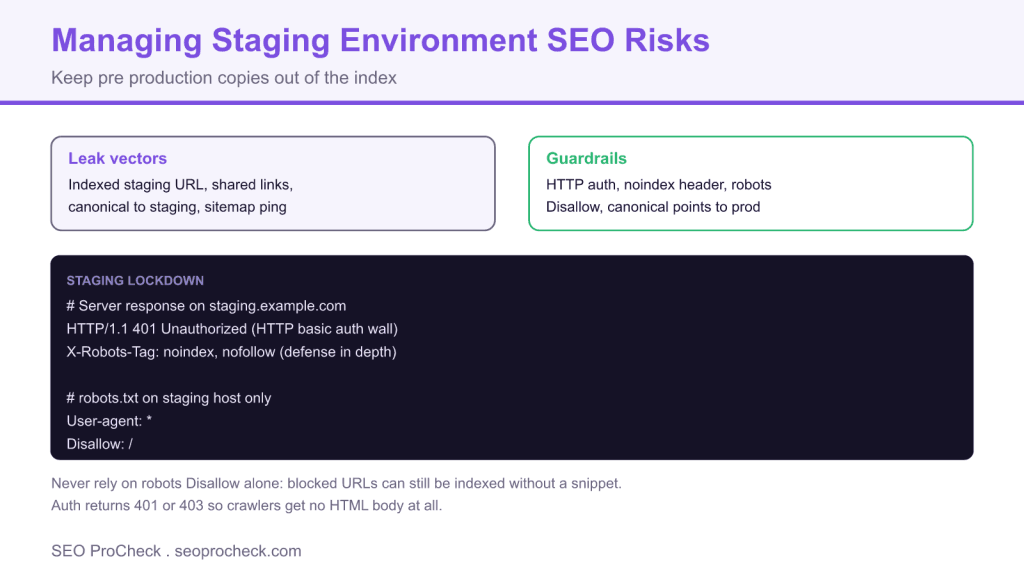
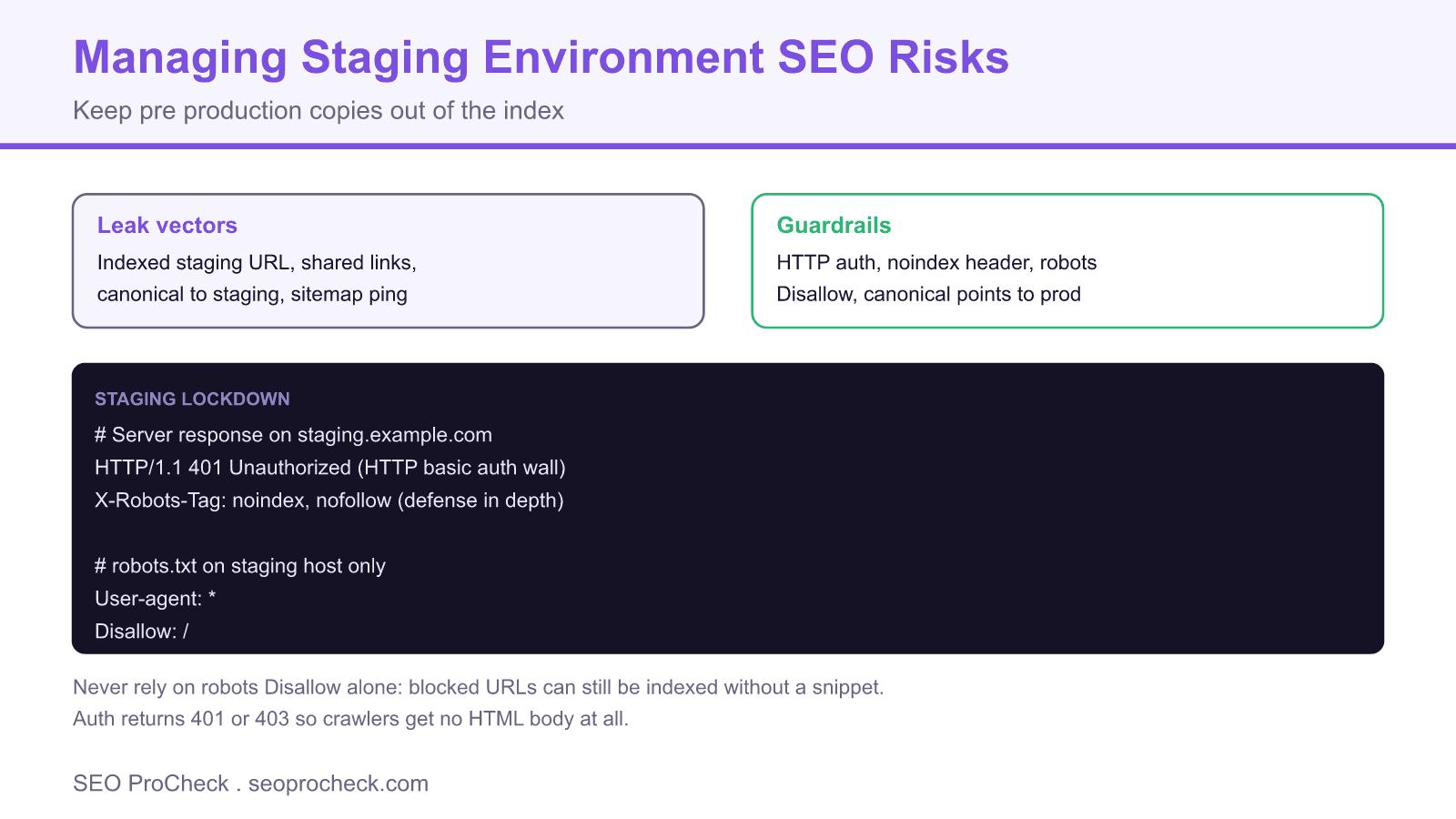
Managing staging environment SEO risks means preventing pre production copies of your site from being crawled, indexed, or linked so they never compete with or leak signals into your live site. The reliable defense is HTTP authentication on the staging host, backed by a noindex header and a robots Disallow, rather than any single method on its own.
- The core risk is a full duplicate of your site getting indexed, which can cause duplicate content and canonical confusion.
- HTTP basic auth is the strongest guard because crawlers receive a 401 and no HTML body at all.
- A robots Disallow alone does not prevent indexing, so treat it as one layer, not the whole defense.
- Watch for accidental leaks: shared links, canonicals pointing at staging, and sitemaps submitted from the wrong host.
What can go wrong with a staging site
A staging or development environment is usually a near exact copy of production. If search engines discover it, you can end up with a second full version of your site in the index. The consequences include duplicate content competing with your live pages, canonical signals splitting between hosts, internal links and sitemaps pointing at the wrong domain, and in the worst case the staging URL outranking production for your own brand terms. These problems are entirely preventable, but only if the environment is locked down deliberately before it ever goes online.
The leak vectors
Staging gets discovered through a handful of predictable routes. Someone shares a staging link in a public ticket or chat that gets crawled. A developer copies production content with canonical tags still pointing at the staging domain. A sitemap generated on staging gets submitted or pinged. An analytics or ads script fires from staging and exposes the hostname. A CDN or DNS record makes the environment publicly resolvable. Knowing these vectors tells you what to close.
The layered defense
No single method is sufficient, so combine them. The order below runs from strongest to supporting.
| Layer | What it does | Limitation |
|---|---|---|
| HTTP basic auth | Returns 401, crawler gets no HTML at all | Must cover every path including assets |
| X-Robots-Tag noindex | Tells crawlers not to index if they do fetch | Only works if the page is crawlable |
| robots.txt Disallow | Discourages crawling of the host | Blocked URLs can still be indexed without a snippet |
| IP allowlist or VPN | Only known networks reach staging | Harder for distributed teams |
The recommended configuration
HTTP authentication is the anchor because a crawler that receives a 401 never sees any content to index. Add the noindex header and a host specific robots file as defense in depth in case auth is ever misconfigured on a path.
# Nginx: password protect the entire staging host
server {
  server_name staging.example.com;
  auth_basic "Staging";
  auth_basic_user_file /etc/nginx/.htpasswd;
  add_header X-Robots-Tag "noindex, nofollow" always;
}

# robots.txt served ONLY on the staging host
User-agent: *
Disallow: /
Serve that robots.txt only from the staging host. A frequent mistake is copying the blocking robots file to production during a deploy, which then deindexes the live site. Because a Disallow does not prevent indexing of a URL that is linked externally, never rely on robots alone: pair it with auth or noindex. If you cannot use auth, an X-Robots-Tag: noindex on a crawlable staging host is the minimum, and it aligns with broader HTTP header optimization practices.
Cleaning up a staging site that already leaked
If staging is already in the index, remove it in order. First, add HTTP auth so no new content is crawled. Second, keep the leaked URLs returning a crawlable noindex or use the Search Console Removals tool on the staging property for a temporary hide while the noindex is processed. Do not simply block with robots at this stage, because that stops crawlers from seeing the noindex and can leave the URLs stuck in the index. Verify the leaked URLs move from indexed to excluded in the Pages report, and watch the discovered currently not indexed and index bloat reports to confirm the cleanup.
Prevent regressions with a pre launch check
Bake a check into your deploy process so a new staging environment is never exposed by accident. Crawl the staging host with a tool such as Screaming Frog using the auth credentials, confirm every path returns 401 to unauthenticated requests, and confirm production never serves the blocking robots file or a canonical pointing at staging. The Screaming Frog advanced usage guide shows how to script these audits so they run automatically before each release.
Frequently asked questions
How do I keep my staging site out of Google?
Put HTTP basic authentication on the entire staging host so crawlers receive a 401 and no content. Add an X-Robots-Tag noindex header and a robots Disallow served only on the staging host as extra layers. Authentication is the reliable guard because it prevents any HTML from being fetched.
Is robots.txt enough to block a staging site?
No. A robots Disallow discourages crawling but does not prevent a URL from being indexed if it is linked from elsewhere, and Google can still list the URL without a snippet. Use authentication or a noindex header as the real defense and treat robots as a supporting layer.
Why did my live site get deindexed after a deploy?
The most common cause is the staging robots.txt with Disallow of everything being copied to production during the release. Make sure the blocking robots file and any noindex headers are scoped to the staging host only and cannot ship to production.
My staging site is already indexed. How do I remove it?
Add HTTP auth to stop further crawling, then keep the leaked URLs returning a crawlable noindex or use the Search Console Removals tool for a temporary hide. Do not block with robots at this point, because that prevents crawlers from seeing the noindex and can leave the pages stuck in the index.
Should staging use a canonical pointing to production?
A canonical to production can help if staging is publicly crawlable, but it is not a substitute for blocking access. Canonicals are hints, not directives, so combine any canonical strategy with authentication or a noindex to be safe.
Does a staging duplicate cause a duplicate content penalty?
There is no specific penalty, but an indexed staging copy can split canonical signals, compete with your live pages, and confuse which URL should rank. Preventing the copy from being indexed avoids the problem entirely.
Take this with you
The assistant links open with a question about this page already written. Nothing is sent until you press enter.
Claude Vincent is a technical SEO consultant focused on crawlability, rendering, and AI-search visibility. He writes the field guides and case studies at SEO ProCheck, with a bias toward the durable, unglamorous work that decides whether search engines and AI answer engines can actually read and cite a site.
About SEO ProCheck
Technical SEO consulting and GEO strategy with 20 years of enterprise experience. Case studies, resources, and tools for search and AI visibility.
Work With Me
Technical SEO audits, GEO strategy, site migrations, and international SEO. Hourly consulting for teams who need hands-on support, not just reports.
Subscribe to our newsletter!








Recent Posts
- Most Top Sites Never Say Who They Are in Structured Data October 14, 2026
- Homepage Titles Are Mostly Too Short, Not Too Long October 8, 2026
- Who Actually Serves an llms.txt? 184 Top Sites Measured September 29, 2026