

AI Summary
Image SEO is the practice of optimizing images so they load fast, are understood by Google, and pull traffic from web and image search. It is a bundle of six levers: descriptive filenames, alt text, responsive srcset, careful lazy loading, next generation formats, and an image sitemap.
- Give every image a descriptive filename and real alt text, never an empty alt.
- Serve responsive srcset and WebP or AVIF to cut file size 25 to 50%.
- Lazy load below the fold, but never the LCP image; give the hero fetchpriority high.
- Set width and height on every image to prevent layout shift (CLS).
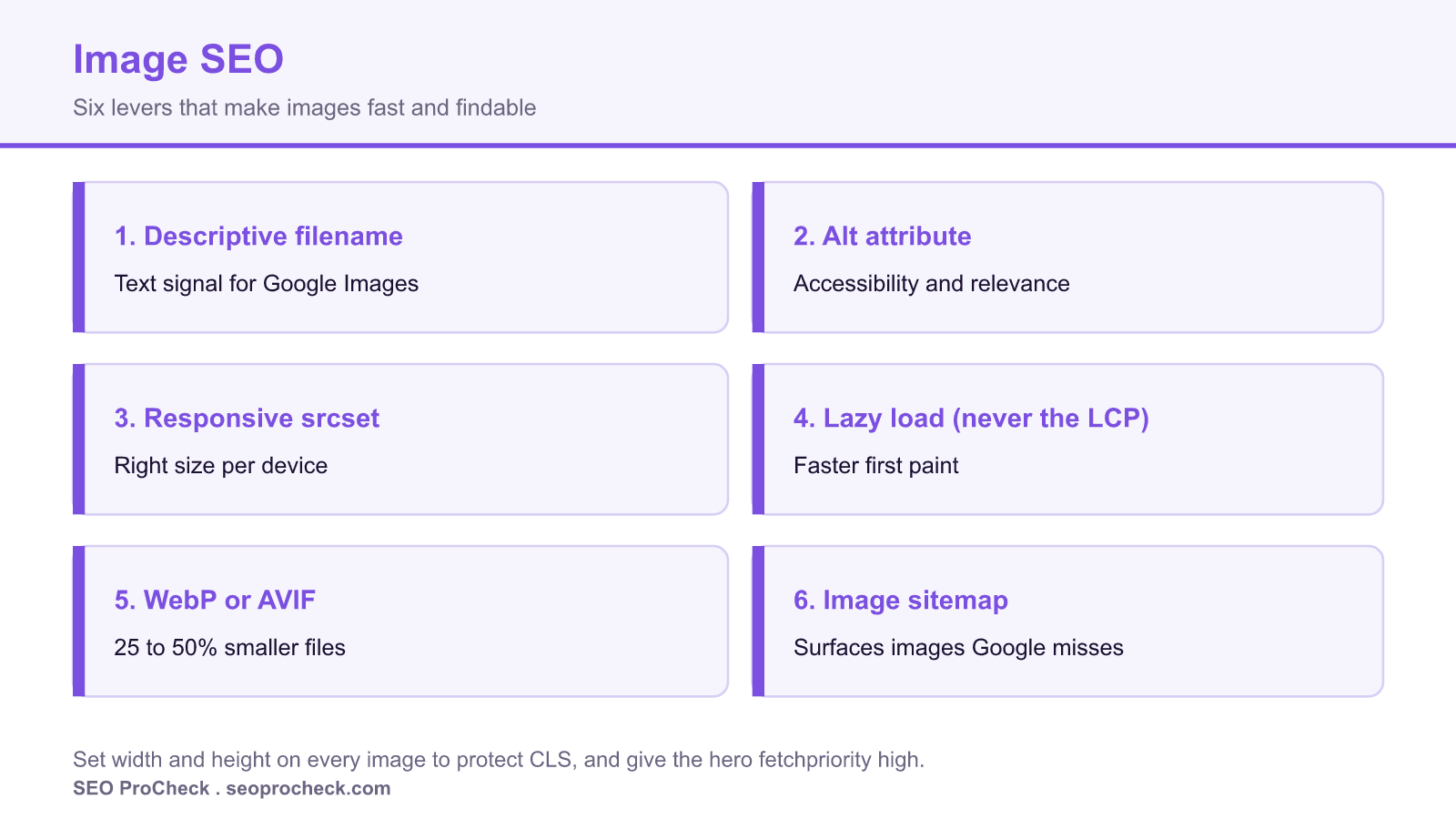
What image SEO actually means
Image SEO is the practice of optimizing the images on your pages so they load fast, get understood by Google, and pull traffic from both regular search and Google Images. Get it wrong and you leave rankings, referral clicks, and page speed on the table for no good reason.
It is a bundle of small technical decisions: descriptive filenames, alt text, responsive srcset, sensible lazy-loading, modern formats like WebP and AVIF, and an image sitemap. None of them is hard on its own. The problem is that most sites skip four of the six and wonder why their product photos never rank.
A real example: from lazy default to optimized
Here is a typical CMS output for a product photo, then the version an SEO would actually ship.
Before, what most CMS software outputs:
<img src="/uploads/IMG_20240517_00423.jpg" alt="">After, descriptive name, alt text, responsive, modern format:
<img
  src="/images/cast-iron-skillet-12-inch.webp"
  srcset="/images/cast-iron-skillet-12-inch-400.webp 400w,
          /images/cast-iron-skillet-12-inch-800.webp 800w,
          /images/cast-iron-skillet-12-inch-1200.webp 1200w"
  sizes="(max-width: 600px) 100vw, 600px"
  width="1200" height="900"
  alt="Pre-seasoned 12-inch cast iron skillet on a wooden countertop"
  loading="lazy" decoding="async">
Two things worth calling out. The width and height attributes reserve space so the layout does not jump, which protects your CLS. And loading="lazy" is on this image because it sits below the fold. You do not lazy-load your LCP image (usually the hero), that delays the very thing the browser is timing and it will tank your Largest Contentful Paint.
The six levers, and what each one buys you
| Lever | What it does | Primary payoff | Common failure |
|---|---|---|---|
| Descriptive filename | Gives Google a text signal before it even parses alt | Google Images ranking | IMG_4471.jpg tells Google nothing |
| Alt attribute | Describes the image for screen readers and crawlers | Accessibility + image relevance | Empty or keyword-stuffed alt |
Responsive srcset | Serves a size that fits the device | Faster loads, less wasted data | One 3000px image sent to every phone |
| Lazy-loading | Defers offscreen images until needed | Faster initial paint | Lazy-loading the LCP image and killing it |
| WebP / AVIF | Modern compression at similar quality | 25 to 50% smaller files | Shipping uncompressed PNG/JPEG |
| Image sitemap | Surfaces images Google might miss (JS-loaded, CSS backgrounds) | Better image discovery | No sitemap entry for gallery images |
How to audit image SEO on a page
- View source and grep for
<img. Check every image has a realaltand a filename a human could read. - Confirm the LCP image is NOT lazy-loaded. Run PageSpeed Insights, find the LCP element, and make sure it has no
loading="lazy"and ideallyfetchpriority="high". - Check responsive delivery. Open DevTools, throttle to a mobile viewport, and confirm the browser downloads a small variant, not the full-res original.
- Test format. In the Network tab, sort by size. Any JPEG/PNG over ~100KB is a WebP/AVIF candidate.
- Verify dimensions are set. Every content image should carry
widthandheightto prevent layout shift. - Look for an image sitemap. Especially if images load via JavaScript or sit in CSS backgrounds where Google may not find them.
Common mistakes and how to fix them
- Lazy-loading the hero. The single most common self-inflicted wound. Fix: exclude above-the-fold images from lazy-loading and add
fetchpriority="high"to the LCP image. - Keeping camera filenames.
DSC03412.jpgranks for nothing. Fix: rename to hyphenated, descriptive slugs before upload. - One giant image for all devices. A 2500px photo squeezed into a 400px slot wastes bandwidth. Fix: generate a
srcsetwith asizesattribute. - Treating alt as a keyword dumping ground. Stuffing hurts accessibility and does not help ranking. Fix: describe the image plainly. More on that on the dedicated alt attribute page.
- Ignoring next-gen formats. Fix: convert to WebP or AVIF at build time, see serving images in next-gen formats.
The one mistake that undoes the rest
If you fix only one thing, fix the LCP image. The largest element in the viewport, usually the hero, is what Core Web Vitals times for Largest Contentful Paint. Lazy loading it, serving it as an oversized original, or leaving it uncompressed all push that number the wrong way, and no amount of alt text or sitemap work will offset a slow hero. Load it eagerly, size it correctly, and add fetchpriority="high" so the browser fetches it first.
Everything else on this page compounds on top of that foundation. Descriptive filenames and clean alt text win in Google Images, responsive delivery and modern formats protect load time, and an image sitemap surfaces visuals Google might otherwise miss.
Frequently asked questions
Is alt text the same as image SEO?
No. Alt text is one lever. Image SEO also covers filenames, responsive delivery, formats, lazy-loading, and sitemaps. The alt attribute is where you handle the description; this page covers the whole system.
Should I lazy-load every image?
No. Lazy-load below-the-fold images only. Your LCP image, usually the hero, should load eagerly and get fetchpriority="high". See image lazy-loading SEO considerations for the nuance.
WebP or AVIF, which should I use?
AVIF usually compresses smaller but encodes slower and has slightly less universal support. WebP is the safe default with near-universal support. Many sites serve AVIF with a WebP fallback via the <picture> element.
Do image filenames still matter for ranking?
Yes, for Google Images. The filename is a text signal Google reads before it interprets the picture. A descriptive, hyphenated name plus matching alt text is the cheapest image-ranking win there is.
What's an image sitemap for?
It tells Google about images it might not discover on its own, images injected by JavaScript, loaded via CSS backgrounds, or hidden behind galleries. If your visuals matter for traffic, list them. See image sitemap.
Take this with you
The assistant links open with a question about this page already written. Nothing is sent until you press enter.
Claude Vincent is a technical SEO consultant focused on crawlability, rendering, and AI-search visibility. He writes the field guides and case studies at SEO ProCheck, with a bias toward the durable, unglamorous work that decides whether search engines and AI answer engines can actually read and cite a site.
About SEO ProCheck
Technical SEO consulting and GEO strategy with 20 years of enterprise experience. Case studies, resources, and tools for search and AI visibility.
Work With Me
Technical SEO audits, GEO strategy, site migrations, and international SEO. Hourly consulting for teams who need hands-on support, not just reports.
Subscribe to our newsletter!








Recent Posts
- Most Top Sites Never Say Who They Are in Structured Data October 14, 2026
- Homepage Titles Are Mostly Too Short, Not Too Long October 8, 2026
- Who Actually Serves an llms.txt? 184 Top Sites Measured September 29, 2026