

How to Conduct, Structure and Communicate Technical SEO Audits - With Izzy Wisniewska
- November 18, 2021
- General
AI Summary
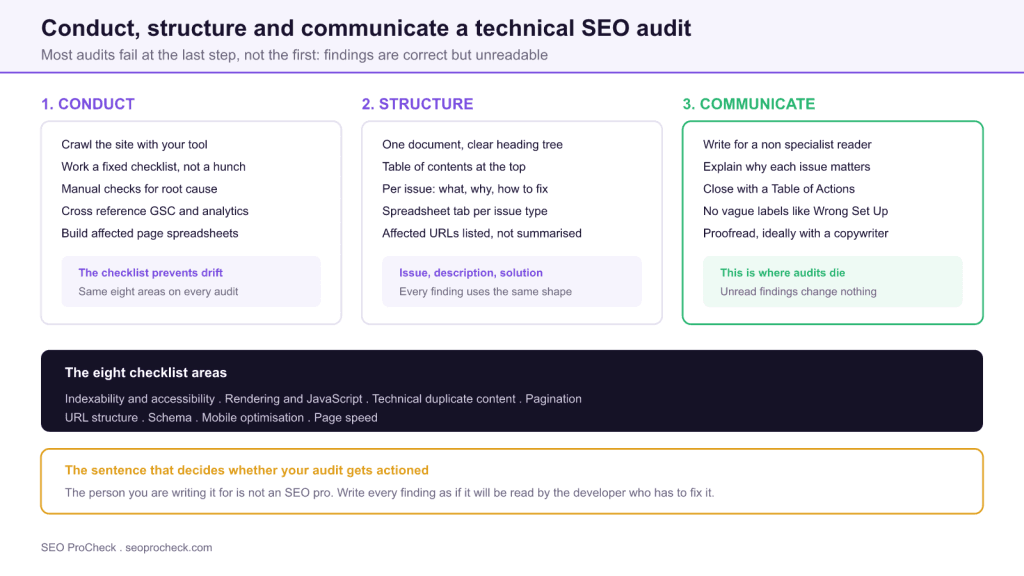
A technical SEO audit succeeds or fails on how it is written, not on what it finds. Izzy Wisniewska's Sitebulb framework runs seven steps from crawl to affected-URL spreadsheets, built around a fixed checklist of eight audit areas and written for a reader who is not an SEO specialist.
- Build the document structure from a checklist first, then review the crawl against it, so you audit the same areas every time.
- Split the deliverable: a document that explains and a spreadsheet with one tab per issue type listing affected URLs.
- Every finding needs three parts: what the issue is, why it matters, and how to fix it.
- Close with a dedicated Table of Actions, and never use vague labels like "Wrong Set-Up" that cannot become a ticket.
Most technical SEO audits are not wrong. They are unread. The findings are accurate, the crawl was
thorough, and the document sits in a shared drive while nothing ships. Izzy Wisniewska's guide for
Sitebulb is unusual in that it spends as much attention on the writing and delivery of an audit as on
the analysis, which is the correct ratio, because the analysis is the part you already know how to
do.
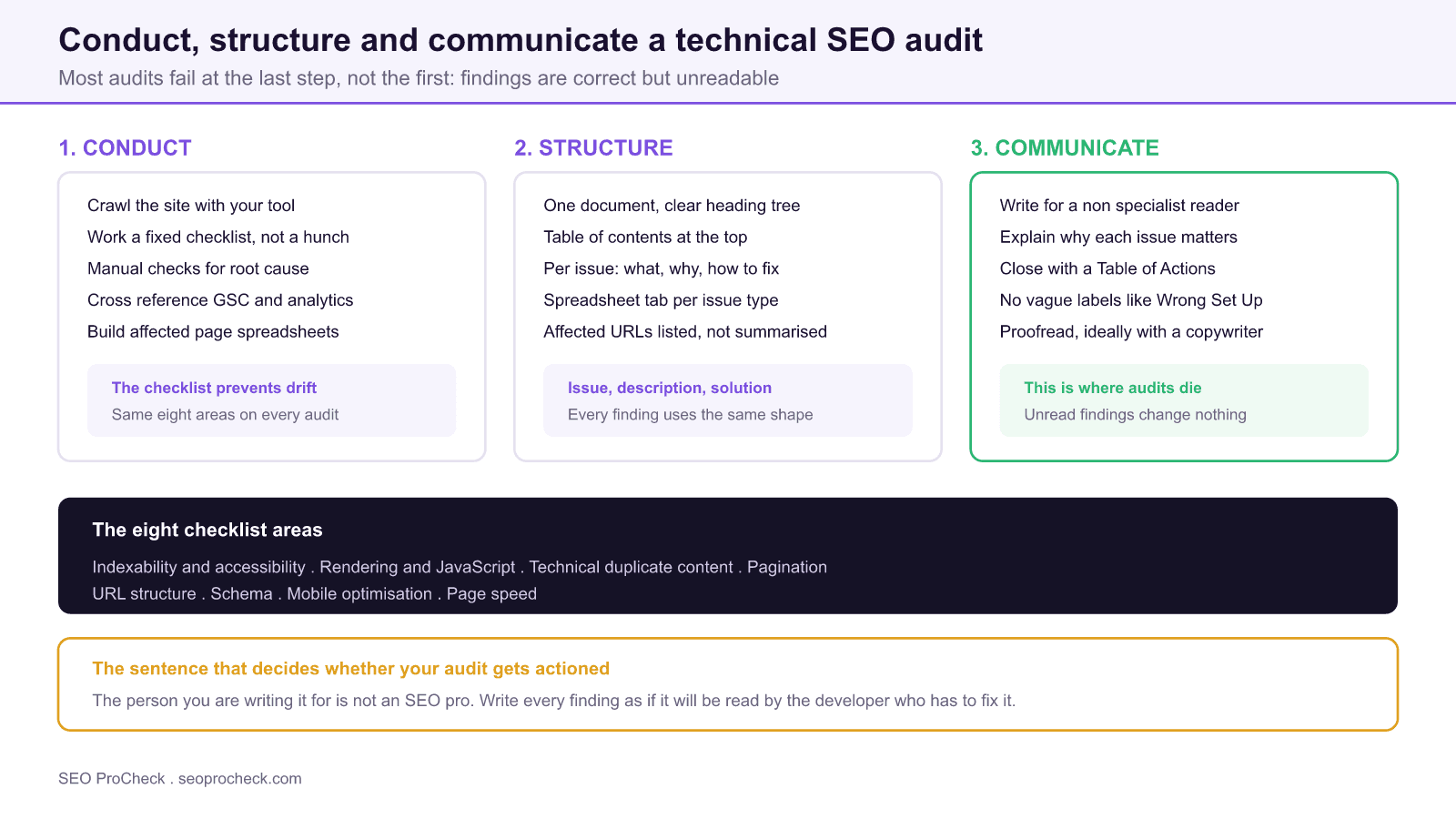
The line that carries the whole guide: the person you are writing it for is not an SEO
pro.
The seven step process
Izzy's methodology runs as follows:
- Crawl the website with your preferred crawler.
- Create the document structured around a checklist of audit components, before you
start writing findings. - Review crawl outcomes against the checklist systematically, area by area.
- Describe issues and solutions in detail, with actionable steps.
- Conduct manual checks to find root causes that automated findings only hint
at. - Cross reference Search Console, analytics and other tools for context and
validation. - Build affected pages spreadsheets, organising URLs by issue type.
Step two is the one people skip, and skipping it is why audits drift. If you build the document
structure first, from a fixed checklist, you audit the same eight areas every time. If you start from
the crawl instead, you write up whatever the tool shouted loudest about, which is usually a long list
of low severity findings and a couple of genuine problems buried among them.
The eight areas, and what each one is really asking
| Checklist area | The question you are answering | Where to look first |
|---|---|---|
| Indexability and accessibility | Can crawlers reach and index what matters? | robots.txt, meta robots, X-Robots-Tag, GSC Pages report |
| Rendering and JavaScript | Does the content exist without JavaScript? | GSC URL Inspection rendered HTML, crawl with rendering on and off |
| Technical duplicate content | Is one page reachable at many URLs? | Parameters, trailing slashes, protocol and host variants, canonicals |
| Pagination | Can crawlers reach deep items in long lists? | Crawl depth reports, paginated series, infinite scroll fallbacks |
| URL structure | Are URLs stable, readable and consistent? | Depth distribution, parameter sprawl, case sensitivity |
| Schema | Is structured data valid and eligible? | Rich Results Test, GSC Enhancements reports |
| Mobile optimisation | Is the mobile experience the indexed one? | Mobile rendered HTML, viewport, tap targets, parity with desktop |
| Page speed | Are Core Web Vitals passing for real users? | CrUX field data in GSC, then Lighthouse for diagnosis |
The eight audit areas from Izzy Wisniewska's Sitebulb framework, with the diagnostic question and starting point for each.
Step five deserves emphasis. A crawler tells you that 400 pages are noindexed. It does not tell you
that they are noindexed because a staging configuration shipped to production in March. The finding is
the symptom; the audit is only useful if it reaches the cause, because the cause is what the fix
targets. One template bug typically explains hundreds of individual findings.
For the specific mechanics behind several of these areas, our
meta robots and X-Robots-Tag reference
covers indexability directives, the
canonical tags reference
covers technical duplication, and
the robots.txt reference
covers crawl control.
Crawl configuration decides what you find
Before any of this, the crawl setup silently determines your results. Two auditors crawling the same
site with different configurations produce materially different findings.
# Crawl configuration decisions that change what you find

User-Agent:         Googlebot Smartphone (not desktop)
Rendering:         JavaScript enabled, then repeat with it off
robots.txt:        respect (see what Google sees)
Crawl depth limit:  none, you need the true depth distribution

# Then connect the APIs so the crawl carries business context:
#   Search Console   clicks, impressions, position per URL
#   Analytics        sessions and revenue per URL
#   PageSpeed API    field CWV per URL

# A crawl without this context tells you what is broken.
# A crawl with it tells you what is broken AND worth fixing.
Crawling as desktop Googlebot on a mobile first indexed site is the most common configuration
error, and it hides an entire class of parity issues. Running the crawl twice, once with rendering on
and once off, is the fastest way to see what depends on JavaScript. And connecting the Search Console
and analytics APIs is what converts a list of technical problems into a prioritised list, because a
broken template on pages with no traffic is a different proposition from the same bug on pages
earning revenue.
Structure: the document and the spreadsheet
Izzy's deliverable is two artefacts working together. The document explains; the spreadsheet
enumerates. Mixing them ruins both, because a document with 400 URLs pasted into it is unreadable and
a spreadsheet with no explanation is unactionable.
# Deliverable structure that survives contact with a dev team

audit-client-2026-07.docx
  1. Executive summary       one page, business language
  2. Scope and methodology    tools, crawl config, dates
  3. Findings by area        issue / why it matters / how to fix
  4. Table of Actions        priority, owner, effort, impact

affected-urls-2026-07.xlsx
  tab: noindexed-pages        URL, current directive, expected
  tab: redirect-chains       source, hops, final URL, final code
  tab: duplicate-titles      URL, title, duplicate count
  tab: missing-canonical    URL, template, suggested canonical

# One tab per issue type, named for the issue.
# Never one giant tab called "issues".
The issue, description, solution shape for each finding is worth adopting rigidly. It forces you to
answer three separate questions, and it is immediately obvious when one is missing. Most weak audit
findings are missing the middle one: they state a problem and a fix without ever explaining why the
reader should care.
Communicate: the part that decides whether anything happens
Izzy's guidance here is specific and worth following literally.
Use accessible language. The reader is a marketing manager, a product owner, or a
developer with no SEO background. Jargon does not signal expertise to them; it signals that the
document is not for them.
Avoid vague phrasing. Her example is the label "Wrong Set-Up", which names no
problem and implies no action. Every finding should survive the test of being handed straight to a
developer as a ticket.
| Weak phrasing | Why it fails | Rewrite |
|---|---|---|
| Wrong set up | Names no problem and implies no action | The staging subdomain is indexable and duplicates 400 live pages |
| Fix your canonicals | Assumes the reader knows which and how | 142 product pages canonicalise to the category page, so they cannot rank; point each to itself |
| Poor site speed | No metric, no threshold, no page set | LCP is 4.1s on mobile for category pages, failing the 2.5s threshold, driven by the hero image |
| Thin content | Sounds like a judgement, not a finding | 88 location pages share the same 60 words with only the town name changed |
| Improve internal linking | Not a task anyone can pick up | 31 product pages have one internal inlink; add them to the relevant category modules |
The recurring failure in audits is not missing the issue, it is describing it in a way that cannot become a ticket.
Include context for each issue, describing what it is and why you are checking it
at all. This is what lets a non specialist judge whether your recommendation is worth the engineering
time.
Close with a Table of Actions. A dedicated table at the end consolidating every
recommendation. This is the section that gets read most and written least carefully. Add owner,
priority and effort columns, and it converts directly into a backlog.
Proofread it, ideally with a copywriter, to confirm the explanations land for
someone outside the discipline.
Prioritisation is a judgement you owe the client
The failure mode that undoes otherwise good audits is flagging everything at the same severity. Once
a reader sees a missing alt attribute listed alongside a site wide noindex, the severity column stops
carrying information and they start ignoring all of it.
Prioritise on two axes: how much of the site the issue affects, and how much of that traffic
matters commercially. An issue on 12 pages that earn most of the site's revenue outranks an issue on
4,000 pages that earn nothing. Our
technical SEO audit checklist framework
covers the scoring model in more depth.
Templates and the free Sitebulb resource
Sitebulb publishes a free technical SEO audit template alongside the guide, customisable for agency
use, contributed to by their marketing manager Jojo. A template earns its place by removing the parts
of an audit that are identical every time: the explanations of what a canonical tag is, the document
skeleton, the checklist itself. That leaves your time for the analysis and prioritisation, which
cannot be templated.
The risk to manage is templated findings. An audit that reads as though it could describe
any site is one the client will recognise as generic. Keep the boilerplate in the explanatory sections
and keep the findings specific, with real URLs, real counts, and the actual root cause.
The technical foundation being audited
Technical SEO provides the foundation for content visibility. Without proper technical
implementation, even excellent content may fail to rank. The audit exists to verify three things.
Crawlability essentials
Search engines must be able to discover and access your content. This requires proper robots.txt
configuration, XML sitemaps, internal linking, and server reliability. Technical barriers to crawling
prevent content from entering the ranking competition regardless of quality. Our
XML sitemaps reference
covers the discovery side in detail.
Indexation optimisation
Not all crawled pages get indexed. Ensuring pages provide sufficient unique value, avoiding
duplicate content issues, and using canonical tags appropriately help control what gets indexed.
Monitoring indexation status through Search Console reveals issues requiring attention.
Performance and experience
Core Web Vitals and page speed affect both user experience and rankings. Technical optimisations
including caching, compression, image optimisation, and code efficiency improve performance metrics.
These optimisations serve users while sending positive signals to search engines.
Measure Core Web Vitals from field data first. Lighthouse gives you a lab score under simulated
conditions, which is a diagnostic tool, not the metric Google uses. The Core Web Vitals report in
Search Console reports real user data, and that is the number that counts. Use field data to decide
whether there is a problem and lab data to work out what is causing it.
A note on scope
One thing worth adding to the process: agree what the audit covers before you start. Technical
audits expand naturally into content quality, internal linking strategy, and competitive analysis,
and an audit that tries to cover everything arrives late and lands diffuse. Naming the eight areas up
front, and explicitly listing what is out of scope, is a small piece of expectation management that
prevents a large amount of disappointment. If the site has just migrated, our
site migration planning checklist
is usually the more urgent document.
FAQ
Work a fixed checklist rather than improvising. Izzy Wisniewska's framework covers eight areas: indexability and accessibility, rendering and JavaScript, technical duplicate content, pagination, URL structure, schema, mobile optimisation, and page speed. Using the same checklist every time is what stops you finding whatever you happened to look for.
Long enough to explain each issue and short enough to be read. The useful constraint is structural rather than numeric: every finding needs what the issue is, why it matters, and how to fix it, and the affected URLs belong in a spreadsheet rather than inflating the document. A tight 25 page audit with a clear action table beats an 80 page document nobody opens.
Write for someone who is not an SEO specialist, because that is who signs off the work. Explain each issue in plain language, state the business consequence rather than the technical symptom, and finish with a dedicated table of actions so the reader knows exactly what to do next. Vague labels like wrong set up give the reader nothing to act on.
A single consolidated table at the end of the audit listing every recommended action, who owns it, and its priority. It exists because findings scattered across a long document do not convert into tickets. It is the section stakeholders actually work from, so it deserves as much care as the analysis.
Yes, and then customise it. Sitebulb publishes a free technical SEO audit template that gives you the document skeleton and checklist structure. A template stops you rewriting the same explanations for every client and stops findings being forgotten, but the analysis and prioritisation still have to be specific to the site.
Usually because of how they are written, not what they found. Audits that read as undifferentiated lists of problems, use jargon the reader cannot parse, or flag everything at the same severity give stakeholders no way to decide what to do first. Attaching an estimated business impact and a clear owner to each action is what turns findings into shipped work.
Want an audit your developers will actually action?
Findings are the easy part. A prioritised table of actions with real URLs and root causes is what turns an audit into shipped work.
Take this with you
The assistant links open with a question about this page already written. Nothing is sent until you press enter.
Claude Vincent is a technical SEO consultant focused on crawlability, rendering, and AI-search visibility. He writes the field guides and case studies at SEO ProCheck, with a bias toward the durable, unglamorous work that decides whether search engines and AI answer engines can actually read and cite a site.
About SEO ProCheck
Technical SEO consulting and GEO strategy with 20 years of enterprise experience. Case studies, resources, and tools for search and AI visibility.
Work With Me
Technical SEO audits, GEO strategy, site migrations, and international SEO. Hourly consulting for teams who need hands-on support, not just reports.
Subscribe to our newsletter!








Recent Posts
- Most Top Sites Never Say Who They Are in Structured Data October 14, 2026
- Homepage Titles Are Mostly Too Short, Not Too Long October 8, 2026
- Who Actually Serves an llms.txt? 184 Top Sites Measured September 29, 2026