

AI Summary
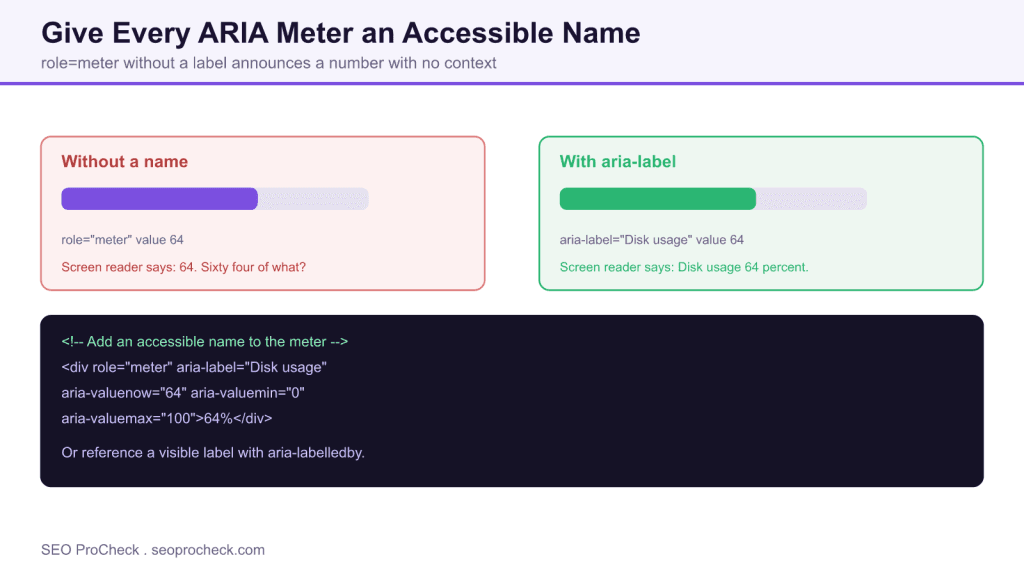
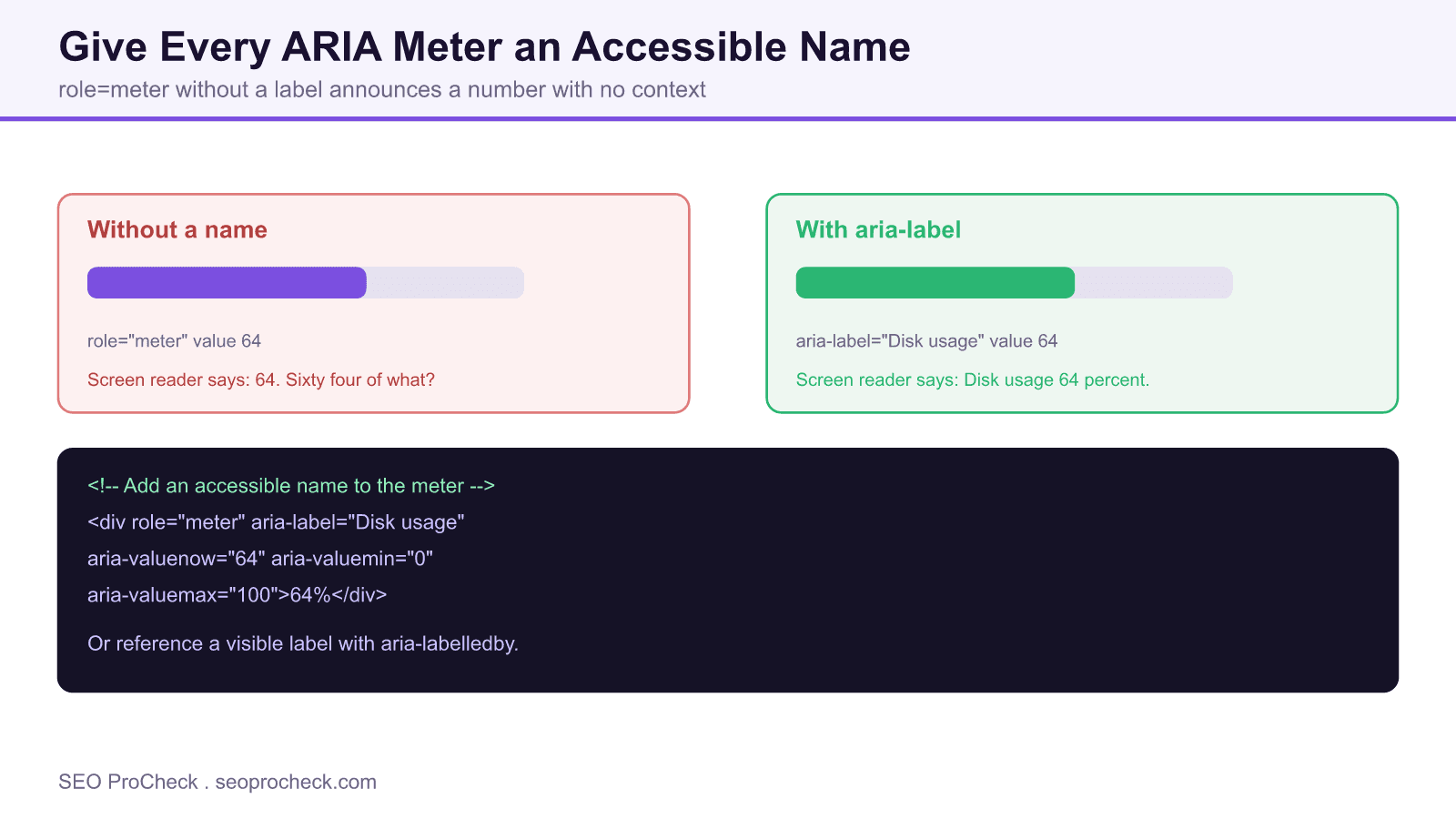
An element with role meter must have an accessible name so screen readers announce what the value represents, not just a bare number. Add an aria-label or aria-labelledby to every meter, for example a disk usage or rating gauge, so assistive technology can give the value context.
- A meter shows a scalar value in a known range, like disk usage or a rating score.
- Without an accessible name, screen readers read the number with no indication of what it measures.
- Fix it with aria-label for a text name, or aria-labelledby to point at a visible label.
- Element code AC-014. Detect it with axe DevTools and other accessibility audits.
Quick Reference
Element Code: AC-014
Issue: Elements with role="meter" lack accessible names
Impact: Screen readers announce values without context of what is being measured
Fix: Add aria-label or aria-labelledby to meter elements
Detection: axe DevTools, accessibility audits
What Is This Issue?
Meter elements display scalar values within a known range (like disk usage or relevance scores). Without an accessible name, screen readers announce numbers without explaining what they represent.
Why This Matters for Your Website
Data visualization accessibility ensures all users can understand displayed information. Unlabeled meters are meaningless to screen reader users.
How to Fix This Issue
- Add aria-label: Describe what the meter measures
- Use aria-labelledby: Reference a visible heading or label
Tools for Detection
- axe DevTools: Identifies unlabeled meters
TL;DR (The Simple Version)
Your meter elements have no labels. Add aria-label to describe what each meter is measuring (like "Disk usage" or "Rating score").
What the meter role is for
The meter role, and the native HTML meter element, represents a scalar measurement within a known range: disk usage, a battery level, a relevance or rating score, a password strength indicator. It is not a progress bar, which tracks a task moving toward completion. Because a meter is a gauge, its number is meaningless without a label. Sixty four on its own tells a screen reader user nothing. Sixty four percent disk usage tells them everything. That label is the accessible name, and every meter needs one.
Why a missing accessible name breaks the experience
Sighted users get the context for free, because a visible heading or icon sits next to the gauge. A screen reader user only receives what is exposed to the accessibility tree. If the meter has role meter and a value but no accessible name, assistive technology announces something like meter, 64, with no clue what is being measured. The value is technically present and completely useless. This is a WCAG name, role, value problem, and it is exactly what automated tools flag under this check.
How to add an accessible name
There are two reliable patterns. Use aria-label when there is no visible text to reference, and use aria-labelledby when a visible label already exists and you want to reuse it.
Pattern 1, aria-label supplies the name:
<div role="meter" aria-label="Disk usage"
     aria-valuenow="64" aria-valuemin="0" aria-valuemax="100">64%</div>
Pattern 2, aria-labelledby points at a visible label:
<span id="cpu-label">CPU load</span>
<div role="meter" aria-labelledby="cpu-label"
     aria-valuenow="30" aria-valuemin="0" aria-valuemax="100">30%</div>
Native HTML meter element with an associated label:
<label for="storage">Storage used</label>
<meter id="storage" min="0" max="100" value="64">64%</meter>
Whichever pattern you use, pair the name with the value attributes. A meter should expose aria-valuenow, and where the range is not 0 to 100 it should also set aria-valuemin and aria-valuemax so the announced value has a scale. Some screen readers also read aria-valuetext when you need a friendlier phrasing than a raw number.
Common mistakes to avoid
- Using role meter for a progress bar. If the value tracks task completion, use role progressbar instead, and give it an accessible name too. See ARIA progressbar must have an accessible name.
- Relying on adjacent text alone. Visual proximity does not create an accessible name. You must connect the label with aria-label, aria-labelledby or a native label element.
- Naming the value, not the measure. The name should describe what is measured, such as disk usage, not repeat the number.
- Forgetting the range. Without min and max, a value like 64 has no scale for assistive technology to convey.
Because meters usually visualize data, this check sits alongside broader data visualization accessibility work. If your gauges present chart style data, review data visualization markup and browse the full set of accessibility checks.
Ways to give a meter an accessible name
| Technique | When to use it | Example |
|---|---|---|
| aria-label | No visible label exists | aria-label="Disk usage" |
| aria-labelledby | A visible label is present | aria-labelledby="cpu-label" |
| Native label element | Using the HTML meter element | label for="storage" |
| aria-valuetext | A number needs friendlier phrasing | aria-valuetext="64 percent full" |
Frequently asked questions
What is an ARIA meter?
A meter is an element with role meter, or the native HTML meter element, that represents a scalar value within a known range, such as disk usage, a battery level or a rating score. It is a gauge, not a progress indicator for a task.
Why must a meter have an accessible name?
Without a name, a screen reader announces only the number, for example meter 64, with no indication of what is being measured. The accessible name gives the value meaning, which is required by the WCAG name, role, value criterion.
How do I add an accessible name to a meter?
Use aria-label to supply a text name directly, or aria-labelledby to reference a visible label by its id. If you use the native HTML meter element, associate a label element with it.
What is the difference between a meter and a progress bar?
A meter shows a static measurement within a range, like disk usage. A progress bar tracks a task advancing toward completion, like a file upload. Use role progressbar for the latter, and give that an accessible name as well.
Does adjacent visible text count as an accessible name?
No. Text placed near a meter is not automatically its accessible name. You must connect it explicitly with aria-label, aria-labelledby or a native label element.
How do I detect meters without accessible names?
Run an accessibility audit with a tool such as axe DevTools. It flags elements with role meter that lack an accessible name so you can add the missing label.
Claude Vincent is a technical SEO consultant focused on crawlability, rendering, and AI-search visibility. He writes the field guides and case studies at SEO ProCheck, with a bias toward the durable, unglamorous work that decides whether search engines and AI answer engines can actually read and cite a site.
About SEO ProCheck
Technical SEO consulting and GEO strategy with 20 years of enterprise experience. Case studies, resources, and tools for search and AI visibility.
Work With Me
Technical SEO audits, GEO strategy, site migrations, and international SEO. Hourly consulting for teams who need hands-on support, not just reports.
Subscribe to our newsletter!






