

AI Summary
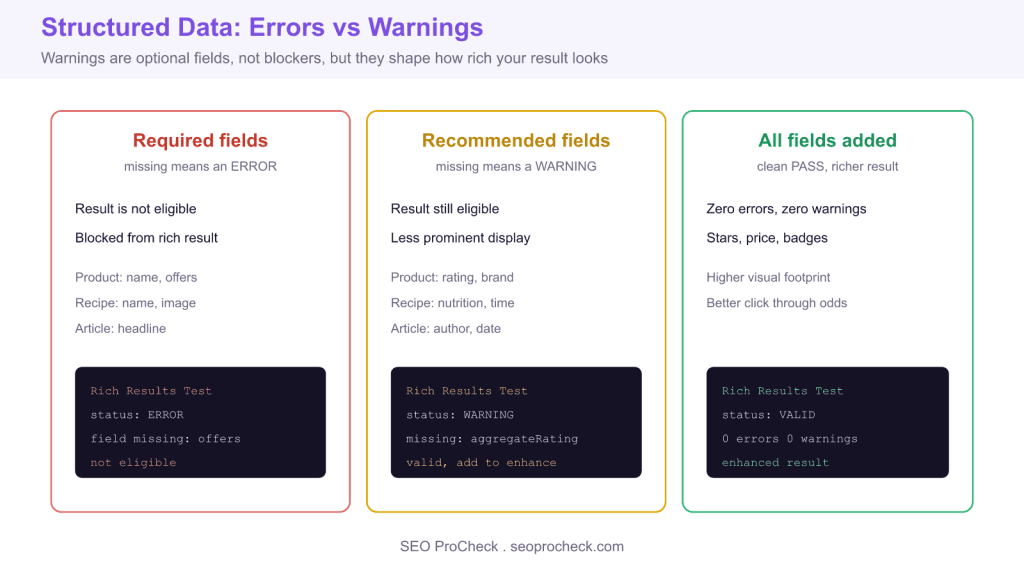
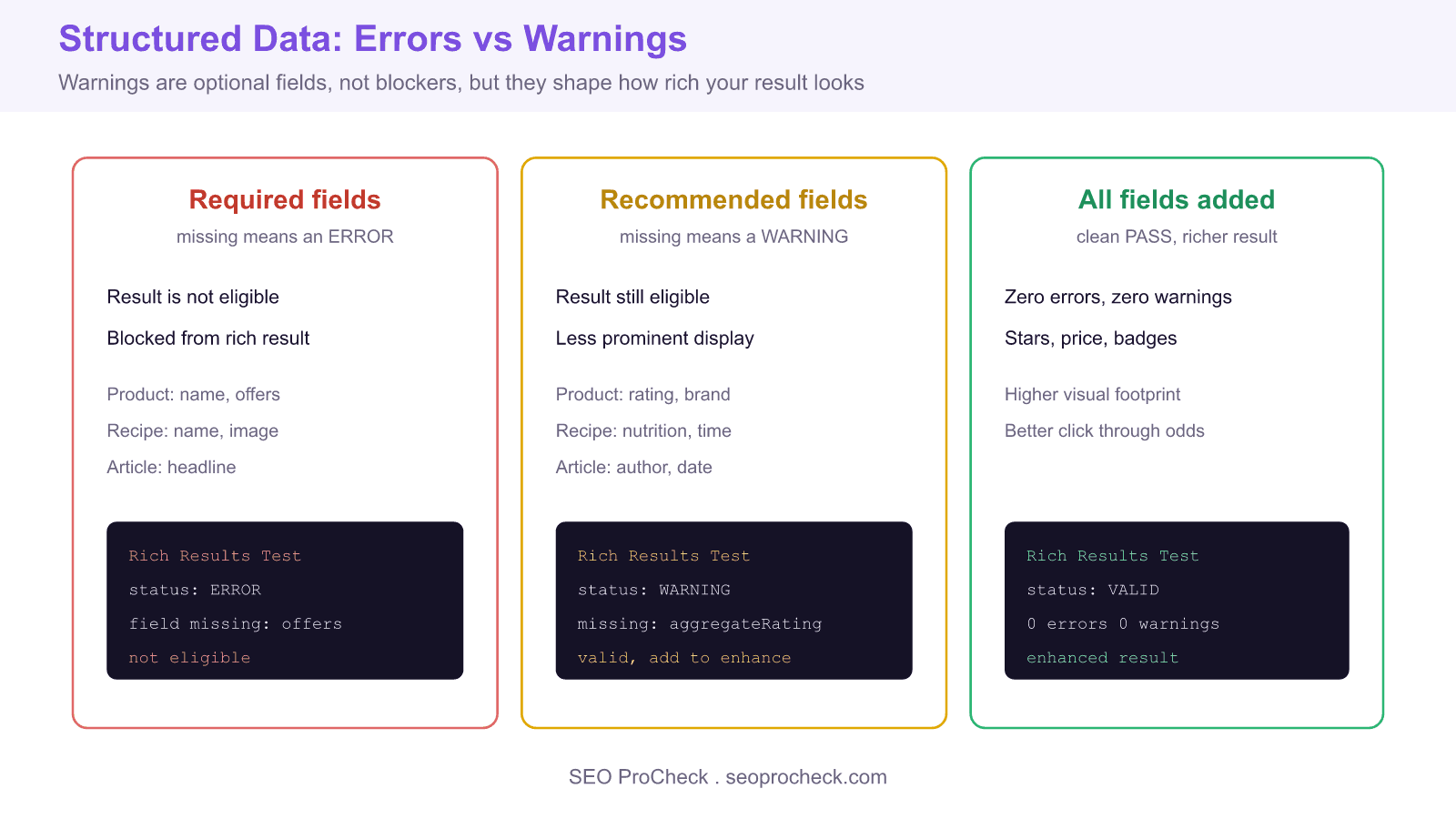
Structured data validation warnings mean your markup is valid and still eligible for the rich result, but recommended optional fields are missing, so the listing may appear plainer than it could. Adding the recommended fields for your content type, such as ratings, price, author, or cook time, clears the warnings and unlocks a more prominent enhanced result.
- Errors block rich result eligibility, warnings do not: warnings only reduce prominence.
- Recommended fields like aggregateRating, brand, and dateModified drive stars, price, and freshness enhancements.
- Only mark up ratings and prices that are genuinely visible on the page, or you risk a manual action.
- Validate a URL with the Rich Results Test and track site wide warnings in Google Search Console.
Element Code: RI-003
Quick Reference
Issue: Structured data has warnings for optional fields
Impact: Rich results may be less featured than possible
Fix: Add recommended optional fields to enhance rich results
Detection: Rich Results Test, Google Search Console
What Is This Issue?
Warnings indicate optional fields that could enhance your rich results. While not required, adding these fields can make your results more prominent.
Why This Matters for Your Website
More complete structured data often results in more prominent rich results. Warnings show opportunities for improvement.
How to Fix This Issue
- Review warnings: What optional fields are missing?
- Prioritize: Add most impactful fields first
- Enhance: Images, ratings, prices often high value
Tools for Detection
- Rich Results Test: Shows warnings for optional fields
AI Search and GEO Considerations
More complete structured data provides richer information for AI systems to use when generating responses.
TL;DR (The Simple Version)
Your structured data is valid but has warnings about missing optional fields. Adding these fields can make your rich results more prominent.
Errors versus warnings: know the difference
Google validators return three states for a structured data item: error, warning, and valid. An error means a required property is missing or malformed, and the item is not eligible for the rich result at all. A warning means a recommended property is absent, the item is still eligible, but Google may render a plainer, less prominent result. Element code RI-003 covers the warning case: your markup parses, validates, and qualifies, yet leaves enhancement value on the table. Fixing warnings is optional in the strict sense, but in competitive results the richer listing usually wins the click.
Where the recommended fields live by type
Every eligible type in Google Search Central has a documented split between required and recommended properties. Product results treat name, image, and offers as required, while aggregateRating, review, and brand are recommended and drive the star and price enhancements. Recipe results require name and image, and recommend aggregateRating, recipeIngredient, totalTime, and nutrition, which unlock the cook time and calorie badges. Article results require headline and recommend author, datePublished, dateModified, and image. The warnings you see are Google telling you exactly which recommended properties are missing for the type it detected.
A worked example: turning a warning into an enhanced result
Here is a valid Product block that still throws warnings because it omits rating and brand. The second block adds the recommended fields and clears the warnings, which makes the listing eligible for review stars and brand context.
{
  "@context":"https://schema.org",
  "@type":"Product",
  "name":"Trail Runner GTX",
  "image":"https://example.com/shoe.jpg",
  "offers":{"@type":"Offer","price":"129.00","priceCurrency":"USD"}
}

// warnings cleared after adding recommended fields:
{
  "@context":"https://schema.org",
  "@type":"Product",
  "name":"Trail Runner GTX",
  "image":"https://example.com/shoe.jpg",
  "brand":{"@type":"Brand","name":"Summit"},
  "aggregateRating":{"@type":"AggregateRating","ratingValue":"4.6","reviewCount":"212"},
  "offers":{"@type":"Offer","price":"129.00","priceCurrency":"USD","availability":"https://schema.org/InStock"}
}
Only claim an aggregateRating if genuine, visible reviews exist on the page. Marking up ratings that users cannot see is a structured data policy violation and can trigger a manual action, so never invent numbers to clear a warning.
Validate, then monitor at scale
Use the Rich Results Test on a single live URL or pasted code to see the error and warning list for the exact type Google detects. For site wide tracking, open the Rich results status reports in Google Search Console, where each report separates invalid items (errors) from valid items with warnings, and shows the trend over time. The Schema Markup Validator at validator.schema.org is useful for pure syntax checks against the vocabulary, but it does not apply Google eligibility rules, so treat it as a complement, not a replacement. A practical loop is to fix errors first because they block eligibility, then work through warnings by impact, starting with the fields that unlock visible enhancements like stars and prices.
Common warnings by rich result type
| Type | Recommended field that triggers the warning | Enhancement you unlock |
|---|---|---|
| Product | aggregateRating, review, brand | Star ratings and brand context |
| Recipe | totalTime, nutrition, aggregateRating | Cook time, calories, stars |
| Article | author, datePublished, dateModified | Byline and freshness signals |
| Event | offers, performer, endDate | Ticket link and full date range |
| LocalBusiness | openingHours, priceRange, telephone | Hours and contact in the panel |
Related reading
- Browse the full SEO checks library
- How to optimize content so LLMs cite it
- More SEO research and studies
Frequently asked questions
Do structured data warnings hurt my rankings?
No. Warnings do not carry a ranking penalty and your item remains eligible for the rich result. They flag recommended fields that, if added, can make the result more prominent and more informative, which can improve click through even though the underlying ranking is unchanged.
What is the difference between an error and a warning in the Rich Results Test?
An error means a required property is missing or invalid, so the item is not eligible for the rich result and must be fixed. A warning means a recommended property is absent, the item is still eligible, and adding the field simply enhances how the result can appear.
Should I fix every structured data warning?
Fix the warnings that unlock visible enhancements first, such as ratings, price, and availability on products, or cook time on recipes. Some recommended fields add little for your content type, so prioritize by the enhancement each one unlocks rather than trying to clear every warning at once.
Can I add aggregateRating just to remove the warning?
Only if real reviews are present and visible on the page. Adding rating markup that users cannot see violates Google structured data policy and can lead to a manual action, so never fabricate ratings, prices, or counts purely to satisfy a validator.
Which tool should I use to see my warnings?
Use the Rich Results Test for a single URL and the Rich results status reports in Google Search Console for site wide monitoring. The Schema Markup Validator checks syntax against the schema.org vocabulary but does not apply Google eligibility rules, so it complements rather than replaces the Rich Results Test.
Do these optional fields help AI search and answer engines?
Yes. Recommended fields add machine readable facts such as author, ratings, price, and dates that AI systems and answer engines can lift directly, which improves the odds your content is used and attributed accurately in generated responses.
Source: SEO ProCheck best practices guide, element RI-003
Take this with you
The assistant links open with a question about this page already written. Nothing is sent until you press enter.
Claude Vincent is a technical SEO consultant focused on crawlability, rendering, and AI-search visibility. He writes the field guides and case studies at SEO ProCheck, with a bias toward the durable, unglamorous work that decides whether search engines and AI answer engines can actually read and cite a site.
About SEO ProCheck
Technical SEO consulting and GEO strategy with 20 years of enterprise experience. Case studies, resources, and tools for search and AI visibility.
Work With Me
Technical SEO audits, GEO strategy, site migrations, and international SEO. Hourly consulting for teams who need hands-on support, not just reports.
Subscribe to our newsletter!








Recent Posts
- Most Top Sites Never Say Who They Are in Structured Data October 14, 2026
- Homepage Titles Are Mostly Too Short, Not Too Long October 8, 2026
- Who Actually Serves an llms.txt? 184 Top Sites Measured September 29, 2026