

AI Summary
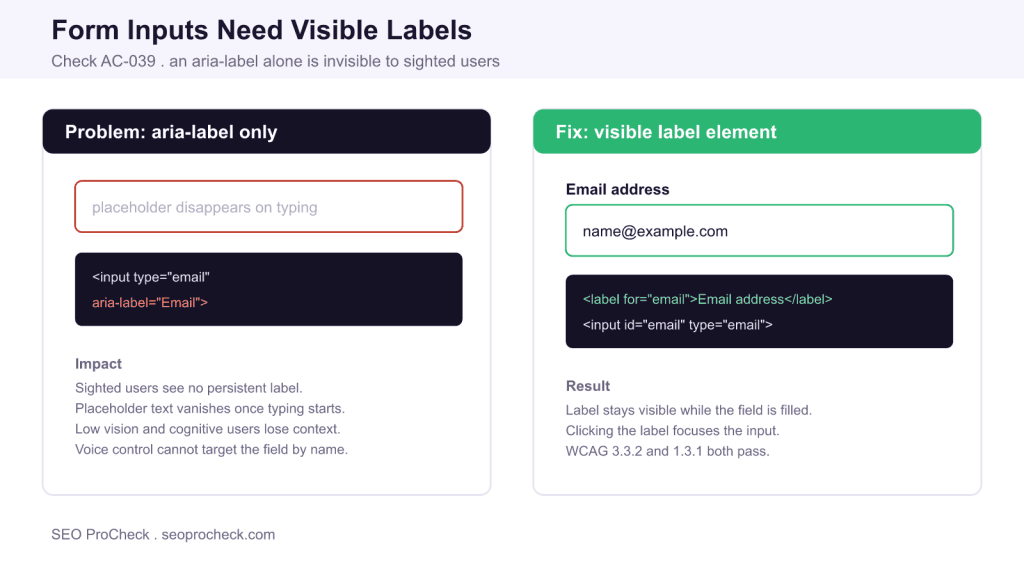
The AC-039 check flags form inputs that have an aria-label but no visible text label. Screen readers announce the field, but sighted users, including people with low vision or cognitive differences, see no persistent on-screen label once any placeholder text disappears.
- aria-label is announced to screen readers but is invisible on screen.
- Placeholder text is not a label; it vanishes the moment the user types.
- A real <label> element stays visible and expands the clickable target.
- Visible labels support WCAG 2.4.6, 3.3.2, and 1.3.1.
Quick Reference
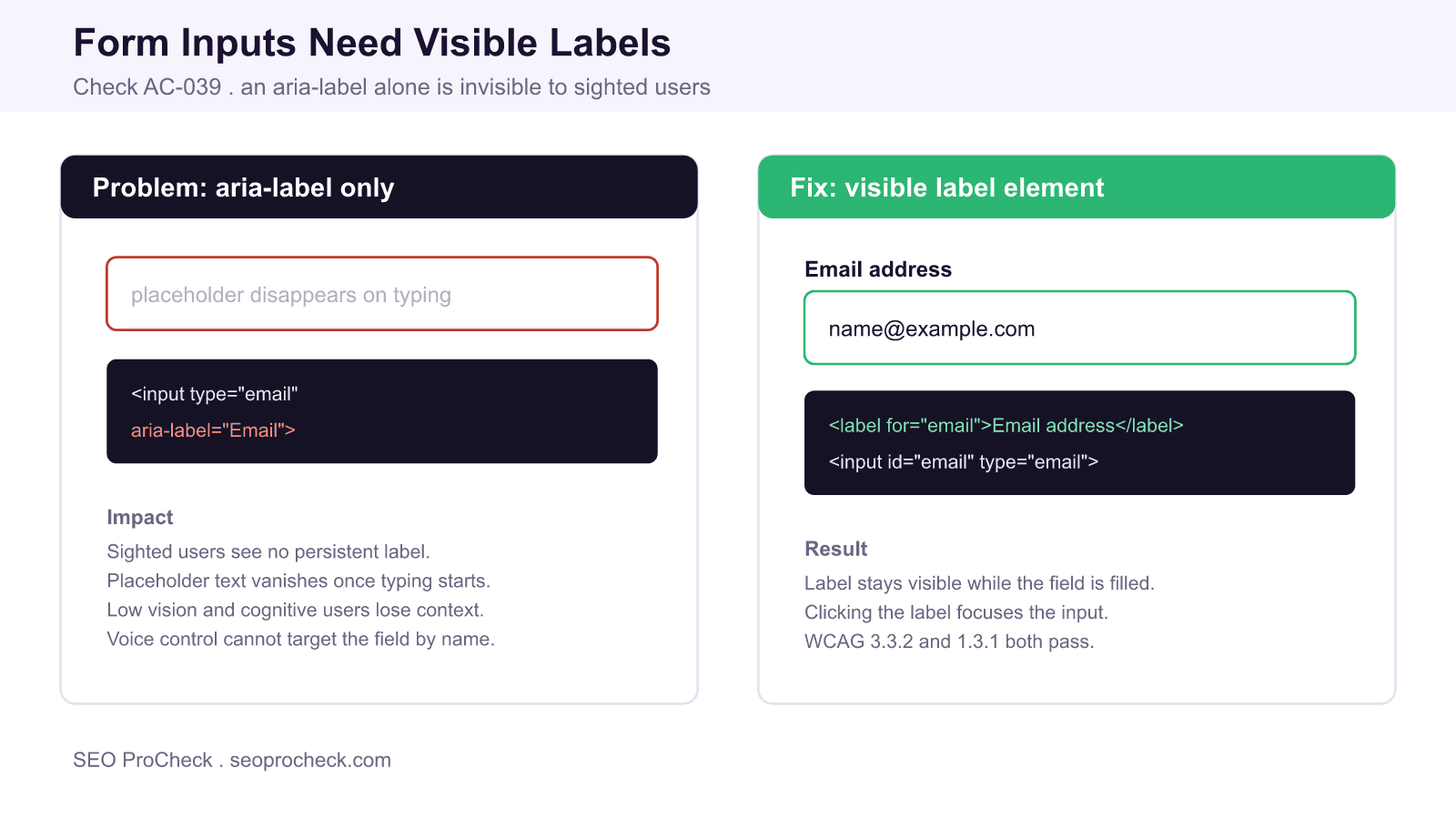
Element Code: AC-039
Issue: Inputs have aria-label but no visible label
Impact: Sighted users cannot identify fields once placeholders clear
Fix: Add a visible <label> associated with each input
Detection: Visual inspection, axe DevTools
What Is This Issue?
Every form control needs an accessible name, and there is more than one way to supply it. An aria-label gives a control a name in the accessibility tree, so a screen reader will announce it. The catch is that aria-label renders nothing on screen. When a field relies on it alone, a sighted user has no visible text telling them what to type. This check, AC-039, fires when an input has an aria-label but no associated visible <label> element.
Teams often reach for aria-label to pass an automated accessibility scan quickly, because the scanner sees an accessible name and stops complaining. That satisfies the machine but not the human. Accessibility is not only about screen readers: people with low vision, attention or memory differences, and anyone completing a long form all rely on a label that stays put while they work.
Why This Matters
Placeholders are the usual culprit. A greyed hint inside the field looks like a label until the user starts typing, at which point it disappears. If they pause, get interrupted, or return to review their answers, the context is gone and they must clear the field to remember what it wanted. Low contrast placeholder text also fails color contrast requirements on its own.
Visible labels address several WCAG success criteria at once. Criterion 1.3.1 Info and Relationships expects the label and field relationship to be programmatically available. Criterion 2.4.6 Headings and Labels expects labels to describe purpose. Criterion 3.3.2 Labels or Instructions expects instructions when content requires user input. A persistent, properly associated label satisfies all three, and it enlarges the clickable or tappable area because clicking the label focuses the field, which helps users with motor impairments and everyone on touch screens.
Ways to Name a Field, Ranked
Not every naming method is equal. The table shows what each approach provides.
| Method | Visible on screen? | Read by screen readers? | Recommended? |
|---|---|---|---|
<label for> | Yes | Yes | Yes, preferred |
Wrapping <label> | Yes | Yes | Yes |
aria-labelledby | Yes, if it points to visible text | Yes | Acceptable |
aria-label only | No | Yes | No, fails this check |
placeholder only | Until typing starts | Inconsistent | No, never a substitute |
How to Detect
- Look at the form with fresh eyes: does every field have text next to or above it that stays visible while you type?
- Run axe DevTools and review any rule about form elements lacking a visible label.
- In the console, list inputs with
document.querySelectorAll('input[aria-label], select[aria-label], textarea[aria-label]')and check whether each also has an associated visible label. - Tab to each field and confirm a screen reader announces a name that matches the visible text.
How to Fix
- Add a
<label>for each input and connect them with matchingforandidattributes, or wrap the input inside the label. - Move the wording that lived in
aria-labelor the placeholder into that visible label. - Keep the placeholder only for a format example such as
name@example.com, never as the sole label. - If space is tight, a visually compact but still visible label is fine; do not hide it with
display:none, which also removes it from the accessibility tree. - Re-test to confirm the visible text and the announced name match.
A Note on Floating Labels and Search Fields
Floating label patterns, where the placeholder animates up to become a label on focus, can be accessible if the label remains a real, visible element after interaction and is associated with the input. A magnifier icon on a search box is a common exception people cite, but even there a visible or clearly implied label is better than an icon alone. When in doubt, show the label.
Related reading on SEO ProCheck: the full accessibility checks library, why links must have discernible text, and the rule that role text must not contain focusable elements.
Frequently Asked Questions
Is aria-label enough to make a form field accessible?
It gives screen readers a name, but it is invisible on screen, so sighted users including people with low vision or cognitive differences get no persistent label. This check wants a visible label element in addition to any ARIA name.
Can I use a placeholder instead of a label?
No. Placeholder text disappears as soon as the user types, its contrast is often too low, and screen reader support is inconsistent. Use a placeholder only for a format hint, never as the field's label.
What is the best way to label a form input?
Use a real label element connected to the input with matching for and id attributes, or wrap the input inside the label. Both make the label visible, clickable, and programmatically associated, satisfying WCAG 1.3.1, 2.4.6, and 3.3.2.
Do visible labels help anyone besides screen reader users?
Yes. A visible label helps people with low vision, memory or attention differences, and motor impairments, because clicking the label focuses the field and the context stays on screen throughout the interaction. It benefits every user filling in a form.
Are floating labels accessible?
They can be, as long as the label remains a real, visible element after the field is focused or filled and is properly associated with the input. Problems arise when the label is only a placeholder that vanishes on typing.
How do I find fields that only have aria-label?
Inspect the form visually for fields without persistent text, run axe DevTools, and query the DOM for inputs, selects, and textareas that carry aria-label to confirm whether each also has an associated visible label.
TL;DR
Give every form input a visible label element, not just an aria-label or a placeholder. Visible labels stay on screen while users type, enlarge the click target, and satisfy WCAG 1.3.1, 2.4.6, and 3.3.2.
Claude Vincent is a technical SEO consultant focused on crawlability, rendering, and AI-search visibility. He writes the field guides and case studies at SEO ProCheck, with a bias toward the durable, unglamorous work that decides whether search engines and AI answer engines can actually read and cite a site.
About SEO ProCheck
Technical SEO consulting and GEO strategy with 20 years of enterprise experience. Case studies, resources, and tools for search and AI visibility.
Work With Me
Technical SEO audits, GEO strategy, site migrations, and international SEO. Hourly consulting for teams who need hands-on support, not just reports.
Subscribe to our newsletter!






