

AI Summary
SEO and UX are mostly the same goal seen from two angles: help a person find and use content that answers their need. Modern ranking signals reward fast, mobile friendly, well structured pages, so the smart move is to design for users first and let clean, crawlable markup carry the SEO.
- Core Web Vitals are a shared, confirmed signal; mobile friendliness and HTTPS are shared wins, though Google does not confirm them as direct ranking signals.
- Write for humans first, then place keywords in headings and copy naturally.
- Keep navigation shallow for users and add contextual internal links for crawlers.
- Accessibility improves both experience and crawlability at once.
SEO and UX are the same goal from two angles
It is tempting to frame SEO and user experience as rivals, one chasing algorithms and the other chasing people. In practice they converge, because search engines increasingly measure the very things users care about. A page that loads fast, reads clearly, works on a phone, and answers the query is good UX and good SEO at the same time. The friction only appears in specific tradeoffs, and each one has a balanced answer once you decide that the reader comes first and the crawler follows.
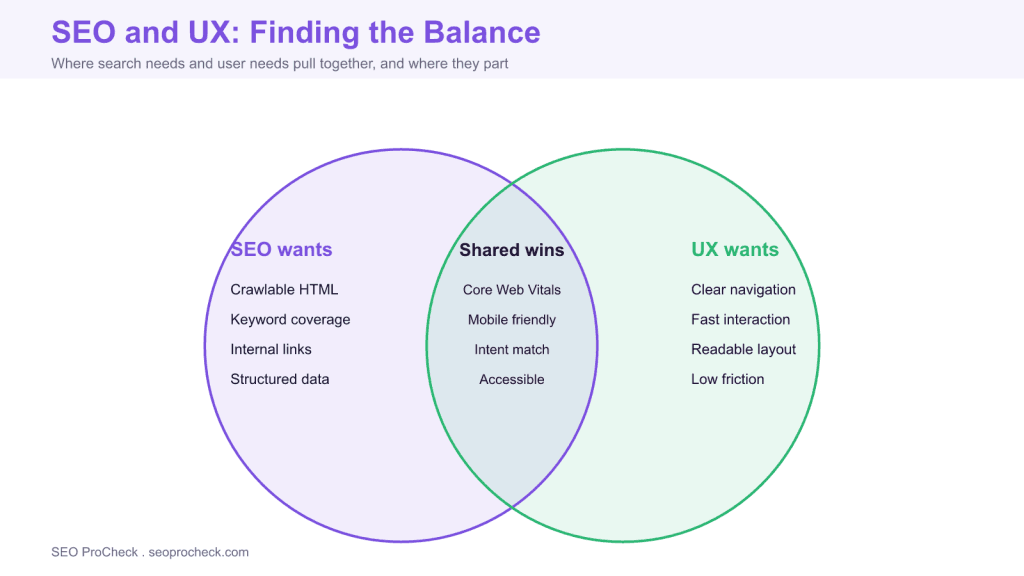
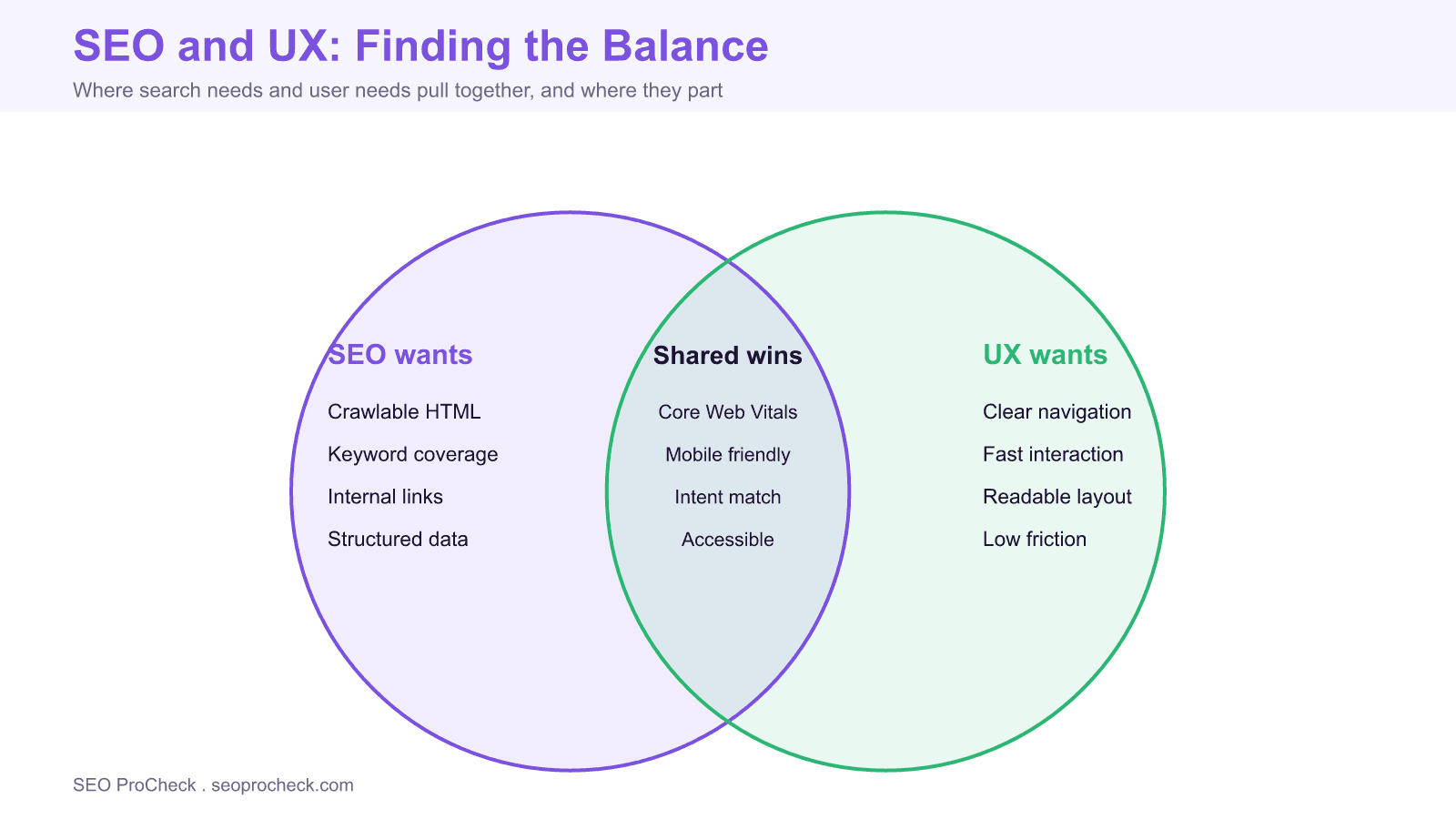
Think of it as three overlapping sets. SEO has its own priorities like crawlable markup, keyword coverage, and structured data. UX has its own like clear navigation, fast interaction, and low friction. In the middle sits a large shared zone: Core Web Vitals, mobile friendliness, intent match, and accessibility. Most of your effort should live in that overlap, where one improvement serves both.
What search engines reward that users also want
Google confirms that its ranking systems use Core Web Vitals and says there is no single page experience signal; mobile friendliness and HTTPS still matter to visitors, but Google does not confirm them as direct ranking signals. Intrusive interstitials that cover the main content on mobile can suppress rankings. None of this is a trick to please a machine; every item on that list is something a visitor would thank you for. Fast Largest Contentful Paint means the page feels responsive. Low Cumulative Layout Shift means buttons stop jumping under a thumb. Good Interaction to Next Paint means taps feel instant. Optimize these once and both audiences win.
Tensions and how to resolve them
| SEO need | UX need | Balanced approach |
|---|---|---|
| Keyword rich copy | Concise, scannable text | Write for humans, put keywords in headings and the intro naturally |
| Deep internal linking | Simple navigation | Shallow main menu plus contextual links inside the body |
| More content on the page | Fast load | Lazy load below the fold and compress media |
| Descriptive URLs and breadcrumbs | Clear wayfinding | Use both; they reinforce each other |
| Structured data everywhere | Clean, uncluttered interface | Schema is invisible to users, so add it freely |
Writing for people without losing the keywords
The classic tension is copy. Old habits push writers to repeat a target phrase until the text reads like it was assembled for a machine. That approach loses on both fronts: readers bounce and search engines have long favored helpful, original content. The fix is order of operations. Draft the clearest possible answer for a human, then revise so the primary term appears in the title, the first paragraph, and a heading or two where it fits. Related terms and questions cover the topic without forcing repetition. Pair that with strong titles and meta descriptions that read like a promise to the user, not a keyword list.
Navigation, links, and accessibility
Navigation is where crawl needs and human needs meet cleanly. Keep the main menu shallow so any page is a few clicks from home, which helps people orient and helps crawlers reach depth. Then use contextual internal links in the body to pass authority and point readers to the logical next step. Accessibility ties the whole thing together: descriptive alt text, semantic headings, readable contrast, and keyboard friendly controls help assistive technology and search engines read the same clean HTML. When you design for the person who struggles to use your page, you almost always improve the signals the crawler collects too.
A practical way to keep the balance
Build a simple review habit before publishing. Read the page as a first time visitor on a phone: is the answer obvious in the first screen, does anything shift under your thumb, is the main content ever blocked by an overlay? Then check it as a crawler: is the copy in the raw HTML, are the links real anchors, does the title match the intent, is the schema valid? If a page passes both reads, you have found the balance. The goal is not to trade one discipline against the other; it is to ship pages that are fast, clear, and easy to index because they were built for humans in the first place.
Frequently asked questions
Are SEO and UX in conflict?
Mostly they align, because Google increasingly rewards the same things users want: fast pages, clear structure, and content that answers the query. Conflicts are usually local, such as keyword heavy copy versus readability, and they resolve once you write for people first and place keywords naturally.
Does user experience directly affect rankings?
Some parts do. Google confirms that its ranking systems use Core Web Vitals, while mobile friendliness and HTTPS are not confirmed as direct ranking signals, and intrusive interstitials can suppress rankings. Other UX qualities influence rankings indirectly by improving engagement and reducing pogo sticking back to the results page.
How do I balance keyword optimization with readable copy?
Lead with a clear answer for the reader, then work primary and related terms into headings, the introduction, and natural sentences. Never repeat a phrase past the point it reads well, because thin, stuffed copy hurts both comprehension and rankings.
Do popups and interstitials hurt SEO?
Intrusive interstitials that block the main content on mobile can reduce rankings and clearly harm experience. Cookie or legal notices sized reasonably are fine. Keep any overlay easy to dismiss and out of the way of the content a visitor came for.
Is accessibility good for SEO?
Yes. Descriptive alt text, semantic headings, sufficient contrast, and keyboard friendly navigation help assistive technology and search engines read your page. Accessibility and crawlability lean on the same clean, well structured HTML.
Should navigation be optimized for crawlers or users?
For both, and they rarely disagree. Keep the main menu shallow and human friendly, then add contextual internal links in the body to spread authority and guide readers to related pages. Users get clear wayfinding and crawlers get discoverable, well linked content.
Take this with you
The assistant links open with a question about this page already written. Nothing is sent until you press enter.
Claude Vincent is a technical SEO consultant focused on crawlability, rendering, and AI-search visibility. He writes the field guides and case studies at SEO ProCheck, with a bias toward the durable, unglamorous work that decides whether search engines and AI answer engines can actually read and cite a site.
About SEO ProCheck
Technical SEO consulting and GEO strategy with 20 years of enterprise experience. Case studies, resources, and tools for search and AI visibility.
Work With Me
Technical SEO audits, GEO strategy, site migrations, and international SEO. Hourly consulting for teams who need hands-on support, not just reports.
Subscribe to our newsletter!








Recent Posts
- Most Top Sites Never Say Who They Are in Structured Data October 14, 2026
- Homepage Titles Are Mostly Too Short, Not Too Long October 8, 2026
- Who Actually Serves an llms.txt? 184 Top Sites Measured September 29, 2026