

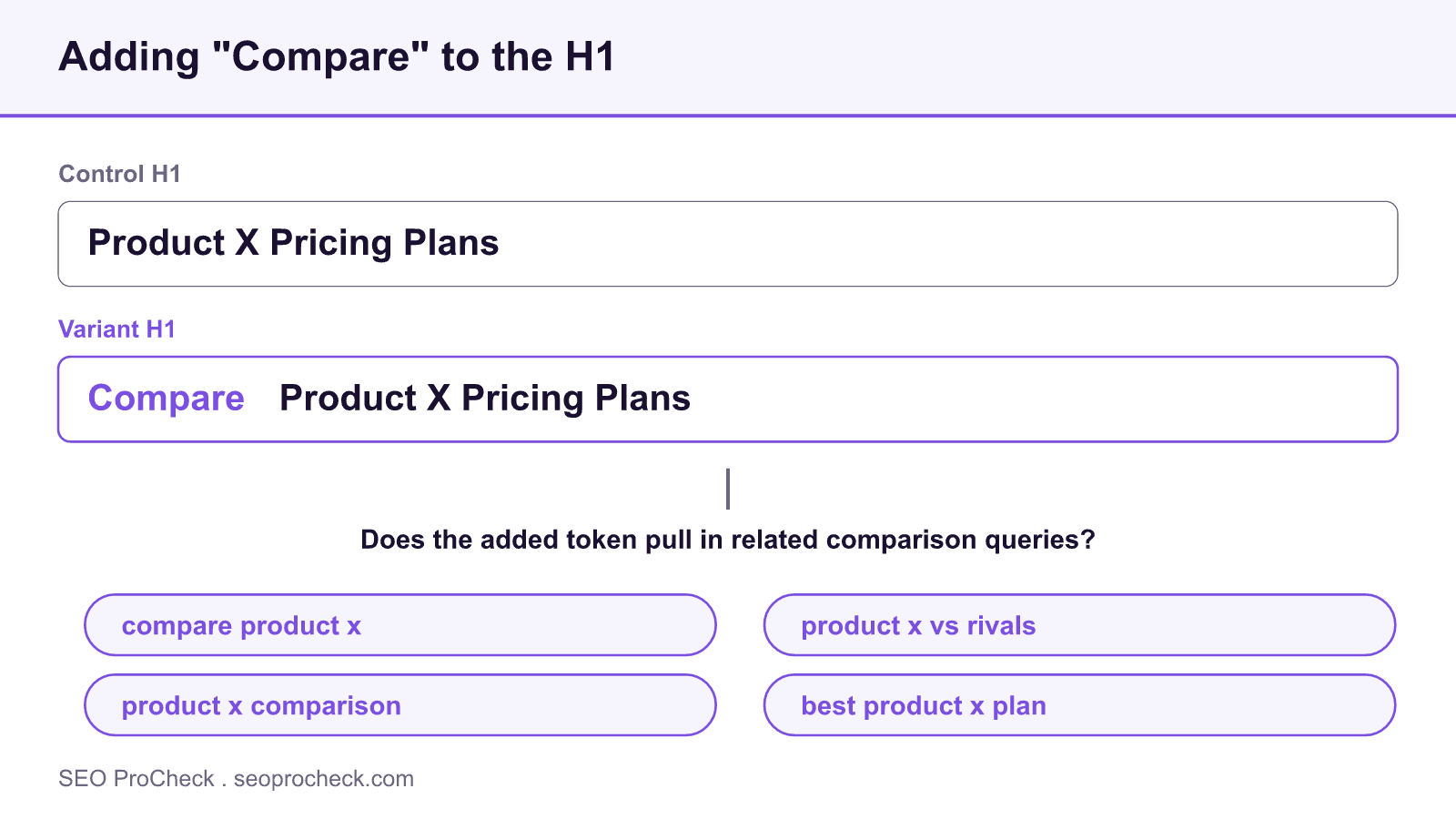
"Will adding ""Compare"" in the H1 help a page rank for related keywords?"
- June 29, 2023
- Content
AI Summary
Adding a word like Compare to an H1 can help a page pick up related comparison keywords, but only when the page genuinely serves comparison intent and the token is not just decoration. A single word rarely moves rankings on its own, so treat it as one signal that should match the content, and confirm the effect with a split test.
- The H1 is a strong on page relevance signal, so its wording should match the query set you want.
- Adding Compare works best when the page really does compare options, not when it is bolted on.
- Expect gains on related long tail terms like compare X, X vs Y and X comparison, not head terms.
- A controlled A/B test separates the H1 effect from algorithm updates and seasonality.
The H1 is one of the clearest statements a page makes about what it is. Search engines read it as a heavy hint about the primary topic, and users scan it to decide whether they are in the right place. So the question behind this case study is a practical one: if you insert a modifier such as Compare into the H1, does the page start ranking for the cluster of comparison queries that modifier implies?
How the H1 signal actually works
An H1 does not rank a page by itself. It contributes to relevance alongside the title tag, the body copy, internal anchor text and the links pointing at the page. When you add Compare, you are widening the vocabulary the page overtly matches, which can help the page surface for queries that contain or imply that word. The catch is alignment: if the H1 promises a comparison but the body is a single product pitch, the added token creates a mismatch that engines and users both notice, and any short term gain tends to fade.
This is why the modifier helps most on pages that already do the work. A page that lays out two or more options side by side, with a table and honest trade offs, is a natural fit for the word Compare. On such a page the token confirms what the content already delivers. On a thin page it is a promise the content cannot keep.
When adding a modifier helps, and when it does not
| Scenario | Likely effect of adding Compare to the H1 |
|---|---|
| Page genuinely compares options with a table and trade offs | Helpful: reinforces intent and can capture related comparison queries. |
| Single product or offer page with no comparison content | Weak or negative: creates a mismatch users and engines detect. |
| Head term already ranking well | Little change: the token targets related long tail, not the head term. |
| Crowded comparison niche | Depends: content depth and links usually decide, not the H1 word alone. |
Notice the pattern: the H1 word is a multiplier on content that exists, not a substitute for it. If the page does not compare anything, the honest fix is to add the comparison, for example with a balanced pros and cons block, and let the H1 describe it.
Worked example: H1 variants
Suppose you sell a project management tool and the target is the comparison cluster around your category. Consider three H1 options:
- Control: Acme Project Management Software
- Variant A: Compare Acme Project Management Plans
- Variant B: Acme vs the Alternatives: An Honest Comparison
Variant A adds the token cleanly and works if the page lists the plans and their trade offs. Variant B goes further and signals a head to head, which only makes sense if the body actually names alternatives. Choosing between them is a content decision first and a wording decision second. Whichever you pick, keep the H1 readable: stuffing multiple comparison keywords into one heading reads as spam and undercuts the trust the block is supposed to build.
Test it rather than assume
Because a single word is a small change against a noisy background, the credible way to measure it is a split test. Divide a set of comparable pages into control and variant, change only the H1 on the variant group, and compare organic clicks over a window long enough to cross recrawl and reindex. Track rankings for the specific comparison terms you are targeting, not just total traffic, so you can see whether the gain is coming from the cluster you intended. You can pair this with rephrasing H2s into questions for a compounding effect, and browse other content experiments to see which changes tend to pay off.
What has changed since this test
Comparison queries increasingly trigger AI Overviews and dedicated comparison modules in the results. A page whose H1 and content clearly frame a comparison is easier for those features to draw from, so the value of matching comparison intent has grown rather than shrunk. The principle holds: make the H1 an accurate label for content that genuinely compares, and it can earn the related terms. Make it a label for content that does not exist, and it will not.
Source: https://www.searchpilot.com/resources/case-studies/compare-in-h1/
Frequently asked questions
It can help if the page actually compares options, because the H1 reinforces that intent and widens the vocabulary the page matches. If the page does not contain a real comparison, the token is a promise the content cannot keep and the effect is weak or negative.
They work together. The title tag is what usually shows in the results and carries strong weight, while the H1 confirms the topic on the page. For a comparison intent, align both rather than relying on one.
Rarely on its own. A single token is a small signal against a noisy background of updates and competition, so treat it as one supporting factor and confirm any effect with a controlled test rather than attributing a swing to the word alone.
Related long tail terms such as compare brand, brand vs competitor and brand comparison, rather than the head term. The modifier targets the evaluation stage of the query set, so measure those specific terms.
Yes, if it creates a mismatch. An H1 that promises a comparison on a page that only pitches one product can increase pogo sticking back to the results, which is a negative pattern. Keep the H1 honest to the content.
Split a set of comparable pages into a control group and a variant group, change only the H1 on the variant, and compare organic clicks and target keyword rankings over several weeks. That isolates the H1 effect from seasonality and algorithm updates.
Want a page that actually earns the click?
Thin, templated pages get suppressed. A focused review finds the gaps and turns them into content that ranks and converts.
Take this with you
The assistant links open with a question about this page already written. Nothing is sent until you press enter.
Claude Vincent is a technical SEO consultant focused on crawlability, rendering, and AI-search visibility. He writes the field guides and case studies at SEO ProCheck, with a bias toward the durable, unglamorous work that decides whether search engines and AI answer engines can actually read and cite a site.
About SEO ProCheck
Technical SEO consulting and GEO strategy with 20 years of enterprise experience. Case studies, resources, and tools for search and AI visibility.
Work With Me
Technical SEO audits, GEO strategy, site migrations, and international SEO. Hourly consulting for teams who need hands-on support, not just reports.
Subscribe to our newsletter!








Recent Posts
- Most Top Sites Never Say Who They Are in Structured Data October 14, 2026
- Homepage Titles Are Mostly Too Short, Not Too Long October 8, 2026
- Who Actually Serves an llms.txt? 184 Top Sites Measured September 29, 2026