

Redirects & HTTP Status Codes FAQ: Complete Guide for SEO
- January 6, 2026
- Technical SEO FAQ
AI Summary
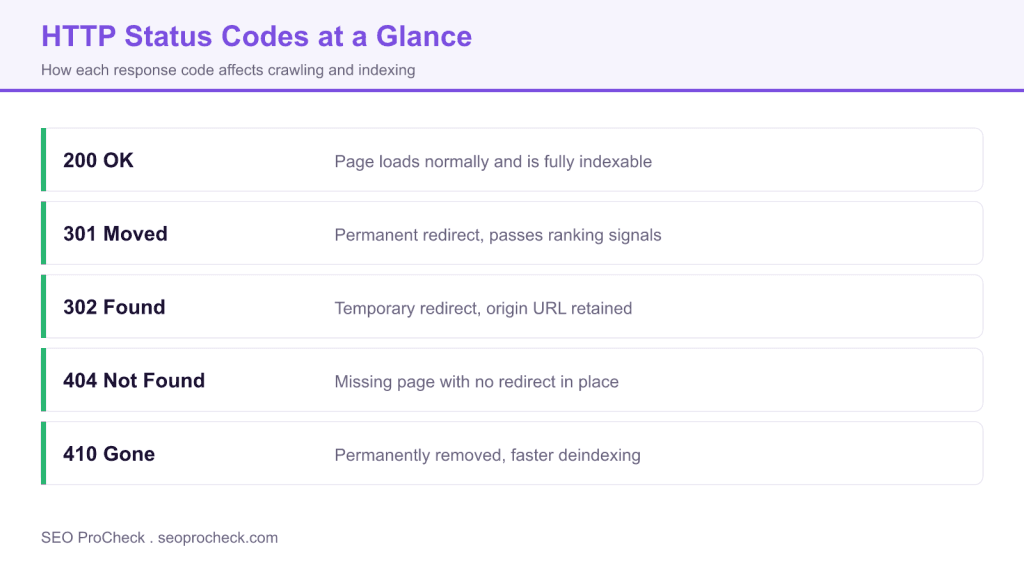
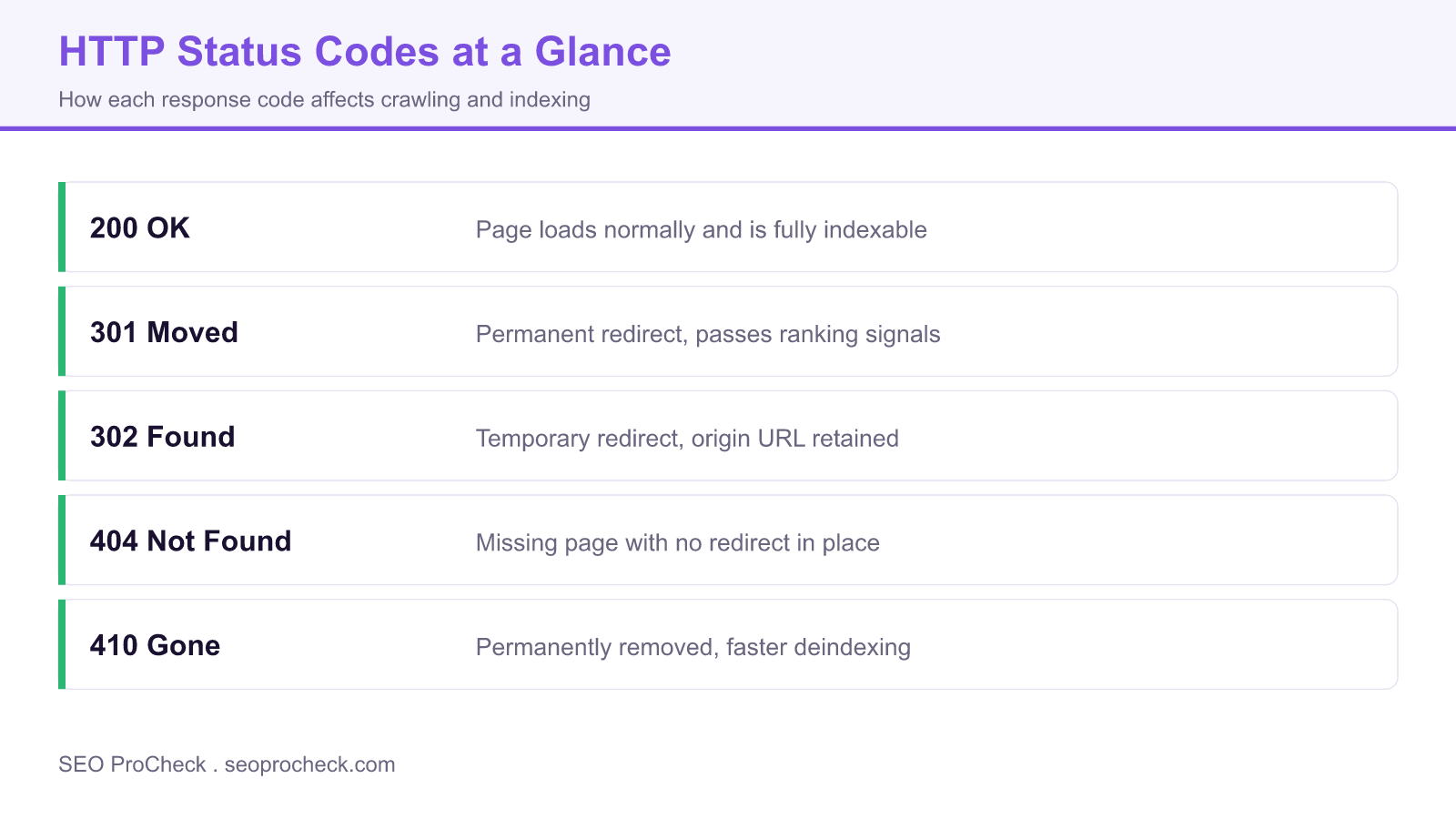
Redirects send both users and crawlers from one URL to another, and the HTTP status code you choose decides how ranking signals move and how search engines treat each URL. Use a 301 for permanent moves so signals consolidate on the new URL, a 302 only for genuinely temporary changes, and reserve 404 or 410 for pages that are truly gone.
- 301 is a permanent redirect that consolidates ranking signals on the destination URL.
- 302 is temporary and keeps the original URL indexed, so it is wrong for permanent moves.
- Redirect chains and loops waste crawl budget and dilute signals, so map old to new in one hop.
- 404 means not found while 410 means permanently gone, and 410 can deindex slightly faster.
Everything about redirects and HTTP status codes for SEO. When to use 301 vs 302, how redirects affect rankings, and how to diagnose status code issues.
Table of Contents
Redirect Basics
What is a redirect?
An instruction telling browsers and search engines that a URL has moved to a different location. When users or bots request the old URL, the server automatically sends them to the new URL. Essential for maintaining SEO value when URLs change during redesigns, migrations, or content consolidation.
Why do redirects matter for SEO?
Redirects preserve link equity (ranking power) when URLs change. Without them, old URLs return 404 errors, losing all accumulated backlinks and rankings. Proper redirects tell Google to transfer signals to the new URL, maintaining your search visibility.
What is a redirect chain?
Multiple redirects in sequence: A→B→C→D. Each hop adds latency and can lose link equity. Google follows up to 10 hops but may not pass full value through long chains. Best practice: redirect directly from original to final destination. Audit regularly.
What is a redirect loop?
When redirects create a circle: A→B→A or A→B→C→A. Browsers and crawlers get stuck infinitely, displaying "too many redirects" error. The page becomes completely inaccessible. Usually caused by conflicting redirect rules. Fix immediately when detected.
How long should I keep redirects in place?
At minimum one year, ideally permanently for high-value URLs. Google needs time to recrawl, recognize the redirect, and transfer signals. Removing redirects too soon causes 404s and loses accumulated link equity. Storage is cheap; keep redirects indefinitely.
Redirect Types
What is a 301 redirect?
Permanent redirect indicating the URL has moved permanently. Tells search engines to transfer ranking signals to the new URL and update their index. Use for permanent URL changes, domain migrations, HTTPS transitions, and content consolidation. The default choice for SEO.
What is a 302 redirect?
Temporary redirect indicating the move is not permanent. Tells search engines to keep the original URL in the index. Use for A/B testing, temporary maintenance pages, or geo-based redirects. Google may eventually treat long-running 302s as 301s.
When should I use 301 vs 302?
Use 301 for permanent moves: site migrations, URL restructuring, HTTPS upgrades, consolidating duplicate content. Use 302 for temporary situations: maintenance pages, A/B tests, seasonal redirects, geo-targeting. When in doubt, 301 is usually correct.
What is a 307 redirect?
Temporary redirect that preserves the HTTP method (POST stays POST). Similar to 302 but stricter. Used mainly for HSTS (HTTP Strict Transport Security) browser redirects from HTTP to HTTPS. Rarely implemented manually; usually browser/server automatic behavior.
What is a 308 redirect?
Permanent redirect that preserves HTTP method. The permanent equivalent of 307. Rarely used in practice for SEO purposes. Most SEO scenarios work fine with standard 301 redirects. Only relevant for specific API or form submission preservation needs.
What is a meta refresh redirect?
HTML-based redirect using meta tag:. Slower than server-side redirects, may not pass full link equity, creates poor user experience. Avoid for SEO. Only use when server access is impossible.
Are JavaScript redirects good for SEO?
Not ideal. Google can process JS redirects but treats them as less authoritative than server-side 301s. Creates delays, may not pass full link equity, and fails for users with JS disabled. Use server-side redirects whenever possible.
HTTP Status Codes
What does 200 status code mean?
Success. The page exists and loaded correctly. This is what you want for all indexable pages. Any other status code indicates some issue. Check that important pages consistently return 200, not soft errors disguised as successful responses.
What does 404 status code mean?
Page not found. The URL doesn't exist on the server. Expected for deleted pages or mistyped URLs. 404s don't directly hurt SEO, but losing pages with backlinks wastes link equity. Redirect valuable 404s; let truly deleted content stay 404.
What does 410 status code mean?
Gone permanently. Stronger signal than 404 that content was intentionally removed and won't return. Google may deindex 410 pages faster than 404s. Use for content you've deliberately deleted and want removed from search results quickly.
What's the difference between 404 and 410?
404 means "not found" (might exist later). 410 means "gone forever" (intentionally removed). Google treats them similarly but may drop 410s from index slightly faster. Use 410 when you want to clearly signal permanent removal.
What is a soft 404?
A page returning 200 status but displaying "not found" or empty content. Google detects these and reports them in Search Console. They waste crawl budget and confuse indexing. Return proper 404/410 status codes for pages that don't exist.
What does 500 status code mean?
Internal server error. Something broke on your server. Temporary 500s happen, but persistent ones prevent crawling and indexing. Google reduces crawl rate when seeing many 500s. Fix server issues immediately; check error logs for causes.
What does 503 status code mean?
Service temporarily unavailable. Use during planned maintenance to tell Google the outage is temporary. Include Retry-After header specifying when to return. Google won't deindex pages during short 503 periods if properly implemented.
How do 5xx errors affect SEO?
Persistent 5xx errors prevent crawling, leading to deindexing over time. They signal unreliable hosting, causing Google to reduce crawl rate. Brief outages are fine; extended server problems seriously harm rankings. Monitor uptime and fix errors quickly.
SEO Impact
Do redirects pass link equity?
Yes, 301 redirects pass link equity (ranking signals) to the destination URL. Google confirmed there's no longer a "dampening" factor for 301s. However, redirect chains may lose some value. Direct, single-hop 301s preserve the most equity.
Do 302 redirects pass link equity?
Eventually, yes. Google now treats long-standing 302s similarly to 301s. However, 302s signal temporary moves, so Google may keep the original URL indexed longer. For permanent moves where you want signals transferred, use 301 to be explicit.
Will redirects hurt my rankings?
Properly implemented redirects preserve rankings. You may see temporary fluctuations as Google processes changes, typically stabilizing within weeks. Problems arise from redirect chains, loops, redirecting to irrelevant content, or mass redirects to homepage.
Should I redirect all old pages to homepage?
No. Mass redirecting unrelated pages to homepage creates soft 404s in Google's eyes. Redirect each page to the most relevant equivalent. If no equivalent exists, let it 404 or redirect to the relevant category page. Homepage redirects waste link equity.
When should I use canonical vs redirect?
Use redirect when the old URL should no longer be accessible. Use canonical when both URLs exist and you're signaling the preferred version. Canonicals are hints; redirects are directives. For duplicate content, canonicals. For moved content, redirects.
Implementation
How do I create redirects in .htaccess?
For Apache servers, add to .htaccess: Redirect 301 /old-page.html /new-page.html. For pattern matching, use RewriteRule: RewriteRule ^old-directory/(.*)$ /new-directory/$1 [R=301,L]. Always test; .htaccess errors can break your entire site.
How do I create redirects in Nginx?
In server block: return 301 /new-page.html; for simple redirects. For patterns: rewrite ^/old-path/(.*)$ /new-path/$1 permanent;. Nginx requires reload after config changes: sudo nginx -s reload. More performant than .htaccess for high-traffic sites.
How do I create redirects in WordPress?
Use plugins like Redirection, Yoast Premium, or Rank Math. They provide UI for managing redirects without touching server config. For simple needs, add to functions.php using wp_redirect(). Plugins also log 404s to identify needed redirects.
Can I use regex in redirects?
Yes, on Apache and Nginx. Useful for pattern-based redirects during migrations. Example: redirect all /blog/YYYY/MM/title to /articles/title. Be careful with regex; test thoroughly. Overly broad patterns can create unintended redirects or loops.
How do I handle bulk redirects during migration?
Create a CSV mapping old URLs to new URLs. Import via CMS plugin or convert to server config rules. For thousands of redirects, consider using a redirect service or CDN-level rules. Test a sample before deploying all. Monitor for errors post-launch.
Troubleshooting
How do I test if redirects are working?
Use browser dev tools (Network tab), curl -I command, or online tools like httpstatus.io. Check for correct status code (301/302), proper destination, and no chains. Test both with and without trailing slashes, www/non-www variants.
How do I find redirect chains?
Screaming Frog's redirect chain report, Sitebulb audits, or browser extensions like Redirect Path. Crawl your site and inbound links to identify chains. Also check old backlinks pointing to URLs that have been redirected multiple times over years.
How do I fix "too many redirects" error?
Clear browser cookies first (sometimes caused by cached redirects). Check for redirect loops in your config. Common causes: conflicting www/non-www rules, HTTP/HTTPS rules, plugin conflicts. Test each redirect rule individually to isolate the problem.
Why isn't my redirect working?
Common causes: browser caching old redirect, typo in URL path, .htaccess not being read (check AllowOverride), conflicting rules (order matters), missing RewriteEngine On, wrong file permissions. Clear cache and check server error logs.
How do I find redirect issues in Search Console?
Check the Page indexing report (Page with redirect, Redirect error) for redirect errors. URL Inspection shows redirect path for specific URLs. Page Indexing report flags redirect issues. Crawl Stats shows if redirects are consuming excessive crawl budget.
What if redirect target is also a 404?
Redirect chains ending in 404 waste crawl budget and lose link equity entirely. Audit redirect destinations to ensure they return 200. Update redirects to point to live pages. This commonly happens when destination pages are later deleted.
Quick reference table
Pick the redirect type from intent, not habit. When you retire a URL for good, choosing between a noindex and a redirect is covered in our meta robots and X-Robots-Tag reference, pairing it with the robots.txt rules in our complete robots.txt reference, and remember to update the moved URLs in your XML sitemap.
| Redirect | Meaning | Passes ranking signals | Typical use |
|---|---|---|---|
| 301 | Permanent | Yes, consolidates on the target | Content moved for good, domain or HTTPS migration |
| 302 | Temporary | Keeps the original URL indexed | Short term change or A/B test |
| 307 | Temporary (HTTP/1.1) | Keeps the original URL indexed | Temporary move that must preserve the request method |
| Meta refresh | Client side, in the HTML | Weak and slow, best avoided | Legacy setups with no server access |
| JavaScript redirect | Client side, after load | Processed late, less reliable | Only when no server side option exists |
Frequently Asked Questions
A 301 is permanent and tells search engines to consolidate ranking signals on the destination and index it in place of the old URL. A 302 is temporary and keeps the original URL indexed, so signals stay with the source. Using a 302 for a permanent move is a common and costly mistake.
A 301 passes the vast majority of ranking signals to the target, and Google has said permanent redirects do not lose PageRank. You still avoid unnecessary hops, because each extra redirect in a chain adds latency and slight risk. Redirect old URLs straight to the final destination in one step.
A redirect chain is a sequence where URL A points to B, which points to C, before reaching the final page. Chains waste crawl budget, slow the page for users, and can weaken signal transfer. Update each source to point directly at the final URL.
Use 404 when a page is missing and might return, and 410 when it is permanently gone. Both remove the page from the index over time, and 410 can prompt slightly faster deindexing. Never redirect large numbers of dead pages to the homepage, since Google treats those as soft 404s.
Each redirect adds a round trip before the final page loads, so long chains noticeably hurt speed, especially on mobile. Server side 301s are faster and more reliable than meta refresh or JavaScript redirects. Keep every redirect to a single hop.
Crawl your site with a tool that reports status codes, then look for chains, loops, and redirects that land on 404s. Fix them by pointing the original URL directly at a live final destination. Recheck internal links so they target the destination rather than the redirecting URL.
Take this with you
The assistant links open with a question about this page already written. Nothing is sent until you press enter.
Claude Vincent is a technical SEO consultant focused on crawlability, rendering, and AI-search visibility. He writes the field guides and case studies at SEO ProCheck, with a bias toward the durable, unglamorous work that decides whether search engines and AI answer engines can actually read and cite a site.
About SEO ProCheck
Technical SEO consulting and GEO strategy with 20 years of enterprise experience. Case studies, resources, and tools for search and AI visibility.
Work With Me
Technical SEO audits, GEO strategy, site migrations, and international SEO. Hourly consulting for teams who need hands-on support, not just reports.
Subscribe to our newsletter!








Recent Posts
- Most Top Sites Never Say Who They Are in Structured Data October 14, 2026
- Homepage Titles Are Mostly Too Short, Not Too Long October 8, 2026
- Who Actually Serves an llms.txt? 184 Top Sites Measured September 29, 2026