

AI Summary
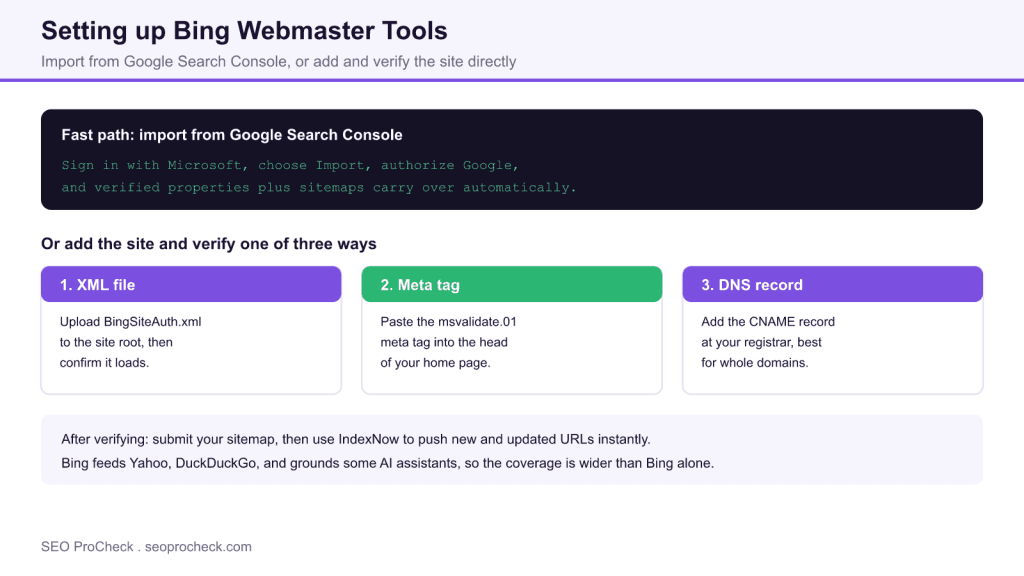
Set up Bing Webmaster Tools by signing in with a Microsoft account and either importing your verified sites straight from Google Search Console or adding the site and verifying it with an XML file, a meta tag, or a DNS record. Then submit your sitemap and turn on IndexNow so Bing picks up new and changed URLs quickly.
- The GSC import is the fastest route, it carries verified properties and sitemaps across in a couple of clicks.
- Direct verification offers three methods: XML file upload, meta tag, or DNS record.
- Bing powers Yahoo, DuckDuckGo, and grounds some AI assistants, so it reaches beyond Bing itself.
- After verifying, submit your sitemap and enable IndexNow for instant URL submission.
Why Bing Webmaster Tools is worth the ten minutes
Bing is not just Bing. Its index also powers Yahoo Search and DuckDuckGo, and it grounds answers in several AI assistants, so the effective reach of good Bing visibility is far wider than the raw Bing market share suggests. Bing Webmaster Tools is the free control panel for that ecosystem: it reports impressions and clicks, flags crawl and indexing issues, lets you submit sitemaps, and gives you IndexNow for near instant URL submission. It is the Bing counterpart to Google Search Console and takes only a few minutes to set up.
The fast path: import from Google Search Console
If you already run Google Search Console, this is the quickest option by far.
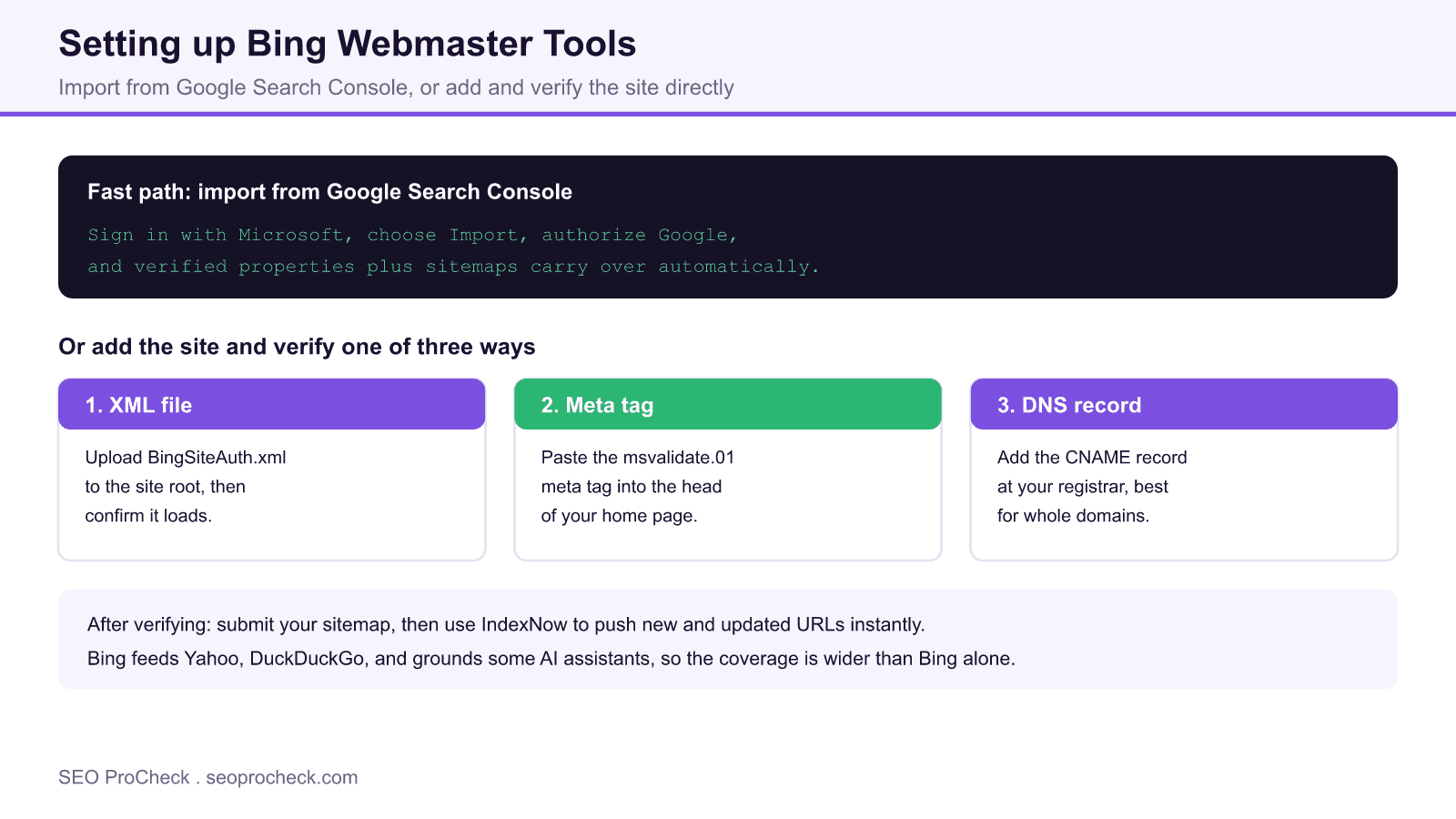
- Go to Bing Webmaster Tools and sign in with a Microsoft, Google, or Facebook account.
- On the add sites screen choose Import instead of Add a site manually.
- Authorize Bing to read your Search Console account.
- Select the properties to import and confirm.
Bing pulls in your verified sites and their sitemaps and marks them verified automatically, so you skip manual verification entirely. If you have not set up Google side yet, our guide on how to submit a sitemap to Google covers that half.
Adding and verifying a site manually
If you prefer not to connect Google, add the site by entering its URL, then verify ownership with one of three methods. Any one is sufficient.
| Method | What you do | Best when |
|---|---|---|
| XML file | Upload BingSiteAuth.xml to the site root | You have FTP or file access |
| Meta tag | Paste the msvalidate.01 tag into the home page head | You use a CMS or SEO plugin |
| DNS record | Add the CNAME record at your registrar | You want the whole domain verified |
On WordPress, the meta tag method is easiest: most SEO plugins have a Bing verification field where you paste just the content value of the tag. After adding the file, tag, or record, click Verify in Bing Webmaster Tools.
The meta tag in practice
The verification tag Bing gives you looks like this, and it goes inside the <head> of your home page:
<meta name="msvalidate.01" content="YOUR_VERIFICATION_CODE" />Leave the tag in place permanently. If it is removed later, Bing can lose verification and stop reporting data.
After verification: sitemap and IndexNow
Once verified, open the Sitemaps section and submit your sitemap URL, the same file you use for Google. If you have not built one, see our guide on how to create an XML sitemap. Then enable IndexNow, a protocol Bing supports that lets you ping search engines the moment a URL is published or updated, rather than waiting for the next crawl. Many SEO plugins can fire IndexNow automatically on publish. Before you push URLs, make sure none of your key pages are accidentally blocked by checking the meta robots and x-robots-tag reference.
What to check in the first week
Give Bing a few days to gather data, then review the Search Performance report for impressions and clicks, the Site Explorer for how Bing sees your URL structure, and the crawl information for any blocked or error URLs. Bing also surfaces SEO reports and backlink data that Google Search Console does not, so it is a useful second opinion even if Bing traffic is modest.
Frequently asked questions
Is Bing Webmaster Tools free?
Yes, it is completely free, like Google Search Console. You only need a Microsoft, Google, or Facebook account to sign in and a verified site to start seeing data.
Can I import my sites from Google Search Console?
Yes, and it is the fastest setup. Choose Import when adding a site, authorize Bing to read your Search Console account, and your verified properties and sitemaps transfer over automatically without further verification.
Which verification method should I use?
Any one works. On a CMS the meta tag is simplest, with file access the XML upload is reliable, and a DNS CNAME record is best when you want the entire domain verified rather than a single URL prefix.
Does Bing traffic really matter?
Bing also powers Yahoo and DuckDuckGo and grounds several AI assistants, so its reach is wider than its standalone share. For many sites Bing drives a meaningful slice of traffic that would otherwise go unmeasured.
What is IndexNow?
IndexNow is a protocol supported by Bing that lets you notify search engines instantly when a URL is added, updated, or deleted, instead of waiting for the next scheduled crawl. Many SEO plugins can send these pings automatically.
Do I still need a sitemap if I use IndexNow?
Yes. IndexNow handles fast notification of individual changes, while the sitemap gives Bing a complete inventory of your URLs and a coverage report. Use both together for the best result.
Take this with you
The assistant links open with a question about this page already written. Nothing is sent until you press enter.
Claude Vincent is a technical SEO consultant focused on crawlability, rendering, and AI-search visibility. He writes the field guides and case studies at SEO ProCheck, with a bias toward the durable, unglamorous work that decides whether search engines and AI answer engines can actually read and cite a site.
About SEO ProCheck
Technical SEO consulting and GEO strategy with 20 years of enterprise experience. Case studies, resources, and tools for search and AI visibility.
Work With Me
Technical SEO audits, GEO strategy, site migrations, and international SEO. Hourly consulting for teams who need hands-on support, not just reports.
Subscribe to our newsletter!








Recent Posts
- Most Top Sites Never Say Who They Are in Structured Data October 14, 2026
- Homepage Titles Are Mostly Too Short, Not Too Long October 8, 2026
- Who Actually Serves an llms.txt? 184 Top Sites Measured September 29, 2026