

AI Summary
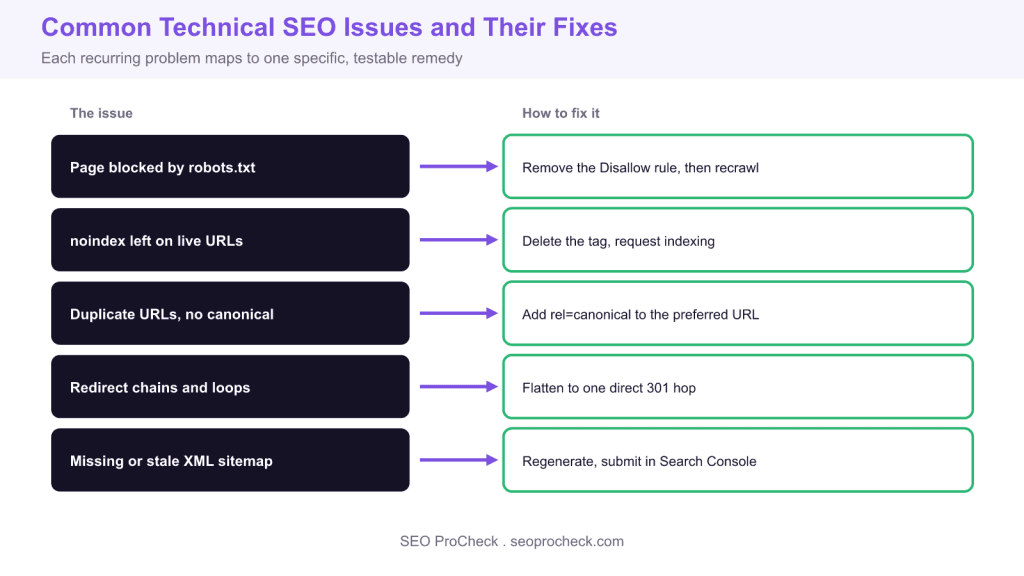
Most technical SEO problems come from a small set of recurring issues that block crawling, indexing, or rendering, and each has a specific, verifiable fix. Work through robots.txt blocks, stray noindex tags, missing canonicals, redirect chains, and stale sitemaps using Search Console to confirm every change.
- robots.txt controls crawling while noindex controls indexing: do not block a page you want deindexed.
- Add a self referencing rel=canonical and confirm Googles chosen canonical in URL Inspection.
- Flatten redirect chains to a single 301 and keep only canonical 200 URLs in the sitemap.
- The Pages report and URL Inspection tool diagnose the large majority of technical issues.
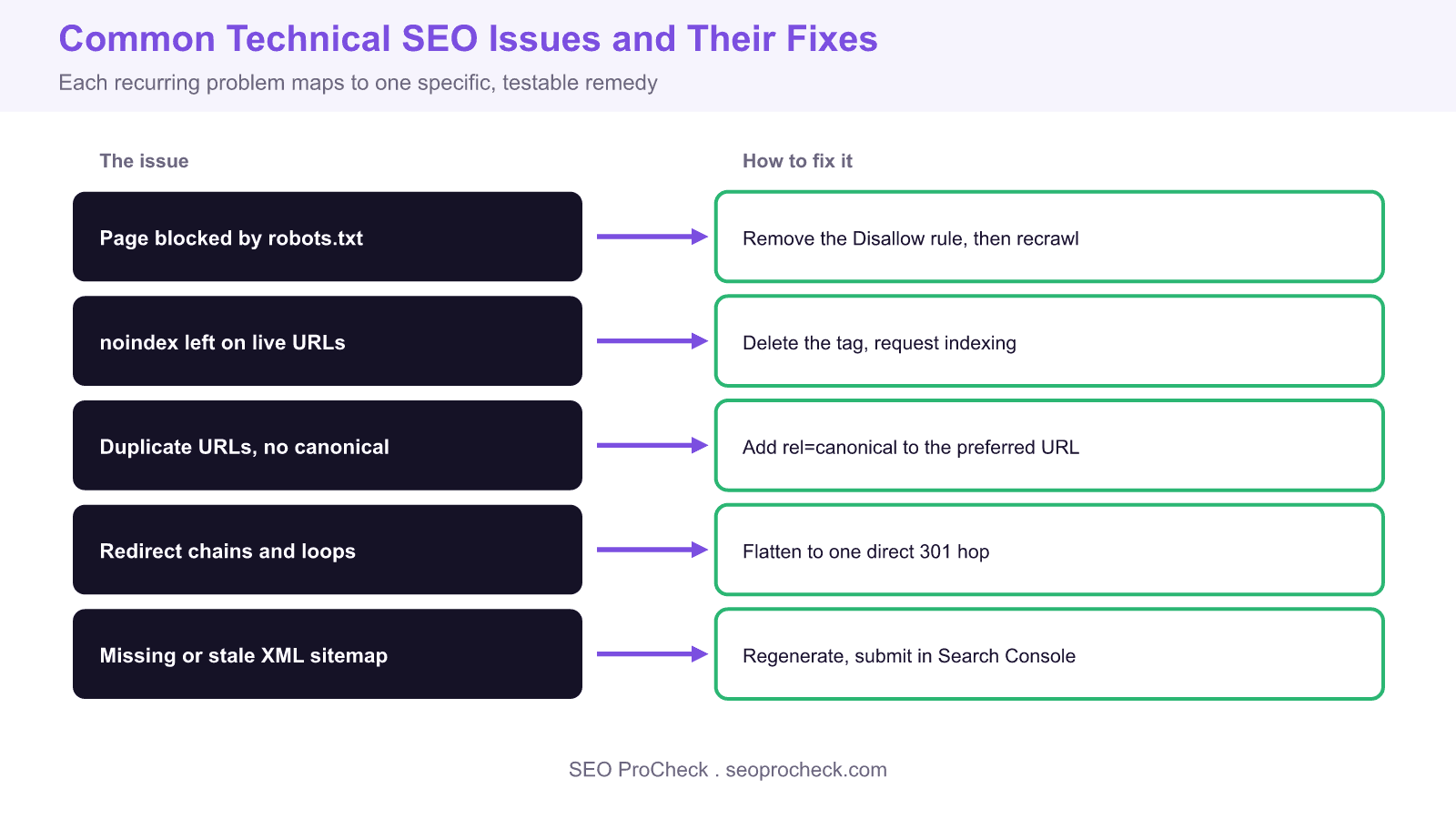
Technical SEO issues share one trait: they block search engines from crawling, indexing, or rendering pages that would otherwise rank. The good news is that the same handful of problems account for most losses, and each has a concrete fix you can verify. This walkthrough pairs the most common issues we see in audits with the exact tag, header, or report path used to resolve them.
Crawl blocks: robots.txt and server errors
The first thing to check when a page will not appear in Google is whether you are accidentally blocking it. Open yourdomain.com/robots.txt and look for a Disallow line that matches the path. A rule like Disallow: /blog/ silently removes an entire section from crawling. Test any URL with the robots.txt Tester logic in Search Console under Settings, and confirm live fetch with the URL Inspection tool. Server reliability matters just as much: repeated 5xx responses teach Googlebot to crawl less, so watch the Crawl Stats report at Settings then Crawl stats for spikes in server errors and average response time above roughly 300 milliseconds.
Indexation: stray noindex and thin pages
A page can be crawled and still refused entry to the index. The usual culprit is a leftover noindex directive from a staging build. It appears either as a meta tag, <meta name="robots" content="noindex">, or as an HTTP header, X-Robots-Tag: noindex, which is easy to miss because it never shows in the page source. Check the response headers with curl -I on the live URL. In Search Console, the Pages report groups these under Excluded by noindex tag. Remove the directive, then use URL Inspection and Request Indexing to speed re-evaluation. Genuinely thin or duplicate pages get filtered too, listed as Crawled currently not indexed, and the fix there is consolidation or added substance rather than a code change.
Canonicalization and duplicate URLs
Parameters, trailing slashes, uppercase paths, and HTTP versus HTTPS all create multiple URLs for one piece of content. Without guidance Google picks a canonical for you, and it may not be the version you want ranking. Add a self referencing rel=canonical to every page, <link rel="canonical" href="https://yourdomain.com/preferred-url/">, and point variant URLs at the preferred one. Confirm the choice under Page indexing in URL Inspection, where Google shows both your declared canonical and the one it actually selected. When those disagree, the page usually has conflicting signals such as an internal link, sitemap entry, or redirect pointing elsewhere.
Redirects, sitemaps, and structured data
Redirect chains waste crawl budget and leak a little authority at each hop, so flatten A to B to C into a single A to C 301. Loops return an infinite redirect error and block the page entirely. Your XML sitemap should list only canonical, indexable, 200 status URLs, live at yourdomain.com/sitemap.xml or a sitemap index, and be submitted under the Sitemaps report. Stale sitemaps full of redirected or 404 URLs erode trust in the file. For structured data, validate with the Rich Results Test and watch the Enhancements reports for errors like missing required fields, which quietly disable rich result eligibility without hurting normal rankings.
What has changed since older technical SEO checklists
The core issues above have been stable for years, but the tooling and thresholds have moved. The old Index Coverage report is now the Pages report with clearer status names, mobile first indexing is fully rolled out so a page that renders poorly on mobile is the version Google judges, and Core Web Vitals shifted its interactivity metric from First Input Delay to Interaction to Next Paint in 2024. JavaScript rendering is far more reliable than it was, yet client side only content still crawls slower, so server side or static rendering remains the safer default for anything you need indexed quickly.
Issue, how to detect it, and the fix
| Issue | Where it shows up | The fix |
|---|---|---|
| Blocked by robots.txt | Pages report: Blocked by robots.txt | Remove the Disallow rule, then recrawl |
| Stray noindex | Excluded by noindex tag | Delete meta or X-Robots-Tag, request indexing |
| Duplicate URLs | Duplicate, Google chose different canonical | Add self referencing rel=canonical |
| Redirect chain | Page with redirect, slow crawl stats | Flatten to a single 301 hop |
| Stale sitemap | Sitemaps report: could not fetch, errors | Regenerate with canonical 200 URLs only |
| Invalid structured data | Enhancements report errors | Fix required fields, revalidate in Rich Results Test |
Related reading
- Read Core Web Vitals and Lighthouse performance metrics
- See the most common technical SEO mistakes at scale
- More technical SEO articles
Frequently asked questions
How do I find technical SEO issues on my site?
Start in Google Search Console with the Pages report to see why URLs are excluded, then use URL Inspection on individual pages to view the live crawl, rendered HTML, and Googles chosen canonical. Pair that with a crawler such as Screaming Frog to catch redirect chains, broken links, and duplicate titles at scale. Together they surface the large majority of technical problems.
Why is my page not being indexed by Google?
The most common reasons are a stray noindex tag, a robots.txt block, or Google judging the page as thin or duplicate and marking it Crawled currently not indexed. Check the exact status in the Pages report, remove any accidental noindex or Disallow, and if the page is genuinely lightweight, add unique substance before requesting indexing again.
What is the difference between robots.txt and noindex?
robots.txt controls crawling: it tells search engines not to fetch a URL, but a blocked page can still be indexed from external links without its content. noindex controls indexing: it lets the page be crawled but keeps it out of results. If you block a page in robots.txt, Google cannot see the noindex tag, so to reliably remove a page you allow crawling and use noindex.
Do redirect chains hurt SEO?
Yes, though usually modestly. Each extra hop wastes crawl budget, adds latency for users, and can leak a small amount of link equity. Redirect loops are worse because they block the page entirely. Flatten any chain so the original URL points directly to the final destination with a single 301.
What should be in my XML sitemap?
Only canonical, indexable URLs that return a 200 status. Exclude redirected, noindexed, parameterised, and 404 URLs, because a sitemap full of non indexable pages erodes Googles trust in the file. Submit it under the Sitemaps report and watch for fetch errors after each publish.
How often should I run a technical SEO audit?
Review Search Console reports weekly for new errors, and run a full crawl based audit quarterly or after any major change such as a redesign, migration, or CMS update. Migrations in particular deserve a pre launch and post launch audit, since that is when redirect and canonical mistakes tend to appear.
Technical SEO provides the foundation for content visibility. Without proper technical implementation, even excellent content may fail to rank. This resource covers technical considerations that enable search engines to effectively crawl, index, and rank your content.
Crawlability Essentials
Search engines must be able to discover and access your content. This requires proper robots.txt configuration, XML sitemaps, internal linking, and server reliability. Technical barriers to crawling prevent content from entering the ranking competition regardless of quality.
Indexation Optimization
Not all crawled pages get indexed. Ensuring pages provide sufficient unique value, avoiding duplicate content issues, and using canonical tags appropriately help control what gets indexed. Monitoring indexation status through Search Console reveals issues requiring attention.
Performance and Experience
Core Web Vitals and page speed affect both user experience and rankings. Technical optimizations including caching, compression, image optimization, and code efficiency improve performance metrics. These optimizations serve users while sending positive signals to search engines.
This resource provides guidance for building and maintaining the technical foundation that enables SEO success.
Source: https://seosly.com/blog/example-technical-seo-issues
Take this with you
The assistant links open with a question about this page already written. Nothing is sent until you press enter.
Claude Vincent is a technical SEO consultant focused on crawlability, rendering, and AI-search visibility. He writes the field guides and case studies at SEO ProCheck, with a bias toward the durable, unglamorous work that decides whether search engines and AI answer engines can actually read and cite a site.
About SEO ProCheck
Technical SEO consulting and GEO strategy with 20 years of enterprise experience. Case studies, resources, and tools for search and AI visibility.
Work With Me
Technical SEO audits, GEO strategy, site migrations, and international SEO. Hourly consulting for teams who need hands-on support, not just reports.
Subscribe to our newsletter!








Recent Posts
- Most Top Sites Never Say Who They Are in Structured Data October 14, 2026
- Homepage Titles Are Mostly Too Short, Not Too Long October 8, 2026
- Who Actually Serves an llms.txt? 184 Top Sites Measured September 29, 2026