

How Walker Sands used Sitebulb to fix JavaScript issues and reverse a huge drop in indexed pages
- June 19, 2019
- JavaScript SEO

AI Summary
Walker Sands used Sitebulb to compare raw and rendered HTML, found that JavaScript was hiding content, links and indexing tags from Googlebot, and fixed the rendering so indexed pages recovered. The lesson is that a sudden drop in indexed pages often means Google can reach the URL but cannot see what matters.
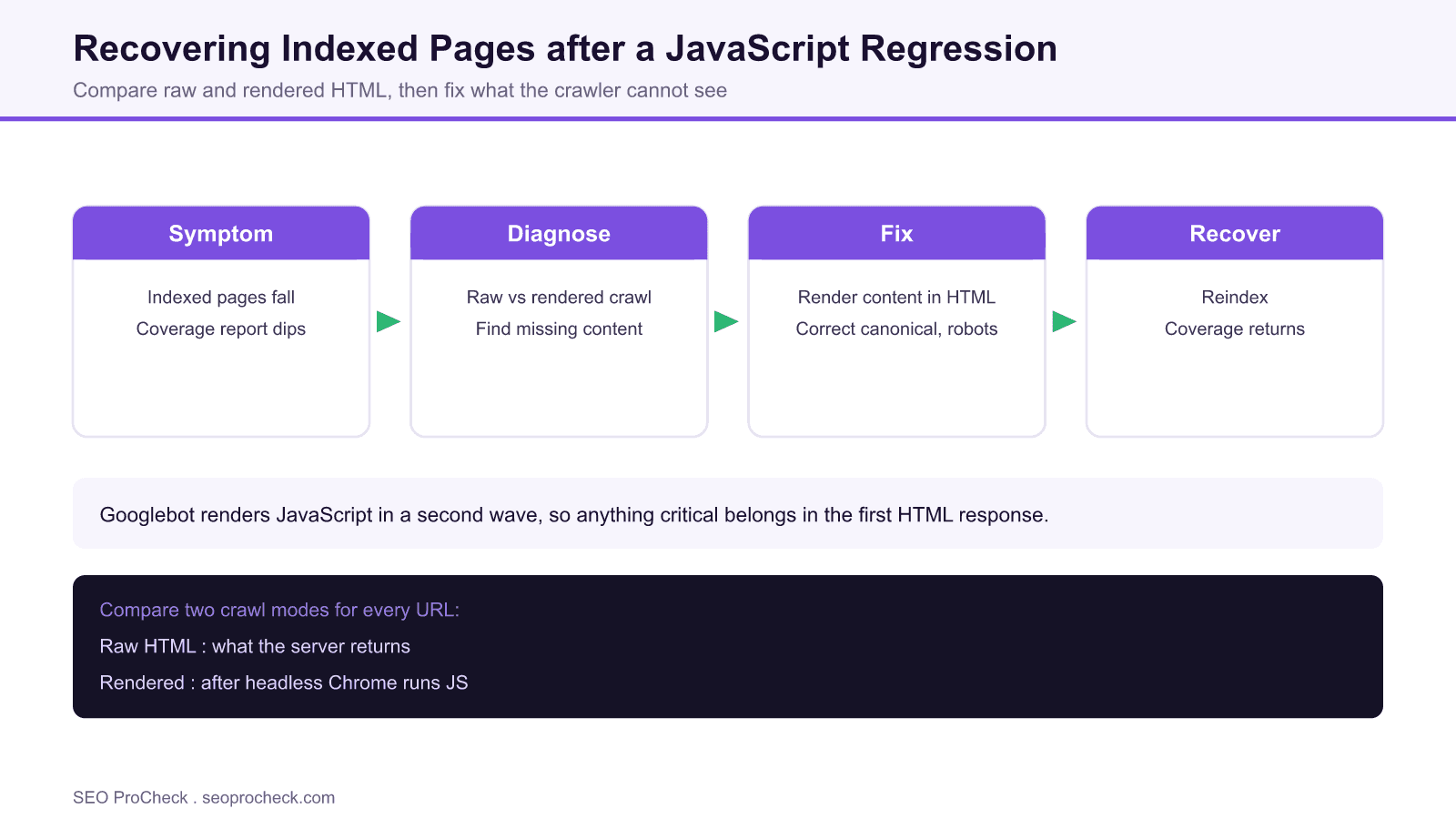
- A steep drop in indexed pages usually means crawlable URLs with content Google cannot see.
- Sitebulb crawls in two modes, raw HTML and rendered HTML, so you can spot content that only exists after JavaScript runs.
- Common culprits: JS injected links, JS set canonical or robots tags, and client side content fetches that fail for the crawler.
- Fix by rendering critical content and tags in the server response, then monitor coverage in Search Console.
This SEO case study documents a successful optimization initiative, providing actionable insights for practitioners. The documented approach demonstrates how strategic SEO implementation drives measurable results.
Initial Situation
Understanding the starting point is essential context for evaluating any case study. This documentation covers the initial challenges, competitive position, and business objectives that shaped the SEO strategy.
Strategy and Approach
The strategic approach combined multiple SEO disciplines to address identified opportunities. Key decisions around prioritization and resource allocation provide a template for similar initiatives.
Implementation
Moving from strategy to execution required specific technical implementations, content development, and process changes. This case study documents the practical steps that translated strategy into action.
Results and Learnings
The outcomes demonstrate effectiveness through measurable improvements in rankings, traffic, and business metrics. Analysis of successes and challenges provides learning value for practitioners.
Case studies like this contribute to the SEO knowledge base, helping practitioners learn from documented real-world experiences.
Source: https://sitebulb.com/resources/case-studies/walker-sands-case-study/
Practitioner Notes: Reading a Drop in Indexed Pages
When indexed pages fall off a cliff, the instinct is to suspect a penalty. In practice the cause is far more often mechanical: Google can still crawl the URL, but the content, the internal links, or the indexing directives it needs are no longer visible in what it renders. JavaScript dependent templates are a frequent source of this exact failure, which is what makes the Walker Sands work a useful teaching case.
Sitebulb helps because it crawls in two distinct modes. It fetches the raw HTML that the server returns, and it also renders each page with a headless Chrome instance and captures the rendered HTML after JavaScript executes. Placing the two side by side is the fastest way to expose content, links, canonicals and robots tags that only appear after the browser runs code. If a primary block of copy exists in the rendered view but not the raw view, you have found your regression.
The usual culprits cluster into a few patterns. Internal links get injected by JavaScript, so the crawler under discovers deeper pages. A canonical tag or a meta robots value gets written by client side code and points somewhere wrong, or worse, sets noindex. The main content loads through a client side fetch that quietly fails or times out for the crawler. Hydration errors leave the DOM half built. Each of these looks fine to a human clicking around in a browser, which is why the two mode crawl is so valuable. Our wider JavaScript SEO case studies collect more variations of this same failure.
The fix pattern is consistent. Move the critical content and the internal links into the server rendered HTML, whether through server side rendering, static generation, or prerendering for bots. Make sure the canonical and the robots directives live in the raw HTML and resolve to the correct values. Remove any accidental noindex. Then resubmit key URLs and watch the indexed count climb back in the Page indexing report. For the underlying question of how much JavaScript Google will render at all, the classic Google JavaScript crawling study is essential background.
What's Changed Since
Googlebot is now evergreen, running a current Chromium build, so it renders modern JavaScript far better than the crawler of a few years ago. That is the good news. The catch is that rendering is deferred to a second wave and consumes crawl budget, so large JavaScript sites still lose coverage when critical content depends on the render. The evergreen renderer closed many gaps, but it did not make rendering free.
Crawler tools now default to rendered crawling, yet the raw versus rendered comparison is still the diagnostic that matters most. The other change worth using is the URL Inspection live test in Search Console, which shows the rendered DOM and the HTTP response Google actually sees for a single URL. When you think you have fixed a regression, that live test is how you confirm it before waiting on reprocessing. If you want to compare two sites that made opposite rendering choices, the two JavaScript sites comparison is a good next read.
Raw HTML versus Rendered HTML: What to Compare
| Signal | Should be in raw HTML? | Why it matters |
|---|---|---|
| Primary content | Yes | If it only renders after JS, indexing can lag or fail |
| Internal links | Yes, as real anchors | JS only links slow discovery of deeper pages |
| Canonical tag | Yes | A JS set canonical can consolidate the wrong URL |
| Meta robots | Yes | A JS injected noindex quietly removes pages |
| Structured data | Preferred | Rendered only markup may be missed or delayed |
Frequently Asked Questions
Why did my indexed pages drop suddenly?
A sharp drop usually means Google can still crawl your URLs but can no longer see the content or is being told not to index them. Check for a JavaScript injected noindex, a broken client side content fetch, or a canonical that changed, rather than assuming a penalty.
How does Sitebulb find JavaScript issues?
Sitebulb crawls each page twice, once as raw HTML from the server and once as rendered HTML after a headless Chrome render. Comparing the two views exposes content, links and tags that only exist after JavaScript runs, which is where most regressions hide.
What is the difference between raw and rendered HTML?
Raw HTML is exactly what the server sends before any JavaScript executes. Rendered HTML is the document after a browser runs the page scripts. Google uses both across two waves of indexing, so differences between them can cause missing content or wrong directives.
Does Google index client side rendered content?
It can, because Googlebot renders JavaScript, but rendering is deferred and uses crawl budget. Content that depends entirely on client side rendering is indexed more slowly and can be missed at scale, so critical content is safer in the server response.
How do I recover deindexed JavaScript pages?
Put the missing content, links and indexing tags into the server rendered HTML, remove any accidental noindex, fix a wrong canonical, then resubmit the URLs. Confirm the fix with the URL Inspection live test and monitor the Page indexing report as pages return.
How long does reindexing take?
It varies with the size of the site and its crawl demand, from days for high priority pages to several weeks for large sites. Submitting key URLs and improving internal linking to them helps Google reprocess the changes sooner.
Take this with you
The assistant links open with a question about this page already written. Nothing is sent until you press enter.
Claude Vincent is a technical SEO consultant focused on crawlability, rendering, and AI-search visibility. He writes the field guides and case studies at SEO ProCheck, with a bias toward the durable, unglamorous work that decides whether search engines and AI answer engines can actually read and cite a site.
About SEO ProCheck
Technical SEO consulting and GEO strategy with 20 years of enterprise experience. Case studies, resources, and tools for search and AI visibility.
Work With Me
Technical SEO audits, GEO strategy, site migrations, and international SEO. Hourly consulting for teams who need hands-on support, not just reports.
Subscribe to our newsletter!








Recent Posts
- Most Top Sites Never Say Who They Are in Structured Data October 14, 2026
- Homepage Titles Are Mostly Too Short, Not Too Long October 8, 2026
- Who Actually Serves an llms.txt? 184 Top Sites Measured September 29, 2026