

Adding the Current Month and Year to Title Tags: SEO Split Testing Lessons from SearchPilot
- December 3, 2020
- Metadata
AI Summary
Adding the current month and year to title tags lifted organic sessions by about 5 percent on a listings site in a SearchPilot split test. The token works as a freshness signal on high-turnover inventory, but it has to fit the page: on other tests, swapping the month and year out for a price or unrelated keywords produced negative results.
- Best on high-turnover listings such as real estate and job pages, where recency is a real selling point.
- The date must auto-update from a template token, never be hardcoded and left to go stale.
- It is a click-through and relevance lever, not a direct ranking factor.
- Test it: the same token that helps a listings site can hurt a page where a keyword matters more.
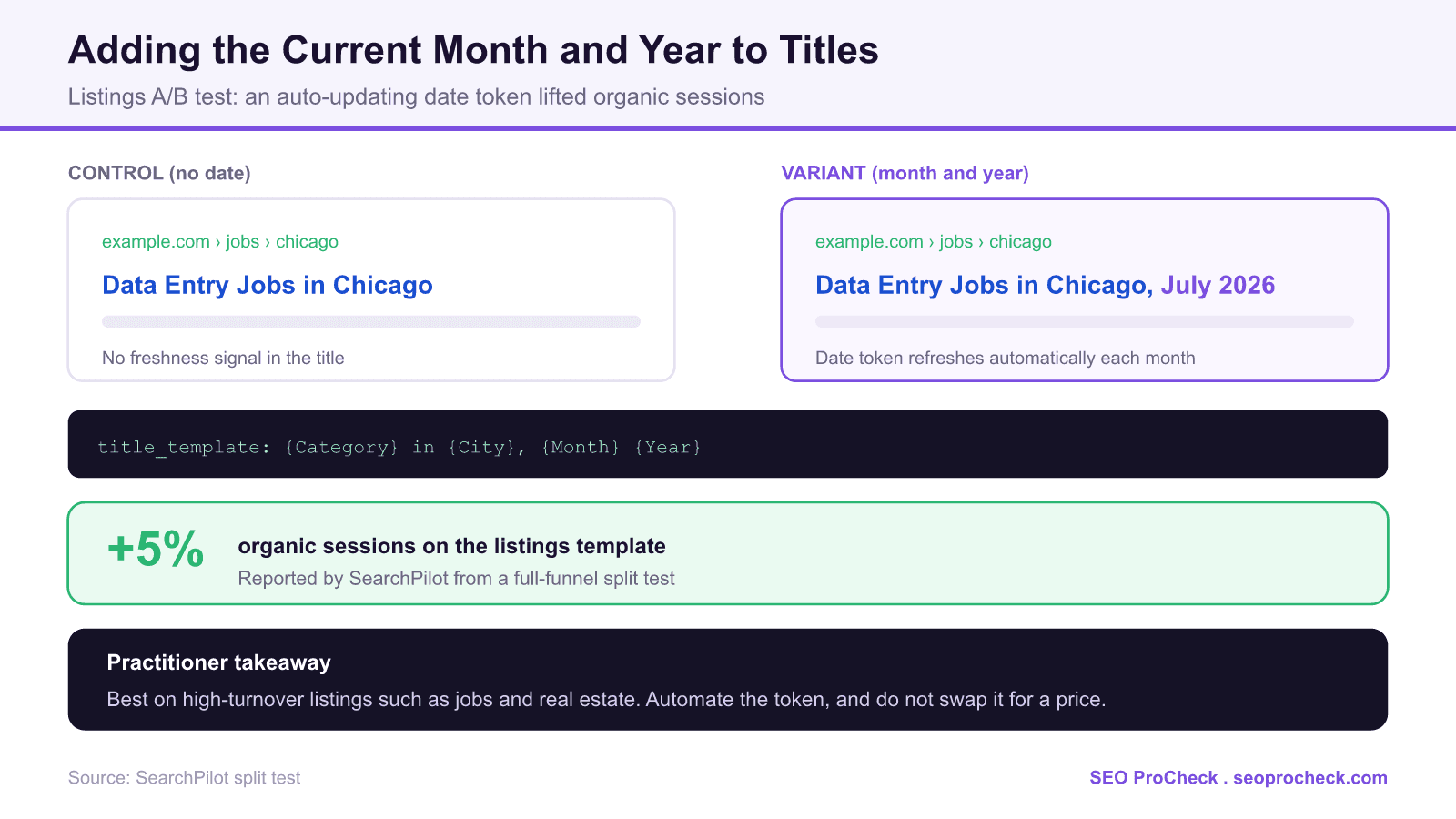
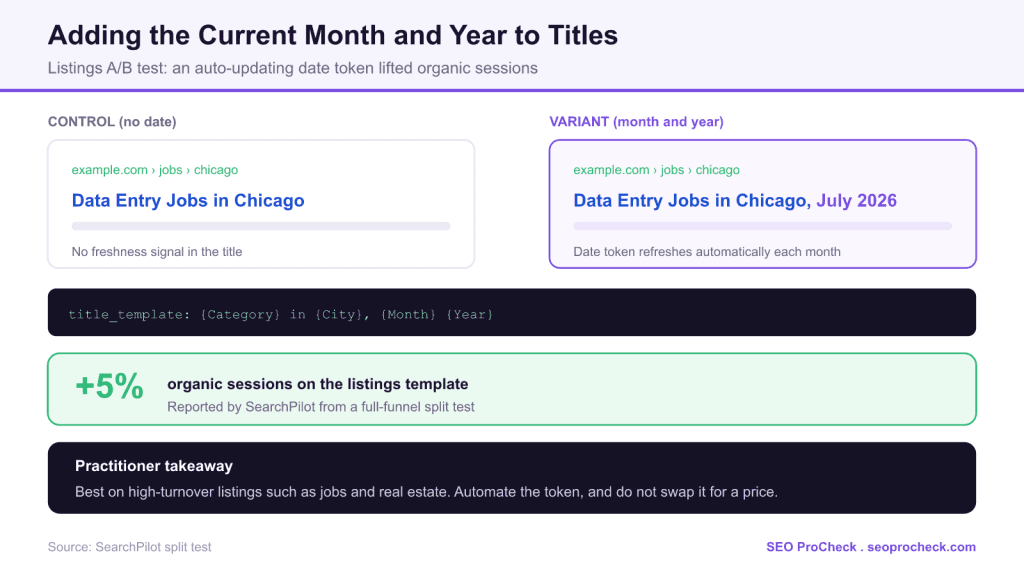
Title tags do two jobs at once. They tell search engines what a page is about, and they tell searchers why to click. A month and year stamp leans on the second job: it signals that the page is current, which matters most on inventory that turns over constantly. This case study measured whether adding that stamp to a listings template actually moves organic traffic.
Initial Situation
The test ran on a listings website, the kind of site where the underlying content changes frequently and recency is part of the value. On pages like these, a searcher scanning results is implicitly asking "is this up to date?" A title that answers yes, by showing the current month and year, can win the click over an otherwise identical result that looks like it could be months old.
Strategy and Approach
The variant appended the current month and year to the title tags on the listings template, generated from a date token so every affected URL updated automatically. SearchPilot validated it with a full-funnel SEO A/B test, splitting comparable pages into control and variant groups so the effect of the title change is measured against a live control rather than inferred from a noisy before and after.
Implementation
The mechanism is a template token, not a manual edit. In a custom stack you build the string server-side; in WordPress you extend the title format with a custom variable in Rank Math or Yoast so one change updates every URL on the template:
Control:  {Category} in {City} | Brand
Variant:  {Category} in {City}, {Month} {Year} | Brand
Rendered: Data Entry Jobs in Chicago, July 2026 | Brand
The single rule that makes or breaks it: the date must regenerate automatically. A hardcoded "January 2025" that nobody updates becomes a staleness signal that is worse than having no date at all, and it will read as obviously neglected the moment the month turns.
When a month and year token fits
The same token that lifted a listings site can hurt a page where a keyword deserves that space. Match it to the page.
| Page type | Does a month and year help? | Why |
|---|---|---|
| Real estate and rental listings | Usually yes | High turnover; recency is a genuine selling point |
| Job listings | Usually yes | Freshness signals active, current openings |
| Roundups and best-of posts | Often yes | Searchers want the current year's version |
| Evergreen guides | Rarely | A date adds no value and can invite a rewrite |
| Product pages with a strong keyword | Often no | A price or keyword may earn the click better than a date |
Results and Learnings
SearchPilot reported that adding the month and year to the listings titles produced about a 5 percent uplift in organic sessions. The nuance is just as important as the number: the same team has noted that replacing a month and year with a price or other keywords has tested negative on some sites. So this is not a universal "add a date to every title" rule. It is evidence that a freshness stamp pays off specifically where freshness is what the searcher is evaluating. The pattern rhymes with the related test where a more accurate "Updated Daily" signal beat a monthly date, and with the finding that a live price can outperform other title content on commercial pages.
How to test this on your own titles
- Pick high-turnover templates. Listings, categories, and roundups are the natural fit. Evergreen pages are not.
- Automate the token. Generate the month and year dynamically so it is always current across every URL, with no manual maintenance.
- Decide what it replaces. If the date pushes out a keyword or a price that was earning clicks, you may be trading down. Test the swap, do not assume it.
- Measure against a control. Split test where you can; otherwise hold back part of the template and compare organic clicks in Search Console over four to six weeks.
What has changed since this test
Google rewrites titles far more often than it did when this test ran, and templated date stamps are a common rewrite target, so confirm on the live SERP that your month and year is actually being shown. Freshness in the title also does not directly change how AI Overviews cite you; those systems weigh on-page dates and genuinely updated content. Pair the title token with a visible last-updated date and real content updates so the freshness claim is verifiable, not just decorative.
Common mistakes
- Hardcoding the date. A manual month and year is stale the moment the month changes and signals neglect.
- Stamping dates on evergreen pages. Where recency is irrelevant, the token adds noise and can invite a Google rewrite.
- Displacing a stronger element. If a keyword or price was earning the click, swapping in a date can cost traffic, as SearchPilot has seen.
- Never checking the live SERP. If Google rewrites the title, your date never shows and the test is meaningless.
FAQ
On the right pages, yes. SearchPilot reported about a 5 percent uplift in organic sessions after adding the month and year to a listings site's titles. The benefit is a freshness signal that improves click-through on high-turnover inventory, not a direct ranking boost.
High-turnover listings such as real estate and job pages, and roundups where searchers want the current year's version. Evergreen guides and pages where a keyword or price earns the click are usually better left without a date.
Automate it. Generate the month and year from a template token so every URL updates on its own. A hardcoded date goes stale the instant the month turns and becomes a neglect signal that is worse than no date at all.
Yes. SearchPilot has seen negative results where a month and year replaced a price or other keywords that were earning the click. The date competes for space in the title, so on some pages it is a trade down. Test the swap rather than assuming it helps.
Use a custom variable in your SEO plugin's title format. Rank Math and Yoast both support custom variables, so you can insert the current month and year into the title template for a specific page type and have it update automatically.
Not always. Google rewrites titles more aggressively than it used to, especially templated ones. Check the live search results and the Search Console Performance report to confirm your date is the version being displayed before you judge the test.
Curious which title tweaks would move your traffic?
Dates, prices, and keyword order all pull click-through in different directions, and the right choice is page-specific. An audit prioritizes the tests worth running first.
Claude Vincent is a technical SEO consultant focused on crawlability, rendering, and AI-search visibility. He writes the field guides and case studies at SEO ProCheck, with a bias toward the durable, unglamorous work that decides whether search engines and AI answer engines can actually read and cite a site.
About SEO ProCheck
Technical SEO consulting and GEO strategy with 20 years of enterprise experience. Case studies, resources, and tools for search and AI visibility.
Work With Me
Technical SEO audits, GEO strategy, site migrations, and international SEO. Hourly consulting for teams who need hands-on support, not just reports.
Subscribe to our newsletter!






