

AI Summary
Shortening a truncated title can help clicks when it surfaces the most useful words before the cut, but it does not change rankings on its own and it will not stop Google rewriting a title it considers a poor match. Treat the linked test as evidence about click behavior on template pages, then verify the effect on your own pages with a controlled test.
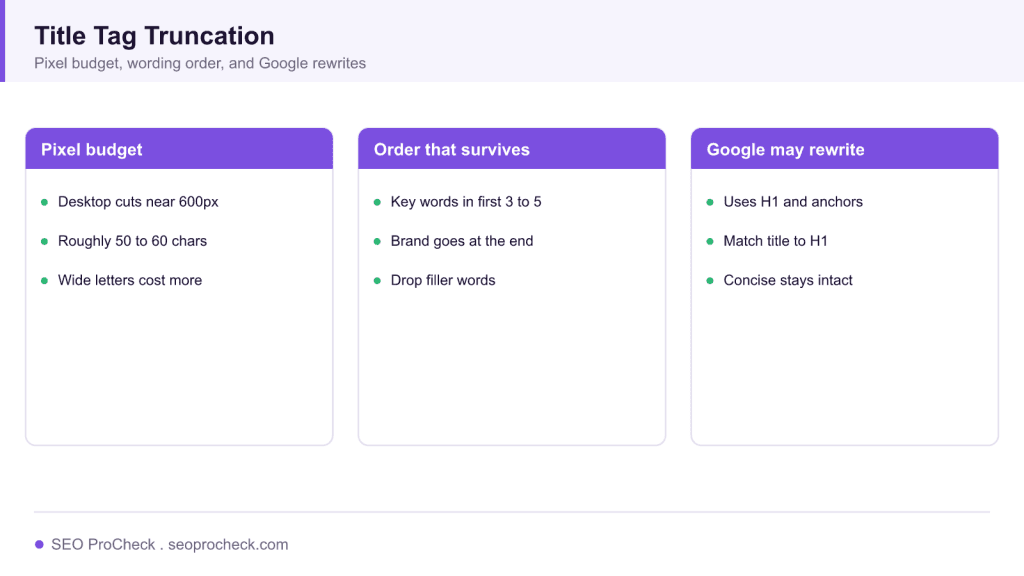
- Google trims the title link near 600 pixels on desktop, usually between 50 and 60 characters.
- The title tag is a strong hint, not a fixed instruction, since the 2021 title update.
- Put the differentiating words first and move the brand to the end.
- Fix duplicate title tags and bloated templates before judging whether shortening helped.
This SEO case study documents a successful optimization initiative, providing actionable insights for practitioners. The documented approach demonstrates how strategic SEO implementation drives measurable results.
Initial Situation
Understanding the starting point is essential context for evaluating any case study. This documentation covers the initial challenges, competitive position, and business objectives that shaped the SEO strategy.
Strategy and Approach
The strategic approach combined multiple SEO disciplines to address identified opportunities. Key decisions around prioritization and resource allocation provide a template for similar initiatives.
Implementation
Moving from strategy to execution required specific technical implementations, content development, and process changes. This case study documents the practical steps that translated strategy into action.
Results and Learnings
The outcomes demonstrate effectiveness through measurable improvements in rankings, traffic, and business metrics. Analysis of successes and challenges provides learning value for practitioners.
Case studies like this contribute to the SEO knowledge base, helping practitioners learn from documented real-world experiences.
How title truncation actually works
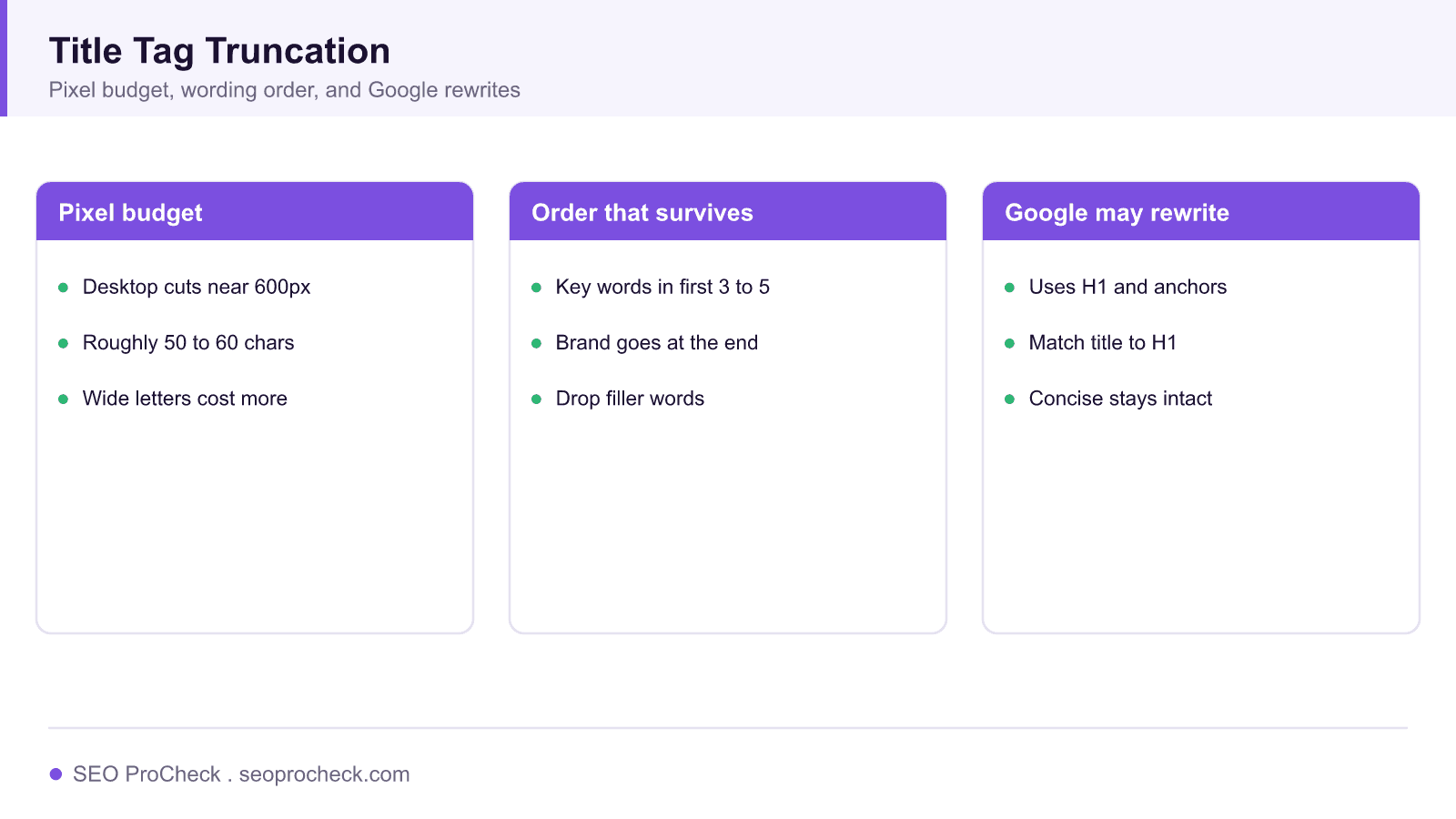
Search engines do not cut titles at a fixed character count. Google measures the title link in pixels and trims it near 600 pixels on desktop, which usually lands between 50 and 60 characters depending on letter width. Wide capital letters and the letter W eat the budget faster than thin letters like i or l, which is why two titles of equal length can render differently, one intact and one clipped with an ellipsis.
Before you shorten anything, separate two different problems. The first is visual truncation, where your full title exists in the HTML but the result shows a shortened version. The second is a Google rewrite, where Google replaces your title entirely with text pulled from the H1, on page anchors, or the page copy. Shortening only helps the first problem. For a full walkthrough of both, see our complete guide to title tags and meta descriptions.
Reading the test the way a practitioner should
The linked SearchPilot case study uses SEO split testing, where a group of similar template pages is divided into a control set and a variant set so the impact of one change can be isolated from seasonality and algorithm noise. That method matters, because a single before and after screenshot proves nothing on its own. When you read any title test, check three things: the number of URLs in the sample, the length of the measurement window, and whether the reported movement is organic clicks or rankings, since the two do not always move together.
The change under test has two parts, trimming the title so it no longer truncates and removing repeated keywords. Separate both in your own work. Removing a duplicated brand term or a stuffed keyword can make the remaining words more prominent, while trimming length can surface the most valuable words before the cut.
How to audit and fix truncated titles
Pull the rendered title, not just the source. In WordPress with Rank Math the title comes from a template such as %title% %sep% %sitename%, so the site name you append counts against the pixel budget on every page. Export your titles from the SEO plugin or a crawl, sort by pixel width, and flag anything above roughly 580 pixels. Put the differentiating words first, move the brand to the end, and drop filler like "the best" or a second category name. If many pages share one bloated template suffix, fix the template once rather than editing pages by hand.
Two adjacent issues often surface in the same audit. A page can carry more than one title tag when a theme and a plugin both output one, which confuses what actually renders, and a template can push a title well past a sensible length. Clear both before you judge whether shortening helped.
What has changed since this test
Since Google's title link update in 2021, Google generates the displayed title far more often, using your title tag as a strong hint rather than a fixed instruction. A concise, front loaded title that matches the visible H1 is now the most reliable way to keep your own wording in the result. For the underlying definition and history, our lexicon entry on the title tag covers it.
Title tag budget, at a glance
| Surface | Practical budget | What to do |
|---|---|---|
| Desktop title link | About 600 pixels, roughly 50 to 60 characters | Front load the key words |
| Mobile title link | Similar pixel budget, often shows more lines | Keep the first words meaningful |
| Brand suffix | Counts on every page in the template | Place brand last, keep it short |
| Rewrite risk | Rises with stuffing and mismatch | Match the title to the H1 |
Frequently asked questions
Does shortening a title tag improve rankings?
Not directly. Title length is not a ranking factor. Shortening can lift clicks when the useful words are no longer cut off, and better click behavior can support performance over time, but the length itself does not move rankings.
How long should a title tag be?
Aim for about 50 to 60 characters, or under roughly 600 pixels on desktop. Because Google measures pixels, a title of wide letters may truncate sooner than a longer title of thin letters.
Why does Google show a different title than the one I set?
Google rewrites the displayed title when it judges your tag a poor match for the query or the page. It often pulls from the H1 or on page anchor text. Making the title concise and consistent with the H1 reduces rewrites.
Should I remove keywords from my title?
Remove duplicated or stuffed keywords that crowd out the words users actually search. Keep one clear primary phrase near the front. Test the change rather than assuming every removal helps.
Does the brand name have to be in the title?
It helps recognition and clicks, but it belongs at the end so it does not consume the pixels your topic words need. On very long templates you can drop the brand on deep pages.
How do I test a title change safely?
Use a controlled split test across a set of similar template pages, hold the change for several weeks, and compare organic clicks against a control group rather than reading a single page in isolation.
Source: https://www.searchpilot.com/resources/case-studies/shortening-title-tags-and-removing-keywords/
Take this with you
The assistant links open with a question about this page already written.
Claude Vincent is a technical SEO consultant focused on crawlability, rendering, and AI-search visibility. He writes the field guides and case studies at SEO ProCheck, with a bias toward the durable, unglamorous work that decides whether search engines and AI answer engines can actually read and cite a site.
About SEO ProCheck
Technical SEO consulting and GEO strategy with 20 years of enterprise experience. Case studies, resources, and tools for search and AI visibility.
Work With Me
Technical SEO audits, GEO strategy, site migrations, and international SEO. Hourly consulting for teams who need hands-on support, not just reports.
Subscribe to our newsletter!








Recent Posts
- Google August 2026 Spam Update: Dates, Duration and How to Read Your Data November 2, 2026
- Google Algorithm Updates: The Dated List Since 2003, and What to Do After Each October 31, 2026
- AI Readiness: The Checklist, the Research and the Free Tools October 28, 2026