

AI Summary
Technical SEO is the set of site and server level optimizations that let search and AI crawlers discover, render, and index your pages so they can rank. It is the foundation beneath content and links: if crawlers cannot reach or understand a page, nothing else you do matters.
- The core pipeline is crawl, render, index, rank; technical SEO removes blockers at each stage.
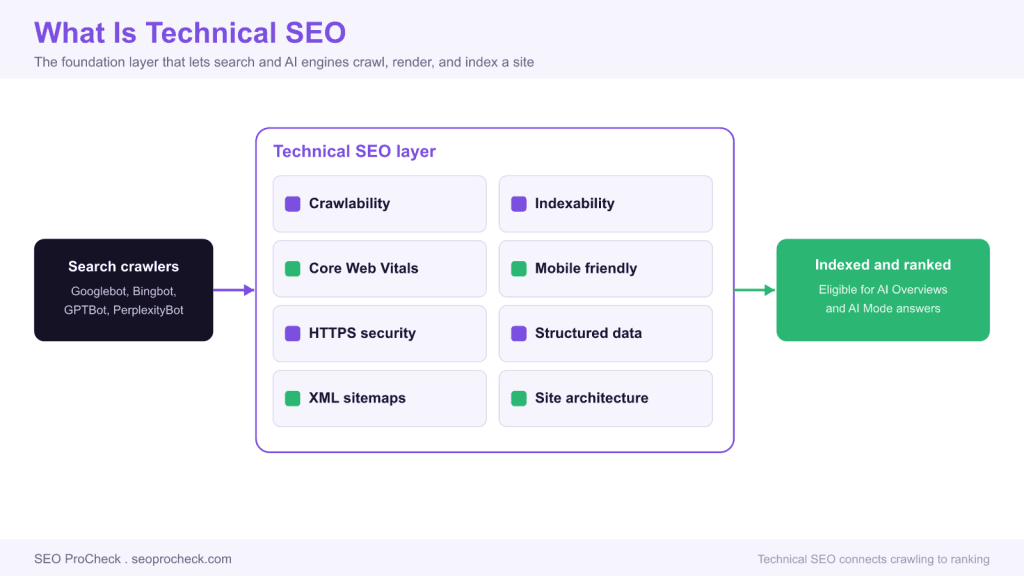
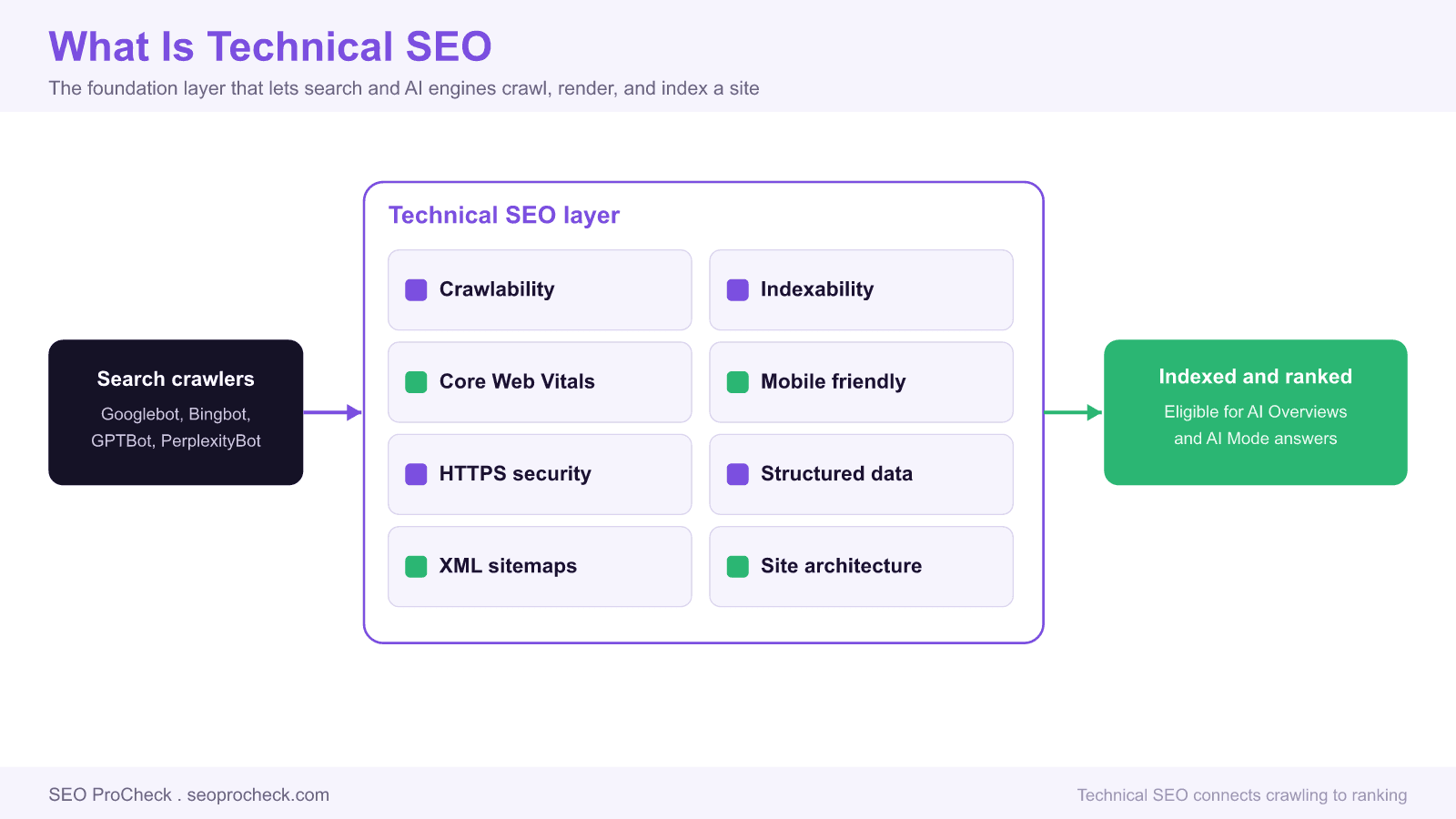
- The main pillars are crawlability, indexability, Core Web Vitals, mobile rendering, HTTPS, structured data, XML sitemaps, and site architecture.
- Audit in this order: indexability first, then crawl efficiency, then performance, then structured data.
- Most technical incidents trace to one line: a stray noindex, a robots.txt block, or a broken canonical.
Technical SEO is everything you do to a website and its server so that search engines and AI crawlers can find, fetch, render, and index its pages efficiently, then rank them fairly. It sits underneath on page content and links. You can write the best page on the web, but if a crawler cannot reach it, cannot render it, or is told not to index it, that page will never earn a single visit. This overview defines the discipline, walks the crawl to rank pipeline, and gives you a practitioner audit order you can run on any site.
What technical SEO actually covers
The term gets used loosely, so here is a concrete scope. Technical SEO covers eight recurring pillars. Each one maps to a stage where a crawler can succeed or fail.
| Pillar | What it controls | Primary tools |
|---|---|---|
| Crawlability | Whether bots can fetch URLs at all: robots.txt, server responses, internal links | robots.txt, log files, Screaming Frog |
| Indexability | Whether fetched pages are allowed into the index: robots meta, canonicals, status codes | GSC Pages report, URL Inspection |
| Core Web Vitals | Loading, interactivity, and layout stability as experienced by real users | CrUX, PageSpeed Insights, Lighthouse |
| Mobile rendering | Parity between the mobile and desktop DOM under mobile first indexing | URL Inspection rendered HTML |
| HTTPS and security | Valid certificate, no mixed content, HSTS, safe redirects | curl, SSL Labs |
| Structured data | Schema markup that qualifies pages for rich results and clarifies entities | Rich Results Test, Schema validator |
| XML sitemaps | A machine readable list of canonical URLs you want crawled and indexed | GSC Sitemaps report |
| Site architecture | URL structure, internal linking, and click depth to important pages | Crawl depth reports |
The crawl, render, index, rank pipeline
Every page moves through four stages, and technical SEO is the practice of clearing blockers at each one. Understanding the order tells you where to look when traffic drops.
- Crawl. A bot requests the URL. robots.txt decides whether the request is even allowed. If it is disallowed, the crawler never fetches the page and never sees anything on it.
- Render. Google fetches the HTML, then queues the page for rendering so JavaScript can run. What the renderer produces, not your view source, is what gets indexed. A page that needs client side JavaScript to show its main content is betting on that render step completing.
- Index. The rendered page is evaluated for indexing. A robots meta noindex, a canonical pointing elsewhere, a soft 404, or duplicate content can all keep it out of the index.
- Rank. Only indexed pages compete. Here content quality, links, and relevance take over, but performance and mobile usability remain tie breakers.
The practical lesson: a robots.txt block hides your indexing directives because the crawler stops at stage one. If you want a page out of the index, allow the crawl and serve a noindex instead. The mechanics of that trade off are covered in the complete robots.txt reference and the robots meta and X-Robots-Tag reference.
A practitioner audit order
Run technical audits in the sequence below. Each step gates the next, so fixing them out of order wastes time.
- Indexability first. In Google Search Console open Indexing then Pages. Read the "Why pages are not indexed" reasons. "Excluded by noindex tag" and "Blocked by robots.txt" on pages you want ranked are emergencies. Fix these before anything else.
- Crawl efficiency. Pull server access logs and confirm bots spend their requests on canonical, indexable URLs, not on parameter noise or infinite spaces. Faceted category pages are the usual culprit; see the faceted navigation SEO strategy guide for taming them, and Python log file parsers for reading the logs at scale.
- Rendering parity. Use URL Inspection, request a live test, and compare the rendered HTML with the raw HTML. If main content or links only appear after JavaScript, verify the renderer actually produced them.
- Performance. Check Core Web Vitals from field data, not lab scores alone. Field data reflects real devices and networks.
- Structured data. Validate schema last, once the page is reachable and indexable, because rich results only matter for pages that can rank.
Core Web Vitals thresholds
Core Web Vitals are scored at the 75th percentile of real visits. A URL passes only when all three metrics sit in the good band. Interaction to Next Paint replaced First Input Delay as a Core Web Vital in March 2024.
| Metric | Good | Needs work | Poor |
|---|---|---|---|
| Largest Contentful Paint (LCP) | at or under 2.5s | 2.5s to 4.0s | over 4.0s |
| Interaction to Next Paint (INP) | at or under 200ms | 200ms to 500ms | over 500ms |
| Cumulative Layout Shift (CLS) | at or under 0.1 | 0.1 to 0.25 | over 0.25 |
Common technical SEO mistakes
- Staging noindex shipped to production. A sitewide noindex left over from a rebuild zeroes traffic overnight. Check the live robots meta on launch day.
- Blocking and noindexing the same URL. The robots.txt block stops the fetch, so the noindex is never read and the URL can linger as a bare link.
- Canonical pointing to the wrong URL. A templated canonical that hardcodes the homepage or an HTTP version tells Google to drop the real page.
- Relying on client rendered content. If the main content needs JavaScript and the render fails or is delayed, the indexed page is nearly empty.
- Chasing lab scores. Optimizing Lighthouse while field Core Web Vitals stay red fixes nothing that ranking systems measure.
- Orphaned pages. A URL with no internal links is rarely crawled and rarely ranks, no matter how good the content is.
How technical SEO connects to AI search
The same pipeline now feeds AI answers. GPTBot, PerplexityBot, and Google AI surfaces rely on being able to crawl and parse your pages. A page blocked from crawling, or one whose snippet is suppressed, is invisible to AI Overviews and AI Mode just as it is to classic results. Clean crawlability and clear structured data are the price of entry to both.
FAQ
Neither wins alone. Technical SEO is a gate: it decides whether your content is reachable, renderable, and indexable. Content and links decide how a reachable page ranks. A technically perfect empty page ranks for nothing, and brilliant content behind a noindex earns nothing. You need both, but you fix technical blockers first because they cap everything else.
Run a full audit quarterly, plus a lightweight check after any deploy that touches templates, URLs, or the CMS. Monitor the Google Search Console Pages report weekly so you catch a sudden spike in noindexed or blocked pages within days rather than months.
Crawlability is whether a bot can fetch the URL at all, which robots.txt and server responses control. Indexability is whether a fetched page is allowed into the index, which robots meta directives, canonicals, and status codes control. A page can be crawlable but not indexable, for example a fetchable page carrying a noindex tag.
No, but scripting helps. Most audits run through Google Search Console, a crawler like Screaming Frog, and browser tools that need no code. Python becomes valuable for parsing server logs, bulk testing URLs, and automating repetitive checks across large sites, which is why practitioners eventually pick it up.
Yes. AI crawlers must fetch and parse your pages the same way search bots do. If a page is blocked in robots.txt, carries a nosnippet directive, or fails to render, it cannot appear in AI Overviews, AI Mode, or assistant answers. Clean crawling, rendering, and structured data are prerequisites for AI visibility.
Start in Google Search Console. Verify the site, submit an XML sitemap, and read the Indexing then Pages report end to end. That single report surfaces most high impact problems: noindex tags, robots.txt blocks, canonical issues, and crawl errors, in the site owner's own words.
Not sure what is holding your site back technically?
One stray noindex, a robots.txt block, or a broken canonical can quietly cap an entire site. A structured audit finds it.
Claude Vincent is a technical SEO consultant focused on crawlability, rendering, and AI-search visibility. He writes the field guides and case studies at SEO ProCheck, with a bias toward the durable, unglamorous work that decides whether search engines and AI answer engines can actually read and cite a site.
About SEO ProCheck
Technical SEO consulting and GEO strategy with 20 years of enterprise experience. Case studies, resources, and tools for search and AI visibility.
Work With Me
Technical SEO audits, GEO strategy, site migrations, and international SEO. Hourly consulting for teams who need hands-on support, not just reports.
Subscribe to our newsletter!






