

AI Summary
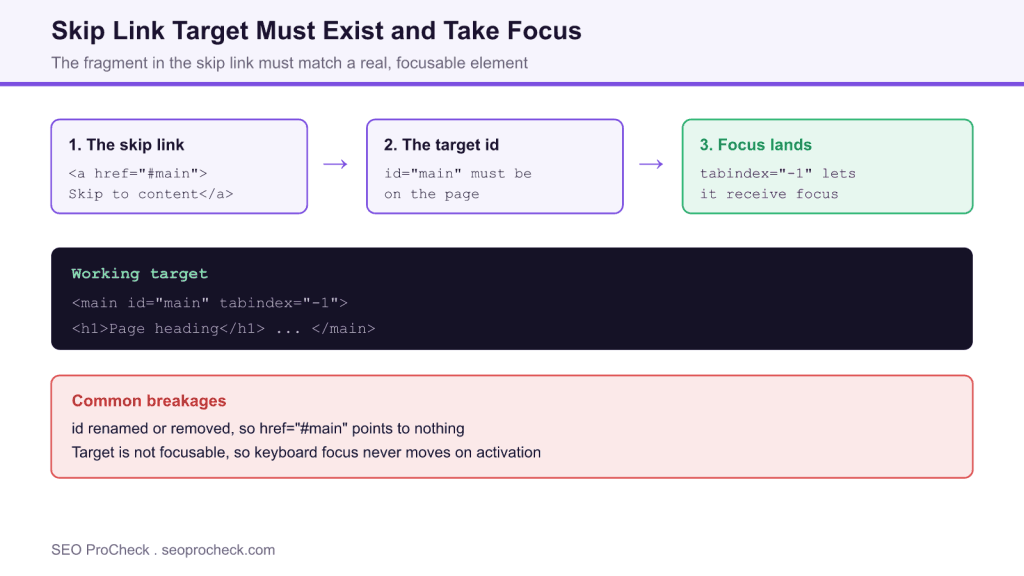
A skip link only works when its fragment href points to an element that exists and can take focus, so href="#main" needs a matching id="main" with tabindex="-1" on a non interactive target. If the target is missing or not focusable, activating the link leaves keyboard focus stranded and the check fails.
- The link, the target id, and focusability must all line up
- Non interactive targets need tabindex="-1" to receive focus
- Hide the link with a visually hidden pattern, not display:none
- Test by tabbing to the link, pressing Enter, and tabbing again
A skip link is a small piece of markup with an outsized impact for keyboard users. It lets someone jump past the header and navigation and land on the main content in a single keystroke. This check fails when the link points at a target that either does not exist or cannot take focus, which turns a helpful shortcut into a dead control.
The three parts that must line up
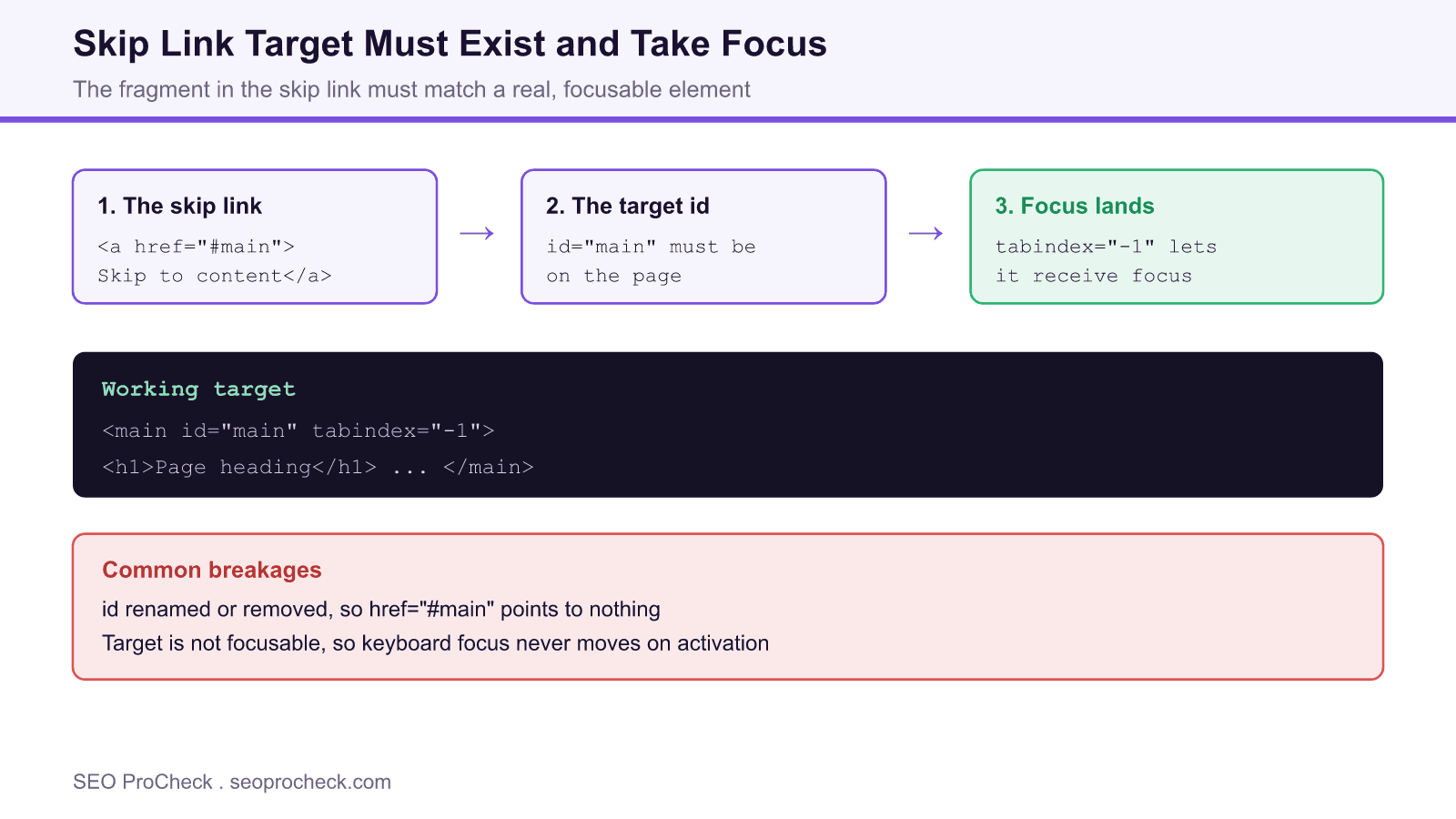
A working skip link is a chain, and every link in the chain has to hold. First, the anchor carries a fragment href such as href="#main". Second, an element on the page has the matching id, for example id="main". Third, that target can receive focus. Containers like <main>, <section>, or a heading are not focusable by default, so they need tabindex="-1" to accept programmatic focus when the link is activated. Break any one of these and the browser may move the document position but leave keyboard focus stranded on the link.
A working example
The reference pattern is short. Put the link as the very first element inside the body, and give the main region a matching id and a negative tabindex:
<a class="skip-link" href="#main">Skip to content</a>
...
<main id="main" tabindex="-1">
  <h1>Page heading</h1>
</main>
Style the link so it is visually hidden until it receives focus, rather than removed with display:none, which would take it out of the tab order entirely. A common approach positions it off screen and brings it back into view on :focus.
| Symptom | Likely cause | Fix |
|---|---|---|
| Enter does nothing | Target id missing | Add id to the main content element |
| Focus returns to menu | Target not focusable | Add tabindex="-1" to the target |
| Link never appears on Tab | Hidden with display:none | Use a visually hidden pattern that reveals on focus |
| Jumps to wrong place | id duplicated on the page | Keep the id unique and on the content start |
| Works by mouse only | href points to a name anchor | Point href at a real id, add tabindex if needed |
Why targets get broken
Skip links rot quietly. A template refactor renames the wrapper id from main to content but the header partial still links to #main. A page builder outputs the main region without an id. A developer removes the tabindex="-1" during a cleanup because it looked unnecessary. None of these break the visual layout, so the regression ships unnoticed until a keyboard user or an audit finds it.
How to verify
Testing takes seconds and needs no tools. Reload the page, press Tab once, and watch for a visible focus ring on the skip link. Activate it with Enter, then press Tab again and confirm focus has moved into the main content rather than back to the first navigation item. For a thorough pass, repeat with a screen reader and listen for the main landmark or heading being announced right after activation.
Quick Reference
Element Code: AC-041
Issue: Skip link points to non-existent target
Impact: Skip link fails
Fix: Fix target element
Detection: Manual testing
What Is This Issue?
Skip links must point to existing, focusable elements.
Why This Matters
Broken skip links fail keyboard users.
How to Fix
- Check target ID exists
- Add tabindex=-1 if needed
Tools
- Manual testing: Test skip link
TL;DR
Make sure skip links point to existing elements that can receive focus.
Frequently Asked Questions
What is a skip link and who uses it?
A skip link is usually the first focusable link on the page, often visually hidden until focused, that jumps past repeated navigation straight to the main content. Keyboard and switch users, and many screen reader users, rely on it so they do not tab through the same menu on every page.
Why does my skip link do nothing when I press enter?
The most common reason is that the target the link points to does not exist or cannot receive focus. If the href is "#main" but no element has id="main", or the target is a non focusable container without tabindex, the browser moves the document position but focus stays on the link, so the next tab returns to the menu.
Do I need tabindex="-1" on the target?
For non interactive containers like main, section, or a heading, yes. tabindex="-1" makes the element programmatically focusable so activating the skip link moves keyboard focus there. Naturally focusable targets such as a link or input do not need it. Never use a positive tabindex.
Where should the skip link point?
Point it at the start of the primary content, typically the main landmark or the first heading inside it. Using href="#main" with a matching id="main" on the main element is the cleanest pattern and doubles as a helpful landmark for assistive technology.
How do I test that the skip link works?
Load the page, press Tab once, and confirm a visible focus indicator appears on the skip link. Press Enter, then Tab again and confirm focus is now inside the main content rather than back in the navigation. Repeat with a screen reader to hear the target announced.
Does a broken skip link affect SEO?
Not directly, but it is a WCAG failure that lowers your accessibility score and can surface in automated audits used in quality reviews. Fixing it improves usability for keyboard users and clears an issue that quality focused crawlers report, which supports overall site health.
Related SEO ProCheck Checks and Guides
- Use aria-roledescription Appropriately
- Required ARIA Attributes Must Be Provided
- ARIA Tooltip Must Have an Accessible Name
Take this with you
The assistant links open with a question about this page already written.
Claude Vincent is a technical SEO consultant focused on crawlability, rendering, and AI-search visibility. He writes the field guides and case studies at SEO ProCheck, with a bias toward the durable, unglamorous work that decides whether search engines and AI answer engines can actually read and cite a site.
About SEO ProCheck
Technical SEO consulting and GEO strategy with 20 years of enterprise experience. Case studies, resources, and tools for search and AI visibility.
Work With Me
Technical SEO audits, GEO strategy, site migrations, and international SEO. Hourly consulting for teams who need hands-on support, not just reports.
Subscribe to our newsletter!








Recent Posts
- Google August 2026 Spam Update: Dates, Duration and How to Read Your Data November 2, 2026
- Google Algorithm Updates: The Dated List Since 2003, and What to Do After Each October 31, 2026
- AI Readiness: The Checklist, the Research and the Free Tools October 28, 2026