

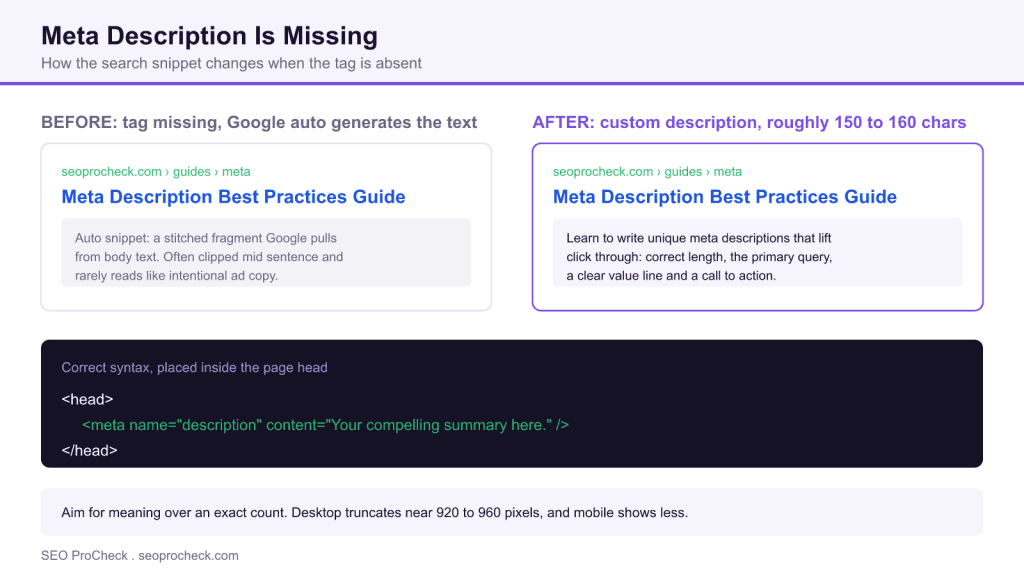
AI Summary
A missing meta description means the page has no <meta name="description"> tag in its <head>, so Google writes its own snippet by stitching together fragments of your page text. The fix is to add one unique, well crafted description per indexable page that leads with the primary query and a clear reason to click.
- The meta description is not a direct ranking factor, but it acts as ad copy that drives click through from the results page.
- Write for meaning at roughly 150 to 160 characters; Google truncates near 920 to 960 pixels on desktop and less on mobile.
- Every indexable page needs its own description; blanks and duplicates waste the slot.
- Audit at scale with Screaming Frog, Google Search Console, and the Rank Math or Yoast bulk editors.
What a missing meta description actually is
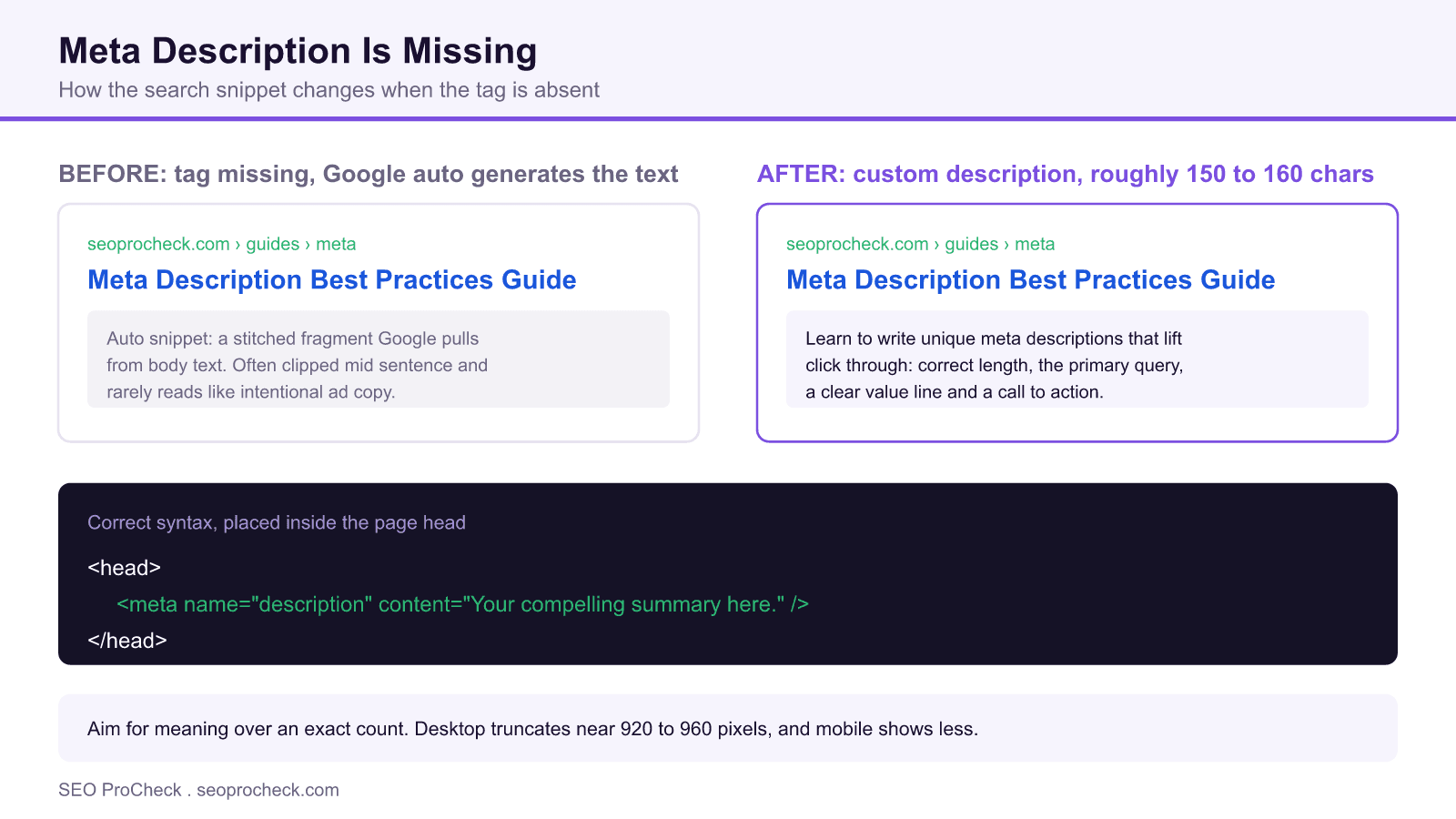
This audit flag fires when a page ships without a <meta name="description"> element in its <head>. That is different from an empty tag, where the element exists but its content attribute is blank. In both cases the outcome is the same: you hand Google full control over the text that appears under your blue title in the search results. The correct markup is a single line placed inside the head of the document:
<head>
  <meta name="description" content="A concise, benefit led summary of the page, roughly 150 to 160 characters." />
</head>
The attribute is name="description", not property, and it belongs in the head, never in the body. Search engines read it during crawling and may use it verbatim as the snippet under your result.
Why it matters even though it is not a ranking factor
Google has said for years that the meta description is not a direct ranking signal. Writing a great one will not, by itself, move your position in the results. So why bother? Because the description is your ad copy. The search results page is a crowded shelf, and your title plus your description are the only pitch you get before someone clicks. A tag that names the query, states a clear value, and closes with a reason to act can lift click through, and more clicks on a stable position means more traffic from the same ranking.
When the tag is missing, Google auto generates the snippet by pulling fragments from your visible page text. Those fragments are frequently relevant, but they are rarely as persuasive as copy you wrote on purpose. They can be clipped mid sentence, pull boilerplate, or surface the wrong sentence entirely. A well matched description tag increases the odds that Google uses your words instead of guessing.
Length: write for meaning, not for a magic number
A practical target is roughly 150 to 160 characters. That is guidance, not a hard rule. Google truncates the snippet by pixel width, not character count, cutting off near 920 to 960 pixels on desktop and noticeably less on mobile. Wide letters and capitals eat the budget faster than thin ones. The takeaway: front load the important words so your message survives truncation, and do not pad a description just to hit a count. If you can say it well in 120 characters, ship 120 characters.
| Do | Avoid |
|---|---|
| Write one unique description per indexable page | Reusing the same tag across many pages, or leaving it blank |
| Lead with the primary query and a clear benefit | Keyword stuffing or vague marketing filler |
| Aim for roughly 150 to 160 characters, front loaded | Padding to a count, or running so long the point gets cut |
| Add a concrete call to action where it fits | Generic "click here" with no value stated |
| Match the description to what the page truly delivers | Overpromising, which raises pogo sticking back to search |
Unique on every indexable page
Duplicate descriptions are almost as weak as missing ones. If your category pages, product variants, or paginated archives all share one description, each result competes with a clone of itself and none of them earns a distinct pitch. Treat blanks and duplicates as the same problem to solve. Pages you deliberately keep out of the index, such as internal search results or thank you pages, do not need hand written descriptions, so scope your audit to indexable URLs.
How to audit missing descriptions at scale
You do not fix these one page at a time by viewing source. Pull the full picture first:
- Screaming Frog: crawl the site, open the Meta Description tab, and use the Missing and Duplicate filters. Bulk export the list so you have a working spreadsheet of exactly which URLs need copy.
- Google Search Console: use the Performance report to find high impression, low click through pages. Those are the URLs where a stronger snippet pays off fastest, missing tag or not.
- Rank Math or Yoast bulk editors: inside WordPress, both plugins offer a bulk editor screen that lists every post and page with its current description, so you can spot blanks and write new copy without opening each editor.
Prioritize the export by traffic potential. A missing description on a page nobody searches for matters far less than one on a page already earning impressions.
Setting descriptions in WordPress
On a WordPress site you rarely touch the raw <head>. Instead, your SEO plugin writes the tag for you. In Rank Math or Yoast, scroll to the SEO meta box below the editor and fill the Meta Description field; the plugin injects the tag automatically. For large sites, set template level defaults using the plugin variables so new content is never published bare. For example, a product template might default to the product name, a short benefit, and the brand, then you override the highest value pages by hand. Templates prevent blanks; manual overrides win the competitive queries.
Keep the social preview in sync
Your og:description drives how the page looks when shared on social platforms and in chat apps. It is a separate tag from the search description, but it should tell the same story. Rank Math and Yoast let you set the social description alongside the search one, and if you leave it empty most plugins fall back to your meta description. Aligning the two keeps your messaging consistent from the search result to the shared link.
Anatomy of a strong description
A good description does three jobs in one breath: it includes the primary query so the searcher sees a match, it states a clear value proposition, and it ends with a reason to act. Here is a weak versus strong pass for the same page.
Weak (58 characters): "We offer many services. Contact us to learn more today."
Strong (149 characters): "Fix a missing meta description in minutes: learn the correct tag, ideal length, and how to write snippets that earn clicks. Free step by step guide."
The weak version names nothing the searcher typed and promises nothing specific. The strong version leads with the exact task, packs in the value, and closes with an offer, all inside the visible budget.
Related audit reading
Meta descriptions are one item in a wider on page hygiene sweep. If you are working through crawl flags, see the companion guide on images with a missing alt attribute, and if your build runs on a specific stack, the Drupal SEO module guide and the Gatsby SEO best practices reference show how to wire metadata into those platforms.
Frequently asked questions
Is a missing meta description a ranking problem?
Not directly. Google has stated the meta description is not a ranking factor, so adding one will not raise your position on its own. It matters because it drives click through from the results page, and a page earning more clicks at the same position gets more traffic.
What happens if I leave the meta description blank?
Google auto generates a snippet by pulling fragments from your visible page content. Those fragments are often relevant but can read awkwardly, clip mid sentence, or surface the wrong text. Writing your own tag increases the odds Google uses your intended message.
How long should a meta description be?
Aim for roughly 150 to 160 characters as a guide. Google truncates by pixel width, cutting off near 920 to 960 pixels on desktop and less on mobile, so front load the important words and write for meaning rather than an exact count.
Can I use the same description on multiple pages?
You should not. Duplicate descriptions are treated as a weakness much like missing ones, because each result loses its distinct pitch. Give every indexable page a unique description that reflects what that specific page delivers.
How do I find every page that is missing a description?
Crawl the site with Screaming Frog and use the Missing and Duplicate filters on the Meta Description tab, then bulk export the list. In WordPress you can also use the Rank Math or Yoast bulk editor to see blanks across all posts and pages at once.
Does Google always use my meta description?
No. Google may still rewrite the snippet if it decides your tag does not match the query well, or if page content answers the searcher better. A tightly relevant, well written description simply raises the chance your words are shown as is.
Take this with you
The assistant links open with a question about this page already written. Nothing is sent until you press enter.
Claude Vincent is a technical SEO consultant focused on crawlability, rendering, and AI-search visibility. He writes the field guides and case studies at SEO ProCheck, with a bias toward the durable, unglamorous work that decides whether search engines and AI answer engines can actually read and cite a site.
About SEO ProCheck
Technical SEO consulting and GEO strategy with 20 years of enterprise experience. Case studies, resources, and tools for search and AI visibility.
Work With Me
Technical SEO audits, GEO strategy, site migrations, and international SEO. Hourly consulting for teams who need hands-on support, not just reports.
Subscribe to our newsletter!








Recent Posts
- Most Top Sites Never Say Who They Are in Structured Data October 14, 2026
- Homepage Titles Are Mostly Too Short, Not Too Long October 8, 2026
- Who Actually Serves an llms.txt? 184 Top Sites Measured September 29, 2026