

AI Summary
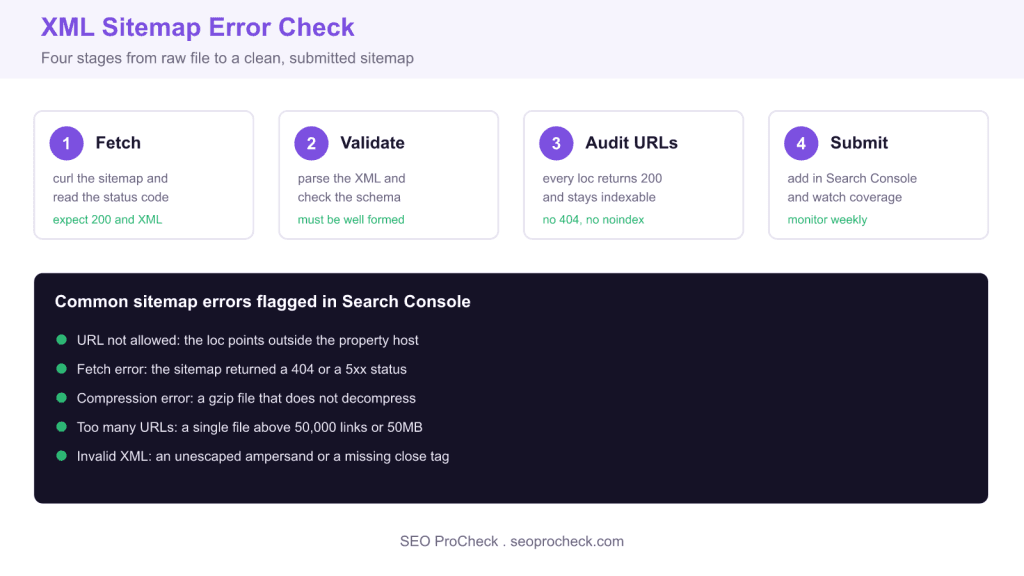
To check an XML sitemap for errors, fetch the file and confirm it returns a 200 status with an XML content type, validate that the markup is well formed, then verify every listed URL returns 200 and stays indexable. Finish by submitting the file in Google Search Console and watching the Sitemaps and Pages reports for fetch failures or coverage drops.
- A valid sitemap lists only canonical URLs that return 200 and carry no noindex tag.
- A single file caps at 50,000 URLs and 50MB uncompressed; split larger sets under an index file.
- Google ignores priority and changefreq but still reads an honest lastmod date.
- The Search Console Sitemaps report replaced the old standalone sitemap tester.
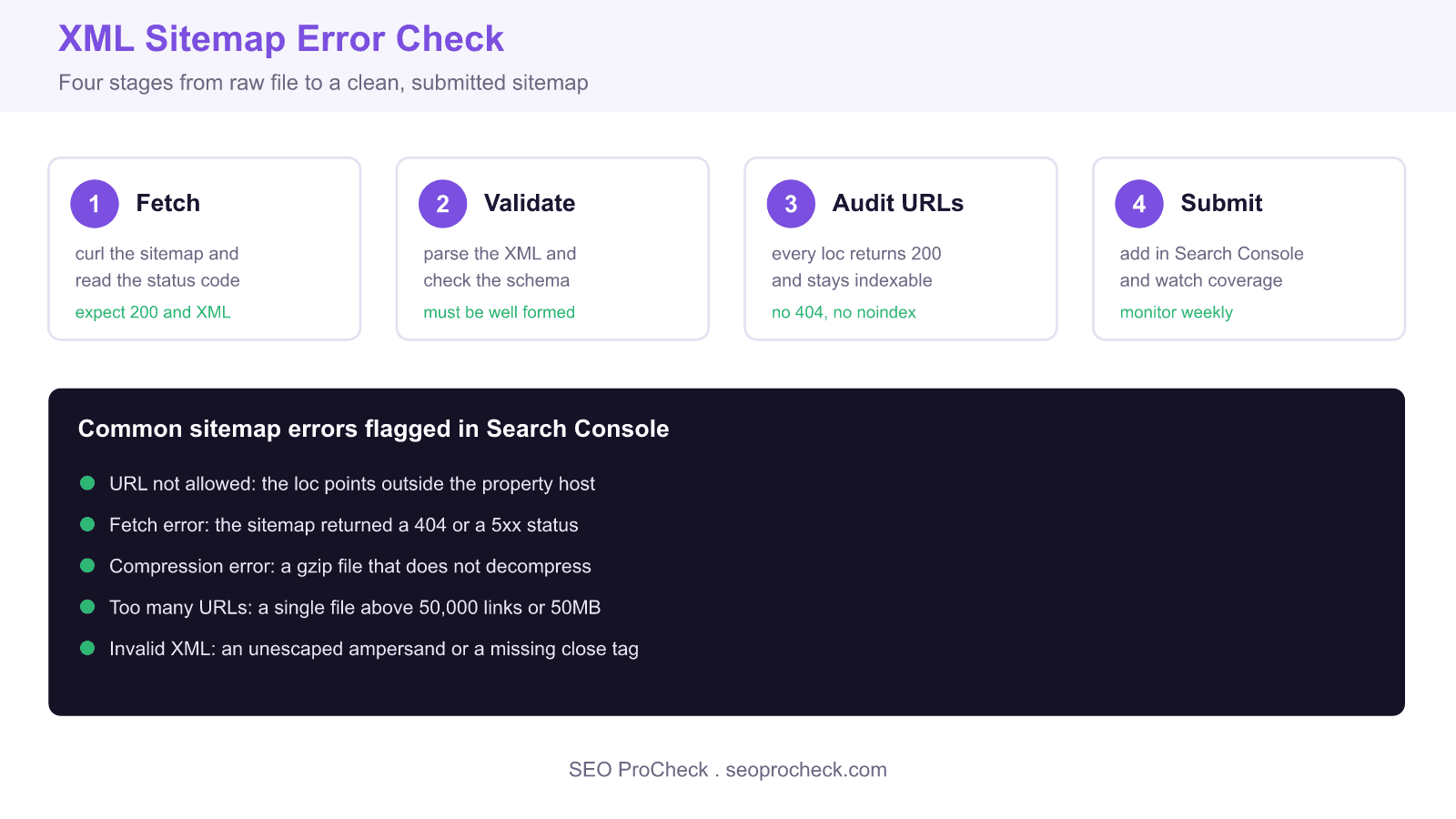
An XML sitemap is a machine readable list of the URLs you want search engines to crawl and index. When the file is malformed, points at dead pages, or lists URLs that carry a noindex tag, Google either skips it, wastes crawls on noindexed pages that will never rank, or fills your Search Console reports with dead URLs. Checking your sitemaps for errors is a fast, high leverage technical SEO task that you can run in minutes.
Where your sitemap lives and how to find it
Most content management systems expose the sitemap at a predictable path. WordPress with Yoast serves an index at /sitemap_index.xml, Rank Math uses /sitemap_index.xml as well, and the WordPress core sitemap sits at /wp-sitemap.xml. Shopify publishes /sitemap.xml. The authoritative pointer is always your robots file: open /robots.txt and look for the directive.
Sitemap: https://seoprocheck.com/sitemap_index.xmlStep 1: fetch the file and read the status code
Before you trust anything a crawler tells you, confirm the file is reachable and returns the right content type. A quick header request settles it.
curl -sI https://seoprocheck.com/sitemap_index.xml

HTTP/2 200
content-type: application/xml; charset=UTF-8
You want a 200 status and a content type of application/xml or text/xml. A 301 that lands on an HTML page, a 404, or a content type of text/html all mean the sitemap is broken at the door. If the file is gzipped, the header shows content-encoding: gzip and the path usually ends in .xml.gz.
Step 2: validate that the XML is well formed
A single unescaped ampersand inside a URL will break the whole file. Every raw ampersand in a loc value must be written as &. Parse the document locally to catch this instantly.
curl -s https://seoprocheck.com/sitemap.xml -o sitemap.xml
python3 -c "import xml.dom.minidom as m; m.parse('sitemap.xml'); print('well formed')"
If Python raises an ExpatError with a line and column number, open that line: the usual culprits are an unescaped ampersand, an angle bracket inside a URL, or a tag that was never closed. The required elements are simple: a urlset root, one url block per page, and a loc element holding a fully qualified, absolute URL.
Step 3: audit every URL the sitemap lists
A well formed sitemap can still be full of problems. The golden rule is that a sitemap should only contain canonical URLs that return 200 and are allowed to be indexed. Pull the list of locations and spot check the response of each.
curl -s https://seoprocheck.com/sitemap.xml | grep -o "<loc>[^<]*" | headFor each URL, three checks matter most. First, it must return a 200 status, not a redirect or a 404. Second, it must not carry a noindex value in its robots meta tag or X Robots Tag header. Third, its canonical tag should point to itself, not to a different URL. A page that redirects, is blocked, or canonicalizes elsewhere does not belong in the sitemap.
Step 4: submit and monitor in Search Console
Open Google Search Console, choose Indexing then Sitemaps, and enter the path sitemap_index.xml. Google reports a status of Success, Has errors, or Couldn not fetch, along with the count of discovered URLs. Return to the Pages report a few days later and read the Why pages are not indexed table: entries such as Discovered currently not indexed, Crawled currently not indexed, or Alternate page with proper canonical tag tell you whether the URLs you submitted are actually earning index slots.
What has changed since older sitemap guides
Two shifts matter for anyone reading advice written a few years ago. Google retired the old Sitemaps testing tool and folded validation into the Search Console Sitemaps report and the URL Inspection tool, so there is no longer a standalone tester. Google also confirmed that the priority and changefreq hints are ignored, so do not spend time tuning them. The lastmod date, by contrast, is still used as a signal when it is accurate and honest, so keep it in sync with real content updates and never stamp every URL with today date.
Sitemap error reference table
| Error | Likely cause | Fix |
|---|---|---|
| Couldn not fetch | Wrong path, server 5xx, or robots block | Confirm the URL, allow it in robots, retry |
| Invalid XML | Unescaped ampersand or unclosed tag | Escape as & and reparse locally |
| URL not allowed | loc host differs from the property host | Use one absolute host that matches the property |
| Too many URLs | File exceeds 50,000 URLs or 50MB uncompressed | Split into child sitemaps under an index file |
| Submitted URL blocked by robots | A Disallow rule covers listed URLs | Remove the block or drop those URLs from the file |
Related reading
- The complete guide to XML sitemaps for SEO
- Mobile first indexing and why sitemap parity matters
- Free SEO tools from SEO ProCheck
Frequently asked questions
How often should I check my XML sitemap for errors?
Check after any major site change such as a migration, a template change, or a bulk publish, and otherwise glance at the Search Console Sitemaps report monthly. The report surfaces fetch failures and count drops automatically, so ongoing monitoring is mostly passive once the file is clean.
Should my sitemap include noindex pages?
No. A sitemap is a list of URLs you want indexed, so a page carrying a noindex tag sends Google a contradictory signal. Remove noindex URLs from the file, and remove redirected or canonicalized URLs too, keeping only self canonical pages that return 200.
What is the maximum size for a single XML sitemap?
A single sitemap file can hold up to 50,000 URLs and must stay under 50MB uncompressed. Larger sites split their URLs across multiple child sitemaps referenced by a sitemap index file, which itself can list up to 50,000 sitemaps.
Why does Search Console say Couldn not fetch my sitemap?
That status usually means the path is wrong, the server returned a 5xx error at fetch time, or a robots rule blocks the file. Confirm the exact URL in a browser, make sure robots.txt does not disallow it, then resubmit. The status can lag, so give it a day before assuming the fix failed.
Do priority and changefreq tags still help rankings?
No. Google has stated it ignores the priority and changefreq values, so they have no ranking effect. Focus instead on listing only clean, indexable URLs and keeping an accurate lastmod date, which Google does read.
How do I fix an invalid XML error in my sitemap?
Parse the file locally with a tool such as Python minidom to get the exact line and column of the fault. The most common cause is a raw ampersand inside a URL, which must be escaped, followed by an unclosed tag or a stray angle bracket. Fix the character, reparse, and resubmit.
Source: https://builtvisible.com/check-your-xml-sitemap-errors/
Take this with you
The assistant links open with a question about this page already written.
Claude Vincent is a technical SEO consultant focused on crawlability, rendering, and AI-search visibility. He writes the field guides and case studies at SEO ProCheck, with a bias toward the durable, unglamorous work that decides whether search engines and AI answer engines can actually read and cite a site.
About SEO ProCheck
Technical SEO consulting and GEO strategy with 20 years of enterprise experience. Case studies, resources, and tools for search and AI visibility.
Work With Me
Technical SEO audits, GEO strategy, site migrations, and international SEO. Hourly consulting for teams who need hands-on support, not just reports.
Subscribe to our newsletter!








Recent Posts
- Google Algorithm Updates: The Dated List Since 2003, and What to Do After Each October 31, 2026
- AI Readiness: The Checklist, the Research and the Free Tools October 28, 2026
- AI Readiness Checklist (2026): 51 Checks, Each With Its Source October 28, 2026