

Why the rel=”canonical” HTTP Header is faster than the rel=”canonical” HTML tag
- February 6, 2021
- Crawling and Indexing
AI Summary
The rel canonical HTTP header is delivered in the response headers, so Google can read it during the initial fetch without parsing or rendering the HTML body, which makes it faster and more reliable in some cases. It is also the only way to set a canonical for non HTML files such as PDFs, where there is no head to hold a link tag.
- The HTTP header canonical is read at fetch time, before body parsing.
- The HTML link tag requires parsing and can be missed if the head breaks.
- Only the HTTP header can canonicalize non HTML files like PDFs.
- For ordinary HTML pages, either method is valid; pick one and stay consistent.
There are two ways to declare a canonical URL, and they are not interchangeable in every situation. Most people reach for the familiar <link rel="canonical"> tag in the head of the HTML. The lesser used option is the HTTP response header, written as Link: <https://example.com/page>; rel="canonical". This case explains why the header can be the faster and more dependable channel, and when it is the only channel that works at all.
Where each one lives
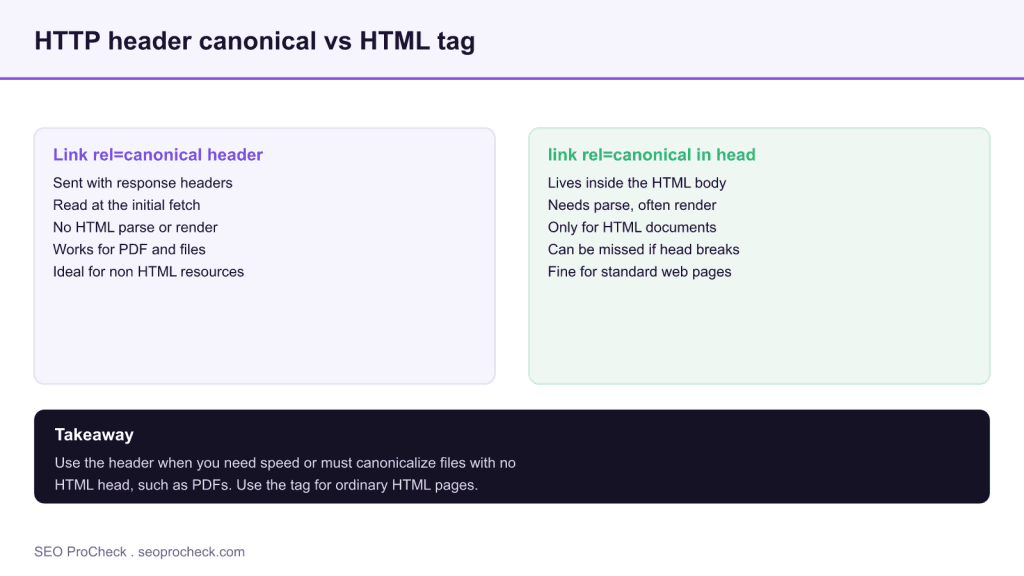
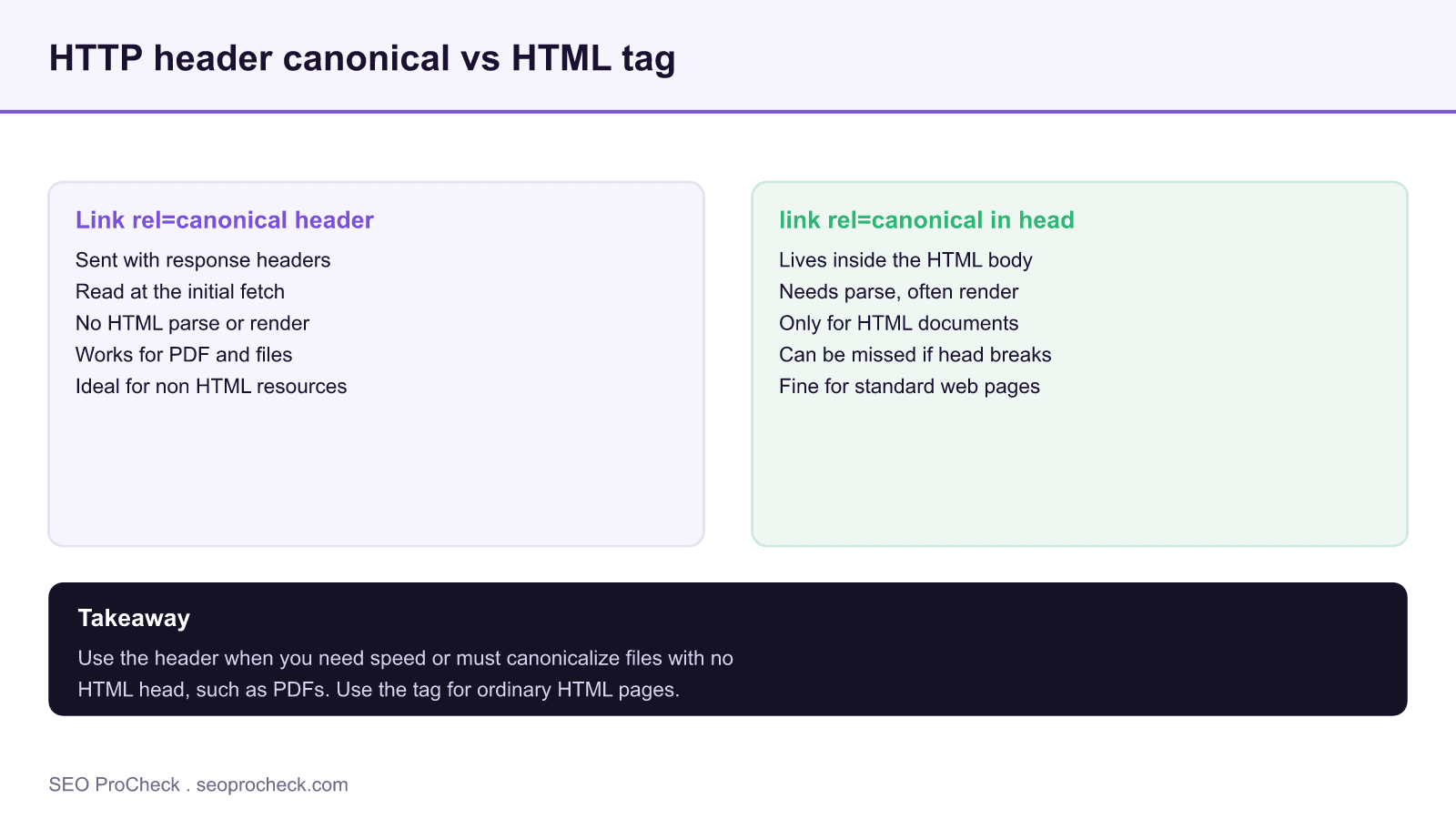
The difference comes down to placement in the response. The HTTP header travels with the response headers, which arrive first, before any of the document body. Google can read a canonical from the header as part of the initial fetch, without parsing the HTML and without waiting on rendering. The link tag, by contrast, lives inside the HTML head, which means the document has to be fetched and parsed before the canonical is discovered. In most cases both are found, but the header is available earlier in the pipeline and does not depend on the body being well formed.
Why the header can be more reliable
Because the tag lives in the markup, it is exposed to everything that can go wrong in the markup. A malformed head, an early script that breaks parsing, a tag injected too late by JavaScript, or a content management template that duplicates the tag can all interfere with how the canonical is read. The header sidesteps that entire class of problems because it is set at the server level and delivered independently of the body. For high stakes canonicalization on templated pages, a server issued header removes a set of failure modes that the tag is subject to.
The case only the header can solve
The decisive advantage is non HTML files. A PDF, an image, or another binary resource has no HTML head, so there is nowhere to put a link tag. If you need to canonicalize a PDF to its HTML landing page, or point duplicate PDF URLs at one version, the HTTP header is the only mechanism available. This is a common real world need: gated documents, versioned files, and syndicated PDFs all benefit from a canonical, and the header is how you deliver it.
Practical guidance and what has changed
For a standard HTML page, either method is valid and Google supports both, so the tag remains perfectly fine and is easier to manage in most content systems. Reach for the HTTP header when you are canonicalizing non HTML resources, when you want the canonical read as early as possible, or when template level markup issues make the tag unreliable. The one rule that has not changed is consistency: do not send one canonical in the header and a different one in the tag on the same URL, because conflicting signals invite Google to make its own choice. Set one target through one primary channel and keep every other signal aligned with it.
Since canonical selection weighs many inputs, the study on how Google selects a canonical explains what happens when signals disagree, and quality indexation for large sites shows why clean canonicals protect crawl budget at scale.
HTTP header canonical versus HTML tag
| Aspect | HTTP header | HTML link tag |
|---|---|---|
| Where it lives | Response headers | Inside the HTML head |
| When it is read | During the initial fetch | After parsing the HTML |
| Works for PDF and files | Yes | No |
| Exposed to markup errors | No | Yes |
| Ease of setup | Server config | Simple in most CMS |
Frequently asked questions
Is the HTTP header canonical faster than the HTML tag?
It is read earlier, during the initial fetch, because it arrives with the response headers before the body is parsed. The HTML tag requires the document to be fetched and parsed first.
Can I set a canonical on a PDF?
Yes, but only with the HTTP header. A PDF has no HTML head, so the link tag is not available. The Link rel canonical header is the way to canonicalize non HTML files.
Should I use both the header and the tag?
Use one primary method per URL and keep it consistent. Sending a different canonical in the header than in the tag creates a conflict that can lead Google to choose its own canonical.
Why would the HTML tag fail?
Because it lives in the markup, it can be affected by a broken head, an early parsing error, a late JavaScript injection, or a template that duplicates the tag. The header avoids these markup issues.
Is the HTML tag still fine for normal pages?
Yes. For standard HTML pages either method is valid and supported. The tag is easier to manage in most content systems and remains a good default.
This SEO case study documents a successful optimization initiative, providing actionable insights for practitioners. The documented approach demonstrates how strategic SEO implementation drives measurable results.
Initial Situation
Understanding the starting point is essential context for evaluating any case study. This documentation covers the initial challenges, competitive position, and business objectives that shaped the SEO strategy.
Strategy and Approach
The strategic approach combined multiple SEO disciplines to address identified opportunities. Key decisions around prioritization and resource allocation provide a template for similar initiatives.
Implementation
Moving from strategy to execution required specific technical implementations, content development, and process changes. This case study documents the practical steps that translated strategy into action.
Results and Learnings
The outcomes demonstrate effectiveness through measurable improvements in rankings, traffic, and business metrics. Analysis of successes and challenges provides learning value for practitioners.
Case studies like this contribute to the SEO knowledge base, helping practitioners learn from documented real-world experiences.
Source: https://gentofsearch.com/blog/canonical-tag-vs-rel-canonical-http-header/
Take this with you
The assistant links open with a question about this page already written.
Claude Vincent is a technical SEO consultant focused on crawlability, rendering, and AI-search visibility. He writes the field guides and case studies at SEO ProCheck, with a bias toward the durable, unglamorous work that decides whether search engines and AI answer engines can actually read and cite a site.
About SEO ProCheck
Technical SEO consulting and GEO strategy with 20 years of enterprise experience. Case studies, resources, and tools for search and AI visibility.
Work With Me
Technical SEO audits, GEO strategy, site migrations, and international SEO. Hourly consulting for teams who need hands-on support, not just reports.
Subscribe to our newsletter!








Recent Posts
- Google Algorithm Updates: The Dated List Since 2003, and What to Do After Each October 31, 2026
- AI Readiness: The Checklist, the Research and the Free Tools October 28, 2026
- AI Readiness Checklist (2026): 51 Checks, Each With Its Source October 28, 2026