

AI Summary
Search box SEO once meant adding WebSite SearchAction markup to earn a search box inside Google's sitelinks, but Google retired that SERP feature in late 2024. The markup is still valid schema.org and harmless to keep, so the real work today is a fast, indexable on-site search whose results URLs are kept out of the index.
- The sitelinks search box no longer appears in Google, and adding markup will not restore it.
- WebSite SearchAction remains valid; leave existing markup in place, and it can be read by other agents.
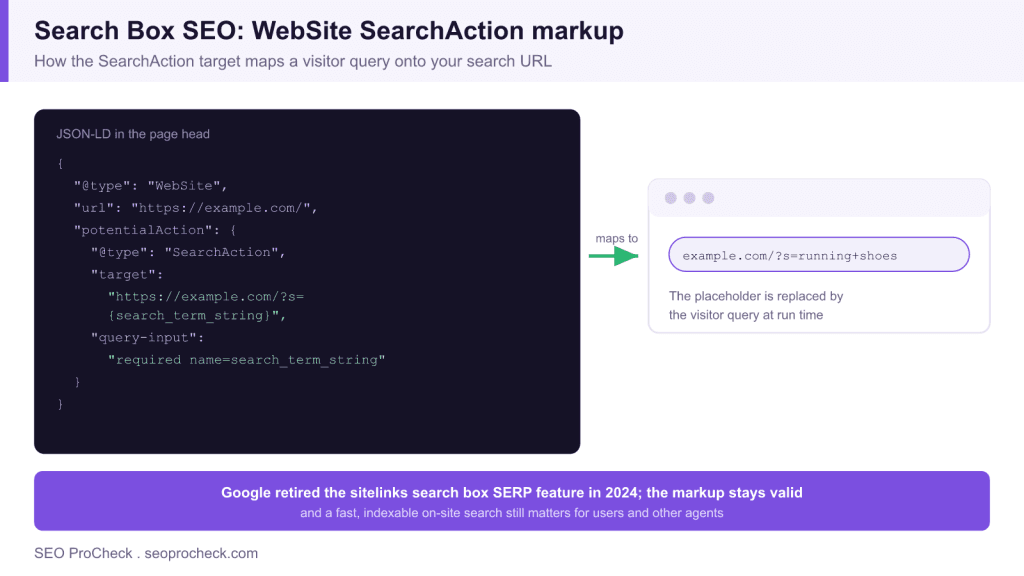
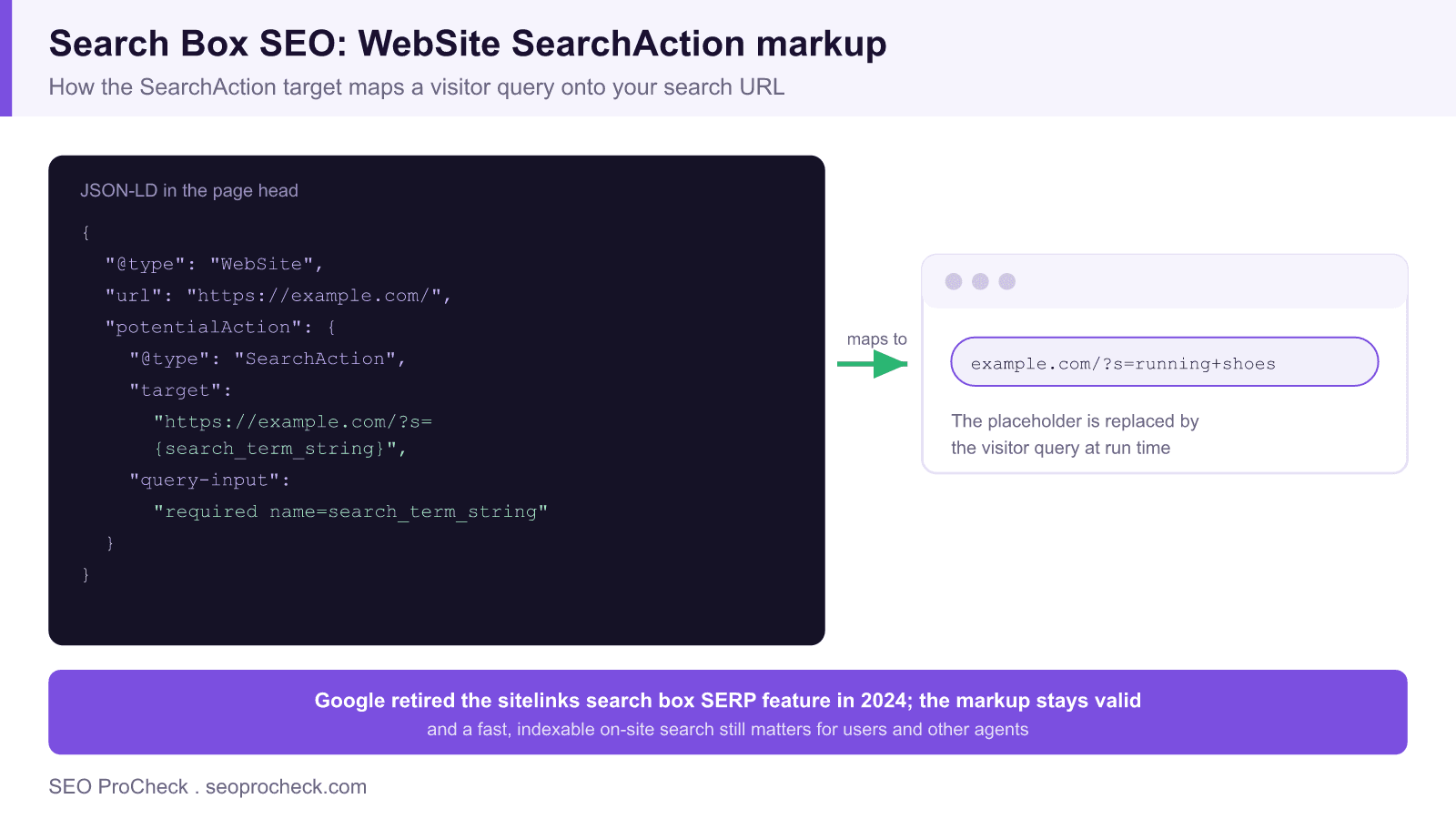
- The SearchAction target maps the search_term_string token onto your real search URL, such as example.com/?s={search_term_string}.
- Apply noindex to internal search results pages so they do not cause index bloat and crawl waste.
Search box SEO used to have a clear, tangible payoff. You added a specific piece of structured data, and Google could reward you with an interactive search box embedded in your sitelinks, letting people search your site directly from the results page. That feature is gone. In late 2024 Google announced it was retiring the sitelinks search box, and it no longer appears in search results. So the honest starting point for this topic in 2026 is that the old prize no longer exists.
That does not make the topic pointless. The WebSite SearchAction markup is still valid schema.org, still harmless to keep, and still readable by other tools and agents. And the thing the feature was always a proxy for, a genuinely good on-site search, matters more than ever for user experience and for keeping your index clean. This guide covers the markup for completeness, then the implementation work that actually pays off.
The WebSite SearchAction markup, explained
The markup declares that your site has a search function and describes how to build a search URL. The core mechanism is a URL template containing a placeholder token, search_term_string, that a consumer substitutes with the user's query. Here is a complete, valid example for a site whose search results live at the s query parameter:
<script type="application/ld+json">
{
  "@context": "https://schema.org",
  "@type": "WebSite",
  "url": "https://example.com/",
  "potentialAction": {
    "@type": "SearchAction",
    "target": {
      "@type": "EntryPoint",
      "urlTemplate": "https://example.com/?s={search_term_string}"
    },
    "query-input": "required name=search_term_string"
  }
}
</script>
The three moving parts are the target urlTemplate, which is your search results URL with the token in place of the query, the query-input line, which declares search_term_string as the required input, and the token name itself, which must match between the template and the query-input. If your search results page is example.com/?s=running+shoes, then the template is example.com/?s={search_term_string}. Place the script in the head of your homepage. Note that this markup will not produce a Google search box, because that feature is retired, but it is valid and can be consumed elsewhere, which is why Google advises you do not need to remove existing implementations. For the wider picture of which structured signals machines still read, see our overview of the machine-readable web.
Implementing on-site search that actually helps
With the SERP feature gone, the return on effort shifts entirely to the search experience on your own site. Three things matter.
- Server-rendered results. The results page should render in the initial HTML so it works without JavaScript and is inspectable. A consistent parameter, commonly s or q, keeps URLs predictable.
- Relevance and speed. Slow or irrelevant internal search pushes users back to Google, which is the opposite of what you want. Invest in a search backend that returns fast, ranked, typo-tolerant results.
- Clean result URLs. Every query creates a URL, and left unmanaged those URLs multiply without limit.
That last point is where on-site search most often becomes a technical SEO problem, so it deserves its own section.
Keep search results pages out of the index
Internal search results generate a near-infinite space of low-value URLs: one for every query anyone ever runs, plus pagination and filter combinations. If Google indexes them, you get index bloat, crawl budget waste, and thin pages competing with your real content. The standard fix is a noindex directive on the results template. In an HTML head that looks like this:
<meta name="robots" content="noindex, follow">The follow value lets Google still traverse any legitimate links on the page while keeping the URL itself out of the index. If crawl budget rather than indexation is your primary concern on a very large site, you can instead disallow the search path in robots.txt, for example Disallow: /?s= or the equivalent for your parameter, though remember that a robots.txt block prevents crawling but does not by itself remove already indexed URLs. For a full treatment of why these generated URLs hurt and how to clean them up, read our guide to index bloat.
| Element | Recommended setting | Why |
|---|---|---|
| Results URL parameter | Consistent, such as s or q | Predictable URLs and matching markup |
| Rendering | Server-side HTML | Works without JavaScript, inspectable |
| Robots on results pages | noindex, follow | Prevents index bloat, keeps crawl paths |
| SearchAction markup | Optional, valid to keep | No SERP feature, still machine readable |
Validating the markup you keep
If you retain the WebSite SearchAction block, validate it with the schema.org Schema Markup Validator rather than Google's Rich Results Test. When Google retired the sitelinks search box, it also removed the feature from the Rich Results Test, so that tool will no longer report on this markup and its silence does not mean your markup is broken. The Schema Markup Validator simply confirms the JSON-LD is well formed and that the types and properties are recognised. Check three things specifically: the JSON parses without errors, the urlTemplate contains the search_term_string token exactly as written in query-input, and the target URL actually returns a working results page when you paste it into a browser with a real query substituted. If the template points at a URL that 404s or redirects, the markup is describing a search endpoint that does not exist, which is worse than having no markup at all.
Mine your internal search data
The most underused benefit of on-site search is the data. Every query a visitor types is a direct statement of what they wanted and could not immediately find. Feed your internal search into analytics and review the top queries regularly. High-volume queries with poor results reveal content gaps to fill, and popular terms suggest navigation and hub pages worth building. This is demand research you already own, and it does not depend on any search engine feature existing.
Bottom line
Search box SEO is no longer about earning a widget in Google's results, because that widget is retired. Keep valid WebSite SearchAction markup if you already have it, since it is harmless and still readable by other systems, but do not expect a SERP feature from it. Put your real effort into a fast, server-rendered, relevant on-site search whose result URLs are held out of the index with noindex, and treat the query data as an ongoing source of content ideas. For where this fits among your other structured data, browse our schema and structured data guides.
Frequently asked questions
Does the sitelinks search box still appear in Google?
No. In late 2024 Google announced it was retiring the sitelinks search box, and it no longer shows in search results. The WebSite SearchAction markup that used to trigger it is still valid schema.org, and Google has said you do not need to remove existing markup, but adding it will not bring the feature back.
Should I still add WebSite SearchAction schema?
It is optional now. The markup no longer produces a Google SERP feature, but it remains valid, harmless, and can be consumed by other tools and agents that read structured data. If it is already implemented, leave it. If you are building fresh, prioritise a fast, indexable on-site search experience over the markup itself.
How does the SearchAction target URL work?
The target holds a URL template containing the token search_term_string. A consumer replaces that token with the user's query to build a real search URL. If your search results live at example.com/?s=QUERY, the template is example.com/?s={search_term_string}, and query-input declares that search_term_string is the required input name.
Should internal search results pages be indexed?
Usually not. Search results pages generate near-infinite low-value URL combinations that cause index bloat and crawl waste. The common pattern is to let Google crawl them but apply a noindex directive, or to block them in robots.txt if crawl budget is the bigger concern. Keep your real content pages indexable and keep the query result pages out of the index.
What is the correct query parameter for on-site search?
There is no single required parameter; it is whatever your search system uses, commonly s or q. WordPress default search uses ?s=, many custom systems use ?q=. The important thing is that the parameter is consistent, the results page renders server-side, and the same parameter appears in your SearchAction target template if you use the markup.
Does on-site search affect SEO at all?
Indirectly, yes. A fast, relevant on-site search keeps users engaged and helps them find pages, which supports the behavioural signals around satisfaction. The internal search query data in your analytics also reveals demand and content gaps. What you must avoid is letting the generated results URLs flood the index, which is a technical SEO liability rather than a benefit.
Claude Vincent is a technical SEO consultant focused on crawlability, rendering, and AI-search visibility. He writes the field guides and case studies at SEO ProCheck, with a bias toward the durable, unglamorous work that decides whether search engines and AI answer engines can actually read and cite a site.
About SEO ProCheck
Technical SEO consulting and GEO strategy with 20 years of enterprise experience. Case studies, resources, and tools for search and AI visibility.
Work With Me
Technical SEO audits, GEO strategy, site migrations, and international SEO. Hourly consulting for teams who need hands-on support, not just reports.
Subscribe to our newsletter!







Recent Posts
- Can AI Crawlers Actually Read Your Site? I Measured 400 of the Biggest September 5, 2026
- The Pre-Publish Quality Gate for AI-Assisted Content August 6, 2026
- AGENTS.md vs llms.txt vs llms-full.txt: Which Agent File Does What July 18, 2026