

AI Summary
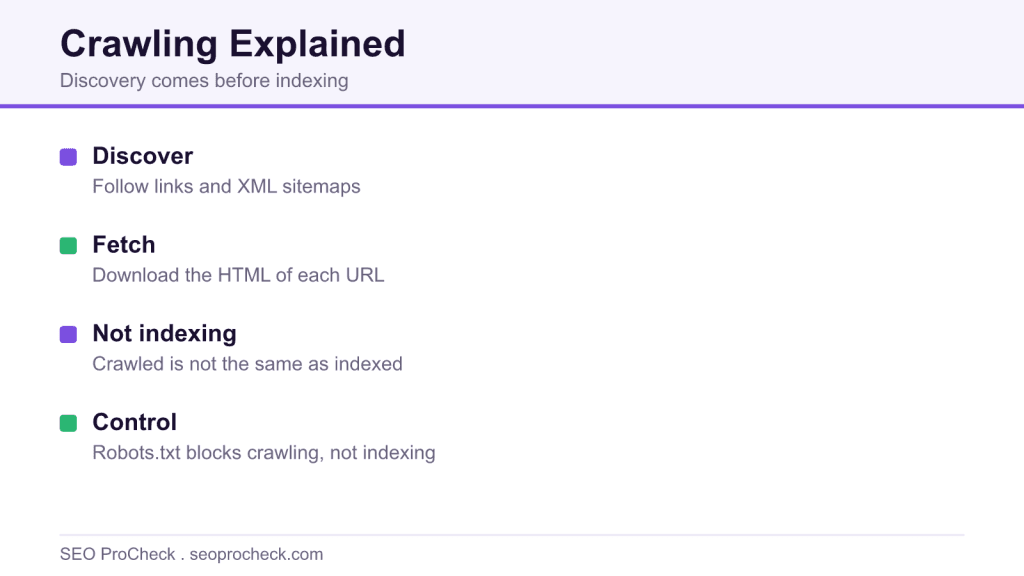
Crawling is how search engines discover and download your pages, following links and sitemaps with automated bots. It is the first step before indexing, and being crawled is not the same as being indexed or ranked.
- Bots discover URLs through links and XML sitemaps, then fetch the HTML.
- Being crawled does not guarantee that a page will be indexed or ranked.
- Crawl budget matters most on very large or slow sites, not small ones.
- Robots.txt controls crawling, while noindex controls indexing, and they differ.

Crawling is how a search engine's bot discovers and downloads pages: it takes a URL from its queue, fetches it, parses the HTML, extracts every link, and adds the new URLs back into the queue. If a page never gets crawled, it does not exist as far as search is concerned, no snippet, no ranking, no traffic, and every downstream stage (rendering, indexing, ranking) starves with it.
The stakes are blunt. I have watched a retailer lose a product launch week because a firewall rule started serving Googlebot 403s on Tuesday and nobody noticed until Friday. The pages were fine in a browser. Crawlers are not browsers, and the gap between the two is where crawl problems hide.
What a crawl actually looks like
A fetch is just an HTTP request with a bot's user-agent. You can impersonate one from your terminal and see roughly what the crawler sees at the network level:
curl -I -A "Mozilla/5.0 (compatible; Googlebot/2.1; +http://www.google.com/bot.html)"
  https://www.example.com/products/widget-4000/

HTTP/2 200
content-type: text/html; charset=UTF-8
cache-control: max-age=300
x-robots-tag: index, follow
Three things decide whether that request happens and what comes of it: the URL has to be discoverable (linked internally, listed in a sitemap, or linked from another site), it has to be permitted (not disallowed in robots.txt), and the server has to answer with something useful. A 200 gets parsed. A 301 sends the bot elsewhere. A 5xx tells Google your server is struggling, and repeated 5xx responses make it slow down its request rate for the whole host.
Your server logs are the ground truth. This one-liner shows what Googlebot fetched today on an nginx box:
grep "Googlebot" /var/log/nginx/access.log | awk '{print $9, $7}' | sort | uniq -c | sort -rn | head -20Run it once and you will usually be surprised: bots spend a shocking share of their requests on parameter junk, old redirects (see the redirect chain study for how much that costs), and URLs you forgot existed.
Not every bot crawls the same way
In 2026 your log files contain a zoo. The bots differ on the two dimensions that matter operationally: whether they execute JavaScript, and how you verify the traffic is genuine rather than a scraper wearing a costume.
| Crawler | Operator / purpose | Executes JavaScript? | Obeys robots.txt | How to verify it's real |
|---|---|---|---|---|
| Googlebot | Google, web search | Yes, evergreen Chromium (deferred render queue) | Yes | Reverse DNS resolves to googlebot.com / google.com |
| Bingbot | Microsoft, Bing search + Copilot grounding | Yes, evergreen Edge/Chromium | Yes | Reverse DNS to search.msn.com; Bing Webmaster verify tool |
| GPTBot | OpenAI, training data collection | No, raw HTML fetch only | Yes (documented) | Published IP ranges (JSON list on openai.com) |
| ClaudeBot | Anthropic, model training crawl | No, raw HTML fetch only | Yes (documented) | User-agent + Anthropic's published guidance |
| PerplexityBot | Perplexity, answer-engine index | No | Claimed; verify in your own logs | Published IP ranges |
The JavaScript column is the one that bites. If your product specs only appear after client-side rendering, Google eventually sees them but the AI training and answer bots never do. The JavaScript SEO FAQ covers that whole can of worms.
How to check crawling on your own site
- Open GSC → Settings → Crawl stats. Look at total requests over 90 days, the response-code breakdown, and average response time. A rising 5xx share or response times drifting past ~1 second are early warnings.
- Pull a day of server logs and filter to verified bot traffic (the grep above). Compare the URLs bots actually fetch against the URLs you care about. The mismatch is your to-do list.
- Run Screaming Frog in "Googlebot (Smartphone)" user-agent mode against your site. Any page it can't reach by links alone is a page real crawlers will struggle to discover too.
- Spot-check one important URL with GSC URL Inspection. The "Page fetch" and "Crawled as" fields tell you when Google last fetched it and whether the fetch succeeded.
- Test your CDN/WAF: curl the page with a Googlebot user-agent from a datacenter IP. Bot-protection vendors love to challenge datacenter traffic, and Googlebot is datacenter traffic.
Common mistakes I keep finding in audits
- WAF or bot-management rules blocking real crawlers. Symptom: crawl stats show a 4xx spike while users see nothing wrong. Fix: allowlist verified crawler IP ranges, then re-verify with a UA-spoofed curl through the CDN.
- Important pages reachable only through search boxes or JS-only event handlers. Crawlers follow
<a href>elements; they do not type queries or click divs. Fix: real anchor links, an HTML pathway to every page that earns money. - Infinite URL spaces, calendars with a "next month" link forever, filter combinations that multiply endlessly. Bots wander in and burn requests. Fix: cap the pattern in robots.txt and remove the generating links. This overlaps heavily with crawl budget management.
- Slow TTFB throttling the crawl. Google explicitly reduces its request rate when your server labors. Fix under 600ms server response and watch daily crawled-page counts climb in Crawl stats.
- Treating a browser check as proof. "It loads for me" verifies nothing about a bot with no cookies, no JS (sometimes), and a datacenter IP. Always test the way bots fetch.
FAQ
How often does Google crawl a page?
There is no fixed schedule. Frequency follows demand: pages that change often, get linked often, and sit high in the site architecture get refetched more. A stable page deep in an archive might be revisited every few months, a busy homepage many times a day.
Does being crawled mean I'll be indexed?
No. Crawling is retrieval; indexing is a separate quality decision made afterward. "Crawled, currently not indexed" in GSC is the canonical proof that fetching a page and keeping it are different things.
Can I make Google crawl my site faster?
Indirectly. You cannot buy crawl rate, but you can stop wasting it (kill parameter sprawl, fix redirect chains), speed up your server, and keep sitemaps fresh with accurate lastmod dates. Demand follows perceived value, so links and genuinely updated content raise it too.
Should I block AI crawlers like GPTBot?
That's a business decision, not a technical one. Blocking GPTBot keeps your content out of training data but also out of the answers those models give. Decide per bot, in robots.txt, deliberately, not by copying someone else's blocklist.
Do redirects use up crawl requests?
Yes, each hop is a separate fetch. A three-hop chain spends three requests to deliver one page, which is why chains at scale measurably slow discovery.
Claude Vincent is a technical SEO consultant focused on crawlability, rendering, and AI-search visibility. He writes the field guides and case studies at SEO ProCheck, with a bias toward the durable, unglamorous work that decides whether search engines and AI answer engines can actually read and cite a site.
About SEO ProCheck
Technical SEO consulting and GEO strategy with 20 years of enterprise experience. Case studies, resources, and tools for search and AI visibility.
Work With Me
Technical SEO audits, GEO strategy, site migrations, and international SEO. Hourly consulting for teams who need hands-on support, not just reports.
Subscribe to our newsletter!







Recent Posts
- Can AI Crawlers Actually Read Your Site? I Measured 400 of the Biggest September 5, 2026
- The Pre-Publish Quality Gate for AI-Assisted Content August 6, 2026
- AGENTS.md vs llms.txt vs llms-full.txt: Which Agent File Does What July 18, 2026