

AI Summary
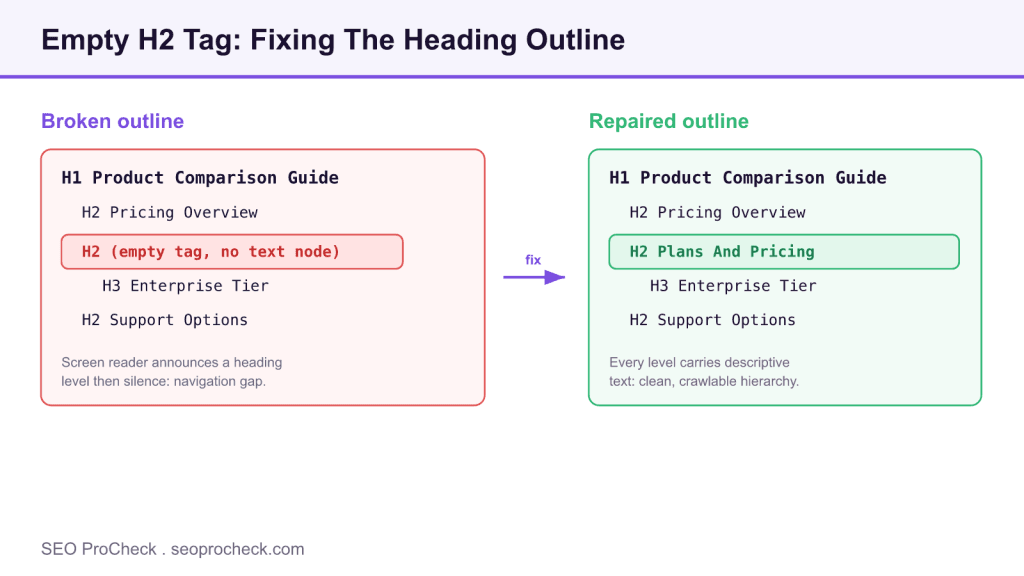
An empty H2 tag is an H2 element that renders in the HTML with no text content, which breaks your document outline and fails accessibility checks. Fix it by adding a concise descriptive subheading when the section needs one, or by removing the tag entirely when it is a template artifact.
- Detect at scale with the Screaming Frog custom extraction //h2[not(normalize-space())] or the CSS selector h2:empty
- An icon-only or image-only H2 counts as empty to screen readers unless it carries alt text or an aria-label
- Empty headings violate WCAG 1.3.1 and 2.4.6, so WAVE and axe report them as errors
- Root causes are almost always CMS templates, deleted content, or failed JavaScript rendering, so fix the source not just the page
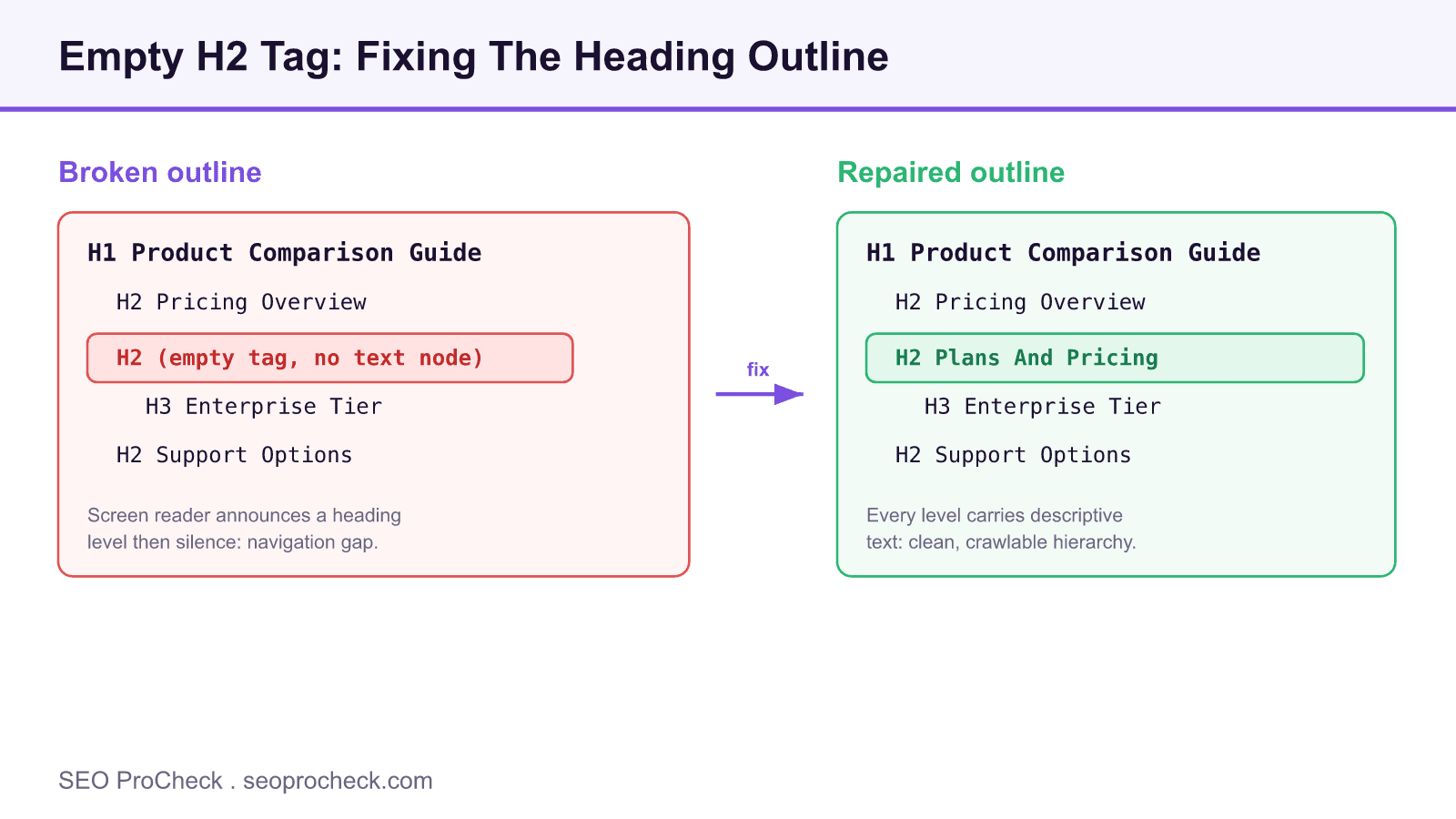
An empty H2 is one of the quieter technical issues an audit surfaces, and it is easy to dismiss because the page still looks fine to a sighted visitor. Under the hood it is a hole in your heading outline: a section marker that announces itself to assistive technology and to crawlers but carries no meaning. This guide covers how to detect empty H2 elements reliably, why they matter for accessibility and search, and how to repair them at the template level so they do not come back.
What counts as an empty H2
The literal case is <h2></h2> with nothing between the tags. In practice you will also meet several disguised variants that behave the same way for a screen reader:
<h2> </h2>holding only whitespace or a non breaking space<h2><a href="/pricing"></a></h2>where the link wrapper has no anchor text<h2><img src="icon.svg"></h2>where the image has no alt attribute- A heading whose text is present in the source but hidden with
display:noneor clipped off screen without an accessible label
The rule of thumb: if the computed accessible name of the heading is blank, it is an empty heading regardless of what the raw markup contains.
How to detect empty H2 tags
For a single page, open DevTools and run this in the console to list offenders:
document.querySelectorAll('h2').forEach(h=>{if(!h.textContent.trim())console.log(h);})
For a whole site, use a crawler. In Screaming Frog, open Configuration then Custom then Extraction, choose XPath mode, and enter //h2[not(normalize-space())] to capture headings that are blank once whitespace is normalized. Add a second extractor count(//h2) if you also want a per URL heading count. Run the crawl, then filter the Custom Extraction tab for rows that returned a match. Sitebulb exposes the same data under its accessibility and on page hints. A pure CSS spot check is the selector h2:empty, though note that :empty does not match a heading that contains a whitespace text node, which is why the XPath approach is more thorough.
Why it matters
The accessibility case is the clearest. Screen readers let users pull up a list of headings to skim and jump through a page. An empty H2 injects a level 2 entry with no label, so a user hears "heading level 2" followed by nothing. That is a direct failure of WCAG success criteria 1.3.1 Info and Relationships and 2.4.6 Headings and Labels. For search, Google reads your heading structure to map sections to subtopics; a blank H2 contributes no relevance and, more importantly, is a reliable smell of a templating defect that may be repeating across hundreds of URLs.
Fixing it at the source
Do not hand patch individual pages if the cause is systemic. Trace the heading back to its template. Common culprits and fixes:
- Unfilled CMS field. A section block outputs
<h2>{{ heading }}</h2>even when the editor leaves the field blank. Wrap the markup in a conditional so the tag only prints when the field has a value. - Icon or link only heading. Add real text and, if you need the icon, keep it decorative with
aria-hidden="true". If the heading is just a linked chevron, it should not be a heading at all. - JavaScript injected content. If a framework populates the heading client side and the fetch fails, the server sends an empty shell. Render the text server side or provide a sensible fallback.
- Leftover from deleted content. When an author removes a section body but leaves the heading, delete the orphaned tag.
After the fix, recrawl to confirm the count of matched URLs drops to zero. Bake the XPath extractor into your recurring audit so regressions surface the next time a template ships.
Empty H2 causes, detection, and fixes
| Cause | How to detect | Recommended fix |
|---|---|---|
| Blank CMS heading field | Screaming Frog XPath //h2[not(normalize-space())] | Conditionally print the tag only when the field is filled |
| Link or icon only heading | axe or WAVE empty heading error | Add anchor text or aria-label, hide decorative icon |
| Failed JavaScript render | Compare raw versus rendered HTML in the crawler | Render heading server side with a fallback |
| Deleted content leftover | Manual review of flagged URLs | Remove the orphaned heading element |
Empty headings rarely travel alone. If you are cleaning up an outline, it pays to check the whole hierarchy at once: see our guides on the empty H1 tag, an H1 tag that is missing entirely, and a broken heading hierarchy. For the wider on page picture, our title tags and meta descriptions guide pairs well with heading cleanup.
Frequently asked questions
Does an empty H2 tag hurt SEO rankings?
An empty H2 is rarely a direct ranking penalty, but it degrades the signals Google reads from your document outline and often points to a broken template. Search engines use headings to understand section topics, so a blank one wastes a relevance slot and can accompany other quality issues on the page.
How do I find every empty H2 across a large site?
Crawl the site with Screaming Frog and add a custom extraction using the XPath //h2[not(normalize-space())], which matches H2 elements with no text after whitespace is stripped. You can also load the page and run document.querySelectorAll('h2:empty, h2:not(:has(*)):empty') in the console for a spot check.
Is an H2 that contains only an icon or image considered empty?
To a screen reader it usually is, because there is no text node to announce. If the visual is meaningful, give it text through an image alt attribute or an aria-label on the heading; if it is decorative, the heading should not exist at all.
Should I delete an empty H2 or add text to it?
Decide by intent. If the section genuinely needs a heading, add concise descriptive text that names the section. If the tag is a leftover from deleted content or a template artifact, remove the element so the outline stays accurate.
Do empty headings fail accessibility audits?
Yes. Tools such as WAVE and axe flag empty headings as errors because they violate WCAG 1.3.1 and 2.4.6, which require headings to describe the content that follows. A blank heading announces a level with no context and confuses keyboard and screen reader navigation.
What is the difference between an empty H2 and a missing H2?
An empty H2 is present in the markup but holds no text, so it clutters the outline with a hollow node. A missing H2 means a long section has no subheading at all, which flattens the structure. Both weaken hierarchy but the fixes differ: remove or fill the empty tag, or add real subheadings where sections lack them.
Claude Vincent is a technical SEO consultant focused on crawlability, rendering, and AI-search visibility. He writes the field guides and case studies at SEO ProCheck, with a bias toward the durable, unglamorous work that decides whether search engines and AI answer engines can actually read and cite a site.
About SEO ProCheck
Technical SEO consulting and GEO strategy with 20 years of enterprise experience. Case studies, resources, and tools for search and AI visibility.
Work With Me
Technical SEO audits, GEO strategy, site migrations, and international SEO. Hourly consulting for teams who need hands-on support, not just reports.
Subscribe to our newsletter!







Recent Posts
- Can AI Crawlers Actually Read Your Site? I Measured 400 of the Biggest September 5, 2026
- The Pre-Publish Quality Gate for AI-Assisted Content August 6, 2026
- AGENTS.md vs llms.txt vs llms-full.txt: Which Agent File Does What July 18, 2026